Halloween - Coloring & Games

1M+
Installs
Orange Studios Games
Developer
-
Casual
Category
-
Everyone
Content Rating
-
orangegstudios@gmail.com
Developer Email
-
http://orangestudiosgames.com/privacy_policy.html
Privacy Policy
Screenshots
editor reviews
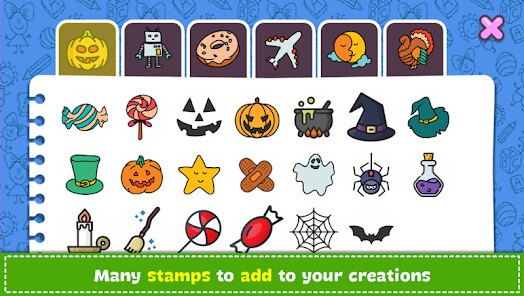
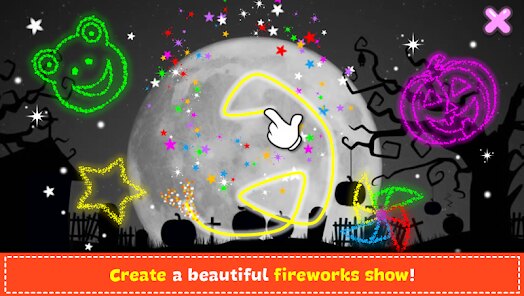
Alright, let me tell you about Halloween - Coloring & Games from Orange Studios Games. If you're looking for a casual, stress-free time killer on android, this is a solid pick. It's a digital coloring book blended with a few mini-games, all wrapped in a Halloween theme. It's a pure mobile game, so you won't find it on steam, xbox, or switch — it's strictly for google play and the App Store. It first launched a few years back and has racked up over 10 million installs on google play alone, which tells you it's got some staying power. The best part? It's 100% free to download and play. Yes, there are in-app ads, but they're not intrusive — you'll see them between coloring sessions, but you can easily skip them. In-app purchases exist too, mostly to remove ads or unlock a few extra packs, and those run anywhere from a couple of bucks to around $5. So, it's a low-commitment app that won't drain your wallet.
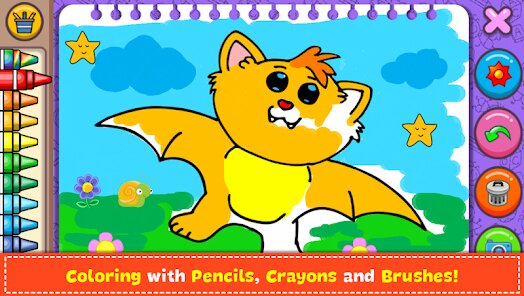
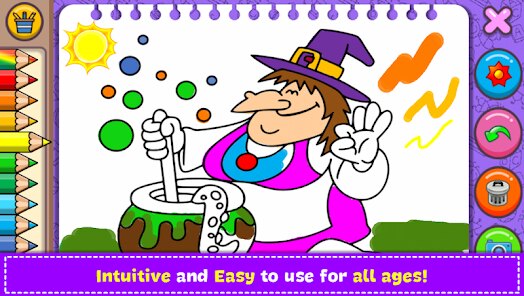
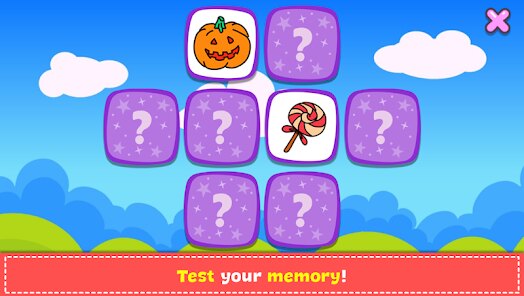
So, how do you actually play this? The main deal is the coloring section. You pick from dozens of Halloween-themed pages — think spooky ghosts, jack-o'-lanterns, witches, and cute little monsters — and you just start tapping to fill them in. It's super intuitive; you don't need any artistic talent. The color palette is generous, with plenty of shades, and there's even a "magic tool" that auto-fills areas, which is great for kids or when you just want to relax. The best part for me? The mini-games. They throw in little puzzles like mazes, memory card flips, and matching games, which break up the coloring nicely. My personal favorite is the "spot the difference" — it's not too challenging but keeps the brain engaged. It feels like a well-rounded package for a casual session when you're killing time on the bus or winding down before bed. The whole vibe is chill, no timers pushing you, and the Halloween theme actually makes it fun to revisit even after the holiday passes.
Comparing it to other coloring apps on google play, like Pigment or Colorfly, this one stands out purely because of its targeted theme. Pigment is more general, with a huge library, but it also has a subscription model that gets pricey. Colorfly is free but overloaded with ads. Halloween - Coloring & Games keeps it simple: no subscription, just a one-time purchase option and manageable ads. Plus, it mixes in games, which those other apps don't. If you're into Halloween or just want a no-nonsense creative outlet that doesn't demand constant payments, I'd say give this a shot. It's not trying to be a masterpiece — it's just a fun, honest app that does exactly what it promises. For a free download, you're getting good value here.
features
- Targeted Halloween Theme 🎃: Unlike general coloring games like Pigment or Colorfly, this one sticks to spooky vibes. You get bats, haunted houses, and pumpkins — all in one place. If you love the season, it's a perfect bite-sized escape.
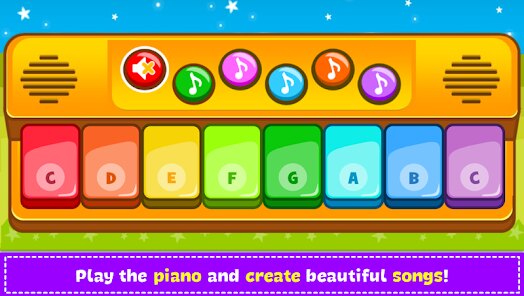
- Mixed Mini-Games 🧩: This isn't just coloring. It includes memory games, mazes, and spot-the-difference puzzles. Other apps like Happy Color lack this variety entirely, which makes this feel more like a playground than a single task.
- Simple, Kid-Friendly UI 🖍️: The interface is big, colorful, and easy to navigate. Even a toddler can figure it out. In contrast, more complex apps like Recolor have overwhelming menus that stress me out. This one keeps it straightforward.
pros
- Zero Pressure Gameplay 😌: There are no timers, scores, or deadlines. You can color a page for five minutes or an hour — your call. Compared to something like Color by Number, which forces you into sequential unlocks, this feels liberating and stress-free.
- Generous Free Content 🆓: For a free install, you get dozens of pages and games without paying a cent. Other apps on google play, like Coloring Book for Adults, lock half the content behind a paywall. Here, you can play for weeks without spending a dime.
- Ad System That Respects You 📱: The ads are skippable after a few seconds and rarely pop up during active coloring. Compared to games like Puzzle Halloween, which bombards you between every level, this is a breath of fresh air. It makes the android experience smooth.
cons
- Limited Content Variety 🎨: After a while, the coloring pages feel repetitive — there are maybe 30 unique designs total. Games like Pixel Art on google play offer thousands. If you color daily, you'll run out of fresh stuff within a week or two.
- No Online Features 🌐: There's no way to share your creations or compete with friends. Apps like Color Me offer social sharing, but this one feels isolated. It's a solo experience, which can get dull if you want a community vibe.
- Occasional Lag on Older Devices 🐢: On my older android phone, the mini-games sometimes stutter. Similar games on steam, like Draw Puzzle, run smoother. Not a dealbreaker, but worth noting if you're on a budget device.
Articles
![]()
Guide
How to Update Google Play Store on Android 2026
![]()
Guide
How to Download Older Versions of Android Apps
![]()
Guide
How to Download Apps Without Google Play Store
![]()
Guide
What Is an APK File for Android?
If you use an Android phone, you may have seen the term APK while searching for apps or games online. Some websites offer an APK download instead of a Google Play install button. Some users also mention APK files when talking about apps that are not available in their region, older app versions, or Android games downloaded outside the Play Store.
![]()
Guide
How to Install Games from Google Play for Beginners
Installing games on an Android phone is usually simple, but for beginners, the process can still feel confusing at first. You may not know where to search, which button to tap, whether the game is safe, or why Google Play sometimes asks for account settings, storage access, or payment information. If you are using an Android phone for the first time, learning how to install games from Google Play is one of the easiest ways to get started.
![]()
Guide
How Useful Gemini Is for Everyday Questions and Quick Tasks
emini feels different from many AI apps because it is not only trying to be a chatbot. After using it for everyday questions, quick writing, image understanding, and planning, I think its biggest strength is convenience.
![]()
Guide
What to Know Before Downloading APKs
For many Android users, downloading an APK is a common way to install apps and games. Sometimes an app is not available in a certain country.
![]()
Guide
ChatGPT Review: Is It Still the Best AI App in 2026?
![]()
Guide
Seedance 2.0 vs Sora: The Future of AI Video Generation
The AI video race has intensified dramatically over the past two years. Platforms like Sora from OpenAI and Luma Dream Machine pushed the boundaries of text-to-video realism. Yet, despite their impressive outputs, most tools still operate as probabilistic generators—you describe a scene, and the model interprets it. Control remains limited. With the February 2026 release of Seedance 2.0, developed by ByteDance, the paradigm shifted. Internally known as Jimeng 2.0, Seedance does not position itself as just another video model. It positions itself as an AI Director. Rather than guessing what you want, Seedance 2.0 allows you to direct what happens. This distinction defines everything that follows.









Recommended Apps
![]()
Tricky Relax Challenge Games
stick hunter4.1
![]()
Hair Salon : Halloween Stylish
Happy Run4.2![]()
Farming Simulator 23 Mobile
GIANTS Software4.3![]()
Sprint Master Sim: Athlete Run
Agro Smart0![]()
My Talking Angela 2
Outfit7 Limited4.4![]()
Score! Hero
First Touch Games Ltd.4.5
![]()
Kpop Tiles: Piano Rhythm Game
Rhythm Hero: Good Music Games4.8![]()
Gabbys Dollhouse: Games & Cats
Play Piknik4.1![]()
BitLife - Life Simulator
Candywriter, LLC4.4![]()
Dinosaur Universe
Supercent, Inc.4.4![]()
Snake Run Race・3D Running Game
Freeplay Inc4.7![]()
Halloween Chronicles: Family
Do Games Limited4.6![]()
Mega Truck Simulator Games 3D
GamePark4.4![]()
Cubes 2048.io
CrazyGames.com3.3![]()
Sandwich Runner
株式会社ドワンゴ4.1