Recovery Pro - File Recovery

1M+
Installs
Makes Your Life Easier
Developer
-
Productivity
Category
-
Everyone
Content Rating
-
admin@techverse.app
Developer Email
-
https://sites.google.com/supernovajsc.com/privacy-policy-makes-easier
Privacy Policy
Screenshots

editor reviews
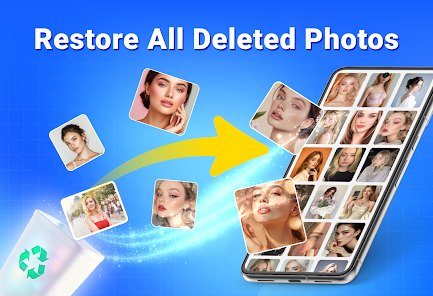
Recovery Pro - File Recovery is a utility app designed to help users restore deleted or lost files from their devices. It falls under the tools category and is available for download on Google Play, where it has been installed by a fairly large number of users. The app can be downloaded and installed for free, though it does include ads and offers in-app purchases for premium features. Its main purpose is straightforward: scan your storage and attempt to bring back photos, videos, documents, and other files that were accidentally removed.
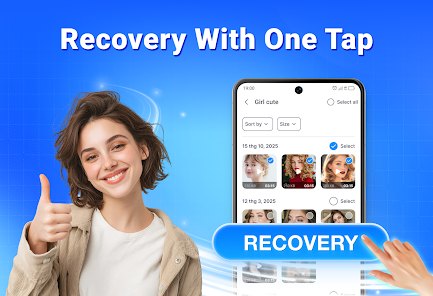
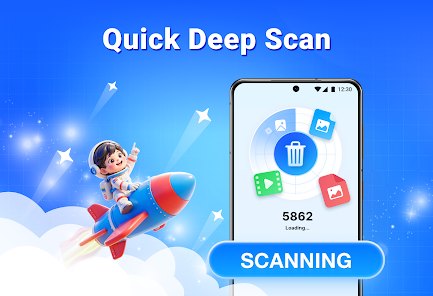
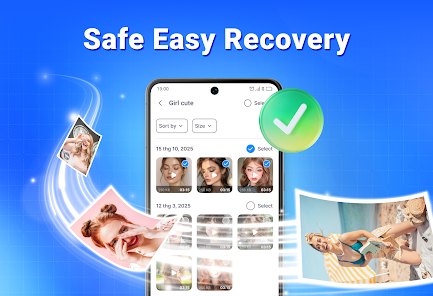
Once you open the app, it walks you through selecting the type of file you want to recover and the location to scan. From there, a scanning process runs and presents a list of recoverable items. Tapping on individual files lets you preview them before deciding to restore. What stood out to me during use was how the interface keeps things fairly simple; even someone who is not tech-savvy can probably navigate the steps without much trouble. The scan itself does take some time depending on how much data is stored on your phone. After the results appear, restoring a file is just a matter of selecting it and confirming the action.
Placing it next to similar recovery tools on the market, this one leans toward a cleaner, more guided experience rather than throwing every option at you at once. Some competing apps offer deeper customization for advanced users, but they often feel cluttered. Recovery Pro seems aimed at people who want a quick, no-fuss solution. In my own experience, the guided flow made it easier to get started without reading any instructions, though it also means fewer manual controls for those who like to tweak scan parameters.
features
- The scanning process is guided step by step, which reduces the guesswork for first-time users. You pick a file type, choose a location, and let the app do the rest.
- File preview before recovery is genuinely useful. Being able to see a thumbnail or open a document before restoring saves time and avoids bringing back junk files.
- The app organizes recoverable files by category, so photos, videos, and documents are separated rather than dumped into one long list. This feels more organized than some rivals that just show a flat list of results.
- Ads are present throughout the free version, and removing them requires an in-app purchase. It is a common model, but the placement sometimes interrupts the flow between scanning and reviewing results.
pros
- Accidentally deleted photos can be brought back without needing a computer or specialist software.
- The preview option means you only restore what you actually need, which saves storage space.
- The step-by-step layout makes it usable even if you have never tried a recovery tool before.
cons
- Scan times can stretch out on devices with a lot of stored data, which tests your patience.
- Not every file is recoverable, and the app does not always make it clear why some items fail to restore.
- The free version shows ads at moments that feel disruptive, especially while waiting for scan results.
- Some features are locked behind in-app purchases, and the pricing is not immediately obvious until you reach that point.
Articles
![]()
Guide
How to Update Google Play Store on Android 2026
![]()
Guide
How to Download Older Versions of Android Apps
![]()
Guide
How to Download Apps Without Google Play Store
![]()
Guide
What Is an APK File for Android?
If you use an Android phone, you may have seen the term APK while searching for apps or games online. Some websites offer an APK download instead of a Google Play install button. Some users also mention APK files when talking about apps that are not available in their region, older app versions, or Android games downloaded outside the Play Store.
![]()
Guide
How to Install Games from Google Play for Beginners
Installing games on an Android phone is usually simple, but for beginners, the process can still feel confusing at first. You may not know where to search, which button to tap, whether the game is safe, or why Google Play sometimes asks for account settings, storage access, or payment information. If you are using an Android phone for the first time, learning how to install games from Google Play is one of the easiest ways to get started.
![]()
Guide
How Useful Gemini Is for Everyday Questions and Quick Tasks
emini feels different from many AI apps because it is not only trying to be a chatbot. After using it for everyday questions, quick writing, image understanding, and planning, I think its biggest strength is convenience.
![]()
Guide
What to Know Before Downloading APKs
For many Android users, downloading an APK is a common way to install apps and games. Sometimes an app is not available in a certain country.
![]()
Guide
ChatGPT Review: Is It Still the Best AI App in 2026?
![]()
Guide
Seedance 2.0 vs Sora: The Future of AI Video Generation
The AI video race has intensified dramatically over the past two years. Platforms like Sora from OpenAI and Luma Dream Machine pushed the boundaries of text-to-video realism. Yet, despite their impressive outputs, most tools still operate as probabilistic generators—you describe a scene, and the model interprets it. Control remains limited. With the February 2026 release of Seedance 2.0, developed by ByteDance, the paradigm shifted. Internally known as Jimeng 2.0, Seedance does not position itself as just another video model. It positions itself as an AI Director. Rather than guessing what you want, Seedance 2.0 allows you to direct what happens. This distinction defines everything that follows.









Recommended Apps
![]()
ANIME Live Wallpapers
Live Wallpapers Expert4.3
![]()
SHEIN-Shopping Online
Roadget Business PTE. LTD.4.6
![]()
Japevox - Funny Prank Sound
SecureTool4.3![]()
Transit: Bus & Subway Times
Transit, Inc.4.5![]()
Easy Clean Pro
Limtech Developers3.6![]()
PayByPhone
PayByPhone Technologies Inc .4.9![]()
Daily Horoscope & Astrology
TELEMAQUE4.2![]()
TickTock-TikTok Live Wallpaper
TikTok Pte. Ltd.4.5![]()
TIME WARP SCAN: Face Scanner
ZipoApps4.3![]()
Fulldive VR - Virtual Reality
Browser by Fulldive Co.3.9![]()
Beauty Camera -Selfie, Sticker
Leopard V74.7![]()
Version AI: AI Photo Generator
Apptribe Dijital4.5![]()
Domino's Pizza USA
Domino's Pizza LLC4.7![]()
Astrolink: Birth Chart
Astrolink Orbe4.2![]()
How Old Is Your Brain?
KDR Games4.1