

Poly Bridge 2

500K+
Installs
Dry Cactus Limited
Developer
-
Simulation
Category
-
Everyone
Content Rating
-
support@drycactus.com
Developer Email
-
https://www.polybridge2.com/privacy.html
Privacy Policy
Screenshots
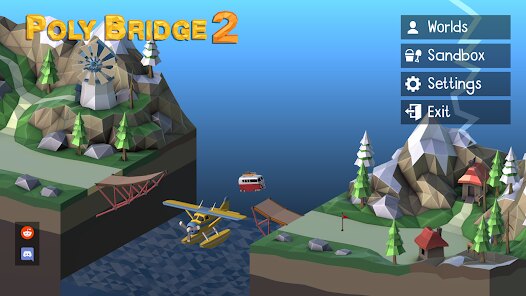
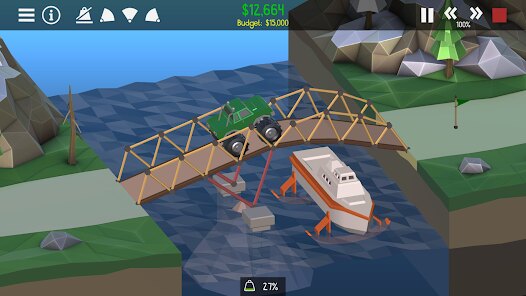
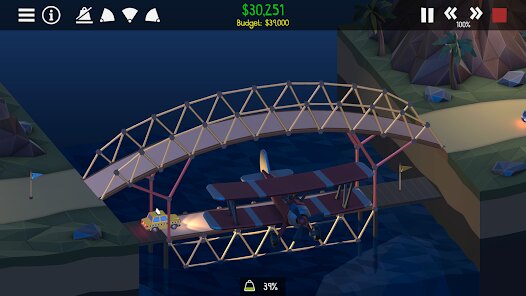
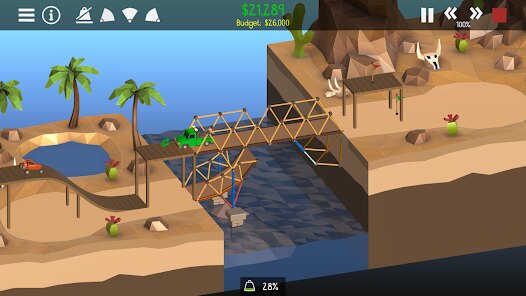
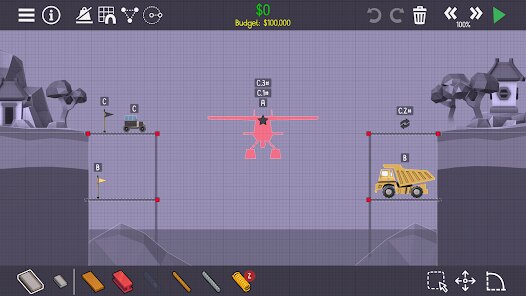
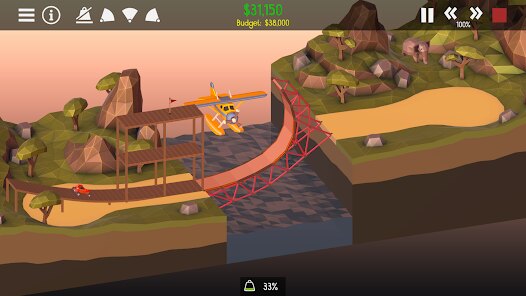
editor reviews
Poly Bridge 2 is hands down one of the most addictive physics-based puzzle games I've ever sunk my teeth into on Android. It's a pure mobile port, but let me tell you, this gem originally launched on PC via Steam back in 2016, and it also made its way to game consoles like Nintendo Switch. The Google Play Store version dropped later, and it's been a huge hit with over 1 million installs. The Google Play app itself is free to download, but it's not a complete free ride—you get a solid demo of the early levels, and then you can unlock the full game via an in-app purchase, which usually costs around $4.99. That's a steal for the amount of content you get. There are no intrusive in-app ads, which is refreshing for a free Android game, but you do have the option to watch optional ads for extra resources like hydra tokens. Coming from someone who plays a ton of these engineering puzzle games on PC and mobile, the mobile version on Google Play is incredibly well-optimized for touch controls, though I still prefer the precision of a mouse for some of the trickier builds.
So how do you actually play this thing? It's simple in concept but brutally hard in execution. You're given a set of structural parts—wood, steel, cables, and hydraulic pistons—and you have to build a bridge that can withstand the weight of vehicles like cars and buses crossing over a gap. The best part is the sandbox-like freedom. You can design the most ridiculous, spaghetti-looking suspension bridges, or the most minimalist, mathematically sound trusses. There's no one right way to win. My favorite part has to be the sheer chaos when your bridge fails. Seeing your creation snap, twist, and dump a dozen cars into the ravine is somehow hilarious every single time. The physics engine is surprisingly robust for an Android app, and the real fun comes from iterating your design after each failure. I've lost hours just tweaking a single bridge to get that perfect 100% stress-free build. It's the kind of game that makes you feel like a genius one minute and a complete fool the next.
Compared to other bridge-building games like the original Poly Bridge or Bridge Constructor Portal, Poly Bridge 2 feels like the most polished and feature-rich experience on Android. The original Poly Bridge is great, but Poly Bridge 2 added a ton of new mechanics like hydraulic lifts and springs that open up way more creative solutions. In Bridge Constructor Portal, you're stuck with the Portal gun gimmick, which is fun but limits the pure engineering aspect. This game is more about pure physics and understanding load distribution. I recommend Poly Bridge 2 over the others because it perfectly balances difficulty with creativity. It's not just about building a bridge; it's about building a workable bridge on a budget. The campaign is huge, with hundreds of levels, and the custom levels created by the community in the Workshop keep the game fresh forever. If you're into games like Besiege or BeamNG.drive on PC but want something you can play on your phone during a commute, this Android download is a no-brainer. Just be prepared to lose sleep over one stubborn level.
features
- Hydraulic Engineering 🔧 - Unlike Poly Bridge 1, this game introduces hydraulic pistons and springs. You can build moving bridges, collapsing ramps, or even launch vehicles across gaps. It adds a whole new layer of creative destruction that other mobile bridge builders lack.
- Community Workshop 🌍 - The built-in Workshop feature is a game changer on Android. You can download thousands of custom levels made by other players directly from the Google Play app. It basically gives you infinite content, which is rare for a mobile game in this genre.
- Adaptive Stress Visuals 📊 - When you test your bridge, stress lines turn from green to red in real-time. It's incredibly satisfying to watch your structure hold up under pressure, and it makes learning from failures way easier compared to the more opaque feedback in Bridge Constructor.
pros
- Endless Replayability 🎮 - The campaign alone has 80+ levels, but the community-driven Workshop means you'll never run out of challenges. On Android, most puzzle games run dry after a few hours, but Poly Bridge 2 keeps giving. I've been playing the Google Play version for months and still find fresh user-made levels.
- Satisfying Physics 💥 - The physics engine is top-notch. Watching a bridge crumple under load or a car fly across a gap thanks to a perfectly tuned spring feels amazing. It's way more visceral than the more sterile feel of Bridge Constructor Portal, which relies too much on gimmicks.
- No Console-Lock Frustration 🕹️ - Unlike some PC ports, the touch controls here are excellent. Dragging and connecting parts with your finger on the Android screen feels natural, and the UI is clean. You don't feel like you're fighting the game to make your vision happen, which is a common complaint with complex mobile builders.
cons
- Steep Learning Curve ⚠️ - Don't expect to breeze through this. The early levels are easy, but later stages require a solid understanding of physics and budget management. Bridge Constructor is more forgiving, so if you get frustrated easily, this might not be your cup of tea.
- Screen Size Issues 📱 - On a smaller phone screen, the UI can feel a bit cramped. Selecting tiny points to connect cables or tweaking individual node positions is finicky. It's much better on a tablet, but on a standard Android smartphone, you'll wish you had a mouse sometimes.
- In-App Purchase Gate 🚪 - The free Google Play download only gives you the first few levels. To unlock the full game, you have to pay the $4.99. While I think it's worth it, some players might be turned off by the lack of a more extensive demo compared to other free-to-play apps.
Articles
![]()
Guide
How to Update Google Play Store on Android 2026
![]()
Guide
How to Download Older Versions of Android Apps
![]()
Guide
How to Download Apps Without Google Play Store
![]()
Guide
What Is an APK File for Android?
If you use an Android phone, you may have seen the term APK while searching for apps or games online. Some websites offer an APK download instead of a Google Play install button. Some users also mention APK files when talking about apps that are not available in their region, older app versions, or Android games downloaded outside the Play Store.
![]()
Guide
How to Install Games from Google Play for Beginners
Installing games on an Android phone is usually simple, but for beginners, the process can still feel confusing at first. You may not know where to search, which button to tap, whether the game is safe, or why Google Play sometimes asks for account settings, storage access, or payment information. If you are using an Android phone for the first time, learning how to install games from Google Play is one of the easiest ways to get started.
![]()
Guide
How Useful Gemini Is for Everyday Questions and Quick Tasks
emini feels different from many AI apps because it is not only trying to be a chatbot. After using it for everyday questions, quick writing, image understanding, and planning, I think its biggest strength is convenience.
![]()
Guide
What to Know Before Downloading APKs
For many Android users, downloading an APK is a common way to install apps and games. Sometimes an app is not available in a certain country.
![]()
Guide
ChatGPT Review: Is It Still the Best AI App in 2026?
![]()
Guide
Seedance 2.0 vs Sora: The Future of AI Video Generation
The AI video race has intensified dramatically over the past two years. Platforms like Sora from OpenAI and Luma Dream Machine pushed the boundaries of text-to-video realism. Yet, despite their impressive outputs, most tools still operate as probabilistic generators—you describe a scene, and the model interprets it. Control remains limited. With the February 2026 release of Seedance 2.0, developed by ByteDance, the paradigm shifted. Internally known as Jimeng 2.0, Seedance does not position itself as just another video model. It positions itself as an AI Director. Rather than guessing what you want, Seedance 2.0 allows you to direct what happens. This distinction defines everything that follows.









Recommended Apps
![]()
My Supermarket Simulator 3D®
Game District LLC3.9

![]()
Fortnite
Epic Games, Inc4![]()
Poppy Playtime Chapter 3
Mob Entertainment4.2![]()
Diamond Painting ASMR Coloring
CrazyLabs LTD4.5![]()
Real Bus Simulator : Bus Games
Solo Studio Inc3.2![]()
Sprunki All Phases Beat Maker
Gotstar Studio0![]()
Looper!
Kwalee (Ltd)4.2![]()
Gugu Gaga Penguin: Mini Games
Kids Games LLC3![]()
KPop Demon Hunter Wallpaper
Highlights Devloper0![]()
Count Masters: Stickman Games
Freeplay Inc4.6![]()
Scary Teacher 3D
Z & K Games4.3![]()
Papa's Wingeria HD
Flipline Studios4.6![]()
Who's Your Daddy?!
Evil Tortilla Games Incorporated2.7![]()
AFK Arena
LilithGames4.6![]()
Hungry Balls
HYPERCELL4.6












































