

DoorDash - Food Delivery

50,000,000+
Installs
DoorDash
Developer
-
Food & Drink
Category
-
Rated for 3+
Content Rating
-
support@doordash.com
Developer Email
-
https://www.doordash.com/privacy/
Privacy Policy
Screenshots
editor reviews
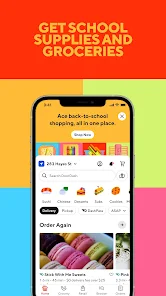
DoorDash is a food delivery app that connects you with local restaurants, grocery stores, and even some convenience shops. It's basically one of those services you download when you're too tired to cook, stuck at work, or just craving something specific but don't want to leave the house. On the Google Play Store, it's been downloaded over 100 million times, and it's free to install. You do need to sign up with an email or phone number, and after that, you can start browsing right away. The first thing you notice when you open the app is a clean map showing nearby options, plus a search bar at the top. It feels pretty straightforward for a food delivery app.
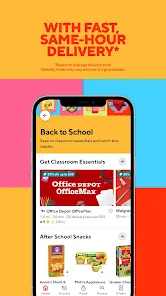
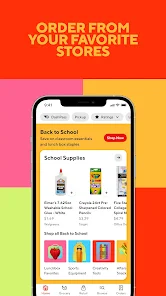
After you place your first order, the real experience kicks in. The interface sorts restaurants by distance, rating, or estimated delivery time, and you can filter by cuisine type or dietary preferences. Once you pick a place and add items to your cart, you hit checkout, where you choose between delivery or pickup. You can tip right there, and the app shows a live map of your Dasher's route once they're on the way. One thing I noticed is that the estimated times can be a bit optimistic, especially during rush hours, but the tracking usually keeps you updated. A small tip: if you find a restaurant you like, adding it to your favorites makes reordering way faster. The whole flow feels smooth, though occasionally the app glitches when switching between tabs.
After using DoorDash for a while, I think it's best for people who order takeout often or live in a city with lots of options. If you're in a smaller town, the selection might feel thin. Compared to Uber Eats, DoorDash tends to have better promo deals like DashPass for free delivery, but Uber Eats often has more detailed restaurant reviews. What keeps me from uninstalling it is the reliability—most orders arrive as ordered, and the customer support, while not instant, usually resolves issues. On the flip side, the fees add up quickly, and I've had a few cold deliveries. It's not a perfect app, but it does the job for a lazy dinner night.
features
- 🛵 Live order tracking shows your Dasher's exact location, so you know when to head to the door, a feature that Uber Eats also offers but DoorDash makes slightly more visible during the wait.
- 🛵 DashPass subscription gives you unlimited free delivery on eligible orders and reduced service fees, which is a standout compared to Grubhub's similar program because DoorDash has a larger restaurant network in most US cities.
- 🛵 Group ordering lets multiple people add items to one cart from different restaurants, something Uber Eats doesn't support as smoothly, making it perfect for office lunches or family gatherings.
- 🛵 Pickup option saves on delivery fees and tips, and DoorDash often runs exclusive discounts on pickup orders that other apps like Postmates rarely match.
pros
- 🔋 DoorDash has a bigger restaurant selection than Grubhub in many suburban areas, so you're less likely to see "this location is unavailable" errors.
- 🔋 The "Leave at my door" option works reliably, unlike Uber Eats where drivers sometimes forget and ring the bell anyway, which is handy for contactless deliveries.
- 🔋 Customer service typically refunds missing items within a few hours, while Postmates support can take days to respond, based on my personal experience.
cons
- 🔋 Delivery fees and service charges pile up fast, often making a $10 meal cost $18, which is worse than Uber Eats' sometimes flatter pricing structure.
- 🔋 Estimated delivery times frequently run late by 10-15 minutes during peak hours, while Grubhub seems more accurate with its time predictions in my area.
- 🔋 The app's search function occasionally shows restaurants that are actually closed or too far away, forcing you to scroll through dead ends, unlike Postmates which filters out unavailable options better.
Articles
![]()
Guide
How to Update Google Play Store on Android 2026
![]()
Guide
How to Download Older Versions of Android Apps
![]()
Guide
How to Download Apps Without Google Play Store
![]()
Guide
What Is an APK File for Android?
If you use an Android phone, you may have seen the term APK while searching for apps or games online. Some websites offer an APK download instead of a Google Play install button. Some users also mention APK files when talking about apps that are not available in their region, older app versions, or Android games downloaded outside the Play Store.
![]()
Guide
How to Install Games from Google Play for Beginners
Installing games on an Android phone is usually simple, but for beginners, the process can still feel confusing at first. You may not know where to search, which button to tap, whether the game is safe, or why Google Play sometimes asks for account settings, storage access, or payment information. If you are using an Android phone for the first time, learning how to install games from Google Play is one of the easiest ways to get started.
![]()
Guide
How Useful Gemini Is for Everyday Questions and Quick Tasks
emini feels different from many AI apps because it is not only trying to be a chatbot. After using it for everyday questions, quick writing, image understanding, and planning, I think its biggest strength is convenience.
![]()
Guide
What to Know Before Downloading APKs
For many Android users, downloading an APK is a common way to install apps and games. Sometimes an app is not available in a certain country.
![]()
Guide
ChatGPT Review: Is It Still the Best AI App in 2026?
![]()
Guide
Seedance 2.0 vs Sora: The Future of AI Video Generation
The AI video race has intensified dramatically over the past two years. Platforms like Sora from OpenAI and Luma Dream Machine pushed the boundaries of text-to-video realism. Yet, despite their impressive outputs, most tools still operate as probabilistic generators—you describe a scene, and the model interprets it. Control remains limited. With the February 2026 release of Seedance 2.0, developed by ByteDance, the paradigm shifted. Internally known as Jimeng 2.0, Seedance does not position itself as just another video model. It positions itself as an AI Director. Rather than guessing what you want, Seedance 2.0 allows you to direct what happens. This distinction defines everything that follows.









Recommended Apps
![]()
Home Design 3D
Anuman4.2
![]()
Truth or Dare Game - Party App
Chouic4.8
![]()
Photo Collage Maker
Scoompa4.7![]()
Learn to Draw Flower
Creative APPS4.2![]()
FIFA World Cup 2026™
FIFA2.8![]()
Mirror Plus: Mirror with Light
Digitalchemy, LLC4.4![]()
Meitu- Photo Editor & AI Art
Meitu (China) Limited4.5![]()
Perplexity - Ask Anything
PerplexityAI4.7![]()
GhostTube SLS Camera Alternate
GhostTube4![]()
Boom Chip Blast: 2-Player
Black Pyramid 3D Games Studio0![]()
Healthy Benefits+
Solutran, Inc.4.5![]()
Deepcheck AI Search Assistant
rohe.ai4![]()
Idol Prank Video Call & Chat
LightCode Solutions4![]()
Face Shape - Pretty Scale
GlintTec Apps3.9![]()
Plant App - Plant Identifier
ScaleUp4.6












































