

Telegram

1,000,000,000+
Installs
Telegram FZ-LLC
Developer
-
Social
Category
-
Rated for 12+
Content Rating
-
support@telegram.org
Developer Email
-
https://telegram.org/privacy
Privacy Policy
Screenshots
editor reviews
Telegram is a cloud-based messaging app that sits somewhere between a basic chat tool and a full social platform. You can send texts, voice messages, photos, and files up to 2GB, but what really sets it apart is the focus on speed and privacy. People download it from Google Play or the App Store (it's free, no paid download needed) because they want something more secure than the usual apps, or because they need channels and groups that hold thousands of members. The first time you open it, the interface feels clean and surprisingly light, with a simple blue-and-white scheme. You're asked for your phone number right away, which feels normal, but then you notice there's no endless friend-finding or contact syncing forced on you. It's refreshing. Registration takes maybe a minute, and you're in. There are no in-app purchases blocking anything essential, though you can pay for extra features like stickers or premium tiers. Ads show up occasionally in public channels, but not in your private chats, which keeps the experience uncluttered.
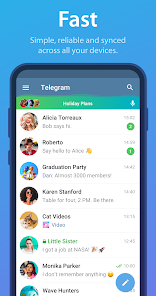
After you start using Telegram, the hands-on experience is pretty smooth. The main screen shows your chats, and tapping a contact opens a familiar messaging view, but the real fun is in the little extras. You can edit a sent message after you realize you made a typo, or delete it for everyone without a trace. The onboarding doesn't have a tutorial, which might confuse someone who expects hand-holding, but most people figure it out fast. Common actions like creating a group are easy: hit the pencil icon, pick members, name it, done. One tip I learned is that you can swipe left on a chat to pin it, which helps when you have too many conversations. Every day use feels responsive, messages sync across devices instantly because it's cloud-based, and you can start a message on your phone and finish it on your laptop without a hitch. The only confusing moment for me was figuring out the difference between a group and a channel at first, but after a few tries, it clicks. The app doesn't lag or crash, and the search function actually works, which is rare for messaging apps.
After using Telegram for a while, my personal take is that it's excellent for certain people but not for everyone. If you're a privacy-conscious user or someone who manages communities or large friend circles, you'll love it. The secret chats with end-to-end encryption and self-destruct timers feel legit. But if your friends and family all use WhatsApp, you might end up alone here, and that's a real reason people uninstall it. Compared to apps like WhatsApp or Signal, Telegram offers more flexibility with bots, public channels, and massive group sizes, but it lacks the default encryption on regular chats, which bugs some users. What makes it different is the ecosystem: you can follow news channels, use stickers like a collector, or even build a simple bot. I keep it installed because it's my go-to for file sharing and niche communities, but I know people who removed it because they didn't need the extra features. It's a solid app, just not a universal replacement.
features
- 💬 Bot ecosystem: Telegram's bot system is way beyond what WhatsApp offers. You can automate tasks, get news, play games, or even order food directly in a chat, and it's all free to set up, unlike WhatsApp's limited business tools.
- 📁 File sharing with no cap: You can send files up to 2GB each, which destroys WhatsApp's 100MB limit. This makes it perfect for sharing video projects, large PDFs, or full music albums without compressing anything.
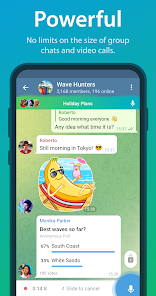
- 👥 Massive groups and channels: Telegram lets groups hold up to 200,000 members, and channels are public, with unlimited subscribers. WhatsApp groups cap at 1,024, so for community managers, this is a game changer.
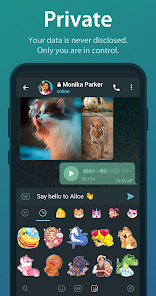
- 🔒 Secret chats and self-destruct: The secret chat feature offers true end-to-end encryption and messages that vanish after a timer, something Signal does well but WhatsApp only started adding in 2023. It's a standout for privacy.
pros
- 📡 Cloud sync is seamless: Unlike WhatsApp, which ties your messages to one device unless you use the web version, Telegram syncs everything to the cloud. You can log out and log back in on any phone and all history shows up, no backup headache.
- 🎨 Customization options: You can change themes, chat backgrounds, and even install custom sticker packs without paying. Signal and WhatsApp are way more locked down, so this feels refreshing for users who like personalization.
- 🕹️ Bots for productivity: Telegram's bot integration is hands-down better than any competitor. You can schedule reminders, translate messages, or fetch data from APIs, turning chats into a Swiss Army knife. WhatsApp has nothing similar.
cons
- 🔐 No default end-to-end encryption: Regular chats and groups aren't encrypted by default, unlike Signal or WhatsApp. You have to manually start a secret chat, which is a hassle for users who want privacy without extra steps.
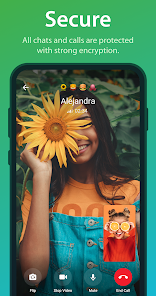
- 📞 Voice and video call quality: Calls on Telegram are decent but not as reliable as WhatsApp or Signal. I've experienced lag and echo in group calls, and the video quality sometimes drops, which can be annoying for work calls.
- 🔄 Less user adoption: Since most people use WhatsApp or iMessage, Telegram can feel like a ghost town if your social circle isn't on it. This is a major reason people delete it, no app matters if no one else uses it.
- 📊 Storage management: Cloud sync is great, but Telegram stores all media locally by default, which can fill up your phone fast if you're in active channels. You have to manually clear cache, whereas WhatsApp offers better auto-clean settings.
Articles
![]()
Guide
How to Update Google Play Store on Android 2026
![]()
Guide
How to Download Older Versions of Android Apps
![]()
Guide
How to Download Apps Without Google Play Store
![]()
Guide
What Is an APK File for Android?
If you use an Android phone, you may have seen the term APK while searching for apps or games online. Some websites offer an APK download instead of a Google Play install button. Some users also mention APK files when talking about apps that are not available in their region, older app versions, or Android games downloaded outside the Play Store.
![]()
Guide
How to Install Games from Google Play for Beginners
Installing games on an Android phone is usually simple, but for beginners, the process can still feel confusing at first. You may not know where to search, which button to tap, whether the game is safe, or why Google Play sometimes asks for account settings, storage access, or payment information. If you are using an Android phone for the first time, learning how to install games from Google Play is one of the easiest ways to get started.
![]()
Guide
How Useful Gemini Is for Everyday Questions and Quick Tasks
emini feels different from many AI apps because it is not only trying to be a chatbot. After using it for everyday questions, quick writing, image understanding, and planning, I think its biggest strength is convenience.
![]()
Guide
What to Know Before Downloading APKs
For many Android users, downloading an APK is a common way to install apps and games. Sometimes an app is not available in a certain country.
![]()
Guide
ChatGPT Review: Is It Still the Best AI App in 2026?
![]()
Guide
Seedance 2.0 vs Sora: The Future of AI Video Generation
The AI video race has intensified dramatically over the past two years. Platforms like Sora from OpenAI and Luma Dream Machine pushed the boundaries of text-to-video realism. Yet, despite their impressive outputs, most tools still operate as probabilistic generators—you describe a scene, and the model interprets it. Control remains limited. With the February 2026 release of Seedance 2.0, developed by ByteDance, the paradigm shifted. Internally known as Jimeng 2.0, Seedance does not position itself as just another video model. It positions itself as an AI Director. Rather than guessing what you want, Seedance 2.0 allows you to direct what happens. This distinction defines everything that follows.









Recommended Apps
![]()
Home Design 3D
Anuman4.2
![]()
Truth or Dare Game - Party App
Chouic4.8
![]()
Photo Collage Maker
Scoompa4.7![]()
Learn to Draw Flower
Creative APPS4.2![]()
FIFA World Cup 2026™
FIFA2.8![]()
Mirror Plus: Mirror with Light
Digitalchemy, LLC4.4![]()
Meitu- Photo Editor & AI Art
Meitu (China) Limited4.5![]()
Perplexity - Ask Anything
PerplexityAI4.7![]()
GhostTube SLS Camera Alternate
GhostTube4![]()
Boom Chip Blast: 2-Player
Black Pyramid 3D Games Studio0![]()
Healthy Benefits+
Solutran, Inc.4.5![]()
Deepcheck AI Search Assistant
rohe.ai4![]()
Idol Prank Video Call & Chat
LightCode Solutions4![]()
Face Shape - Pretty Scale
GlintTec Apps3.9![]()
Plant App - Plant Identifier
ScaleUp4.6











































