

Call of Duty®: Mobile

100M+
Installs
Activision Publishing, Inc.
Developer
-
Action
Category
-
Mature 17+
Content Rating
-
CoDMobile@activision.com
Developer Email
-
https://www.activision.com/legal/privacy-policy
Privacy Policy
Screenshots
editor reviews
If you've been around the block with first-person shooters on Android, then Call of Duty: Mobile is that app you've probably already downloaded or at least heard about. It's a full-blown, fast-paced FPS that dropped onto the Google Play Store and the App Store back in October 2019, and honestly, it still feels like one of the most polished shooters you can install on your phone. The game is completely free to download and play, but like any good free-to-play title, it has in-app purchases. You're looking at spending anywhere from a couple of bucks for a battle pass crate to around $25 for a premium weapon draw if you're looking to flex on the leaderboards. There are also in-app ads, but they're mostly optional and pop up only if you want to double your XP or grab a free loot crate, so it's not the kind of intrusive stuff that ruins a good match. It's a mobile-first king, but with cross-progression through Call of Duty accounts, it's tied to its big brothers on PC, Xbox, and Switch through the franchise's universe, not directly through cross-play, which keeps the playing field fair for touch-screen warriors.
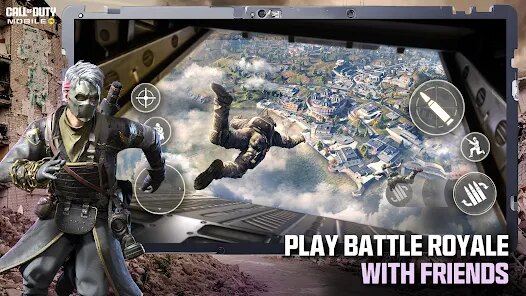
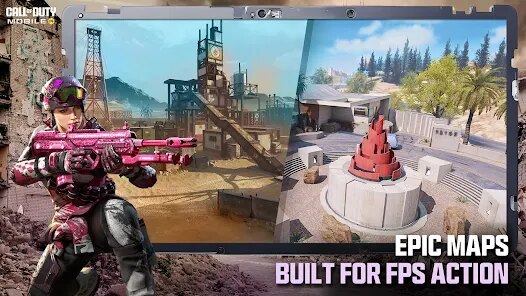
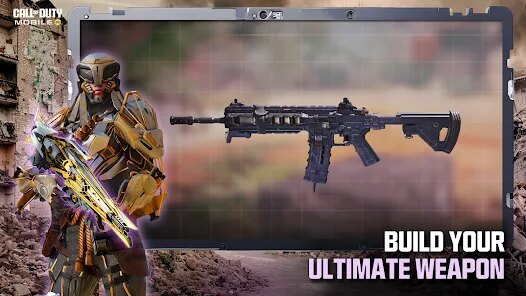
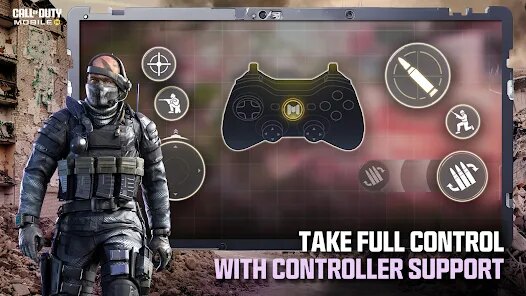
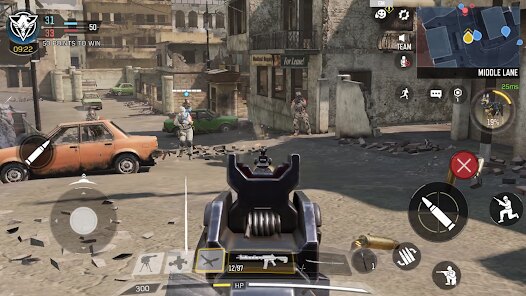
Getting into a match is as simple as tapping a few buttons, and the best part is how well they adapted the complex console controls to a touch screen. You can tweak the UI, adjust sensitivity for gyroscope aiming, and even map out custom button layouts. My favorite part has to be the "Battle Royale" mode. It's not just a copy-paste job; it's a 100-player slugfest with vehicles, loot, and a map that feels massive on your device. I love dropping into the snowy sections or scoping out the Black Market area. Plus, the zombie mode they added in some seasons is a solid PvE distraction when I'm tired of sweating against other players. The weapon customization is deep, too—you can slap on a red dot, a foregrip, and a silencer, and it actually affects the stats in real-time, which is a rarity for mobile shooters.
Compared to other big hitters on Android like PUBG Mobile or Garena Free Fire, Call of Duty: Mobile feels way more fluid and arcade-like. PUBG is more tactical and slow-paced, while COD Mobile lets you slide, jump, and snap-shoot like a maniac. I'd recommend this app over the others because it nails that instant-action vibe without sacrificing depth. You get the classic COD experience—scorestreaks, operator skills, and fast TTK—all in your pocket. The install size is hefty (around 2.5 GB now), but it's worth the storage space. If you're tired of clunky controls in other shooters on Google Play, just give this one a download; it's been my go-to for years and still gets regular updates.
features
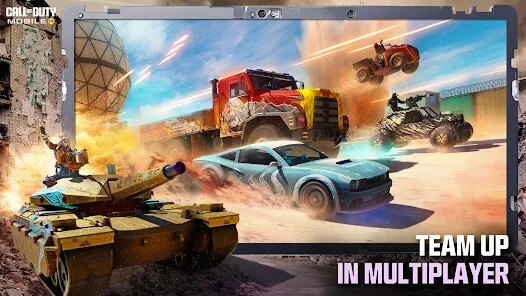
- 🎮 Multiplayer Mayhem: Whether you're into 5v5 team deathmatch, domination, or search and destroy, the multiplayer modes are tight and balanced. Compared to PUBG Mobile's slower 4-man squads, COD Mobile gives you quicker rounds and more action per minute.
- 🔥 Battle Royale Evolution: The 100-player mode isn't just a clone of Fortnite or Apex Legends Mobile; it offers third and first-person perspectives, plus a dynamic class system where you can pick a “Clown” to summon zombies or a “Medic” to heal faster. It's a unique twist on the genre that other apps haven't fully matched.
- ⚙️ Custom Loadouts Pre-Match: Before every match, you build your loadout with specific perks, lethal grenades, and attachments. This is a standout feature that games like Free Fire lack, where you just pick a character with a static ability. It gives you real strategic depth.
pros
- 🕹️ Fluid Touch Controls: The touch-screen response is buttery smooth, especially compared to the clunkiness of some older shooters on Google Play. You can customize nearly every button, and the aim-assist feels natural without being overbearing. After playing PUBG Mobile for years, I found COD Mobile's controls much more responsive for snap-aiming.
- 🎯 Stable Performance on Mid-Range Devices: This app runs surprisingly well even on older Android phones. My old Xiaomi rarely dips below 60 FPS in multiplayer, whereas Garena Free Fire often stutters in open areas. The optimization here is top-notch—you don't need a flagship to enjoy the experience.
- 📦 Generous Free Rewards: The battle pass is cheap, but even free-to-play players get monthly login bonuses and daily challenges that yield rare skins and weapons. In contrast, Apex Legends Mobile feels way more stingy with its loot boxes, making you spend real cash to feel unique. COD Mobile respects your time.
cons
- 📶 Laggy Servers at Peak Hours: Sometimes, especially during weekends or big events, the server connection can get spotty. I've had matches where the rubber-banding is worse than in PUBG Mobile's busier seasons, and it's frustrating when you're trying to rank up. It's not consistent, just annoying.
- 💸 Pricey Cosmetic Draws: The in-app purchases for legendary weapons can run up to $100+ if you're unlucky with the RNG odds. Compared to the more upfront bundles in Apex Legends Mobile, COD Mobile's slot-machine style loot crates feel predatory. I've spent $20 and got nothing but duplicate stickers once.
- 🕰️ Long Initial Download: When you first install the app, the “additional resource download” inside the game takes forever—I've seen it eat up 20 minutes on a decent Wi-Fi connection. Games like Free Fire are way lighter and get you into action faster, which is a bummer for COD Mobile's otherwise great accessibility.
Articles
![]()
Guide
How to Update Google Play Store on Android 2026
![]()
Guide
How to Download Older Versions of Android Apps
![]()
Guide
How to Download Apps Without Google Play Store
![]()
Guide
What Is an APK File for Android?
If you use an Android phone, you may have seen the term APK while searching for apps or games online. Some websites offer an APK download instead of a Google Play install button. Some users also mention APK files when talking about apps that are not available in their region, older app versions, or Android games downloaded outside the Play Store.
![]()
Guide
How to Install Games from Google Play for Beginners
Installing games on an Android phone is usually simple, but for beginners, the process can still feel confusing at first. You may not know where to search, which button to tap, whether the game is safe, or why Google Play sometimes asks for account settings, storage access, or payment information. If you are using an Android phone for the first time, learning how to install games from Google Play is one of the easiest ways to get started.
![]()
Guide
How Useful Gemini Is for Everyday Questions and Quick Tasks
emini feels different from many AI apps because it is not only trying to be a chatbot. After using it for everyday questions, quick writing, image understanding, and planning, I think its biggest strength is convenience.
![]()
Guide
What to Know Before Downloading APKs
For many Android users, downloading an APK is a common way to install apps and games. Sometimes an app is not available in a certain country.
![]()
Guide
ChatGPT Review: Is It Still the Best AI App in 2026?
![]()
Guide
Seedance 2.0 vs Sora: The Future of AI Video Generation
The AI video race has intensified dramatically over the past two years. Platforms like Sora from OpenAI and Luma Dream Machine pushed the boundaries of text-to-video realism. Yet, despite their impressive outputs, most tools still operate as probabilistic generators—you describe a scene, and the model interprets it. Control remains limited. With the February 2026 release of Seedance 2.0, developed by ByteDance, the paradigm shifted. Internally known as Jimeng 2.0, Seedance does not position itself as just another video model. It positions itself as an AI Director. Rather than guessing what you want, Seedance 2.0 allows you to direct what happens. This distinction defines everything that follows.









Recommended Apps
![]()
Papa Louie Pals
Flipline Studios4.4
![]()
Skins Master for Roblox Shirts
Nin Nguyen3.9
![]()
My Singing Pet: Pop Piano Game
PulseBeat Studios4.6![]()
Tile Story: Match Puzzle Game
LinkDesks Classic Puzzle Games4.9![]()
Kpop Idol Beat Maker
SkyRise Games0![]()
Gacha Club
Lunime4.5![]()
Tile Explorer - Triple Match
Oakever Games4.9![]()
Dark War Survival
Florere Game4.6![]()
Football League 2025
MOBILE SOCCER4.5![]()
Make Girlfriend
ygnn4.4![]()
Pou
Zakeh4.3![]()
Brainy Master Tricky Story
Metagame.Ltd4.5![]()
Dopples World
TutoTOONS4.9![]()
Toca Boca Hair Salon 4
Play Piknik3.7![]()
Coin Master
Moon Active4.6











Disclaimer
1.Fetchpureapk does not represent any developer, nor is it the developer of any App or game.
2.Fetchpureapk provide custom reviews of Apps written by our own reviewers, and detailed information of these Apps, such as developer contacts, ratings and screenshots.
3.All trademarks, registered trademarks, product names and company names or logos appearing on the site are the property of their respective owners.
4. Fetchpureapk abides by the federal Digital Millennium Copyright Act (DMCA) by responding to notices of alleged infringement that complies with the DMCA and other applicable laws.
5.If you are the owner or copyright representative and want to delete your information, please contact us info@Fetchpureapk.com.
6.All the information on this website is strictly observed all the terms and conditions of Google Ads Advertising policies and Google Unwanted Software policy .





























