
Meowdoku: Brain Puzzle Games

10M+
Installs
Oakever Games
Developer
-
Puzzle
Category
-
Everyone
Content Rating
-
support@oakevergames.com
Developer Email
-
https://oakevergames.com/pp.html
Privacy Policy
Screenshots
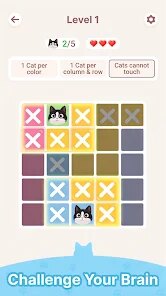
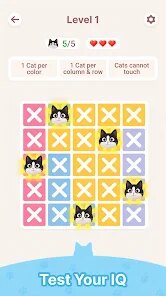
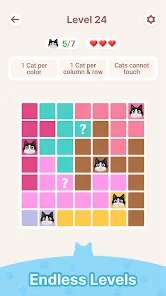
editor reviews
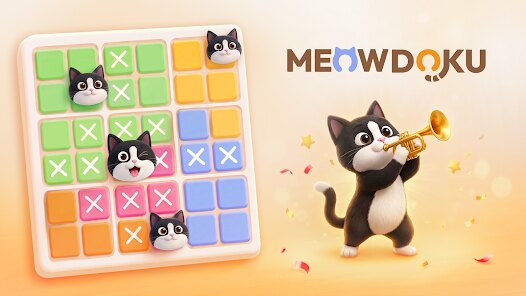
Meowdoku: Brain Puzzle Games is a casual puzzle game that blends the classic Sudoku formula with a cute cat-themed aesthetic. It's a pure mobile game, so you won't find it on Steam, Xbox, or Switch—it's designed specifically for touchscreens. The app first launched back in 2021 on the Google Play Store and App Store, and it's free to download and install, which is a huge plus for anyone wanting to try it out without commitment. On Android, specifically via Google Play, it's racked up over 10 million installs, so it's got a solid player base. As for monetization, there are optional in-game purchases, usually ranging from $0.99 to $9.99 for things like removing ads or buying hints, and you'll also run into some in-app ads after every few puzzles unless you pay up. It's not a hard sell, though—you can play for free without feeling pressured to spend.
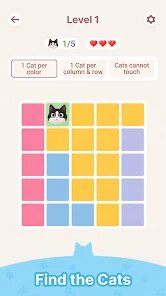
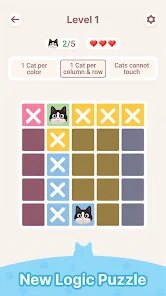
Playing Meowdoku is pretty straightforward: you're solving Sudoku puzzles, but instead of the usual numbers, you're filling grids with the numbers 1 through 9 in rows, columns, and 3x3 boxes. The hook is that it uses a 9x9 grid, but the best part for me is the adjustable difficulty—Easy, Medium, Hard, and Expert. I usually stick with Medium to keep things challenging but not frustrating. What I love most is the cat mascot that pops up with encouraging animations when you complete a puzzle; it's a small touch, but it makes the grind feel rewarding. The color scheme is soft, and the sound effects are calming, so it's perfect for killing time on a commute. I've been playing this on my Android for about three months, and it's become my go-to wind-down app after work—simple, addictive, and not bloated with nonsense.
Compared to other Sudoku apps like Sudoku.com or Skillz Sudoku, Meowdoku stands out because it's way less sterile. Sudoku.com is fine, but it feels like a spreadsheet—no personality. Skillz has a competitive edge with tournaments, which is cool if you're into that, but it's also pay-to-win heavy. Meowdoku doesn't force that; it's more of a solo chill experience. I recommend it over those because it's more visually engaging, the difficulty curve is fair without random spikes, and the ads are bearable. If you've tried other brain puzzle games and got bored with the monotony, this one's got a bit more soul. It's not groundbreaking, but for a free download on Google Play, it delivers consistent fun without feeling like a cash grab. Just don't expect deep mechanics—it's Sudoku with a cat filter, and that's totally fine for a quick session.
features
- Themed Aesthetic 😺 – Unlike generic Sudoku apps, Meowdoku wraps the puzzle in a cozy cat theme with custom icons and backgrounds, making it feel less like homework and more like a game. It's a simple twist, but it keeps me coming back compared to the bland interfaces of Sudoku.com.
- Adjustable Difficulty Without Paywalls 🧩 – You can jump between Easy and Expert modes freely without coughing up cash, which is a big win over Skillz Sudoku, where harder levels often push you toward buying boosts. It lets you grow at your own pace.
- Offline Play Capability ✈️ – This is a killer feature for me. On public transport or in spotty signal areas, I can still play without needing a Wi-Fi or data connection. Most puzzle games force you online for ads or logging in, but Meowdoku keeps it local and smooth.
pros
- User-Friendly Interface 🎮 – The controls are super intuitive; you just tap a cell and pick a number from a keypad at the bottom. No clunky menus or hidden options. It's way less fiddly than Something Sudoku for Android, which has a confusing drag system. I appreciate that I can jump in within seconds of installing the app.
- Progressive Challenge 📈 – The difficulty ramps up naturally—Easy introduces patterns, Medium tests logic, and Expert demands full focus. Unlike Brainium Sudoku, which sometimes throws impossible grids early on, Meowdoku's pacing feels fair and earned. It respects your time, not your wallet.
- No Forced Login or Account 🔒 – I hate apps that nag you to sign up with Google or Facebook. Meowdoku lets you play right after download without any barriers. That transparency is rare in free puzzle games, and it makes the experience feel more genuine and less data-hungry.
cons
- Repetitive Ad Pattern 📢 – Every few puzzles, you're hit with a forced video ad, and it's often the same 30-second one for some match-3 game. On Google Play, I've seen complaints about this, and I agree—it breaks the flow. Comparatively, Sudoku.com lets you skip some ads by shaking your phone, which is a smarter design choice.
- Limited Game Modes 🎯 – It's strictly classic Sudoku with no variants like Killer or Samurai grids. If you're coming from a deeper puzzle app like Logic Puzzles on PC, this feels one-note. I'd love to see timed challenges or daily tournaments added in updates to spice things up.
- Small Typography on Smaller Screens 🔍 – On my phone with a 6-inch display, the numbers are readable, but on older devices or budget Androids, they're pretty tiny. It's not a dealbreaker, but it forced me to use reading glasses sometimes. Brainium Sudoku has a zoom feature that Meowdoku lacks, which would be a nice fix.
Articles
![]()
Guide
How to Update Google Play Store on Android 2026
![]()
Guide
How to Download Older Versions of Android Apps
![]()
Guide
How to Download Apps Without Google Play Store
![]()
Guide
What Is an APK File for Android?
If you use an Android phone, you may have seen the term APK while searching for apps or games online. Some websites offer an APK download instead of a Google Play install button. Some users also mention APK files when talking about apps that are not available in their region, older app versions, or Android games downloaded outside the Play Store.
![]()
Guide
How to Install Games from Google Play for Beginners
Installing games on an Android phone is usually simple, but for beginners, the process can still feel confusing at first. You may not know where to search, which button to tap, whether the game is safe, or why Google Play sometimes asks for account settings, storage access, or payment information. If you are using an Android phone for the first time, learning how to install games from Google Play is one of the easiest ways to get started.
![]()
Guide
How Useful Gemini Is for Everyday Questions and Quick Tasks
emini feels different from many AI apps because it is not only trying to be a chatbot. After using it for everyday questions, quick writing, image understanding, and planning, I think its biggest strength is convenience.
![]()
Guide
What to Know Before Downloading APKs
For many Android users, downloading an APK is a common way to install apps and games. Sometimes an app is not available in a certain country.
![]()
Guide
ChatGPT Review: Is It Still the Best AI App in 2026?
![]()
Guide
Seedance 2.0 vs Sora: The Future of AI Video Generation
The AI video race has intensified dramatically over the past two years. Platforms like Sora from OpenAI and Luma Dream Machine pushed the boundaries of text-to-video realism. Yet, despite their impressive outputs, most tools still operate as probabilistic generators—you describe a scene, and the model interprets it. Control remains limited. With the February 2026 release of Seedance 2.0, developed by ByteDance, the paradigm shifted. Internally known as Jimeng 2.0, Seedance does not position itself as just another video model. It positions itself as an AI Director. Rather than guessing what you want, Seedance 2.0 allows you to direct what happens. This distinction defines everything that follows.









Recommended Apps
![]()
My Supermarket Simulator 3D®
Game District LLC3.9

![]()
Fortnite
Epic Games, Inc4![]()
Poppy Playtime Chapter 3
Mob Entertainment4.2![]()
Diamond Painting ASMR Coloring
CrazyLabs LTD4.5![]()
Real Bus Simulator : Bus Games
Solo Studio Inc3.2![]()
Sprunki All Phases Beat Maker
Gotstar Studio0![]()
Looper!
Kwalee (Ltd)4.2![]()
Gugu Gaga Penguin: Mini Games
Kids Games LLC3![]()
KPop Demon Hunter Wallpaper
Highlights Devloper0![]()
Count Masters: Stickman Games
Freeplay Inc4.6![]()
Scary Teacher 3D
Z & K Games4.3![]()
Papa's Wingeria HD
Flipline Studios4.6![]()
Who's Your Daddy?!
Evil Tortilla Games Incorporated2.7![]()
AFK Arena
LilithGames4.6![]()
Hungry Balls
HYPERCELL4.6












































