
Dude Theft Wars FPS Open world

100M+
Installs
Poxel Studios Games
Developer
-
Action
Category
-
Teen
Content Rating
-
support@poxelstudios.com
Developer Email
-
https://poxelstudios.com/privacy.html
Privacy Policy
Screenshots
editor reviews
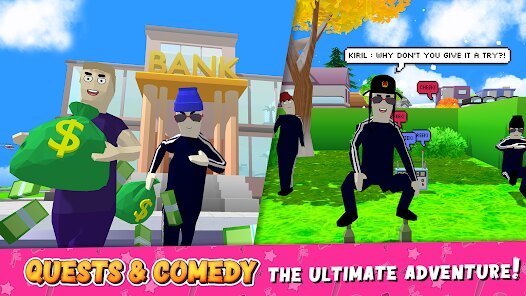
If you're looking for a mobile game that tries to scratch that Grand Theft Auto itch without needing a console or a beefy PC, you've probably stumbled across Dude Theft Wars FPS Open world on the Google Play Store. Developed by Poxel Studios Games, this is a pure Android and iOS mobile experience—you won't find it on Steam, Xbox, or Switch. It first launched way back in 2017 and has since racked up over 100 million installs on the Google Play store alone. The best part? It's completely free to download and play. However, like most free-to-play apps, it comes with in-app purchases ranging from $0.99 to about $19.99 for various in-game currency packs and cosmetics, and yes, you will run into frequent in-app ads unless you make a purchase to remove them. It's a sandbox open-world game that leans heavily on humor and physics, rather than a serious narrative.
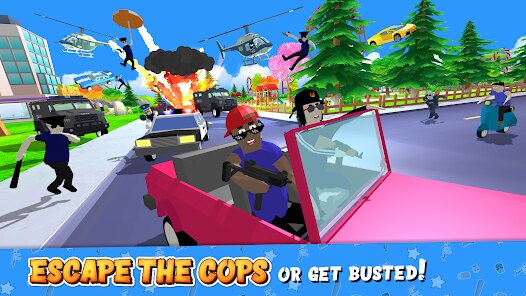
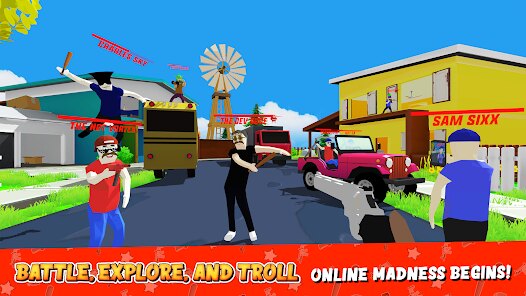
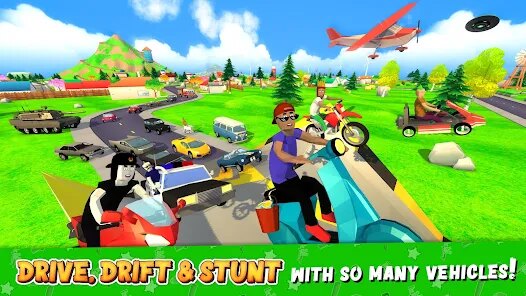
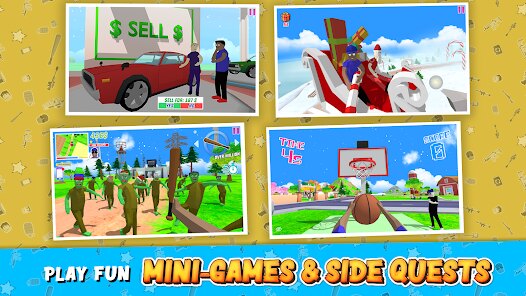
So, how do you actually play Dude Theft Wars? You control a character in a 3D city where you can steal cars, run around causing chaos, or just explore. The controls are standard for a mobile FPS—dual virtual sticks for movement and aiming, with buttons for shooting, jumping, and interacting. What makes this game stand out for me is the sheer silliness of it. You can slap NPCs, watch them fly across the map, or ride a skateboard down a skyscraper. My favorite part has to be the ragdoll physics; literally nothing beats punting a pedestrian into the air or crashing a stolen sports car and watching your character tumble like a broken action figure. It's the kind of thing you load up for five minutes when you're bored waiting for a bus, and you end up laughing for an hour because you managed to glue an NPC to a rocket and send them to space.
When you compare Dude Theft Wars to similar mobile open-world sandbox games like Block City Wars or the Payback series, this one wins on charm and accessibility. Block City Wars feels more like a gritty shooter, while Payback is a more straightforward GTA clone. Dude Theft Wars doesn't take itself seriously at all, which is its biggest strength. The ragdoll physics, the goofy weapons (like a gravity gun and a rocket launcher that makes NPCs dance), and the ability to customize almost everything with a simple tap make it the most fun I've had on an Android open-world app in a long time. Honestly, if you want a game that lets you blow off steam without grinding for hours or caring about a story, just hit install. It's not a masterpiece, but it's a darn good way to kill time.
features
- Ragdoll Physics 🤸: The game uses a wild physics engine that makes every NPC interaction hilarious. Hit someone with a car and they flop around like a puppet, not like a scripted animation. This is way more fun than the stiff movements in games like Bullet Force.
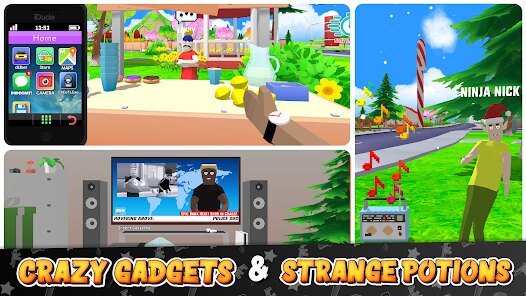
- Customization Options 🎨: You can change your character's clothes, weapons, and even spawn objects like ramps or NPCs wherever you want. Unlike Gangstar Vegas, you don't have to grind for hours to get a cool outfit—most stuff is unlockable with in-game cash earned from chaos.
- Vehicle Variety 🚗: From sports cars to helicopters and even a UFO, the vehicle selection is surprisingly big for a mobile game. You can also mod them mid-drive by adding rockets or wheels, which Grand Theft Auto: San Andreas for Android doesn't let you do on the fly.
pros
- No Story, No Stress 📖: Unlike story-heavy games like Modern Combat 5, Dude Theft Wars doesn't push a plot. You just boot it up and start causing mayhem. Perfect for short sessions where you don't want to remember missions.
- Great for Messing Around 🎭: The fun isn't in winning but in experimenting. Want to see how many NPCs you can stack on a motorcycle? Go for it. Games like Payback 2 try this but lack the physics fidelity to make it as satisfying.
- Low Barrier to Entry 📱: It runs on almost any Android device without lag, even older ones. I've played it on a budget phone from 2019 and it worked fine, which isn't the case for heavier games like PUBG Mobile or Call of Duty Mobile.
cons
- Repetitive Gameplay Loop 🔄: After a few hours, the novelty wears off because there's no real progression. You just keep doing the same stunts and fights. Games like Grand Theft Auto: Liberty City Stories offer more structure to keep you hooked.
- Annoying Ads 📺: The in-app ads pop up constantly—after every few deaths or when you switch vehicles. You either pay to remove them or deal with interruptions that break the flow. Block City Wars handles ads more mercifully.
- Outdated Graphics 👾: The visuals are blocky and low-poly, looking like a game from 2015. While this helps performance, titles like Gangstar New Orleans offer much better graphics and lighting on the same Android hardware.
Articles
![]()
Guide
How to Update Google Play Store on Android 2026
![]()
Guide
How to Download Older Versions of Android Apps
![]()
Guide
How to Download Apps Without Google Play Store
![]()
Guide
What Is an APK File for Android?
If you use an Android phone, you may have seen the term APK while searching for apps or games online. Some websites offer an APK download instead of a Google Play install button. Some users also mention APK files when talking about apps that are not available in their region, older app versions, or Android games downloaded outside the Play Store.
![]()
Guide
How to Install Games from Google Play for Beginners
Installing games on an Android phone is usually simple, but for beginners, the process can still feel confusing at first. You may not know where to search, which button to tap, whether the game is safe, or why Google Play sometimes asks for account settings, storage access, or payment information. If you are using an Android phone for the first time, learning how to install games from Google Play is one of the easiest ways to get started.
![]()
Guide
How Useful Gemini Is for Everyday Questions and Quick Tasks
emini feels different from many AI apps because it is not only trying to be a chatbot. After using it for everyday questions, quick writing, image understanding, and planning, I think its biggest strength is convenience.
![]()
Guide
What to Know Before Downloading APKs
For many Android users, downloading an APK is a common way to install apps and games. Sometimes an app is not available in a certain country.
![]()
Guide
ChatGPT Review: Is It Still the Best AI App in 2026?
![]()
Guide
Seedance 2.0 vs Sora: The Future of AI Video Generation
The AI video race has intensified dramatically over the past two years. Platforms like Sora from OpenAI and Luma Dream Machine pushed the boundaries of text-to-video realism. Yet, despite their impressive outputs, most tools still operate as probabilistic generators—you describe a scene, and the model interprets it. Control remains limited. With the February 2026 release of Seedance 2.0, developed by ByteDance, the paradigm shifted. Internally known as Jimeng 2.0, Seedance does not position itself as just another video model. It positions itself as an AI Director. Rather than guessing what you want, Seedance 2.0 allows you to direct what happens. This distinction defines everything that follows.









Recommended Apps
![]()
Papa Louie Pals
Flipline Studios4.4
![]()
Skins Master for Roblox Shirts
Nin Nguyen3.9
![]()
My Singing Pet: Pop Piano Game
PulseBeat Studios4.6![]()
Tile Story: Match Puzzle Game
LinkDesks Classic Puzzle Games4.9![]()
Kpop Idol Beat Maker
SkyRise Games0![]()
Gacha Club
Lunime4.5![]()
Tile Explorer - Triple Match
Oakever Games4.9![]()
Dark War Survival
Florere Game4.6![]()
Football League 2025
MOBILE SOCCER4.5![]()
Make Girlfriend
ygnn4.4![]()
Pou
Zakeh4.3![]()
Brainy Master Tricky Story
Metagame.Ltd4.5![]()
Dopples World
TutoTOONS4.9![]()
Toca Boca Hair Salon 4
Play Piknik3.7![]()
Coin Master
Moon Active4.6







Disclaimer
1.Fetchpureapk does not represent any developer, nor is it the developer of any App or game.
2.Fetchpureapk provide custom reviews of Apps written by our own reviewers, and detailed information of these Apps, such as developer contacts, ratings and screenshots.
3.All trademarks, registered trademarks, product names and company names or logos appearing on the site are the property of their respective owners.
4. Fetchpureapk abides by the federal Digital Millennium Copyright Act (DMCA) by responding to notices of alleged infringement that complies with the DMCA and other applicable laws.
5.If you are the owner or copyright representative and want to delete your information, please contact us info@Fetchpureapk.com.
6.All the information on this website is strictly observed all the terms and conditions of Google Ads Advertising policies and Google Unwanted Software policy .





























