

Block Craft 3D:Building Game

500M+
Installs
Wildlife Studios
Developer
-
Arcade
Category
-
Teen
Content Rating
-
support+blockcraftandroid@fungames-forfree.com
Developer Email
-
https://wildlifestudios.com/policy-center/privacy-policy/
Privacy Policy
Screenshots
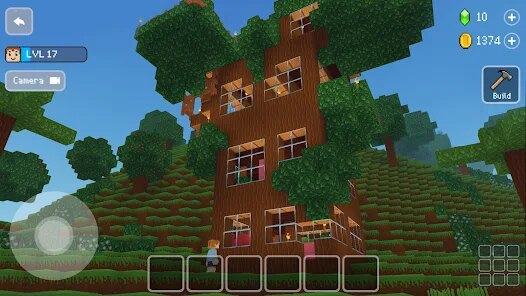
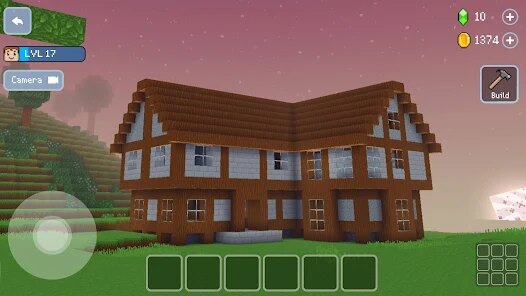
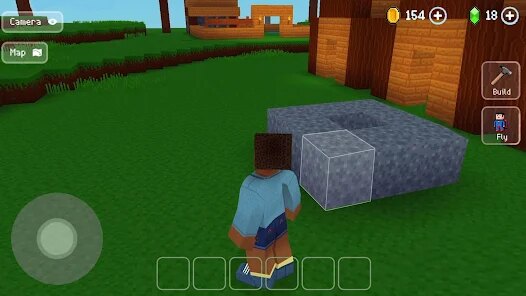
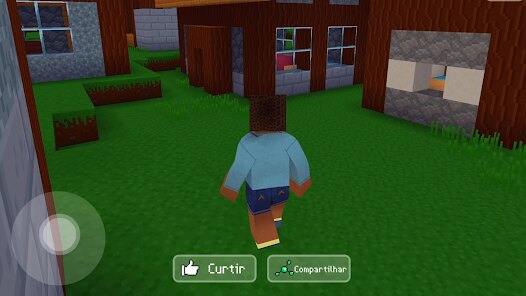
editor reviews
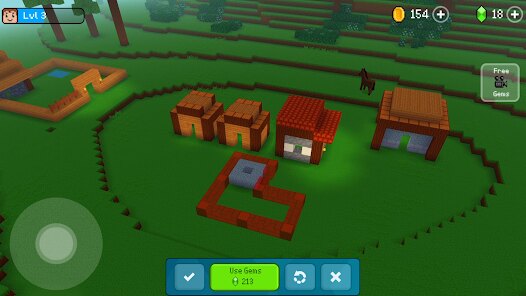
So, I've been diving into Block Craft 3D: Building Game on my Android phone for a while now, and honestly, it's a refreshing pick for anyone who loves open-ended building sandbox games. It's exclusively a mobile title available on Google Play and the App Store, meaning no PC version on Steam or console ports for Xbox or Switch—this is purely for on-the-go creativity. First launched in 2018, it's racked up over 100 million installs on Google Play alone, which shows how huge it's become. The best part? It's completely free to download and play, though there are in-game purchases for things like premium blocks, skins, and speed boosts. Typically, these range from a dollar to around $20 for bigger packs, plus you'll encounter some optional in-app ads that pop up between loads. I found it easy to install from the Android app store, and it runs smoothly even on mid-range devices.
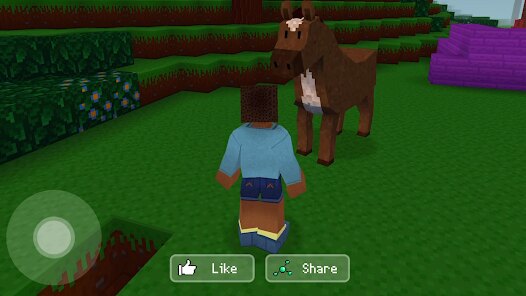
Playing Block Craft 3D is super straightforward: you start in a lively world with a spawn point, and from there, you just tap to build whatever you can imagine—houses, castles, entire cities. The controls are intuitive for mobile, with a virtual joystick and tap-to-place mechanics that feel responsive. What I love most is the freedom it gives you; there's no goal or pressure, just pure creation. My favorite part has to be the multiplayer mode, where I can explore friends' worlds or show off my builds. It's like a virtual playground where everyone's a builder. The vibrant graphics and smooth performance make it addictive for hours—I've lost track of time stacking blocks and tweaking roofs. On Android, the touch controls feel natural, and the interface is clean, so I'm not fighting menus mid-build.
Compared to similar games like Minecraft, Block Craft 3D feels more casual and mobile-friendly. While Minecraft on PC offers deeper mechanics like redstone and survival, this game cuts the complexity for pure, stress-free building. It also feels lighter than Roblox, which mixes building with scripting and mini-games. On Android, I prefer Block Craft because it's just about placing blocks without learning curves. The variety of pre-built themes—like medieval, modern, or fantasy—saves time, and the community is active with shared designs. If you're on Google Play and want a builder that doesn't demand hours of tutorial, this is your game. I recommend it over others for its simplicity and charm; it's a cool escape from more demanding titles.
features
- Intuitive Block Placement 🧱: The tap-to-place system on Android is fluid, allowing you to build complex structures with just a few taps. Unlike Minecraft's precision-heavy controls, Block Craft 3D makes it easy for anyone to start creating instantly.
- Multiplayer Sharing 👥: You can team up with friends or visit their worlds in real-time, which is a standout feature on Google Play. It beats games like Roblox by focusing purely on collaborative building without distractions.
- Varied Block Library 🎨: With over 100 block types and themed sets like glass or stone, you have tons of options. It outshines Terraria on mobile, which uses more pixelated assets, offering a cleaner aesthetic for free-form builds.
- No Survival Pressure 🏆: This game strips away hunger bars and enemies, unlike Minecraft's survival mode. On Android, it's a pure sandbox experience where you just build, making it perfect for relaxing sessions after downloading the app.
pros
- Creative Freedom 🌟: The best strength of Block Craft 3D is its limitless creative potential; you can build anything from small cottages to massive skylines without resource constraints. Compared to Minecraft, where survival mode forces gathering, this on Google Play feels liberating for casual builders.
- Engaging Community 🤝: The multiplayer feature is awesome here, as you can instantly join friends' servers or share builds. Unlike Roblox, which focuses on gameplay scripts, this app excels in social building that's simple and fun on Android.
- Visual Appeal 🎥: The 3D graphics are bright and clean, with smooth animations that keep the world alive. Contrasting Terraria's 2D view, Block Craft 3D offers a more immersive experience on mobile devices, making it a go-to for visual builders.
- Easy Learning Curve 📱: New players can start building immediately without tutorials, unlike PC games like Minecraft. It's a standout on Google Play because the download leads to instant fun, perfect for quick sessions.
cons
- Limited Depth 🎯: A real weakness is the lack of complex mechanics like redstone circuits from Minecraft. On Android, Block Craft 3D feels shallow after a while because there's no puzzle or survival element to challenge you.
- Repetitive Gameplay 😴: The building loop gets tedious fast since you're just stacking blocks with no story or goals. Compared to Roblox, which offers diverse mini-games, this app on Google Play can feel monotonous for players seeking variety.
- Frequent Interruptions 📢: The in-app ads that pop up can break your flow, especially when you're in the middle of a creative build. Unlike Terraria on PC, which has a premium version ad-free, Block Craft 3D on Android can be annoying with its reward-based ads for speed boosts.
- Control Clumsiness 🎮: On smaller screens, the touch controls sometimes misplace blocks, which isn't as precise as Minecraft's controls on a keyboard. For mobile, this can frustrate players trying to detail work, making it less reliable than other builders on Google Play.
Articles
![]()
Guide
How to Update Google Play Store on Android 2026
![]()
Guide
How to Download Older Versions of Android Apps
![]()
Guide
How to Download Apps Without Google Play Store
![]()
Guide
What Is an APK File for Android?
If you use an Android phone, you may have seen the term APK while searching for apps or games online. Some websites offer an APK download instead of a Google Play install button. Some users also mention APK files when talking about apps that are not available in their region, older app versions, or Android games downloaded outside the Play Store.
![]()
Guide
How to Install Games from Google Play for Beginners
Installing games on an Android phone is usually simple, but for beginners, the process can still feel confusing at first. You may not know where to search, which button to tap, whether the game is safe, or why Google Play sometimes asks for account settings, storage access, or payment information. If you are using an Android phone for the first time, learning how to install games from Google Play is one of the easiest ways to get started.
![]()
Guide
How Useful Gemini Is for Everyday Questions and Quick Tasks
emini feels different from many AI apps because it is not only trying to be a chatbot. After using it for everyday questions, quick writing, image understanding, and planning, I think its biggest strength is convenience.
![]()
Guide
What to Know Before Downloading APKs
For many Android users, downloading an APK is a common way to install apps and games. Sometimes an app is not available in a certain country.
![]()
Guide
ChatGPT Review: Is It Still the Best AI App in 2026?
![]()
Guide
Seedance 2.0 vs Sora: The Future of AI Video Generation
The AI video race has intensified dramatically over the past two years. Platforms like Sora from OpenAI and Luma Dream Machine pushed the boundaries of text-to-video realism. Yet, despite their impressive outputs, most tools still operate as probabilistic generators—you describe a scene, and the model interprets it. Control remains limited. With the February 2026 release of Seedance 2.0, developed by ByteDance, the paradigm shifted. Internally known as Jimeng 2.0, Seedance does not position itself as just another video model. It positions itself as an AI Director. Rather than guessing what you want, Seedance 2.0 allows you to direct what happens. This distinction defines everything that follows.









Recommended Apps
![]()
My Supermarket Simulator 3D®
Game District LLC3.9

![]()
Fortnite
Epic Games, Inc4![]()
Poppy Playtime Chapter 3
Mob Entertainment4.2![]()
Diamond Painting ASMR Coloring
CrazyLabs LTD4.5![]()
Real Bus Simulator : Bus Games
Solo Studio Inc3.2![]()
Sprunki All Phases Beat Maker
Gotstar Studio0![]()
Looper!
Kwalee (Ltd)4.2![]()
Gugu Gaga Penguin: Mini Games
Kids Games LLC3![]()
KPop Demon Hunter Wallpaper
Highlights Devloper0![]()
Count Masters: Stickman Games
Freeplay Inc4.6![]()
Scary Teacher 3D
Z & K Games4.3![]()
Papa's Wingeria HD
Flipline Studios4.6![]()
Who's Your Daddy?!
Evil Tortilla Games Incorporated2.7![]()
AFK Arena
LilithGames4.6![]()
Hungry Balls
HYPERCELL4.6












































