

Waze Navigation & Live Traffic

100,000,000+
Installs
Waze
Developer
-
Travel & Local
Category
-
Rated for 3+
Content Rating
-
support@waze.com
Developer Email
-
http://www.waze.com/legal/privacy/
Privacy Policy
Screenshots
editor reviews
Waze is a community-driven GPS navigation app that turns your phone into a live traffic cop. Unlike traditional map apps that rely on static data, Waze pulls real-time info from millions of drivers on the road. People download it mainly to dodge traffic jams, find the cheapest gas, or get alerts about police speed traps and accidents. When you first launch it, the colorful map immediately feels playful compared to the sterile look of most car-focused apps. The interface has a slightly cartoonish vibe, with animated cars and a social feed, which makes you feel less like you are staring at a sterile utility and more like part of a moving community. It is free to install on both Google Play and the App Store, with no annoying paywalls or forced subscriptions, though you do need to sign up with an account to use it.
The real experience starts when you put in a destination. The app immediately offers alternate routes based on live traffic, not just the usual fastest highway option. Swiping through the suggested paths, you see estimated travel times in a format that puts Google Maps to shame. The big difference is how the map changes as you drive. You get spoken alerts about hazards, stopped cars, or objects on the road, all reported by other users. The interface is fairly straightforward: you tap the big search bar, type where you are going, and pick a route. But there are moments where the social features feel like too much – cartoon points pop up for reporting things, and there is a persistent leaderboard for how much you drive. For new users, these "gamification" elements can feel distracting when you just want to get from point A to point B safely.
After using Waze for several weeks, I started seeing its true value. The traffic rerouting is often shockingly effective, shaving minutes off a daily commute, especially in congested cities during peak hours. The police alerts are a huge perk for anyone who values a more informed drive. That said, the app drains your phone battery faster than a basic map like Apple Maps, and its insistence on gamification can get old. Someone who drives through predictable, traffic-free areas every day probably would not care about the crowd-sourced updates. But for daily urban drivers or people doing long distance through unpredictable zones, Waze becomes an essential tool. It stands out by making you a participant, not just a user. The reason I keep it installed is the simple, honest route sharing: it warns you about a speed trap right when you need it, which is a small but meaningful difference from passive competitors.
features
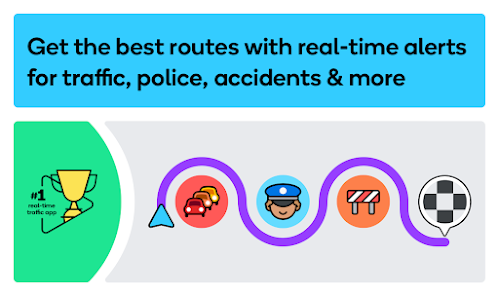
- :mag: Real-time incident reporting – Users report police, obstacles, and road closures instantly, which Waze displays on the map before you reach them. Google Maps does offer incident reports, but its user base is less active, so the data here is usually more up-to-date.
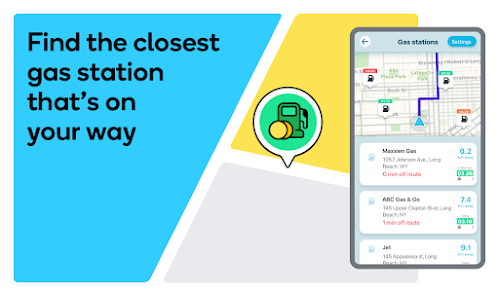
- :fuelpump: Fuel price comparison – Waze shows the cost at nearby gas stations when you are low on fuel, which is something neither Apple Maps nor the stock Samsung map bothers to offer natively. It lets you filter by fuel type, which is handy for diesel drivers.
- :chart_with_upwards_trend: Adaptive rerouting – The app actively changes your route mid-drive if it senses a jam forming ahead, without you asking. I have found this more dynamic than Google Maps, which tends only to poke you with a single alternative path, not multiple continuous tweaks.
- :tada: Gamified social system – Earning points and leveling up for reporting events is unique, pushing drivers to keep the data fresh. No other mainstream navigation app turns driving into a game, which keeps engagement high for the user base that reports things.
pros
- :+1: Highly active community – Because Waze rewards users with points and status for reporting, the data stays current even during weird hours. Google Maps relies on automated traffic data, which can miss sudden lane closures or parked hazards on local streets.
- :+1: Lightweight on screen clutter – While Google Maps hides shortcuts behind menus, Waze keeps your main route up front and uses voice prompts for everything else. The experience feels cleaner for driving, with no transit layers or reviews cluttering your vision.
- :+1: Personalized route hints – Waze learns from your driving patterns (like frequent destinations) and suggests them before you even type. Apple Maps also does this, but Waze adds context like "avoid this road right now due to construction," which is more helpful during a rush hour commute.
cons
- :-1: Battery drain is noticeable – Because Waze runs constant background updates and uses your screen brightness for reporting, it kills my phone battery faster than a long call. Google Maps behaves smoother on battery usage in my experience, especially on older phones.
- :-1: Interface can feel chaotic – The screen is packed with other users' icons, gas prices, and sponsor ads near the bottom, which feels distracting at night. Apple Maps keeps a calm, muted interface that is easier to glance at without losing focus on the road.
- :-1: Navigation mistakes in unfamiliar areas – Waze sometimes sends you down tiny residential alleyways to save a minute, which is nerve-wracking when you are in a city you do not know. Both Google Maps and Apple Maps tend to keep you on more sensible main roads unless you explicitly ask for a shorter path.
- :-1: No offline mode – Waze requires a constant internet connection to function at all, which is a problem when the signal drops in mountain tunnels or rural stretches. Google Maps lets you download whole regions for offline use, so it stays usable even without data.
Articles
![]()
Guide
How to Update Google Play Store on Android 2026
![]()
Guide
How to Download Older Versions of Android Apps
![]()
Guide
How to Download Apps Without Google Play Store
![]()
Guide
What Is an APK File for Android?
If you use an Android phone, you may have seen the term APK while searching for apps or games online. Some websites offer an APK download instead of a Google Play install button. Some users also mention APK files when talking about apps that are not available in their region, older app versions, or Android games downloaded outside the Play Store.
![]()
Guide
How to Install Games from Google Play for Beginners
Installing games on an Android phone is usually simple, but for beginners, the process can still feel confusing at first. You may not know where to search, which button to tap, whether the game is safe, or why Google Play sometimes asks for account settings, storage access, or payment information. If you are using an Android phone for the first time, learning how to install games from Google Play is one of the easiest ways to get started.
![]()
Guide
How Useful Gemini Is for Everyday Questions and Quick Tasks
emini feels different from many AI apps because it is not only trying to be a chatbot. After using it for everyday questions, quick writing, image understanding, and planning, I think its biggest strength is convenience.
![]()
Guide
What to Know Before Downloading APKs
For many Android users, downloading an APK is a common way to install apps and games. Sometimes an app is not available in a certain country.
![]()
Guide
ChatGPT Review: Is It Still the Best AI App in 2026?
![]()
Guide
Seedance 2.0 vs Sora: The Future of AI Video Generation
The AI video race has intensified dramatically over the past two years. Platforms like Sora from OpenAI and Luma Dream Machine pushed the boundaries of text-to-video realism. Yet, despite their impressive outputs, most tools still operate as probabilistic generators—you describe a scene, and the model interprets it. Control remains limited. With the February 2026 release of Seedance 2.0, developed by ByteDance, the paradigm shifted. Internally known as Jimeng 2.0, Seedance does not position itself as just another video model. It positions itself as an AI Director. Rather than guessing what you want, Seedance 2.0 allows you to direct what happens. This distinction defines everything that follows.









Recommended Apps
![]()
Home Design 3D
Anuman4.2
![]()
Truth or Dare Game - Party App
Chouic4.8
![]()
Photo Collage Maker
Scoompa4.7![]()
Learn to Draw Flower
Creative APPS4.2![]()
FIFA World Cup 2026™
FIFA2.8![]()
Mirror Plus: Mirror with Light
Digitalchemy, LLC4.4![]()
Meitu- Photo Editor & AI Art
Meitu (China) Limited4.5![]()
Perplexity - Ask Anything
PerplexityAI4.7![]()
GhostTube SLS Camera Alternate
GhostTube4![]()
Boom Chip Blast: 2-Player
Black Pyramid 3D Games Studio0![]()
Healthy Benefits+
Solutran, Inc.4.5![]()
Deepcheck AI Search Assistant
rohe.ai4![]()
Idol Prank Video Call & Chat
LightCode Solutions4![]()
Face Shape - Pretty Scale
GlintTec Apps3.9![]()
Plant App - Plant Identifier
ScaleUp4.6












































