
ABC Kids - Tracing & Phonics

50M+
Installs
RV AppStudios
Developer
-
Educational
Category
-
Everyone
Content Rating
-
app_support@rvappstudios.com
Developer Email
-
http://www.rvappstudios.com/privacy_policy_ABC.php
Privacy Policy
Screenshots
editor reviews
Look, I've been around the block with educational apps on Android, and ABC Kids - Tracing & Phonics by RV AppStudios is one of those rare gems that actually gets it right. This is a pure mobile game, no PC or console versions here, so you're just dealing with the Google Play Store and the Apple App Store. It first launched back in 2017 and has absolutely blown up since then, racking up over 50 million installs on Google Play alone. The best part? It's completely free to download and play. There are no in-app purchases to nickel and dime you, and no annoying in-app ads to interrupt your kid's learning. You just install the app, and it's ready to go. I've seen so many "educational" titles that are just cash grabs, but this one feels genuinely made for the child's benefit, not the parent's wallet.
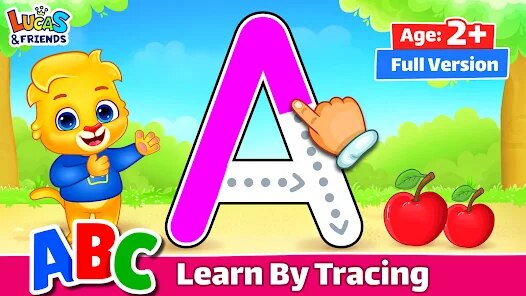
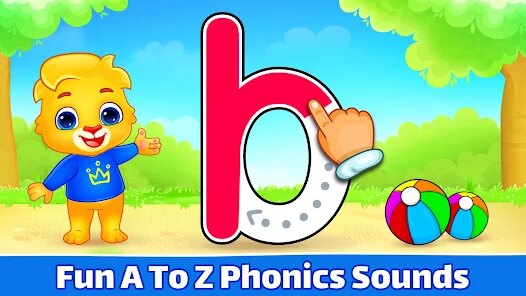
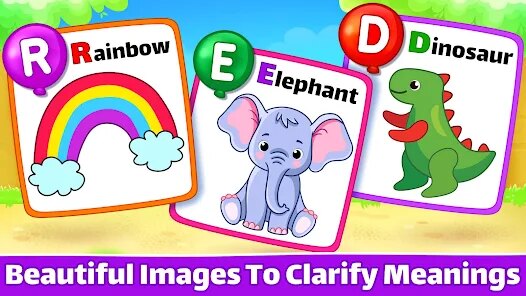
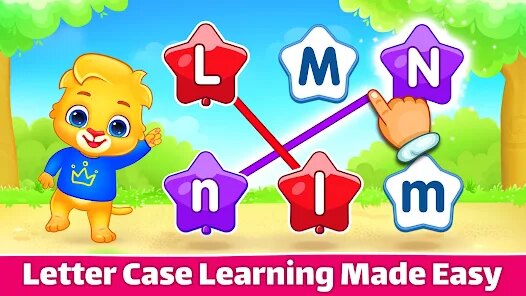
Playing this game is straightforward, which is exactly what you want for a toddler or preschooler. You open the app, and your kid is presented with a colorful interface where they can trace uppercase and lowercase letters, hear the phonics sounds, and match letters with objects. The best part of this game, hands down, is the tracing mechanic. It's buttery smooth on my Android tablet, and it gives real-time feedback with little animations and a "reward" system using stickers. My favorite part about playing this with my nephew is the letter-matching mini-game. It's simple but effective. He'll drag a letter over to a picture of an animal, and the game says the word and the letter sound. It's not just visual learning; it's auditory too. The whole experience feels like a well-designed app, not a lazy mobile game port.
Comparing this to other similar games like "Endless Alphabet" or "Starfall," ABC Kids holds its own, but for different reasons. "Endless Alphabet" is fantastic for vocabulary and puzzle-solving, but it's not as focused on the actual act of writing and tracing. "Starfall" is great for reading comprehension, but its website and app can feel a bit dated and clunky on a phone. ABC Kids is the purest tracing and phonics game I've found. You're not paying for a subscription, you're not drowning in ads, and it just works. If you're a real user of this app, you know what I mean. You download it, your kid starts tracing, and you don't have to worry about them accidentally buying something or closing a pop-up ad. For the price of exactly zero dollars, this is the app you install first. It's the gold standard for this sub-genre on mobile.
features
- Tracing Mechanics ✏️: Unlike games like "Monkey Preschool" that focus on tap-based interaction, this game offers proper letter tracing with directional arrows and stroke guides. Your kid follows the dotted lines with their finger, and the game recognizes correct movements, reinforcing muscle memory for writing. It's more engaging than a common worksheet app.
- Phonics Integration 🔉: Many similar apps, like "Endless Reader," do phonics well but combine it with complex puzzles. ABC Kids keeps it simple. Each letter is paired with a clear, child's voice enunciating the sound, not just the letter name. This helps with phonemic awareness, which is crucial for early reading. Other apps often confuse letter names with sounds, but this one nails the distinction.
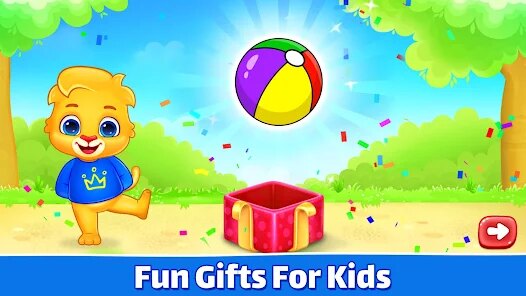
- Sticker Rewards System 🌟: The sticker book is a stroke of genius. After finishing a tracing session, kids earn a sticker to place in a digital book. This is way better than the arbitrary star ratings in "PBS Kids Games" because it gives a clear, collectible goal. It's a motivator that keeps them coming back, and they can proudly show off their completed book.
pros
- Zero Cost, No Catch 💰: The biggest strength is that it's 100% free on Google Play. There are no in-app purchases or ads, which is virtually unheard of in the educational app space. Games like "Educational Games for Kids" often hide features behind a paywall, but every single letter and mini-game here is accessible from the moment you install it.
- Parental Gate Security 🔒: A lot of kids' apps have a problem with kids accidentally navigating out of the app. This one has a solid parental gate that requires reading or solving a simple math problem to access settings or external links. My nephew once opened "Splash Math" and somehow emailed someone, but ABC Kids keeps everything locked down tight.
- Offline Play Functionality 📱: You don't need a Wi-Fi connection to play. I loaded this onto my Android phone before a long road trip, and it worked flawlessly the whole way. Many educational apps, like "Khan Academy Kids," require a download of content or a constant connection, but this app is self-contained and ready to go.
cons
- Limited Content Depth 🔄: After a few weeks, my nephew had mastered all the letters and mini-games. There's no upper-level content for words or sentences. Compared to "Endless Alphabet," which has hundreds of words, this game sticks to the basics. It's a fantastic starting point, but once your kid knows their ABCs, the app doesn't grow with them.
- Repetitive Soundtrack 🎵: The background music loops are grating after a while. While you can turn the music off in the settings, many parents don't bother. Similar apps like "Toca Boca" often have more varied or relaxing soundscapes. Here, the same cheerful tune plays over and over, which can be a bit annoying during extended play sessions.
- No Customization Options 🎨: You can't adjust the difficulty or choose which letters your kid focuses on. The app moves in a linear fashion from A to Z. Some newer apps like "Montessori Preschool" let you pick specific letters or numbers to work on, which would be a useful feature here for reinforcing trouble spots.
Articles
![]()
Guide
How to Update Google Play Store on Android 2026
![]()
Guide
How to Download Older Versions of Android Apps
![]()
Guide
How to Download Apps Without Google Play Store
![]()
Guide
What Is an APK File for Android?
If you use an Android phone, you may have seen the term APK while searching for apps or games online. Some websites offer an APK download instead of a Google Play install button. Some users also mention APK files when talking about apps that are not available in their region, older app versions, or Android games downloaded outside the Play Store.
![]()
Guide
How to Install Games from Google Play for Beginners
Installing games on an Android phone is usually simple, but for beginners, the process can still feel confusing at first. You may not know where to search, which button to tap, whether the game is safe, or why Google Play sometimes asks for account settings, storage access, or payment information. If you are using an Android phone for the first time, learning how to install games from Google Play is one of the easiest ways to get started.
![]()
Guide
How Useful Gemini Is for Everyday Questions and Quick Tasks
emini feels different from many AI apps because it is not only trying to be a chatbot. After using it for everyday questions, quick writing, image understanding, and planning, I think its biggest strength is convenience.
![]()
Guide
What to Know Before Downloading APKs
For many Android users, downloading an APK is a common way to install apps and games. Sometimes an app is not available in a certain country.
![]()
Guide
ChatGPT Review: Is It Still the Best AI App in 2026?
![]()
Guide
Seedance 2.0 vs Sora: The Future of AI Video Generation
The AI video race has intensified dramatically over the past two years. Platforms like Sora from OpenAI and Luma Dream Machine pushed the boundaries of text-to-video realism. Yet, despite their impressive outputs, most tools still operate as probabilistic generators—you describe a scene, and the model interprets it. Control remains limited. With the February 2026 release of Seedance 2.0, developed by ByteDance, the paradigm shifted. Internally known as Jimeng 2.0, Seedance does not position itself as just another video model. It positions itself as an AI Director. Rather than guessing what you want, Seedance 2.0 allows you to direct what happens. This distinction defines everything that follows.









Recommended Apps
![]()
My Supermarket Simulator 3D®
Game District LLC3.9

![]()
Fortnite
Epic Games, Inc4![]()
Poppy Playtime Chapter 3
Mob Entertainment4.2![]()
Diamond Painting ASMR Coloring
CrazyLabs LTD4.5![]()
Real Bus Simulator : Bus Games
Solo Studio Inc3.2![]()
Sprunki All Phases Beat Maker
Gotstar Studio0![]()
Looper!
Kwalee (Ltd)4.2![]()
Gugu Gaga Penguin: Mini Games
Kids Games LLC3![]()
KPop Demon Hunter Wallpaper
Highlights Devloper0![]()
Count Masters: Stickman Games
Freeplay Inc4.6![]()
Scary Teacher 3D
Z & K Games4.3![]()
Papa's Wingeria HD
Flipline Studios4.6![]()
Who's Your Daddy?!
Evil Tortilla Games Incorporated2.7![]()
AFK Arena
LilithGames4.6![]()
Hungry Balls
HYPERCELL4.6












































