

Phone Tracker - Phone Locator

1M+
Installs
Lutech Ltd
Developer
-
Travel & Local
Category
-
Rated for 3+
Content Rating
-
teammarketing@lutech.ltd
Developer Email
-
https://doc-hosting.flycricket.io/phone-tracker-gps-locator-app-privacy-policy/0933f8b1-86c7-43f5-8a1c-5bccdc733169/privacy
Privacy Policy
Screenshots
editor reviews
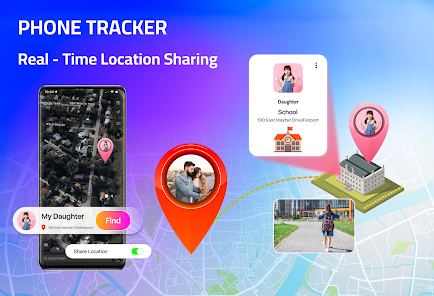
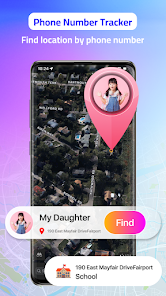
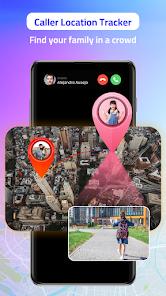
Phone Tracker - Phone Locator is a utility app designed to help users locate a lost or misplaced device, offering peace of mind in stressful situations. You download it from the Google Play store, where it has accumulated over 10 million installs and sits in the tools category, and it's free to download with optional in-app purchases and ads. When you first launch the app, the interface strikes you as neat and straightforward, with a simple map view prompting you to grant location permissions. The first impression is actually quite smooth, as the app doesn't bombard you with unnecessary tutorials or features, letting you jump straight into what matters: tracking down your phone.
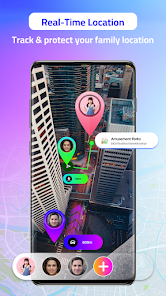
After giving the necessary permissions, the real hands-on experience kicks in. The main screen shows your device's current location on a map, updating in near real-time. You can tap a button to make the phone ring at full volume, even if it's on silent, which is a lifesaver when you've misplaced it under a couch cushion. Navigating the app feels intuitive for the most part; you swipe between tabs for location history and device settings. One small practical tip is to enable the "High Accuracy" mode in location settings from the start, as it makes tracking faster and more reliable. There's a minor learning curve when setting up the "find my phone" feature with a separate device, but once configured, the app works without a hitch in daily use.
After spending some time with Phone Tracker, I can say it does the job well for basic tracking, but it isn't feature-loaded like Google's Find My Device. People who lose their phone frequently inside the house or want a backup locator might find it useful and keep it installed, especially because the ring function is louder than many default ringtone settings. However, if you already use Google's pre-installed solution or a smartwatch with location capabilities, you might not need this app's extra features, like location history, which requires a subscription. The app stands out for being simple and reliable, but because of the ads, some users may uninstall it after a month, preferring the cleaner, free alternative from Google.
features
- 📍Phone Tracker - Phone Locator offers real-time location tracking on a map, just like Google's Find My Device. However, its standout feature is the ability to view a history of your device's past locations, which Find My Device does not provide natively, making it ideal for remembering where you've been.
- 📱The app includes a high-volume ring function that works even if your phone is set to silent mode, a feature more aggressive than the standard ringtone on Google's Find My Device, ensuring you hear it from anywhere in your home.
- 🚨Phone Tracker also supplies a simple SIM card change alert, sending you a notification if someone swaps the SIM, adding a layer of security that Google's Find My Device lacks for tracking lost devices beyond just location.
pros
- ✅A major strength is its ease of use without clutter. Unlike Life360, which requires adding family members and managing circles, Phone Tracker is a straightforward tool for a single person, ideal for quick tracking.
- ✅Another strength is the offline tracking ability. While app-based solutions like Glympse require internet connection for sharing, Phone Tracker can still locate your device using its last known location when offline.
- ✅The app's low battery consumption is also beneficial. Compared to battery-draining apps like Prey Anti Theft, Phone Tracker runs efficiently in the background, letting you use GPS for tracking without draining your phone too quickly.
cons
- ❌A significant weakness is the ads. While using the free version, you encounter pop-up ads that can be annoying, especially when you're in a hurry. In contrast, Google's Find My Device is completely ad-free.
- ❌There's no remote wipe feature. If your device has sensitive data, Phone Tracker can't lock or erase it remotely, which apps like Cerberus can do. This makes it less useful as a full anti-theft tool.
- ❌The accuracy isn't always top-notch. In certain areas, the location can be off by a few meters, whereas services like Apple's Find My network offer near-perfect precision, making this app less reliable for pinpoint tracking.
Articles
![]()
Guide
How to Update Google Play Store on Android 2026
![]()
Guide
How to Download Older Versions of Android Apps
![]()
Guide
How to Download Apps Without Google Play Store
![]()
Guide
What Is an APK File for Android?
If you use an Android phone, you may have seen the term APK while searching for apps or games online. Some websites offer an APK download instead of a Google Play install button. Some users also mention APK files when talking about apps that are not available in their region, older app versions, or Android games downloaded outside the Play Store.
![]()
Guide
How to Install Games from Google Play for Beginners
Installing games on an Android phone is usually simple, but for beginners, the process can still feel confusing at first. You may not know where to search, which button to tap, whether the game is safe, or why Google Play sometimes asks for account settings, storage access, or payment information. If you are using an Android phone for the first time, learning how to install games from Google Play is one of the easiest ways to get started.
![]()
Guide
How Useful Gemini Is for Everyday Questions and Quick Tasks
emini feels different from many AI apps because it is not only trying to be a chatbot. After using it for everyday questions, quick writing, image understanding, and planning, I think its biggest strength is convenience.
![]()
Guide
What to Know Before Downloading APKs
For many Android users, downloading an APK is a common way to install apps and games. Sometimes an app is not available in a certain country.
![]()
Guide
ChatGPT Review: Is It Still the Best AI App in 2026?
![]()
Guide
Seedance 2.0 vs Sora: The Future of AI Video Generation
The AI video race has intensified dramatically over the past two years. Platforms like Sora from OpenAI and Luma Dream Machine pushed the boundaries of text-to-video realism. Yet, despite their impressive outputs, most tools still operate as probabilistic generators—you describe a scene, and the model interprets it. Control remains limited. With the February 2026 release of Seedance 2.0, developed by ByteDance, the paradigm shifted. Internally known as Jimeng 2.0, Seedance does not position itself as just another video model. It positions itself as an AI Director. Rather than guessing what you want, Seedance 2.0 allows you to direct what happens. This distinction defines everything that follows.









Recommended Apps
![]()
Home Design 3D
Anuman4.2
![]()
Truth or Dare Game - Party App
Chouic4.8
![]()
Photo Collage Maker
Scoompa4.7![]()
Learn to Draw Flower
Creative APPS4.2![]()
FIFA World Cup 2026™
FIFA2.8![]()
Mirror Plus: Mirror with Light
Digitalchemy, LLC4.4![]()
Meitu- Photo Editor & AI Art
Meitu (China) Limited4.5![]()
Perplexity - Ask Anything
PerplexityAI4.7![]()
GhostTube SLS Camera Alternate
GhostTube4![]()
Boom Chip Blast: 2-Player
Black Pyramid 3D Games Studio0![]()
Healthy Benefits+
Solutran, Inc.4.5![]()
Deepcheck AI Search Assistant
rohe.ai4![]()
Idol Prank Video Call & Chat
LightCode Solutions4![]()
Face Shape - Pretty Scale
GlintTec Apps3.9![]()
Plant App - Plant Identifier
ScaleUp4.6











































