

Learn to Draw Flower

5M+
Installs
Creative APPS
Developer
-
Video Players & Editors
Category
-
Rated for 3+
Content Rating
-
Drawapp.feedback@hotmail.com
Developer Email
-
https://sites.google.com/view/draw-apps-for-free/
Privacy Policy
Screenshots
editor reviews
I stumbled upon this drawing app called Learn to Draw Flower, and honestly, I just wanted to see if I could finally sketch something that doesn't look like a potato. It's one of those niche instructional tools focused purely on botanical illustrations. No complex landscapes or anime characters here. You download it from Google Play or the App Store, and the install count is decent for a specialized app. It's free to download, but there are some optional in-app purchases for more advanced flower packs. No forced registration when you first launch it, which I appreciated. My first impression? The interface is surprisingly clean, not cluttered with ads like some free apps. There's a small ad banner here and there, but it stays out of the way while you're trying to focus on your petals.
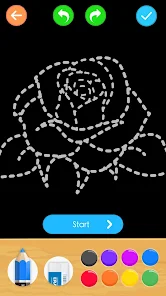
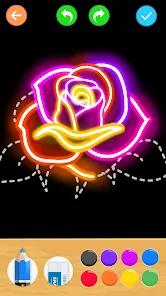
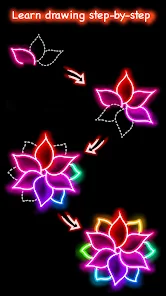
After opening it, you're greeted with a simple menu showing different flower categories: roses, tulips, sunflowers, and a few others. Each category has step-by-step lessons that break down the drawing process. The actual hands-on experience is pretty smooth. You can draw directly on the screen with your finger or a stylus. What I liked most is that you can replay each step as many times as you want. For example, when I tried drawing a daisy, I kept messing up the center part, so I just rewound that step and watched it again. The app also lets you change the stroke thickness and color before you start. One small tip: if you want to practice without the guide lines, there's an outline mode that just shows the final shape. That helped me learn the muscle memory better than constantly tracing.
Honestly, after using it for a couple of weeks, I think it's a solid choice if you're genuinely interested in floral art. Kids will probably get bored fast since there's no gamification or rewards. This is more for adults or teens who want to improve their drawing skills. What makes it stand out from other drawing apps like How to Draw or Sketch Guru is the depth of each lesson. It doesn't just show you a final image and expect you to copy it. The step breakdown is actually detailed, with voice guidance that explains why you should curve the line that way. I can see myself keeping it installed for a while, but I might uninstall it once I feel confident enough to draw without prompts. For a free app, the lack of annoying full-screen ads is a big plus. Overall, it's a practical tool for its niche.
features
- 🌻 The app offers step-by-step replay mode. You can pause, rewind, and replay any drawing step as many times as needed. Similar apps like How to Draw only show you static steps. This real-time playback helps you understand the stroke order and pressure. It's like having a patient art teacher who never gets tired.
- 🌻 Each flower has multiple difficulty levels. A beginner can start with simple tulips, while an advanced user can challenge themselves with layered lotus blossoms. Compared to Drawbot, which has a random difficulty curve, this progression feels natural and satisfying.
- 🌻 The voice guidance is actually helpful, not just generic encouragement. It explains why certain lines curve a specific way or why shading goes in a particular direction. Apps like Sketch Guru just have background music. The detailed narration makes a real difference in understanding art principles.
- 🌻 The outstanding feature is the outline practice mode without guide lines. You can hide all helper shapes and draw from memory while keeping the reference image visible. No other flower drawing app I've tried offers this specific training method.
pros
- 💪 The app has zero forced registration. You can start learning immediately after download. How to Draw makes you sign up with an email. This frictionless start suited me perfectly.
- 💪 The lesson library is surprisingly deep for a free app. There are over 50 flower types with multiple variations each. Other free drawing apps usually give you only 5-10 basic flowers before pushing the paid version.
- 💪 The undo button remembers multiple strokes, not just the last one. In Sketch Guru, if you undo twice accidentally, you lose your progress. Here, you can selectively erase mistakes without restarting the whole drawing.
cons
- 👎 The app only covers flowers. If you want to learn faces, animals, or landscapes, you need to look elsewhere. Drawing Teacher Daily offers a wider range of subjects and feels more versatile for general artists.
- 👎 Some advanced flower packs require payment. The basic roses and tulips are free, but detailed ones like peonies cost extra. How to Draw gives you more free content per category before asking for money.
- 👎 No community or sharing feature. You can't upload your drawings or see other learners' progress. Apps like DrawTogether have social features that make practice feel less lonely and more motivating.
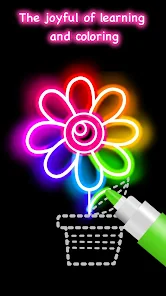
- 👎 The color palette is limited to basic shades. For more advanced color mixing or gradient effects, you'll need a different app like Color Theory Studio. This app focuses strictly on line art and shading rather than full color exploration.
Articles
![]()
Guide
How to Update Google Play Store on Android 2026
![]()
Guide
How to Download Older Versions of Android Apps
![]()
Guide
How to Download Apps Without Google Play Store
![]()
Guide
What Is an APK File for Android?
If you use an Android phone, you may have seen the term APK while searching for apps or games online. Some websites offer an APK download instead of a Google Play install button. Some users also mention APK files when talking about apps that are not available in their region, older app versions, or Android games downloaded outside the Play Store.
![]()
Guide
How to Install Games from Google Play for Beginners
Installing games on an Android phone is usually simple, but for beginners, the process can still feel confusing at first. You may not know where to search, which button to tap, whether the game is safe, or why Google Play sometimes asks for account settings, storage access, or payment information. If you are using an Android phone for the first time, learning how to install games from Google Play is one of the easiest ways to get started.
![]()
Guide
How Useful Gemini Is for Everyday Questions and Quick Tasks
emini feels different from many AI apps because it is not only trying to be a chatbot. After using it for everyday questions, quick writing, image understanding, and planning, I think its biggest strength is convenience.
![]()
Guide
What to Know Before Downloading APKs
For many Android users, downloading an APK is a common way to install apps and games. Sometimes an app is not available in a certain country.
![]()
Guide
ChatGPT Review: Is It Still the Best AI App in 2026?
![]()
Guide
Seedance 2.0 vs Sora: The Future of AI Video Generation
The AI video race has intensified dramatically over the past two years. Platforms like Sora from OpenAI and Luma Dream Machine pushed the boundaries of text-to-video realism. Yet, despite their impressive outputs, most tools still operate as probabilistic generators—you describe a scene, and the model interprets it. Control remains limited. With the February 2026 release of Seedance 2.0, developed by ByteDance, the paradigm shifted. Internally known as Jimeng 2.0, Seedance does not position itself as just another video model. It positions itself as an AI Director. Rather than guessing what you want, Seedance 2.0 allows you to direct what happens. This distinction defines everything that follows.









Recommended Apps
![]()
Home Design 3D
Anuman4.2
![]()
Truth or Dare Game - Party App
Chouic4.8
![]()
Photo Collage Maker
Scoompa4.7![]()
Learn to Draw Flower
Creative APPS4.2![]()
FIFA World Cup 2026™
FIFA2.8![]()
Mirror Plus: Mirror with Light
Digitalchemy, LLC4.4![]()
Meitu- Photo Editor & AI Art
Meitu (China) Limited4.5![]()
Perplexity - Ask Anything
PerplexityAI4.7![]()
GhostTube SLS Camera Alternate
GhostTube4![]()
Boom Chip Blast: 2-Player
Black Pyramid 3D Games Studio0![]()
Healthy Benefits+
Solutran, Inc.4.5![]()
Deepcheck AI Search Assistant
rohe.ai4![]()
Idol Prank Video Call & Chat
LightCode Solutions4![]()
Face Shape - Pretty Scale
GlintTec Apps3.9![]()
Plant App - Plant Identifier
ScaleUp4.6










































