

Home Design 3D

10M+
Installs
Anuman
Developer
-
Lifestyle
Category
-
Everyone
Content Rating
-
support@homedesign3d.net
Developer Email
-
https://en.homedesign3d.net/privacy-policy/
Privacy Policy
Screenshots

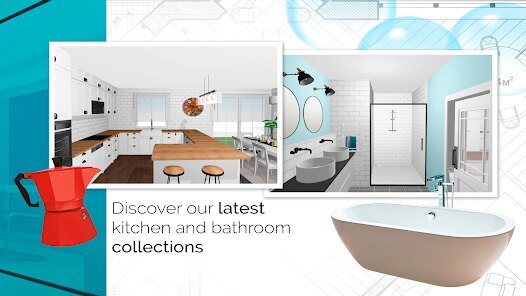
editor reviews
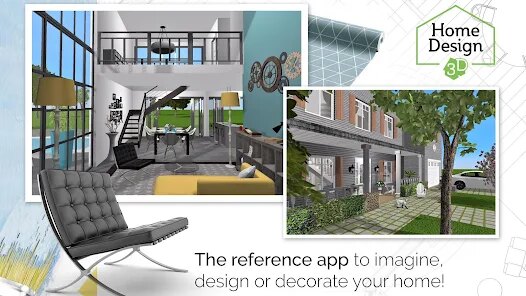
Home Design 3D is a mobile interior and exterior design tool that falls under the lifestyle and home improvement category. It lets you create floor plans, furnish rooms, and walk through your creations in 3D. I first heard about it while searching for a way to visualize a living room rearrangement, and the install count on Google Play and the App Store showed it's been downloaded millions of times. The download is free, but you quickly notice the in-app purchases for advanced furniture packs and export options. When I launched it, the first impression was positive—the main screen offers clear options to start a new project or load a saved one, and the interface felt modern.
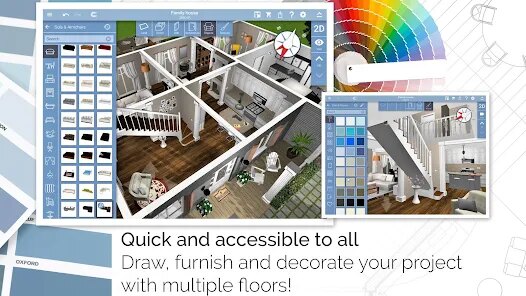
After opening a blank project, I found the drawing tools surprisingly intuitive. You tap and drag to set wall lengths, and the grid snaps everything into place. The onboarding gave a quick walkthrough, but I still made a few mistakes, like forgetting to leave space for a door. Once the walls were up, I switched to 3D mode to place furniture. Browsing the catalog was smooth, and resizing objects by pinching felt natural. A small tip I discovered: you can use the measurement tool to check if your sofa will actually fit before committing to the purchase of a virtual couch. The app handled complex angles well, though I noticed slight lag when the room had many objects.
After spending a few weeks with Home Design 3D, I think it's a solid choice for casual users who want to plan a single room or a small apartment without a steep learning curve. If you're dealing with a full house remodel or need professional-grade rendering, this app will feel limiting due to its limited library and export restrictions without paid unlocks. Compared to Houzz or MagicPlan, this app focuses more on the creative building process rather than shopping or measurement. I nearly uninstalled it after hitting the paywall for furniture packs, but the core experience kept me around for quick sketches. It's not for architects, but for someone like me who just wanted to move a wall and see the result, it works.
features
- 📐 Real-time 3D view: Unlike MagicPlan, which renders only after you finish measuring, Home Design 3D lets you switch between 2D floor plans and a fully rotatable 3D view instantly. This makes adjusting furniture placement feel immediate and intuitive.
- ☀️ Custom lighting and sun simulation: You can set the sun's position and see how shadows fall across the room throughout the day. This feature is rare in apps like Planner 5D, where lighting is often static or presets only.
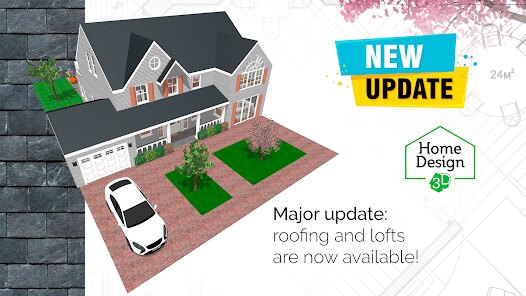
- 🚪 Advanced wall and floor editor: You can create sloping ceilings, mezzanines, and curved walls directly on a mobile screen. In Roomstyler, such modifications typically require a desktop or a more complex toolset.
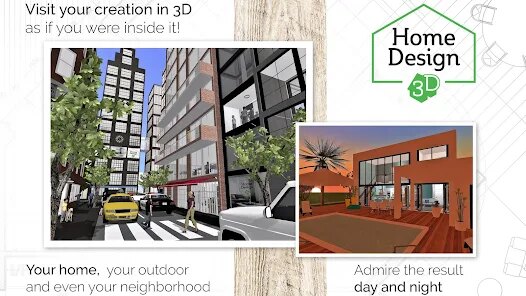
- 🌍 Export and share 3D tours: You can export your project as an interactive 3D tour file and share it with friends or contractors. Houzz offers image sharing, but not a walkable 3D experience without its premium plan.
pros
- ✅ Snappy performance on older phones: Even on a three-year-old device, the app loads projects without the stuttering I experienced with Live Home 3D, which often lags during wall editing on the same hardware.
- ✅ Guided learning curve: The hints and preset layouts made my first plan fast to finish. When I tried Roomle, I had to watch separate tutorial videos before I could lay down a single wall.
- ✅ No account required for basic editing: Many competitors like HomeByMe force you to sign up, but here you can start building right after the download finishes. That lowered the barrier for a quick test.
cons
- ❌ Limited free content behind paywalls: The base library is enough for a bedroom, but adding a kitchen cabinet or an outdoor deck means in-app purchases. Planner 5D offers a wider free catalog out of the box.
- ❌ Imprecise grid for fine tuning: When I tried to nudge a chair 1 cm closer to a wall, the grid snapped it 10 cm away instead. This level of fine control is better in MagicPlan, which uses real-world measurements.
- ❌ Occasional export quality loss: The high-resolution screenshots look great, but the PDF export sometimes distorts wall labels. Sweet Home 3D gives cleaner PDFs without extra fees.
Articles
![]()
Guide
How to Update Google Play Store on Android 2026
![]()
Guide
How to Download Older Versions of Android Apps
![]()
Guide
How to Download Apps Without Google Play Store
![]()
Guide
What Is an APK File for Android?
If you use an Android phone, you may have seen the term APK while searching for apps or games online. Some websites offer an APK download instead of a Google Play install button. Some users also mention APK files when talking about apps that are not available in their region, older app versions, or Android games downloaded outside the Play Store.
![]()
Guide
How to Install Games from Google Play for Beginners
Installing games on an Android phone is usually simple, but for beginners, the process can still feel confusing at first. You may not know where to search, which button to tap, whether the game is safe, or why Google Play sometimes asks for account settings, storage access, or payment information. If you are using an Android phone for the first time, learning how to install games from Google Play is one of the easiest ways to get started.
![]()
Guide
How Useful Gemini Is for Everyday Questions and Quick Tasks
emini feels different from many AI apps because it is not only trying to be a chatbot. After using it for everyday questions, quick writing, image understanding, and planning, I think its biggest strength is convenience.
![]()
Guide
What to Know Before Downloading APKs
For many Android users, downloading an APK is a common way to install apps and games. Sometimes an app is not available in a certain country.
![]()
Guide
ChatGPT Review: Is It Still the Best AI App in 2026?
![]()
Guide
Seedance 2.0 vs Sora: The Future of AI Video Generation
The AI video race has intensified dramatically over the past two years. Platforms like Sora from OpenAI and Luma Dream Machine pushed the boundaries of text-to-video realism. Yet, despite their impressive outputs, most tools still operate as probabilistic generators—you describe a scene, and the model interprets it. Control remains limited. With the February 2026 release of Seedance 2.0, developed by ByteDance, the paradigm shifted. Internally known as Jimeng 2.0, Seedance does not position itself as just another video model. It positions itself as an AI Director. Rather than guessing what you want, Seedance 2.0 allows you to direct what happens. This distinction defines everything that follows.









Recommended Apps
![]()
Home Design 3D
Anuman4.2
![]()
Truth or Dare Game - Party App
Chouic4.8
![]()
Photo Collage Maker
Scoompa4.7![]()
Learn to Draw Flower
Creative APPS4.2![]()
FIFA World Cup 2026™
FIFA2.8![]()
Mirror Plus: Mirror with Light
Digitalchemy, LLC4.4![]()
Meitu- Photo Editor & AI Art
Meitu (China) Limited4.5![]()
Perplexity - Ask Anything
PerplexityAI4.7![]()
GhostTube SLS Camera Alternate
GhostTube4![]()
Boom Chip Blast: 2-Player
Black Pyramid 3D Games Studio0![]()
Healthy Benefits+
Solutran, Inc.4.5![]()
Deepcheck AI Search Assistant
rohe.ai4![]()
Idol Prank Video Call & Chat
LightCode Solutions4![]()
Face Shape - Pretty Scale
GlintTec Apps3.9![]()
Plant App - Plant Identifier
ScaleUp4.6










































