
Coloring & Learn

100M+
Installs
Orange Studios Games
Developer
-
Action
Category
-
Everyone
Content Rating
-
orangegstudios@gmail.com
Developer Email
-
https://orangestudiosgames.com/privacy_policy.html
Privacy Policy
Screenshots
editor reviews
Coloring & Learn is a fantastic educational game that blends coloring, drawing, and mini-games into one colorful package, and honestly, it's the kind of app I wish I had when my kid was younger. It's developed by Orange Studios Games, and it's a pure mobile game you can grab on both the Google Play Store and the App Store. I saw it was first launched back in 2016, and it has blown up since then with over 100 million installs on Google Play alone. The core download and install process is completely free, so you can jump right in without spending a dime. There are in-app purchases, of course, like many free android apps, but they mostly revolve around removing ads or unlocking some extra content packs with themes like dinosaurs or princesses. Those purchases typically range from a couple of bucks to around five dollars, which is pretty standard for this genre. You also get some in-app ads, but they're not overly intrusive, usually popping up between activities or as optional rewards for extra content, so it doesn't ruin the flow for kids.
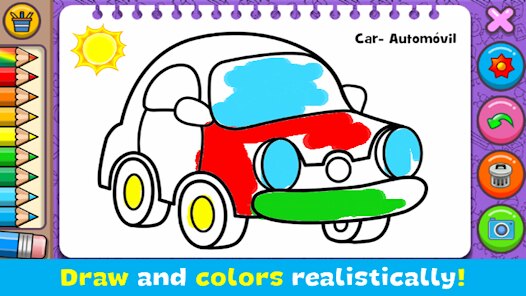
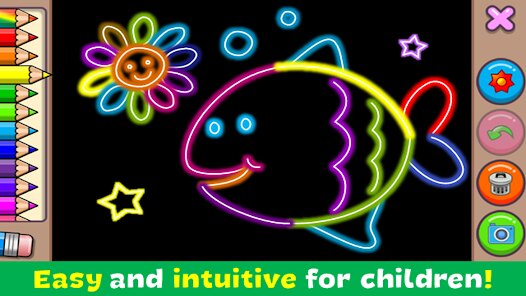
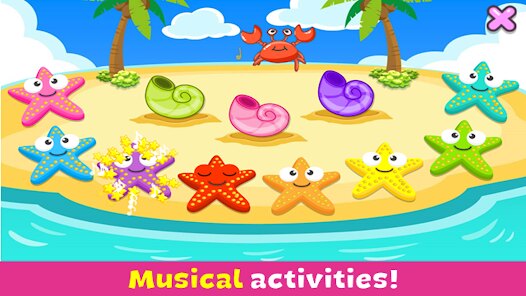
When you dive into this app, it's incredibly straightforward. You start with a blank canvas or a pre-drawn outline, and then you just pick your colors and start tapping. The best part for me, as someone who's played through dozens of these with my nephew, is how intuitive it is. There's no confusing menu or complicated controls. You can choose between different tools like a crayon, a marker, a paintbrush, or even some cool effects like glitter or patterns. The game also has some neat mini-games beyond just coloring, like a piano for making simple tunes or a firework creator. My favorite part, though, has to be the “magic” coloring mode where you tap a section and it fills in with vibrant colors automatically. It's perfect for younger players who want to create something beautiful without the frustration of staying inside the lines. It turns the whole experience from a chore into a relaxing, satisfying activity.
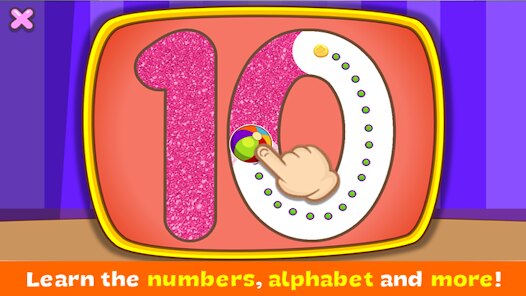
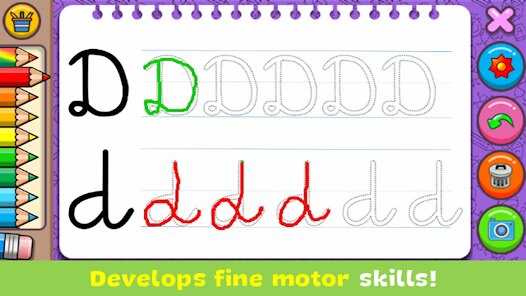
Compared to other similar apps like "Kids Doodle" or "Pigment," I honestly think Coloring & Learn hits a sweet spot. "Kids Doodle" is fun for free-form drawing, but it lacks the structured coloring pages and mini-game variety this one offers. "Pigment" is more for adults, focusing heavily on intricate mandalas and photos, which is great but not for a six-year-old. This game feels more like a complete package for young kids. It also doesn't pressure you into buying anything essential; you can have a blast with the base content for months. It's not trying to be high art, it's trying to be fun and engaging, and it succeeds. If you want a no-pressure, creative outlet for a child that also sneaks in some learning elements like colors and object names, this is a solid download on Google Play. It's just a reliable, polished app that does exactly what it promises.
features
- Magic Coloring Mode ✨ This feature lets you tap on any section of a drawing, and it automatically fills with a vibrant color. Unlike other apps like "Kids Doodle" which only offer freehand drawing, this mode is a game changer for younger kids or frustrated beginners, allowing them to create clean, beautiful pictures instantly without needing fine motor control.
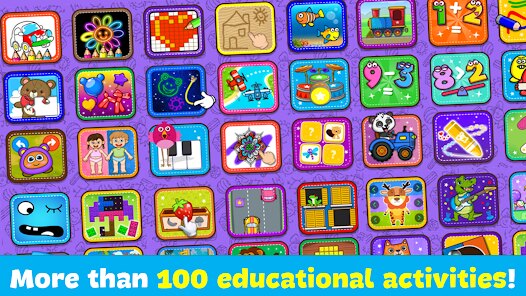
- Integrated Mini-Games 🎮 Beyond just coloring, the app packs in a piano, a drum set, and a firework creator. Apps like "Pigment" purely focus on coloring, so this extra variety keeps kids engaged longer, making it feel more like a playroom than just another coloring book on your android device.
- Easy Parental Controls 🔒 The app has a straightforward parental gate that prevents kids from accidentally buying in-app purchases or changing settings. This is a huge plus compared to some older apps where kids can click through to store pages too easily, ensuring a safer experience for unsupervised play.
pros
- Massive Content Library 🎨 For a free download, the amount of coloring pages is staggering. There are hundreds of designs across categories like animals, food, and fantasy, so kids never run out of new things to color. Similar apps might have fewer free options, making this one a clear winner for keeping things fresh.
- No Pressure Experience 😌 There are no timers, no scores, and no failure states. You can just color and explore at your own pace. Games like "Pigment" sometimes have subscription models or complex layers, which add pressure to use them efficiently. Here, it's pure, stress-free creativity, which is exactly what a child's playtime needs.
- High Performance on Low-End Devices 📱 The game runs incredibly smoothly even on older android phones. In my experience with other apps from Orange Studios Games, they optimize well for performance. This means no lag or crashes during play, which can ruin the flow for a kid who gets frustrated easily.
cons
- Repetitive Ad Frequency 📺 While the ads aren't load-bearing, they can pop up pretty frequently between pictures, with some asking you to watch a short video for a small reward. Similar games like "Kids Doodle" handle ads with a more passive banner at the bottom, making this game feel a bit more interruptive during long play sessions.
- Limited Advanced Tools 🖌️ For older kids or more serious budding artists, the tool selection is basic. You only get a few brush sizes and no layer support or advanced blending options. Apps like "Pigment" offer professional-level control, so if your kid outgrows this, they'll need to jump to another app for more complexity.
- Soundtrack Can Get Old 🔇 The background music is cheerful but extremely repetitive. After 20 minutes of play, it starts to grate on my nerves. Unlike other apps that offer a selection of calming tunes or no music at all, this one just loops the same short jingle over and over, making you want to mute the game's sound entirely.
Articles
![]()
Guide
How to Update Google Play Store on Android 2026
![]()
Guide
How to Download Older Versions of Android Apps
![]()
Guide
How to Download Apps Without Google Play Store
![]()
Guide
What Is an APK File for Android?
If you use an Android phone, you may have seen the term APK while searching for apps or games online. Some websites offer an APK download instead of a Google Play install button. Some users also mention APK files when talking about apps that are not available in their region, older app versions, or Android games downloaded outside the Play Store.
![]()
Guide
How to Install Games from Google Play for Beginners
Installing games on an Android phone is usually simple, but for beginners, the process can still feel confusing at first. You may not know where to search, which button to tap, whether the game is safe, or why Google Play sometimes asks for account settings, storage access, or payment information. If you are using an Android phone for the first time, learning how to install games from Google Play is one of the easiest ways to get started.
![]()
Guide
How Useful Gemini Is for Everyday Questions and Quick Tasks
emini feels different from many AI apps because it is not only trying to be a chatbot. After using it for everyday questions, quick writing, image understanding, and planning, I think its biggest strength is convenience.
![]()
Guide
What to Know Before Downloading APKs
For many Android users, downloading an APK is a common way to install apps and games. Sometimes an app is not available in a certain country.
![]()
Guide
ChatGPT Review: Is It Still the Best AI App in 2026?
![]()
Guide
Seedance 2.0 vs Sora: The Future of AI Video Generation
The AI video race has intensified dramatically over the past two years. Platforms like Sora from OpenAI and Luma Dream Machine pushed the boundaries of text-to-video realism. Yet, despite their impressive outputs, most tools still operate as probabilistic generators—you describe a scene, and the model interprets it. Control remains limited. With the February 2026 release of Seedance 2.0, developed by ByteDance, the paradigm shifted. Internally known as Jimeng 2.0, Seedance does not position itself as just another video model. It positions itself as an AI Director. Rather than guessing what you want, Seedance 2.0 allows you to direct what happens. This distinction defines everything that follows.









Recommended Apps
![]()
Papa Louie Pals
Flipline Studios4.4
![]()
Skins Master for Roblox Shirts
Nin Nguyen3.9
![]()
My Singing Pet: Pop Piano Game
PulseBeat Studios4.6![]()
Tile Story: Match Puzzle Game
LinkDesks Classic Puzzle Games4.9![]()
Kpop Idol Beat Maker
SkyRise Games0![]()
Gacha Club
Lunime4.5![]()
Tile Explorer - Triple Match
Oakever Games4.9![]()
Dark War Survival
Florere Game4.6![]()
Football League 2025
MOBILE SOCCER4.5![]()
Make Girlfriend
ygnn4.4![]()
Pou
Zakeh4.3![]()
Brainy Master Tricky Story
Metagame.Ltd4.5![]()
Dopples World
TutoTOONS4.9![]()
Toca Boca Hair Salon 4
Play Piknik3.7![]()
Coin Master
Moon Active4.6








Disclaimer
1.Fetchpureapk does not represent any developer, nor is it the developer of any App or game.
2.Fetchpureapk provide custom reviews of Apps written by our own reviewers, and detailed information of these Apps, such as developer contacts, ratings and screenshots.
3.All trademarks, registered trademarks, product names and company names or logos appearing on the site are the property of their respective owners.
4. Fetchpureapk abides by the federal Digital Millennium Copyright Act (DMCA) by responding to notices of alleged infringement that complies with the DMCA and other applicable laws.
5.If you are the owner or copyright representative and want to delete your information, please contact us info@Fetchpureapk.com.
6.All the information on this website is strictly observed all the terms and conditions of Google Ads Advertising policies and Google Unwanted Software policy .





























