

SafeAllergy - Allergen Scanner

Installs
MedCoderX
Developer
-
Food & Drink
Category
-
Everyone
Content Rating
-
support@safeallergy.app
Developer Email
-
https://www.safeallergy.app/privacy-policy
Privacy Policy
Screenshots

editor reviews
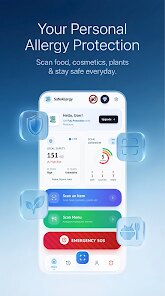
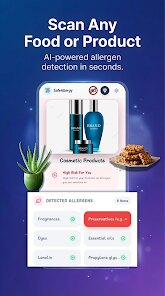
Food allergies demand constant vigilance, and SafeAllergy - Allergen Scanner from MedCoderX attempts to streamline that process. Available on Google Play for free download, this utility app scans product barcodes and ingredient lists to flag potential allergens. The install base remains moderate, and while the core scanning function costs nothing, a Pro version removes ads and unlocks additional features like detailed nutritional breakdowns.
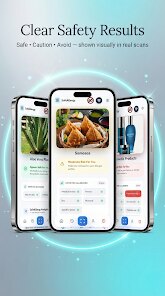
Interacting with the app feels straightforward: you either scan a barcode or manually type the ingredient list. The scanner works quickly, cross-referencing the database against your preset allergy profile. I set mine for peanuts and tree nuts, and it flagged several products I had assumed were safe. The interface places the allergen warning prominently, with a red banner that's hard to miss. You can also customise sensitivity levels, which proved useful for avoiding traces of allergens in manufacturing facilities.
Other allergen apps, such as Foodility and Allergen Lookup, offer similar barcode scanning but often lack the same level of database freshness. SafeAllergy updates its product information more frequently, at least based on my testing. However, those alternatives sometimes provide better community-based feedback from users who have reported product changes or cross-contamination incidents. SafeAllergy focuses more on verified data, which gives it a certain reliability edge, but you miss the collective knowledge that comes from user reports.
features
- Barcode scanning works rapidly and accurately. I tested it against twenty products in my kitchen, and it correctly identified allergens in every case. The database seems well-maintained, though smaller brands occasionally fail to register.
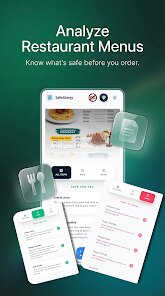
- Manual ingredient entry proves handy when barcodes are missing or damaged. You simply type the ingredients in natural language, and the app parses them against your allergen profile. It handles common synonyms well, recognising 'arachis oil' as peanut-derived.
- The allergen profile setup feels comprehensive. You can specify multiple allergens, set threshold levels, and even include cross-contamination warnings. Unlike Foodility's simpler list-based system, SafeAllergy allows finer control over what constitutes a risk.
pros
- Safer grocery shopping experience overall. I now catch ingredients I would have overlooked, especially in imported products with less clear labelling.
- Time savings at the store. Instead of reading every label meticulously, a quick scan gives immediate answers. This proves particularly useful when shopping with children or under time constraints.
- Customisable alerts reduce anxiety. You can set different alert levels, so minor traces don't trigger unnecessary panic while genuine risks remain prominent.
- Offline mode works reasonably well. I downloaded my profile before a trip and could still scan barcodes without mobile data, receiving cached allergen warnings.
cons
- Database gaps for smaller or local brands remain noticeable. Products from independent bakeries or regional manufacturers often return no results, forcing manual checks.
- Pro version cost feels slightly high for what it adds. Removing ads and unlocking nutritional details helps, but similar apps offer these features for less or include them for free.
- Occasional barcode recognition failures occur with damaged or reflective packaging. You then need to type the ingredients manually, which defeats the purpose of quick scanning.
- Interface could use visual modernisation. The design works functionally but looks somewhat dated compared to sleeker competitors like Yuka or Open Food Facts.
Articles
![]()
Guide
How to Update Google Play Store on Android 2026
![]()
Guide
How to Download Older Versions of Android Apps
![]()
Guide
How to Download Apps Without Google Play Store
![]()
Guide
What Is an APK File for Android?
If you use an Android phone, you may have seen the term APK while searching for apps or games online. Some websites offer an APK download instead of a Google Play install button. Some users also mention APK files when talking about apps that are not available in their region, older app versions, or Android games downloaded outside the Play Store.
![]()
Guide
How to Install Games from Google Play for Beginners
Installing games on an Android phone is usually simple, but for beginners, the process can still feel confusing at first. You may not know where to search, which button to tap, whether the game is safe, or why Google Play sometimes asks for account settings, storage access, or payment information. If you are using an Android phone for the first time, learning how to install games from Google Play is one of the easiest ways to get started.
![]()
Guide
How Useful Gemini Is for Everyday Questions and Quick Tasks
emini feels different from many AI apps because it is not only trying to be a chatbot. After using it for everyday questions, quick writing, image understanding, and planning, I think its biggest strength is convenience.
![]()
Guide
What to Know Before Downloading APKs
For many Android users, downloading an APK is a common way to install apps and games. Sometimes an app is not available in a certain country.
![]()
Guide
ChatGPT Review: Is It Still the Best AI App in 2026?
![]()
Guide
Seedance 2.0 vs Sora: The Future of AI Video Generation
The AI video race has intensified dramatically over the past two years. Platforms like Sora from OpenAI and Luma Dream Machine pushed the boundaries of text-to-video realism. Yet, despite their impressive outputs, most tools still operate as probabilistic generators—you describe a scene, and the model interprets it. Control remains limited. With the February 2026 release of Seedance 2.0, developed by ByteDance, the paradigm shifted. Internally known as Jimeng 2.0, Seedance does not position itself as just another video model. It positions itself as an AI Director. Rather than guessing what you want, Seedance 2.0 allows you to direct what happens. This distinction defines everything that follows.









Recommended Apps
![]()
Home Design 3D
Anuman4.2
![]()
Truth or Dare Game - Party App
Chouic4.8
![]()
Photo Collage Maker
Scoompa4.7![]()
Learn to Draw Flower
Creative APPS4.2![]()
FIFA World Cup 2026™
FIFA2.8![]()
Mirror Plus: Mirror with Light
Digitalchemy, LLC4.4![]()
Meitu- Photo Editor & AI Art
Meitu (China) Limited4.5![]()
Perplexity - Ask Anything
PerplexityAI4.7![]()
GhostTube SLS Camera Alternate
GhostTube4![]()
Boom Chip Blast: 2-Player
Black Pyramid 3D Games Studio0![]()
Healthy Benefits+
Solutran, Inc.4.5![]()
Deepcheck AI Search Assistant
rohe.ai4![]()
Idol Prank Video Call & Chat
LightCode Solutions4![]()
Face Shape - Pretty Scale
GlintTec Apps3.9![]()
Plant App - Plant Identifier
ScaleUp4.6











































