
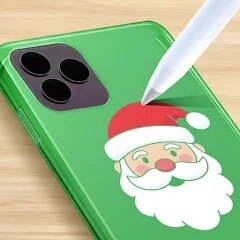
Phone Case DIY

100M+
Installs
CrazyLabs LTD
Developer
-
Simulation
Category
-
Everyone
Content Rating
-
support@crazylabs.com
Developer Email
-
https://crazylabs.com/privacy-policy/
Privacy Policy
Screenshots


editor reviews
Let me be straight with you - Phone Case DIY by CrazyLabs LTD is one of those casual crafting simulation games that's perfect for killing time on your Android or iOS device. It launched primarily as a mobile game, available for free download on Google Play and the App Store, and honestly, it's exactly what you'd expect from a time-killer app. With over 50 million installs on Google Play alone, this game has clearly found its audience. The best part? It's completely free to download and play, though you'll encounter the standard free-to-play model with in-game purchases and occasional in-app ads. If you want to skip the grind or unlock premium materials faster, you're looking at spending anywhere from $1 to $5 on microtransactions. There's no PC or console version here - this is purely a mobile experience designed for touch screens, and that's fine for what it is.
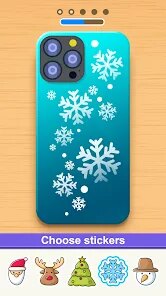
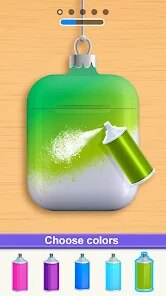
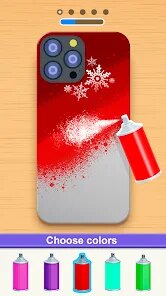
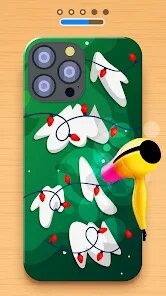
Playing Phone Case DIY is surprisingly relaxing once you get the hang of it. You start by selecting a blank phone case template, then you unleash your creativity by choosing colors, patterns, stickers, and various decorative elements. The best part of this game has to be the sheer variety of customization options - we're talking hundreds of combinations from glitter finishes to holographic designs, and even 3D embellishments like charms or gems. My personal favorite aspect is the "satisfying" assembly sequence where you watch your design come to life through a simple drag-and-drop interface. It's not deep, but it scratches that creative itch without requiring any real artistic skill. The game also throws in daily challenges and special events that keep things fresh, encouraging you to experiment with different themes like seasonal collections or trending styles. You can save your creations, share them with friends, or even browse community designs for inspiration.
Compared to similar crafting games like My Coloring Book or DIY Art Studio, Phone Case DIY stands out because it focuses on a specific product rather than generic art projects. Games like Toca Boca's design apps are great for kids but lack the polish and variety here. What makes me recommend this over others is the tactile feedback - the sounds and animations when you apply glitter or snap on a charm feel genuinely satisfying. It's not trying to be a hardcore simulation like some PC crafting games on Steam; instead, it embraces its casual mobile roots. The app is lightweight, installs quickly, and doesn't demand much from your device. For a free game with this much content, it's hard to complain. If you're looking for a low-pressure creative outlet that you can pick up during a commute or while waiting in line, this is a solid choice.
features
- Vast Customization Options 🎨 - Unlike simpler games like DIY Slime, Phone Case DIY offers over 200 distinct design elements including patterns, textures, stickers, and 3D add-ons. You can layer glitter over holographic backgrounds and add metallic charms, giving you near-endless combinations that make each case feel unique.
- Satisfying Build Process ✨ - The game excels at the small details. When you tap to apply a glossy finish or drag a gem into place, there's a satisfying click sound and smooth animation. It's more polished than similar apps on the Play Store, making the assembly feel rewarding rather than repetitive.
- Community Sharing Feature 🌐 - You can upload your creations to the in-game gallery and browse what other players have made. This social element sets it apart from isolated crafting games like Paper Princess, letting you get inspired by real designs or show off your own work without leaving the app.
pros
- Free-to-Play Accessibility 💰 - Unlike premium crafting games on Steam or consoles that cost $10-20, Phone Case DIY is entirely free to download on Google Play. You can play for hours without spending a dime, though ads pop up occasionally. This low barrier to entry makes it easy to recommend to anyone with a mobile device.
- No Special Skills Required 🧩 - Compared to complex simulation games like My Design Studio that expect you to understand layers or blending modes, this game keeps everything simple. You just tap, drag, and watch your design come together. Perfect for casual players who want creativity without frustration.
- Regular Content Updates 📅 - CrazyLabs keeps the game fresh with weekly themed events - think holiday specials or collaborations with trendy aesthetics. This is a big win over static games like Color by Number, ensuring you always have new materials to experiment with each time you launch the app.
cons
- Repetitive Gameplay Loop 🔄 - After designing a few cases, the process starts feeling samey. Unlike deeper crafting games on PC like Little Dragons Cafe that offer evolving storylines, Phone Case DIY lacks narrative progression. You're essentially doing the same steps with slight visual variations, which can get boring after a week of daily play.
- Aggressive Ads 📺 - The free model comes with a catch. Compared to premium alternatives like Toca Life World that charge upfront, this game throws ads at you every few minutes unless you make in-app purchases. It breaks the creative flow, and the options to remove ads are overpriced for such a simple game.
- Limited Real-World Functionality 📱 - The cases you design can't actually be produced. Games like The Sims 4 on PC let you download custom content and share it with the community in meaningful ways, but here your creations stay trapped inside the app. It feels like a tease - all that effort with no way to turn it into a real phone accessory.
Articles
![]()
Guide
How to Update Google Play Store on Android 2026
![]()
Guide
How to Download Older Versions of Android Apps
![]()
Guide
How to Download Apps Without Google Play Store
![]()
Guide
What Is an APK File for Android?
If you use an Android phone, you may have seen the term APK while searching for apps or games online. Some websites offer an APK download instead of a Google Play install button. Some users also mention APK files when talking about apps that are not available in their region, older app versions, or Android games downloaded outside the Play Store.
![]()
Guide
How to Install Games from Google Play for Beginners
Installing games on an Android phone is usually simple, but for beginners, the process can still feel confusing at first. You may not know where to search, which button to tap, whether the game is safe, or why Google Play sometimes asks for account settings, storage access, or payment information. If you are using an Android phone for the first time, learning how to install games from Google Play is one of the easiest ways to get started.
![]()
Guide
How Useful Gemini Is for Everyday Questions and Quick Tasks
emini feels different from many AI apps because it is not only trying to be a chatbot. After using it for everyday questions, quick writing, image understanding, and planning, I think its biggest strength is convenience.
![]()
Guide
What to Know Before Downloading APKs
For many Android users, downloading an APK is a common way to install apps and games. Sometimes an app is not available in a certain country.
![]()
Guide
ChatGPT Review: Is It Still the Best AI App in 2026?
![]()
Guide
Seedance 2.0 vs Sora: The Future of AI Video Generation
The AI video race has intensified dramatically over the past two years. Platforms like Sora from OpenAI and Luma Dream Machine pushed the boundaries of text-to-video realism. Yet, despite their impressive outputs, most tools still operate as probabilistic generators—you describe a scene, and the model interprets it. Control remains limited. With the February 2026 release of Seedance 2.0, developed by ByteDance, the paradigm shifted. Internally known as Jimeng 2.0, Seedance does not position itself as just another video model. It positions itself as an AI Director. Rather than guessing what you want, Seedance 2.0 allows you to direct what happens. This distinction defines everything that follows.









Recommended Apps
![]()
My Supermarket Simulator 3D®
Game District LLC3.9

![]()
Fortnite
Epic Games, Inc4![]()
Poppy Playtime Chapter 3
Mob Entertainment4.2![]()
Diamond Painting ASMR Coloring
CrazyLabs LTD4.5![]()
Real Bus Simulator : Bus Games
Solo Studio Inc3.2![]()
Sprunki All Phases Beat Maker
Gotstar Studio0![]()
Looper!
Kwalee (Ltd)4.2![]()
Gugu Gaga Penguin: Mini Games
Kids Games LLC3![]()
KPop Demon Hunter Wallpaper
Highlights Devloper0![]()
Count Masters: Stickman Games
Freeplay Inc4.6![]()
Scary Teacher 3D
Z & K Games4.3![]()
Papa's Wingeria HD
Flipline Studios4.6![]()
Who's Your Daddy?!
Evil Tortilla Games Incorporated2.7![]()
AFK Arena
LilithGames4.6![]()
Hungry Balls
HYPERCELL4.6












































