
Terraria

5M+
Installs
505 Games Srl
Developer
-
Adventure
Category
-
Teen
Content Rating
-
help@505games.com
Developer Email
-
https://505games.com/privacy
Privacy Policy
Screenshots
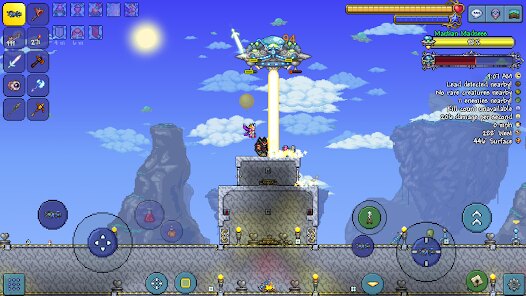
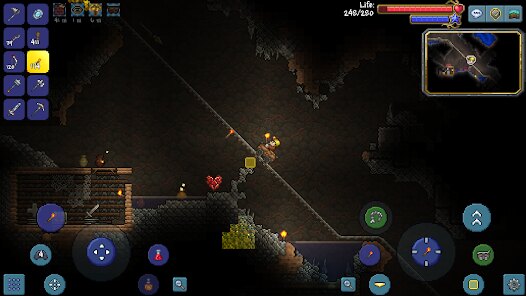
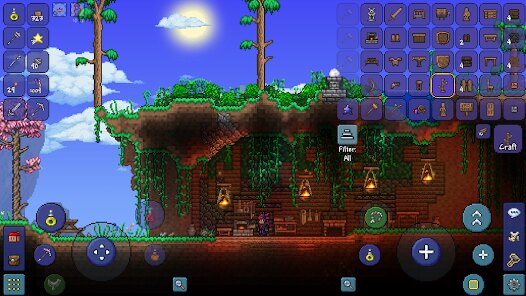
editor reviews
So, you've heard about Terraria, right? It's this incredible 2D sandbox adventure game that I've sunk hundreds of hours into, and honestly, it's still my go-to when I want a mix of exploration, building, and straight-up boss fights. It's often called '2D Minecraft,' but that's a huge oversimplification. On Android, you can download it directly from the Google Play Store. It's a premium game, so you have to pay upfront to install it—there's no free-to-play model here, which I actually prefer because there are no irritating in-app ads or pay-to-win mechanics. The cost is usually around $4.99, though it might fluctuate with sales. It's a pure mobile port that works flawlessly on both phones and tablets, but you can also grab it on PC via Steam, and it's available on consoles like Xbox, PlayStation, and Nintendo Switch. The game first launched way back in 2011 on PC, but the Android version came later and has been updated consistently. With over ten million installs on Google Play alone, it's clear the community is massive and still active.
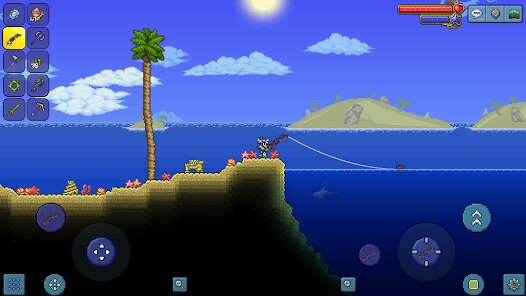
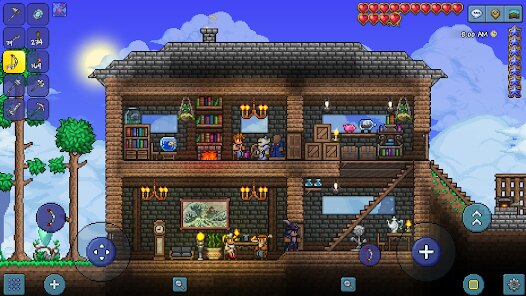
When you fire up Terraria on your Android device, the first thing you'll notice is how smooth the touch controls are for a game this deep. You start by chopping down trees, mining ore, and building a shelter before nightfall, but it quickly expands into a sprawling adventure. The best part? The sheer variety. One minute you're digging for rare ores underground, the next you're summoning a giant eyeball boss called the Eye of Cthulhu, and then you're building an elaborate castle with wiring and traps. My favorite aspect has to be the progression loop. There's no handholding; you learn by experimenting and, honestly, dying a lot. Each boss defeat unlocks new materials and crafts, pushing you to explore deeper biomes like the jungle, the corruption, or the hellish underworld. It's incredibly rewarding when you finally craft that Terra Blade after a hundred hours. The mobile version also includes all the content from the massive 1.4 'Journey's End' update, so you're getting the complete experience.
Compared to other mobile sandbox games, Terraria stands out because it refuses to treat players like they're casual. Take 'Minecraft PE,' for example. That game is fantastic for creative building and survival, but Terraria offers a much tighter combat system and actual RPG-style character progression. You've got armor sets, weapons with unique abilities, and accessories that modify your movement or offense. Another game people compare it to is 'Starbound,' which is similar but more focused on space exploration and story. Terraria, though, feels more grounded and concentrated in its world. I recommend this app over others because it respects your time. There's no energy system, no waiting for timers, and no loot boxes. You pay once, install it, and everything is earned through gameplay. It's a complete, polished package that keeps you coming back even after you've 'beaten' the final boss. If you're tired of mobile games that nickel-and-dime you, this is a breath of fresh air.
features
- True Exploration and Progression 🗺️: Unlike games like 'Minecraft PE,' where the world is yours to shape but progression can feel aimless, Terraria gives you a clear sense of advancement. Digging deeper reveals new enemies, materials, and life-upgrading heart crystals. Every new biome you find—like the underground desert or the mushroom biome—introduces unique threats and treasures that directly level up your character's power.
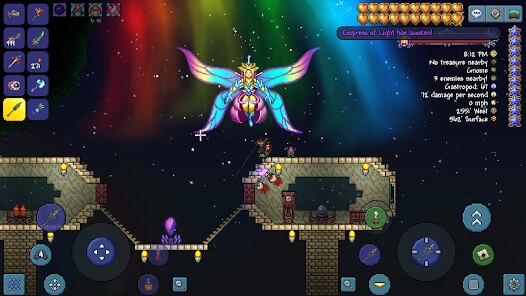
- Insane Amount of Content 📦: This isn't a thin mobile port. With over 4,000 items, more than 20 boss fights, and countless enemy types, it rivals any PC or console game in depth. The 'Journey's End' update added even more, like boss summoning items and a golf minigame. On Android, you get all of this without any file size bloat that kills performance.
- Seamless Multiplayer Support 🤝: You can host a game or join friends via local Wi-Fi or online. The mobile version syncs progress well, so you can grind with buddies on the couch or remotely. This makes grinding for rare items like the 'Muramasa' way more fun compared to other mobile sandbox games that often lack real-time co-op.
pros
- Rewarding Combat System 🎯: The combat in Terraria feels snappy and tactical. You have to learn enemy patterns, dodge, and use the right weapons for the situation. Unlike 'Starbound,' where combat can feel floaty, every hit lands with satisfying feedback. Boss fights like 'The Destroyer' require real strategy, making victory incredibly satisfying.
- Complete Mobile Optimization 📱: The developers did a fantastic job porting this to Android. Touch controls are customizable, and there's support for external controllers. The game runs at a smooth 60fps even on older devices, and loading times are quick. This beats most PC-to-mobile ports that often lag behind in performance.
- No Pay-to-Win Mechanics 💰: This is a huge strength. You pay once to download the app from Google Play, and everything is unlocked through gameplay. No gem purchases, no premium currency, no hard paywalls. Compared to 'Minecraft PE,' which has marketplace add-ons and skin packs you can buy, Terraria gives you everything in the base install.
cons
- Steep Learning Curve 📚: Terraria doesn't hold your hand. The game has a lot of systems—crafting recipes, boss summoning, NPC housing—that can be overwhelming for new players. Unlike 'Minecraft PE,' where you can figure things out intuitively, you'll almost certainly need to check a wiki or watch a guide to understand how to summon bosses like 'Wall of Flesh' or find rare materials.
- Touch Controls Can Feel Cluttered 🥴: While the game runs smoothly, the on-screen buttons for movement, jumping, attacking, and using items can feel cramped on smaller phone screens. It's workable, but precision actions—like dodging a boss while switching weapons—are tougher than on a PC or controller. Games like 'Starbound' handle mobile controls a bit cleaner with fewer buttons.
- Lack of Cross-Platform Save 💾: Save data is local to your device, and there's no cloud sync between Google Play and Steam. If you play on your Android phone, you can't carry that progress over to your PC or Xbox. This feels like a missed feature, especially compared to 'Minecraft PE,' which syncs saves across platforms using your Microsoft account.
Articles
![]()
Guide
How to Update Google Play Store on Android 2026
![]()
Guide
How to Download Older Versions of Android Apps
![]()
Guide
How to Download Apps Without Google Play Store
![]()
Guide
What Is an APK File for Android?
If you use an Android phone, you may have seen the term APK while searching for apps or games online. Some websites offer an APK download instead of a Google Play install button. Some users also mention APK files when talking about apps that are not available in their region, older app versions, or Android games downloaded outside the Play Store.
![]()
Guide
How to Install Games from Google Play for Beginners
Installing games on an Android phone is usually simple, but for beginners, the process can still feel confusing at first. You may not know where to search, which button to tap, whether the game is safe, or why Google Play sometimes asks for account settings, storage access, or payment information. If you are using an Android phone for the first time, learning how to install games from Google Play is one of the easiest ways to get started.
![]()
Guide
How Useful Gemini Is for Everyday Questions and Quick Tasks
emini feels different from many AI apps because it is not only trying to be a chatbot. After using it for everyday questions, quick writing, image understanding, and planning, I think its biggest strength is convenience.
![]()
Guide
What to Know Before Downloading APKs
For many Android users, downloading an APK is a common way to install apps and games. Sometimes an app is not available in a certain country.
![]()
Guide
ChatGPT Review: Is It Still the Best AI App in 2026?
![]()
Guide
Seedance 2.0 vs Sora: The Future of AI Video Generation
The AI video race has intensified dramatically over the past two years. Platforms like Sora from OpenAI and Luma Dream Machine pushed the boundaries of text-to-video realism. Yet, despite their impressive outputs, most tools still operate as probabilistic generators—you describe a scene, and the model interprets it. Control remains limited. With the February 2026 release of Seedance 2.0, developed by ByteDance, the paradigm shifted. Internally known as Jimeng 2.0, Seedance does not position itself as just another video model. It positions itself as an AI Director. Rather than guessing what you want, Seedance 2.0 allows you to direct what happens. This distinction defines everything that follows.









Recommended Apps
![]()
My Supermarket Simulator 3D®
Game District LLC3.9

![]()
Fortnite
Epic Games, Inc4![]()
Poppy Playtime Chapter 3
Mob Entertainment4.2![]()
Diamond Painting ASMR Coloring
CrazyLabs LTD4.5![]()
Real Bus Simulator : Bus Games
Solo Studio Inc3.2![]()
Sprunki All Phases Beat Maker
Gotstar Studio0![]()
Looper!
Kwalee (Ltd)4.2![]()
Gugu Gaga Penguin: Mini Games
Kids Games LLC3![]()
KPop Demon Hunter Wallpaper
Highlights Devloper0![]()
Count Masters: Stickman Games
Freeplay Inc4.6![]()
Scary Teacher 3D
Z & K Games4.3![]()
Papa's Wingeria HD
Flipline Studios4.6![]()
Who's Your Daddy?!
Evil Tortilla Games Incorporated2.7![]()
AFK Arena
LilithGames4.6![]()
Hungry Balls
HYPERCELL4.6












































