
Arrow Puzzle: Tap Puzzle Games

50M+
Installs
Easybrain
Developer
-
Puzzle
Category
-
Everyone
Content Rating
-
support@easybrain.com
Developer Email
-
https://easybrain.com/privacy
Privacy Policy
Screenshots
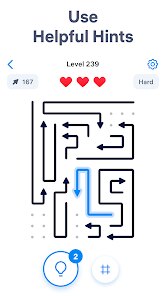
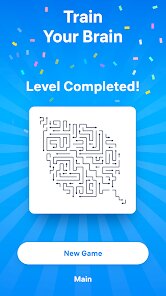
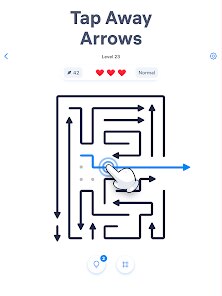
editor reviews
I've been sinking a decent amount of time into Arrow Puzzle: Tap Puzzle Games by Easybrain, and honestly, it's the kind of brain teaser that perfectly fills those dead moments during your day. This is a pure mobile puzzle game, so you won't find it on Steam, Xbox, or Switch—it's built specifically for Android. The Google Play Store shows it's been downloaded over 10 million times, which is a huge number even for a free-to-play title. When you first download and install it, you'll notice it's completely free to play. There are no forced paywalls, but like most mobile games these days, there are in-app purchases and optional in-app ads. If you want to remove ads permanently, it'll cost you around $3.99, and there are coin packs ranging from $1.99 to $9.99 if you get stuck and need hints. It launched a few years ago quietly, but it's gained serious traction on the Play Store because of its simple, addictive nature.
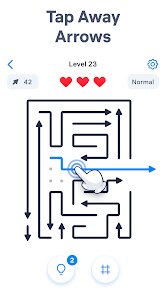
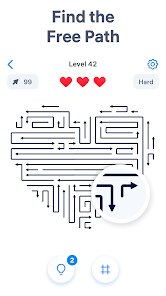
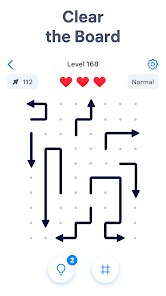
The core gameplay is deceptively simple. You're given a grid with arrows pointing in different directions, and your job is to swap them around until all the arrows point to the exit. It sounds easy, but the best part is how the difficulty ramps up without ever feeling unfair. The puzzles start with small 3x3 grids, and before you know it, you're wrestling with massive 7x7 boards that require serious planning. My favorite part has to be the "perfect move" mechanic. Unlike some puzzle games where brute-forcing can work, this one rewards efficient paths. Each time you clear a level without wasting any swaps, you get a three-star rating. Chasing those perfect scores has kept me coming back for weeks. The touch controls are also buttery smooth on my Android phone—no lag, no missed inputs, which is crucial when you're trying to sequence complex solutions.
If you've played other puzzle games like Flow Free or Unblock Me, you'll notice some similarities, but Arrow Puzzle carves out its own identity. While Flow Free is about connecting colors and Unblock Me is about sliding blocks, this game brings a directional logic component that feels fresh. I'd recommend it because it doesn't punish you for mistakes—you can restart a level instantly without losing progress. The organic difficulty curve means you never hit a wall where you need to spend real money. Honestly, if you're tired of puzzle games that shove ad breaks every 30 seconds or constantly ask for payments, this app is a breath of fresh air. It respects your time and asks only for your focus.
features
- Directional Logic Puzzle 🧩: Unlike simple matching games, Arrow Puzzle uses a unique grid system where each tile has a direction arrow. You rotate and swap these arrows to create a continuous path to the goal. This adds a spatial reasoning element that's much more engaging than typical drag-and-drop puzzles.
- Hundreds of Handcrafted Levels 🎯: The game boasts over 500 levels, and each one feels deliberately designed rather than procedurally generated. Compare this to Flow Free which uses algorithm-generated puzzles; Arrow Puzzle's handcrafted approach means every level has a clear, logical solution without any frustrating dead ends.
- No Timer Pressure ⏰: This is a huge plus for a mobile game. You can sit with a single puzzle for as long as you want, making it perfect for relaxed play on the bus or during a break. The only pressure comes from your own desire to achieve that perfect three-star rating.
pros
- Perfect Learning Curve 📈: The game introduces new mechanics gradually. You start with simple directional paths, and over time, you encounter blockers, teleporters, and multi-directional arrows. It never dumps all the complexity on you at once, unlike some puzzle games where the difficulty spikes suddenly.
- Zero Punishment for Errors ❌: In games like Unblock Me, one wrong move can sometimes force a full restart. Here, you can undo moves or restart instantly with a single tap. This encourages experimentation and learning from mistakes rather than penalizing you for them.
- Clean, Distraction-Free Design 🌟: The interface is minimalist with muted colors and clear icons. There's no flashing UI, no distracting animations, and the ads are non-intrusive. Other puzzle apps often clutter the screen with pop-ups, but this one stays focused on the gameplay experience.
cons
- Repetitive Soundtrack 🎵: The background music loops after about 30 seconds, and there are only three different tracks in the entire game. After a few hours, you'll likely mute the sound entirely. Flow Free handles this better with ambient soundscapes that don't get as grating over long sessions.
- Limited Hint System 💡: When you get truly stuck, you have to spend coins for hints, and earning coins is slow without paying. In contrast, Unblock Me offers free hints after watching a short ad, which feels more balanced. Here, you might find yourself stuck on a tough level for longer than necessary.
- No Level Creator Mode 🛠️: This is a missed opportunity. Community-made levels extend the replay value of puzzle games massively. This game has a finite number of levels (500), and once you finish them, that's it. Other logic puzzle games in the same space already support user-generated content.
Articles
![]()
Guide
How to Update Google Play Store on Android 2026
![]()
Guide
How to Download Older Versions of Android Apps
![]()
Guide
How to Download Apps Without Google Play Store
![]()
Guide
What Is an APK File for Android?
If you use an Android phone, you may have seen the term APK while searching for apps or games online. Some websites offer an APK download instead of a Google Play install button. Some users also mention APK files when talking about apps that are not available in their region, older app versions, or Android games downloaded outside the Play Store.
![]()
Guide
How to Install Games from Google Play for Beginners
Installing games on an Android phone is usually simple, but for beginners, the process can still feel confusing at first. You may not know where to search, which button to tap, whether the game is safe, or why Google Play sometimes asks for account settings, storage access, or payment information. If you are using an Android phone for the first time, learning how to install games from Google Play is one of the easiest ways to get started.
![]()
Guide
How Useful Gemini Is for Everyday Questions and Quick Tasks
emini feels different from many AI apps because it is not only trying to be a chatbot. After using it for everyday questions, quick writing, image understanding, and planning, I think its biggest strength is convenience.
![]()
Guide
What to Know Before Downloading APKs
For many Android users, downloading an APK is a common way to install apps and games. Sometimes an app is not available in a certain country.
![]()
Guide
ChatGPT Review: Is It Still the Best AI App in 2026?
![]()
Guide
Seedance 2.0 vs Sora: The Future of AI Video Generation
The AI video race has intensified dramatically over the past two years. Platforms like Sora from OpenAI and Luma Dream Machine pushed the boundaries of text-to-video realism. Yet, despite their impressive outputs, most tools still operate as probabilistic generators—you describe a scene, and the model interprets it. Control remains limited. With the February 2026 release of Seedance 2.0, developed by ByteDance, the paradigm shifted. Internally known as Jimeng 2.0, Seedance does not position itself as just another video model. It positions itself as an AI Director. Rather than guessing what you want, Seedance 2.0 allows you to direct what happens. This distinction defines everything that follows.









Recommended Apps
![]()
My Supermarket Simulator 3D®
Game District LLC3.9

![]()
Fortnite
Epic Games, Inc4![]()
Poppy Playtime Chapter 3
Mob Entertainment4.2![]()
Diamond Painting ASMR Coloring
CrazyLabs LTD4.5![]()
Real Bus Simulator : Bus Games
Solo Studio Inc3.2![]()
Sprunki All Phases Beat Maker
Gotstar Studio0![]()
Looper!
Kwalee (Ltd)4.2![]()
Gugu Gaga Penguin: Mini Games
Kids Games LLC3![]()
KPop Demon Hunter Wallpaper
Highlights Devloper0![]()
Count Masters: Stickman Games
Freeplay Inc4.6![]()
Scary Teacher 3D
Z & K Games4.3![]()
Papa's Wingeria HD
Flipline Studios4.6![]()
Who's Your Daddy?!
Evil Tortilla Games Incorporated2.7![]()
AFK Arena
LilithGames4.6![]()
Hungry Balls
HYPERCELL4.6












































