
Text Free: Call & Texting App

10,000,000+
Installs
Pinger, Inc
Developer
-
Social
Category
-
Rated for 3+
Content Rating
-
support@pinger.com
Developer Email
-
http://www.pinger.com/privacy-policy/
Privacy Policy
Screenshots
editor reviews
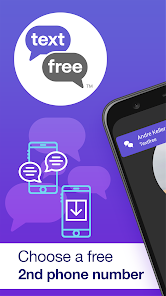
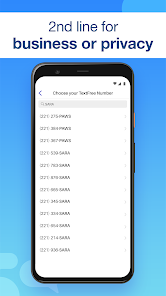
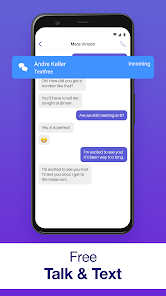
Text Free by Pinger is a communication app that gives you a real US phone number for calls and texts without needing a traditional carrier plan. I first found it while traveling and needed a way to stay in touch without racking up roaming charges. After downloading it from Google Play (it's free with optional in-app purchases and ads), I was honestly surprised by how straightforward the setup was. The app doesn't ask you to jump through hoops—you just pick a number from available area codes and you're ready to send your first message within a minute. That kind of simplicity makes it appealing for anyone who wants a secondary number for privacy or temporary use.
Using Text Free day-to-day feels pretty close to a regular messaging app, though there are a few quirks. The interface is clean with your conversations listed on the main screen, and tapping a contact opens the chat window where you can type, send photos, or make calls. I remember my first call had a slight delay—maybe half a second—which was noticeable but not unbearable. The app also gives you credits for watching ads, which you can use for longer calls or sending picture messages. One thing that tripped me up early on: if you don't open the app for a while, your number might get reassigned, so you have to check in once a week or so to keep it active.
After using Text Free for a couple of months, I think it's a solid pick for light users who need a secondary number for things like online classifieds or short-term projects. It's not something I'd rely on for business calls because the call quality varies depending on your WiFi or data connection. What really sets it apart from similar apps like Google Voice is how quick the setup is—no Google account or extra verification steps. But the catch is the ads and the credit system, which can feel a bit limiting if you're a heavy texter or caller. I ended up keeping it installed for situations where I don't want to share my real number, but I uninstalled it from my main phone because the constant ad pop-ups got annoying over time.
features
- 📞 Get a real US number instantly without needing a carrier or SIM card. Unlike apps like TextNow that often push paid upgrades for number selection, Text Free lets you choose from available area codes at no cost.
- 📱 Send unlimited texts to any US number for free, though picture messages use credits. The core texting experience is smooth, and messages arrive quickly compared to some rivals that have noticeable delays.
- 📞 Make calls using credits earned from watching ads or through in-app purchases. This pay-as-you-go model is more flexible than TextNow's subscription-based calling, but requires patience if you want to avoid spending money.
- 🔐 Your number stays active as long as you use the app regularly, but it can be reassigned after inactivity. This is less reliable than Google Voice, which keeps your number indefinitely, but it's fine for short-term needs.
pros
- ⚡ Setup takes less than a minute without any account registration. TextNow and other similar apps often require email or phone verification, which adds friction for someone who just wants a quick secondary number.
- 🔒 Privacy is a clear strength because you never share your real number. Google Voice ties your number to a Google account, while Text Free keeps things more anonymous right from the start.
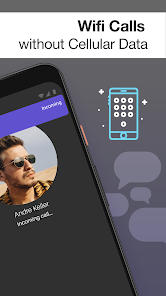
- 📶 Works on both WiFi and cellular data, so you can use it on a tablet or old phone. Apps like Talkatone require a strong data connection, but Text Free handles weaker signals reasonably well for basic texting.
cons
- 📢 Ad frequency is higher than in almost any competitor, including TextNow. Every few texts or after a call, you'll see a full-screen ad, which makes the experience feel cluttered compared to Google Voice's ad-free interface.
- ⏳ Number reassignment after inactivity is a hassle. If you don't open the app for 7-10 days, your number goes back to the pool, which is much stricter than TextNow's 30-day window or Google Voice's indefinite retention.
- 📞 Call quality can be inconsistent, especially over mobile data. TextNow offers clearer calls on average, and Google Voice's integration with Hangouts used to be more reliable before it was phased out.
- 💳 Credits for calls and picture messages feel limiting. You either watch ads frequently or pay, while apps like Skype provide a more straightforward pay-per-minute model without the ad grind.
Articles
![]()
Guide
How to Update Google Play Store on Android 2026
![]()
Guide
How to Download Older Versions of Android Apps
![]()
Guide
How to Download Apps Without Google Play Store
![]()
Guide
What Is an APK File for Android?
If you use an Android phone, you may have seen the term APK while searching for apps or games online. Some websites offer an APK download instead of a Google Play install button. Some users also mention APK files when talking about apps that are not available in their region, older app versions, or Android games downloaded outside the Play Store.
![]()
Guide
How to Install Games from Google Play for Beginners
Installing games on an Android phone is usually simple, but for beginners, the process can still feel confusing at first. You may not know where to search, which button to tap, whether the game is safe, or why Google Play sometimes asks for account settings, storage access, or payment information. If you are using an Android phone for the first time, learning how to install games from Google Play is one of the easiest ways to get started.
![]()
Guide
How Useful Gemini Is for Everyday Questions and Quick Tasks
emini feels different from many AI apps because it is not only trying to be a chatbot. After using it for everyday questions, quick writing, image understanding, and planning, I think its biggest strength is convenience.
![]()
Guide
What to Know Before Downloading APKs
For many Android users, downloading an APK is a common way to install apps and games. Sometimes an app is not available in a certain country.
![]()
Guide
ChatGPT Review: Is It Still the Best AI App in 2026?
![]()
Guide
Seedance 2.0 vs Sora: The Future of AI Video Generation
The AI video race has intensified dramatically over the past two years. Platforms like Sora from OpenAI and Luma Dream Machine pushed the boundaries of text-to-video realism. Yet, despite their impressive outputs, most tools still operate as probabilistic generators—you describe a scene, and the model interprets it. Control remains limited. With the February 2026 release of Seedance 2.0, developed by ByteDance, the paradigm shifted. Internally known as Jimeng 2.0, Seedance does not position itself as just another video model. It positions itself as an AI Director. Rather than guessing what you want, Seedance 2.0 allows you to direct what happens. This distinction defines everything that follows.









Recommended Apps
![]()
Home Design 3D
Anuman4.2
![]()
Truth or Dare Game - Party App
Chouic4.8
![]()
Photo Collage Maker
Scoompa4.7![]()
Learn to Draw Flower
Creative APPS4.2![]()
FIFA World Cup 2026™
FIFA2.8![]()
Mirror Plus: Mirror with Light
Digitalchemy, LLC4.4![]()
Meitu- Photo Editor & AI Art
Meitu (China) Limited4.5![]()
Perplexity - Ask Anything
PerplexityAI4.7![]()
GhostTube SLS Camera Alternate
GhostTube4![]()
Boom Chip Blast: 2-Player
Black Pyramid 3D Games Studio0![]()
Healthy Benefits+
Solutran, Inc.4.5![]()
Deepcheck AI Search Assistant
rohe.ai4![]()
Idol Prank Video Call & Chat
LightCode Solutions4![]()
Face Shape - Pretty Scale
GlintTec Apps3.9![]()
Plant App - Plant Identifier
ScaleUp4.6











































