
Nebula: Horoscope & Astrology

5M+
Installs
OBRIO
Developer
-
Lifestyle
Category
-
Everyone
Content Rating
-
support.nebula@gen.tech
Developer Email
-
https://asknebula.com/app/privacy
Privacy Policy
Screenshots
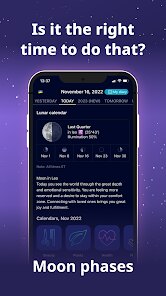
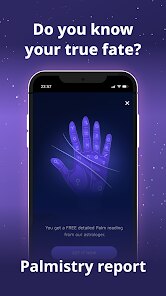
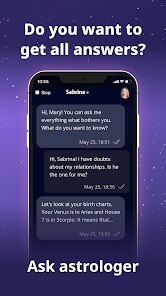
editor reviews
I first came across Nebula: Horoscope & Astrology while scrolling through the Google Play Store, trying to find something that didn't feel like a generic daily horoscope app. It's a lifestyle and astrology tracker, and after reading a few reviews, I decided to download it - it's free to install, which is always a plus. The first time I launched it, the app greeted me with a sleek, dark-themed interface and a beautifully animated starry sky background. You need to enter your birth date, time, and location to get a personalized chart, which felt a bit more involved than I expected, but it also made me think the readings might actually be tailored to me rather than generic blurbs. Registration wasn't forced upfront, which I appreciated, though certain deeper features prompt you to sign up later.
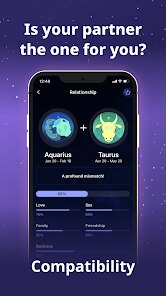
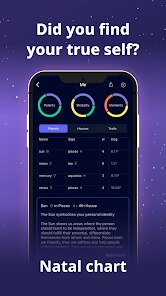
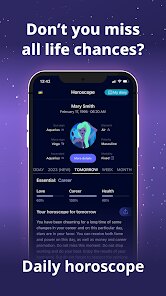
After the initial setup, I spent some time tapping around to see how it actually works in daily use. The main screen shows a daily horoscope written in a conversational tone, and you can swipe between different sections like love, career, and health. What surprised me was the transit tracker - it visualizes how current planetary movements affect your personal chart in real time, which is something I haven't seen done this clearly in other free apps. The onboarding flow walks you through a few basic actions, like checking your moon sign or reading a compatibility report, but I did get a bit lost when I tried to find past forecasts again - they're buried under a menu that isn't super intuitive. One small tip: if you tap and hold on any planet in the chart view, it shows a short explanation of what that placement means, which saved me from googling things separately. The app also sends push notifications for upcoming transits, but I turned those off after a week because they were a little too frequent for my liking.
After using Nebula for about three weeks, I can see why some people swear by it and others uninstall after a few days. If you are someone who already knows your rising sign or enjoys diving into birth chart details, this app feels like a treat - it gives you real-time aspects and planetary returns without needing a paid subscription for the basics. On the other hand, if you just want a quick "today's vibe" and nothing else, apps like Co-Star or The Pattern give a more minimalist read with less clutter. What sets Nebula apart for me is the visual design and the depth of the transit data; I haven't found another free app that shows you exactly when Jupiter will retrograde over your sun and what that means in plain English. I think I will keep it installed for the longer predictions, but I can also imagine a casual user getting bored once the novelty of the fancy graphics wears off.
features
- 🔮 Real-time transit visualization - Nebula shows how current planetary movements directly overlay your personal birth chart, which most free apps like Co-Star or TimePassages don't offer without a paid tier. You can actually see a planet's path crossing your natal placements, making it feel more scientific than spiritual.
- 🔮 Daily breakdown by life area - Instead of one generic prediction, you get separate readings for love, career, health, and money. That level of granularity is rare in free horoscope tools - even The Pattern groups everything into one paragraph.
- 🔮 Interactive chart with tap explanations - You can tap any planet, house, or aspect to read a short plain-English description of its meaning. This removes the frustration of staring at symbols you don't understand, which happens often with more traditional astrology apps like AstroMatrix.
pros
- ✨ Completely free core features - Unlike many similar apps that lock personal birth charts or daily horoscopes behind a subscription, Nebula gives you real-time transits and compatibility reports without paying a cent. Co-Star, for comparison, asks for a monthly fee for advanced insights.
- ✨ Beautiful and modern interface - The dark theme with animated stars and clean typography makes it pleasant to open daily. The Pattern feels text-heavy in comparison, and TimePassages looks a bit dated now.
- ✨ No forced social features - You don't have to add friends or share your chart to get value, which is a breath of fresh air compared to apps like Chani that push community interaction from the start.
cons
- ⚠️ Notification overload - The app sends multiple push alerts each day for transits, moon phases, and retrograde warnings. I found myself muting notifications within a week, whereas Co-Star lets you customize exactly what you want to hear about.
- ⚠️ Navigation can be confusing - Finding past forecasts or specific chart aspects takes some trial and error. The menu structure is not very intuitive, especially compared to The Pattern's straightforward swipe layout.
- ⚠️ Battery consumption - The animated background and constant chart calculations drain battery noticeably faster than simpler text-based apps like Daily Horoscope.
Articles
![]()
Guide
How to Update Google Play Store on Android 2026
![]()
Guide
How to Download Older Versions of Android Apps
![]()
Guide
How to Download Apps Without Google Play Store
![]()
Guide
What Is an APK File for Android?
If you use an Android phone, you may have seen the term APK while searching for apps or games online. Some websites offer an APK download instead of a Google Play install button. Some users also mention APK files when talking about apps that are not available in their region, older app versions, or Android games downloaded outside the Play Store.
![]()
Guide
How to Install Games from Google Play for Beginners
Installing games on an Android phone is usually simple, but for beginners, the process can still feel confusing at first. You may not know where to search, which button to tap, whether the game is safe, or why Google Play sometimes asks for account settings, storage access, or payment information. If you are using an Android phone for the first time, learning how to install games from Google Play is one of the easiest ways to get started.
![]()
Guide
How Useful Gemini Is for Everyday Questions and Quick Tasks
emini feels different from many AI apps because it is not only trying to be a chatbot. After using it for everyday questions, quick writing, image understanding, and planning, I think its biggest strength is convenience.
![]()
Guide
What to Know Before Downloading APKs
For many Android users, downloading an APK is a common way to install apps and games. Sometimes an app is not available in a certain country.
![]()
Guide
ChatGPT Review: Is It Still the Best AI App in 2026?
![]()
Guide
Seedance 2.0 vs Sora: The Future of AI Video Generation
The AI video race has intensified dramatically over the past two years. Platforms like Sora from OpenAI and Luma Dream Machine pushed the boundaries of text-to-video realism. Yet, despite their impressive outputs, most tools still operate as probabilistic generators—you describe a scene, and the model interprets it. Control remains limited. With the February 2026 release of Seedance 2.0, developed by ByteDance, the paradigm shifted. Internally known as Jimeng 2.0, Seedance does not position itself as just another video model. It positions itself as an AI Director. Rather than guessing what you want, Seedance 2.0 allows you to direct what happens. This distinction defines everything that follows.









Recommended Apps
![]()
Home Design 3D
Anuman4.2
![]()
Truth or Dare Game - Party App
Chouic4.8
![]()
Photo Collage Maker
Scoompa4.7![]()
Learn to Draw Flower
Creative APPS4.2![]()
FIFA World Cup 2026™
FIFA2.8![]()
Mirror Plus: Mirror with Light
Digitalchemy, LLC4.4![]()
Meitu- Photo Editor & AI Art
Meitu (China) Limited4.5![]()
Perplexity - Ask Anything
PerplexityAI4.7![]()
GhostTube SLS Camera Alternate
GhostTube4![]()
Boom Chip Blast: 2-Player
Black Pyramid 3D Games Studio0![]()
Healthy Benefits+
Solutran, Inc.4.5![]()
Deepcheck AI Search Assistant
rohe.ai4![]()
Idol Prank Video Call & Chat
LightCode Solutions4![]()
Face Shape - Pretty Scale
GlintTec Apps3.9![]()
Plant App - Plant Identifier
ScaleUp4.6











































