
Toolwiz Photos - Pro Editor

10M+
Installs
Toolwiz.com
Developer
-
Video Players & Editors
Category
-
Rated for 16+
Content Rating
-
James@toolwiz.com
Developer Email
-
http://www.toolwiz.com/lead/privacy_policy/
Privacy Policy
Screenshots
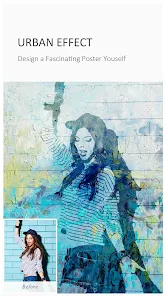
editor reviews
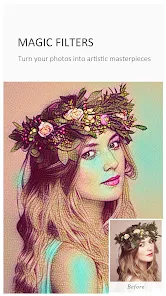
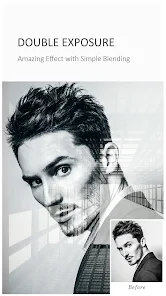
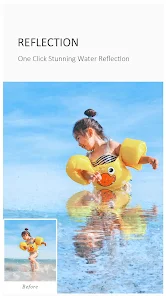
Toolwiz Photos is essentially a full-featured image editing app that sits somewhere between a simple filter app and a desktop-level editor. It's the kind of app you grab when you need more than just cropping or brightness adjustments but don't want to pay for something like Adobe Lightroom. You can do everything from basic red-eye removal to complex layer-based compositing, and it even lets you draw or add text with decent control. After downloading it from Google Play, the first thing I noticed was how much it throws at you right away. The interface is packed with icons and tools, which can feel a bit overwhelming if you're used to something more streamlined. It's free to install, but there are ads and in-app purchases that unlock extra features or remove watermarks from exported images.
Once you actually start using it, the depth becomes clear. The onboarding doesn't hold your hand much, so you're pretty much left to explore. The main screen shows your gallery, and tapping a photo brings up a toolbar along the bottom with things like "Adjust," "Effects," and "Beauty." What surprised me was how many sub-options are buried under each tab. For example, the "Adjust" menu lets you tweak curves, HSL, and color balance separately. Moving through the app is mostly smooth, but sometimes tapping a tool lags for a second before the menu pops up. A practical tip I picked up is using the "Layer" tool to stack edits without ruining the original image, which is something I usually only see in PC software. That said, some menus are poorly labeled, and I accidentally applied a filter without a way to undo it cleanly more than once.
After spending a few days with it, I think Toolwiz Photos is best for hobbyists who enjoy tinkering with every little detail. If you're someone who just wants a quick filter for Instagram, you might find it too cluttered and slow. What sets it apart from apps like Snapseed or PicsArt is the sheer number of manual controls, especially the layer system and mask tool. But the trade-off is that it doesn't feel as polished. Snapseed is easier to navigate, and PicsArt offers more social features. I kept it installed because it's handy for those rare times I need to blend two photos or remove a background without switching to a desktop. But honestly, for day-to-day use, I usually reach for something simpler. The ads are annoying too, so if you're not willing to pay for the pro version, expect interruptions.
features
- 🗂️ Layer-Based Editing
Unlike apps like Snapseed that only offer non-destructive adjustments on a single layer, Toolwiz Photos lets you stack multiple layers with different images, shapes, or effects. This is a standout feature because you can composite photos, add overlays, and mask parts precisely. It feels closer to what you'd do in Photoshop, but on a phone.🎨 Manual Color Adjustments
While PicsArt focuses on preset filters and stickers, Toolwiz gives you curves, HSL sliders, and individual channel adjustments for red, green, and blue. You can fine-tune exposure, contrast, and even color balance in a way that most mobile editors skip. This is huge for anyone trying to match lighting between two photos.✏️ Built-in Drawing Tools
It includes a full brush engine with opacity and size control, which is rare in standard photo editors. You can literally paint over your image or add custom shapes. PicsArt has drawing too, but it's aimed at casual doodling, while Toolwiz treats it as a serious editing tool with blend modes.🪄 Background Removal with Masking
The background eraser and refine mask tool work better than most free apps. Snapseed has a selective tool, but it doesn't remove backgrounds entirely. Here, you can cut out a subject, then fine-tune the edge manually with a brush. It's not perfect, but it beats paying for a separate app.
pros
- ✅ Tool Variety is Unmatched
Compared to apps like Adobe Lightroom Mobile or Snapseed, Toolwiz Photos offers tools like clone stamp, dodge and burn, and perspective correction. These are typically reserved for paid software, so getting them for free is a huge plus for mobile editors.✅ Layer System Works Offline
Unlike some editors that require cloud processing or subscription for advanced features, Toolwiz does everything locally. That means no waiting for uploads, and you can edit without an internet connection. PicsArt, by contrast, pushes cloud-based filters.✅ No Watermark on Basic Edits
For everyday adjustments like cropping or color correction, there's no watermark added. You only see one if you apply premium effects without paying. That's more generous than some free tools that stamp every export.
cons
- ❌ Cluttered and Dated Interface
The app still looks like it's from 2015. Icons are tiny, menus are nested three levels deep, and there's no dark mode. Snapseed is way cleaner and easier to navigate, especially on a smaller phone screen.❌ Frequent Ads
You'll get a full-screen video ad after saving almost every image. PicsArt also has ads, but at least they're skippable in a few seconds. Here, you sometimes have to watch for 15 seconds before you can continue editing.❌ No Cloud Backup or Sync
Unlike Adobe Lightroom, there's no way to sync edits across devices or back up your work online. If you switch phones, your project files are gone. That's fine for casual use but a dealbreaker for anyone wanting a mobile workflow.❌ Export Quality Limits for Free Users
The free version caps exports at 4,000 pixels on the long side. That's fine for social media but not for printing. Snapseed and PicsArt don't have this restriction in their free tiers.
Articles
![]()
Guide
How to Update Google Play Store on Android 2026
![]()
Guide
How to Download Older Versions of Android Apps
![]()
Guide
How to Download Apps Without Google Play Store
![]()
Guide
What Is an APK File for Android?
If you use an Android phone, you may have seen the term APK while searching for apps or games online. Some websites offer an APK download instead of a Google Play install button. Some users also mention APK files when talking about apps that are not available in their region, older app versions, or Android games downloaded outside the Play Store.
![]()
Guide
How to Install Games from Google Play for Beginners
Installing games on an Android phone is usually simple, but for beginners, the process can still feel confusing at first. You may not know where to search, which button to tap, whether the game is safe, or why Google Play sometimes asks for account settings, storage access, or payment information. If you are using an Android phone for the first time, learning how to install games from Google Play is one of the easiest ways to get started.
![]()
Guide
How Useful Gemini Is for Everyday Questions and Quick Tasks
emini feels different from many AI apps because it is not only trying to be a chatbot. After using it for everyday questions, quick writing, image understanding, and planning, I think its biggest strength is convenience.
![]()
Guide
What to Know Before Downloading APKs
For many Android users, downloading an APK is a common way to install apps and games. Sometimes an app is not available in a certain country.
![]()
Guide
ChatGPT Review: Is It Still the Best AI App in 2026?
![]()
Guide
Seedance 2.0 vs Sora: The Future of AI Video Generation
The AI video race has intensified dramatically over the past two years. Platforms like Sora from OpenAI and Luma Dream Machine pushed the boundaries of text-to-video realism. Yet, despite their impressive outputs, most tools still operate as probabilistic generators—you describe a scene, and the model interprets it. Control remains limited. With the February 2026 release of Seedance 2.0, developed by ByteDance, the paradigm shifted. Internally known as Jimeng 2.0, Seedance does not position itself as just another video model. It positions itself as an AI Director. Rather than guessing what you want, Seedance 2.0 allows you to direct what happens. This distinction defines everything that follows.









Recommended Apps
![]()
Home Design 3D
Anuman4.2
![]()
Truth or Dare Game - Party App
Chouic4.8
![]()
Photo Collage Maker
Scoompa4.7![]()
Learn to Draw Flower
Creative APPS4.2![]()
FIFA World Cup 2026™
FIFA2.8![]()
Mirror Plus: Mirror with Light
Digitalchemy, LLC4.4![]()
Meitu- Photo Editor & AI Art
Meitu (China) Limited4.5![]()
Perplexity - Ask Anything
PerplexityAI4.7![]()
GhostTube SLS Camera Alternate
GhostTube4![]()
Boom Chip Blast: 2-Player
Black Pyramid 3D Games Studio0![]()
Healthy Benefits+
Solutran, Inc.4.5![]()
Deepcheck AI Search Assistant
rohe.ai4![]()
Idol Prank Video Call & Chat
LightCode Solutions4![]()
Face Shape - Pretty Scale
GlintTec Apps3.9![]()
Plant App - Plant Identifier
ScaleUp4.6












































