
Magic Tiles 3™ - Piano Game

500M+
Installs
AMANOTES PTE LTD
Developer
-
Music
Category
-
Everyone 10+
Content Rating
-
support@amanotes.com
Developer Email
-
https://www.amanotes.com/privacy-policy
Privacy Policy
Screenshots

editor reviews
So you're looking for a rhythm game on your phone, and you've probably seen Magic Tiles 3™ - Piano Game plastered all over the Google Play Store. I've been playing these kinds of games for years, from the early days of Tap Tap Revenge to more modern stuff, and I've got a soft spot for this one. It's a pure mobile game, first launched way back in 2016, and it's been a staple on Android and iOS ever since. You can download it for free from Google Play or the App Store, and it's racked up over 100 million installs on Android alone, which tells you something about its staying power. It's free to download and play, but yeah, there are in-app purchases and ads. If you want to skip the ads or unlock premium song packs, you're looking at spending anywhere from $1 to $5 for most items. It's not a PC or console game, so don't expect to find it on Steam or your Xbox—this one's built for your phone, and it knows it.
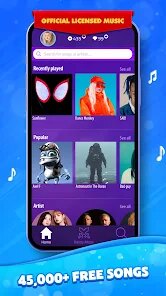
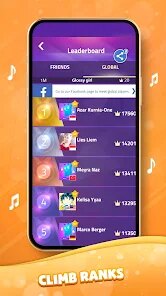
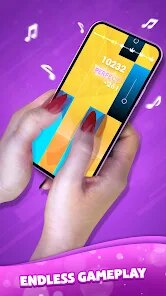
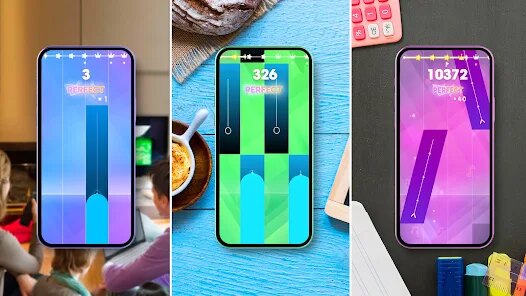
When you actually open the app and start playing, the core gameplay is dead simple: colored tiles fall down the screen, and you tap them to the rhythm of a song. It sounds basic, but the best part is how satisfying it feels when you hit a fast sequence perfectly. Your finger dances across the screen, and the music syncs up so well that you get lost in the flow. My favorite part is the “Piano” mode, where the tiles mimic actual piano keys. It's not just a game; it feels like you're playing a real instrument, even if you're just tapping glass. The song library is massive, covering everything from classical Beethoven pieces to modern pop hits. You can play for five minutes or an hour, and it's perfect for killing time on a bus or while waiting for something. The app also has challenges and leaderboards that keep you coming back for higher scores.
Compared to other rhythm games on Google Play, like Piano Tiles 2 or Cytus, Magic Tiles 3 stands out because it's more accessible for casual players. Piano Tiles 2 feels clunky after awhile, and Cytus is great but way too complex for a quick session. This one hits a sweet spot—easy to install, quick to understand, and you're tapping along to a hit song in seconds. The graphics are clean and don't overload your phone, and the touch response is super responsive on modern Android devices. I'd recommend this over similar apps because it respects your time. You don't need to grind for hours or watch tons of ads to enjoy it. Just download it, pick a track, and play. It's a solid choice if you want a rhythm fix without the headache of complicated mechanics.
features
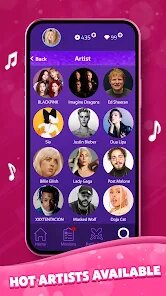
- Massive song library 🎵: You get hundreds of tracks spanning classical, pop, and EDM. Unlike games like Piano Tiles 2, which has a smaller catalog, Magic Tiles 3 constantly updates with new hits, so you're never bored.
- Multiple game modes 🎮: Besides the standard mode, there's a “Rush” mode for speed demons and a “Classic” mode for purists. This beats Cytus's single linear progression, giving you variety in how you play each song.
- Stunning visual effects ✨: The tiles glow and pulse with the beat, and backgrounds shift dynamically. It's more polished than other free rhythm apps on Google Play, making each session feel like a mini concert.
pros
- Addictive flow state 🌊: The tap-and-sync mechanics are incredibly smooth, especially on Android phones with high refresh rates. Once you get into a song, it's hard to stop—way more engaging than the clunky input lag in Piano Tiles 2.
- No pay-to-win pressure 💰: You can enjoy the full game without spending a dime. Ads are there, but they don't interrupt mid-song like in some other free music apps. This honesty makes me respect the developer's approach.
- Great for quick sessions ⏱️: Each song lasts about two minutes, so you can jump in and out easily. Compared to heavier games like Deemo, which require long playthroughs, this one fits perfectly into a busy day.
cons
- Ad frequency can be annoying 📢: After every few songs, you'll get a forced video ad. Other rhythm games, like Cytus, offer a premium version without ads, but here you're stuck watching them unless you pay for the ad-free option.
- Song selection gets repetitive 🔁: While the library is large, many tracks sound similar, especially in the pop category. Games like Beatstar have more diverse licensing, so you don't hear the same style over and over.
- Limited customization options 🎨: You can't change tile colors or themes without buying packs. Free alternatives like Tap Tap Reloaded let you tweak visuals more freely, which feels like a missed opportunity for personal flair.
Articles
![]()
Guide
How to Update Google Play Store on Android 2026
![]()
Guide
How to Download Older Versions of Android Apps
![]()
Guide
How to Download Apps Without Google Play Store
![]()
Guide
What Is an APK File for Android?
If you use an Android phone, you may have seen the term APK while searching for apps or games online. Some websites offer an APK download instead of a Google Play install button. Some users also mention APK files when talking about apps that are not available in their region, older app versions, or Android games downloaded outside the Play Store.
![]()
Guide
How to Install Games from Google Play for Beginners
Installing games on an Android phone is usually simple, but for beginners, the process can still feel confusing at first. You may not know where to search, which button to tap, whether the game is safe, or why Google Play sometimes asks for account settings, storage access, or payment information. If you are using an Android phone for the first time, learning how to install games from Google Play is one of the easiest ways to get started.
![]()
Guide
How Useful Gemini Is for Everyday Questions and Quick Tasks
emini feels different from many AI apps because it is not only trying to be a chatbot. After using it for everyday questions, quick writing, image understanding, and planning, I think its biggest strength is convenience.
![]()
Guide
What to Know Before Downloading APKs
For many Android users, downloading an APK is a common way to install apps and games. Sometimes an app is not available in a certain country.
![]()
Guide
ChatGPT Review: Is It Still the Best AI App in 2026?
![]()
Guide
Seedance 2.0 vs Sora: The Future of AI Video Generation
The AI video race has intensified dramatically over the past two years. Platforms like Sora from OpenAI and Luma Dream Machine pushed the boundaries of text-to-video realism. Yet, despite their impressive outputs, most tools still operate as probabilistic generators—you describe a scene, and the model interprets it. Control remains limited. With the February 2026 release of Seedance 2.0, developed by ByteDance, the paradigm shifted. Internally known as Jimeng 2.0, Seedance does not position itself as just another video model. It positions itself as an AI Director. Rather than guessing what you want, Seedance 2.0 allows you to direct what happens. This distinction defines everything that follows.









Recommended Apps
![]()
My Supermarket Simulator 3D®
Game District LLC3.9

![]()
Fortnite
Epic Games, Inc4![]()
Poppy Playtime Chapter 3
Mob Entertainment4.2![]()
Diamond Painting ASMR Coloring
CrazyLabs LTD4.5![]()
Real Bus Simulator : Bus Games
Solo Studio Inc3.2![]()
Sprunki All Phases Beat Maker
Gotstar Studio0![]()
Looper!
Kwalee (Ltd)4.2![]()
Gugu Gaga Penguin: Mini Games
Kids Games LLC3![]()
KPop Demon Hunter Wallpaper
Highlights Devloper0![]()
Count Masters: Stickman Games
Freeplay Inc4.6![]()
Scary Teacher 3D
Z & K Games4.3![]()
Papa's Wingeria HD
Flipline Studios4.6![]()
Who's Your Daddy?!
Evil Tortilla Games Incorporated2.7![]()
AFK Arena
LilithGames4.6![]()
Hungry Balls
HYPERCELL4.6












































