

Zipper Lock Screen - ZippyLock

1M+
Installs
EZProducts
Developer
-
Productivity
Category
-
Everyone
Content Rating
-
nguyenthihue79dki@gmail.com
Developer Email
-
https://docs.google.com/document/d/1gBhOi9vlYuUpJBFl5gvLZAzYQ5KQxvnkclaZBttZNvo/edit?usp=sharing
Privacy Policy
Screenshots
editor reviews
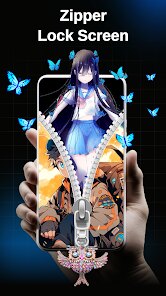
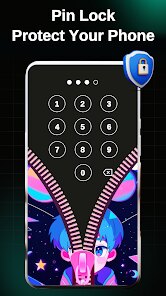
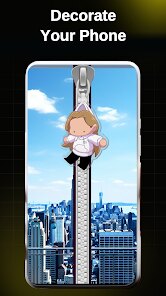
Zipper Lock Screen – ZippyLock is a fairly unique app that turns your phone's lock screen into a functional zipper. It falls under the customization or lock screen tools category. Basically, you unlock your phone by swiping a zipper down, which feels kind of satisfying the first few times you try it. The app was developed by EZProducts and it's available as a free download on both Google Play and the App Store, though it does have in-app purchases and ads. I remember stumbling across it out of boredom and downloaded it just to see if the zipper mechanic actually felt real. Honestly, the first impression was a mixed bag – the concept is fun and the zipper animation is smooth, but the interface around it looks a bit cluttered and dated. You can tell it's trying to be playful, but it doesn't feel super polished right after installation.
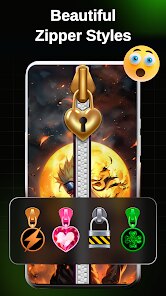
After using it for a couple of days, the hands-on experience is a bit of a rollercoaster. You set it up by allowing lock screen permissions and then you can choose between different zipper styles or colors. The main action is straightforward – you swipe the zipper down to unlock, and you can also set up shortcuts for the camera or flashlight by swiping sideways. For daily use, it becomes kind of fun at first, but then the novelty wears off. Sometimes the zipper doesn't respond immediately, and you end up repeating the swipe. I also noticed that it drains battery a little faster since it's constantly running in the background. There are small tips I picked up, like turning off vibration feedback to save some juice, but overall the app feels a bit heavy for something so simple. The onboarding is quick, but there are too many pop-ups asking you to rate or share the app, which gets annoying fast.
After using ZippyLock for a while, I think it's one of those apps you download for the novelty, use for a week, and then forget about. People who enjoy quirky, tactile lock screen interactions might get a kick out of it, especially if they like showing off something different to friends. However, if you're someone who values speed and efficiency when unlocking your phone, this app will probably frustrate you more than it entertains. Compared to more polished lock screen tools like Microsoft's Next Lock Screen or even the stock Android lock screen, ZippyLock feels gimmicky and not very practical. It's not bad, but it doesn't add much real value besides the zipper animation. I uninstalled it after a week because the ads and battery drain weren't worth the fun. It might be worth keeping if you're really into customization and don't mind a few hiccups.
features
- 🎨 The zipper animation is surprisingly satisfying. It mimics a real zipper with sound effects and haptic feedback, so it actually feels like you're pulling a zipper down to unlock your phone. Most lock screen apps just rely on standard swipes or PINs, but ZippyLock adds a tactile gimmick that stands out. Compared to apps like Go Locker, which focus more on widgets and shortcuts, ZippyLock prioritizes the fun factor.
- 🔋 Quick shortcuts are built into the swipe gestures. You can set up the flashlight or camera to activate by swiping sideways on the lock screen, which is a neat time-saver. It's not as advanced as what you'd find in Niagara Launcher or Action Launcher, but for a lock screen-only tool, it does the job without needing extra setup.
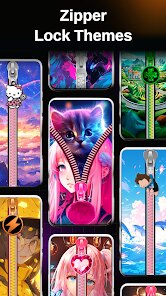
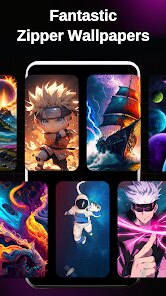
- 📱 Multiple zipper styles and colors are available in the free version, so you can match the lock screen to your mood or phone's theme. While other lock screen apps like Next Lock Screen offer more functional features like calendar views or quick contacts, ZippyLock focuses purely on visual personalization and playful interaction.
pros
- 🎉 The zipper mechanic is genuinely unique and fun to show off to friends. Most lock screen apps feel generic, but ZippyLock gives you a conversation starter.
- ⚡ Setting up shortcuts is fast and doesn't require deep customization. It's easier than configuring similar gestures in third-party launchers like Nova Launcher Prime.
- 💡 The app runs without needing too many permissions, so it feels relatively safe compared to some other lock screen replacements that request access to contacts or messages.
cons
- 📢 Ads are intrusive and pop up frequently, unlike cleaner lock screen tools like Microsoft's Next Lock Screen which has almost no ads.
- 🔋 Battery drain is noticeable after a few days. It uses background processes to keep the zipper responsive, which makes it less efficient than stock lock screens.
- 😕 The zipper sometimes feels unresponsive, especially on devices with slower processors. Swipe gestures in apps like Go Locker are smoother and more consistent.
- 📴 You can't fully disable advertisements without paying, which is frustrating for an app that already asks for lock screen permissions.
Articles
![]()
Guide
How to Update Google Play Store on Android 2026
![]()
Guide
How to Download Older Versions of Android Apps
![]()
Guide
How to Download Apps Without Google Play Store
![]()
Guide
What Is an APK File for Android?
If you use an Android phone, you may have seen the term APK while searching for apps or games online. Some websites offer an APK download instead of a Google Play install button. Some users also mention APK files when talking about apps that are not available in their region, older app versions, or Android games downloaded outside the Play Store.
![]()
Guide
How to Install Games from Google Play for Beginners
Installing games on an Android phone is usually simple, but for beginners, the process can still feel confusing at first. You may not know where to search, which button to tap, whether the game is safe, or why Google Play sometimes asks for account settings, storage access, or payment information. If you are using an Android phone for the first time, learning how to install games from Google Play is one of the easiest ways to get started.
![]()
Guide
How Useful Gemini Is for Everyday Questions and Quick Tasks
emini feels different from many AI apps because it is not only trying to be a chatbot. After using it for everyday questions, quick writing, image understanding, and planning, I think its biggest strength is convenience.
![]()
Guide
What to Know Before Downloading APKs
For many Android users, downloading an APK is a common way to install apps and games. Sometimes an app is not available in a certain country.
![]()
Guide
ChatGPT Review: Is It Still the Best AI App in 2026?
![]()
Guide
Seedance 2.0 vs Sora: The Future of AI Video Generation
The AI video race has intensified dramatically over the past two years. Platforms like Sora from OpenAI and Luma Dream Machine pushed the boundaries of text-to-video realism. Yet, despite their impressive outputs, most tools still operate as probabilistic generators—you describe a scene, and the model interprets it. Control remains limited. With the February 2026 release of Seedance 2.0, developed by ByteDance, the paradigm shifted. Internally known as Jimeng 2.0, Seedance does not position itself as just another video model. It positions itself as an AI Director. Rather than guessing what you want, Seedance 2.0 allows you to direct what happens. This distinction defines everything that follows.









Recommended Apps
![]()
Home Design 3D
Anuman4.2
![]()
Truth or Dare Game - Party App
Chouic4.8
![]()
Photo Collage Maker
Scoompa4.7![]()
Learn to Draw Flower
Creative APPS4.2![]()
FIFA World Cup 2026™
FIFA2.8![]()
Mirror Plus: Mirror with Light
Digitalchemy, LLC4.4![]()
Meitu- Photo Editor & AI Art
Meitu (China) Limited4.5![]()
Perplexity - Ask Anything
PerplexityAI4.7![]()
GhostTube SLS Camera Alternate
GhostTube4![]()
Boom Chip Blast: 2-Player
Black Pyramid 3D Games Studio0![]()
Healthy Benefits+
Solutran, Inc.4.5![]()
Deepcheck AI Search Assistant
rohe.ai4![]()
Idol Prank Video Call & Chat
LightCode Solutions4![]()
Face Shape - Pretty Scale
GlintTec Apps3.9![]()
Plant App - Plant Identifier
ScaleUp4.6











































