

Reverse Voice: Flip Singing

1M+
Installs
NindaFuit
Developer
-
Entertainment
Category
-
Everyone
Content Rating
-
nindafuits@gmail.com
Developer Email
-
http://nindafuit.pro.vn/privacy-policy.html?app=Reverse%20Singing%20Challenge%20Play&store=NINDAFUIT%20STORE
Privacy Policy
Screenshots
editor reviews
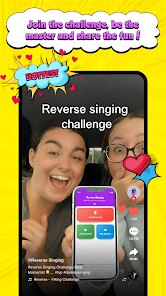
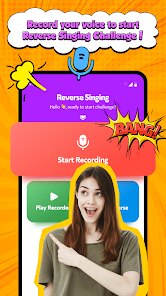
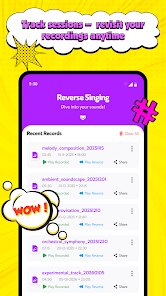
Reverse Voice: Flip Singing is one of those niche audio tools that does exactly what its name suggests. It lets you record your voice or any song snippet and instantly play it backward, creating that surreal, reversed audio effect you hear in experimental music and viral videos. It's listed on Google Play in the music and audio category, with over 100,000 installs, and it is free to download and use with optional ads. I came across it while looking for quick ways to mess around with vocal samples without pulling out a full DAW. The first impression after launching the app was that it gets straight to the point. There's no login, no tutorial, no clutter. Just a big red record button and a speaker icon. It feels lightweight, like a toy in a good way, something you open when you have a spare moment and want to laugh at a weirdly backward version of yourself singing.
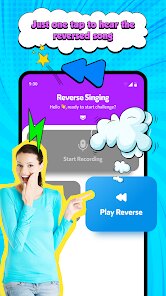
Using Reverse Voice is about as straightforward as it gets. You tap record, sing or speak something into the mic, and the app plays it back reversed instantly. The interface is clean, with a waveform display that shows your recording. For a beginner, it's almost too simple. You cannot trim the recording, change speed, or add any effects. It's literally record and reverse. I tried recording a few lines from a popular song, and the reversal sounded clear, almost musical in a psychedelic way. One thing I noticed is that holding the phone close to your mouth helps the app pick up softer vocals. There is also a library tab where past recordings are saved, so you can go back and play them later. The lack of options can feel limiting after a few tries, but for a random 5-minute experiment, it serves its purpose without any learning curve.
After playing with it for a while, I'd say Reverse Voice is perfect for someone who just wants a quick laugh or needs a reversed audio clip for a short video edit. It's not built for serious music production or someone who needs precise waveform editing. Compared to apps like AudioLab or Voice Changer Plus, this one feels almost primitive because it offers zero extra effects. But that can be a strength if you hate bloat. What makes it different is that it focuses on a single trick and does it reliably. I can see a content creator keeping it installed for spontaneous ideas, but a casual user might uninstall after a week because there's only so much you can do with a reversed voice. It's a fun gimmick, but not a daily driver for most people.
features
- Reverse Voice limits you to a single effect: reversing audio. Apps like AudioLab give you dozens of effects, speed control, and multi-track editing. The outstanding feature here is that it reverses instantly with no delay and zero setup, which makes it uniquely fuss-free for a one-trick tool.
- The app has no recording length limit or watermark on saved clips. Competitors often cap free recordings to 30 seconds or force a logo on exports. Reverse Voice lets you record as long as you want and save clean audio files, which is huge for quick content creation.
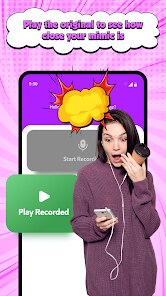
- It stores all your reversed recordings in a built-in library with timestamps. You can easily browse and replay old clips without exporting them first. Apps like RecForge II require file management steps, but this app keeps everything inside one simple list.
pros
- Simplicity is its biggest win. You just open and record. No account, no permissions overload, no settings to fiddle with. Voice Changer Plus and Audio Evolution Mobile both demand tutorial-level attention before you can do anything fun.
- It starts recording instantly after tapping the button. There is no countdown or latency. Many audio tools like BandLab have a noticeable delay before recording begins, which can ruin spontaneity.
- The reversed audio quality is clear and maintains the original pitch and tone well. Some apps like Reverse Audio Player distort the audio heavily. This one keeps it crisp enough to share on social media.
cons
- You cannot adjust the playback speed or apply any other effect. Once it's reversed, that's it. Apps like AudioLab let you change speed, pitch, or add reverb and echo. This app feels very barebones in comparison.
- There is no way to trim or crop the recording before reversing. If you accidentally record five seconds of silence at the end, it stays in the reversed clip. In apps like WaveEditor, you can easily cut out the dead space.
- The interface feels outdated and lacks dark mode or any customization. Competitors like RecForge II offer themes and adjustable layouts. This app looks like it hasn't been updated since 2015, which might turn off new users.
Articles
![]()
Guide
How to Update Google Play Store on Android 2026
![]()
Guide
How to Download Older Versions of Android Apps
![]()
Guide
How to Download Apps Without Google Play Store
![]()
Guide
What Is an APK File for Android?
If you use an Android phone, you may have seen the term APK while searching for apps or games online. Some websites offer an APK download instead of a Google Play install button. Some users also mention APK files when talking about apps that are not available in their region, older app versions, or Android games downloaded outside the Play Store.
![]()
Guide
How to Install Games from Google Play for Beginners
Installing games on an Android phone is usually simple, but for beginners, the process can still feel confusing at first. You may not know where to search, which button to tap, whether the game is safe, or why Google Play sometimes asks for account settings, storage access, or payment information. If you are using an Android phone for the first time, learning how to install games from Google Play is one of the easiest ways to get started.
![]()
Guide
How Useful Gemini Is for Everyday Questions and Quick Tasks
emini feels different from many AI apps because it is not only trying to be a chatbot. After using it for everyday questions, quick writing, image understanding, and planning, I think its biggest strength is convenience.
![]()
Guide
What to Know Before Downloading APKs
For many Android users, downloading an APK is a common way to install apps and games. Sometimes an app is not available in a certain country.
![]()
Guide
ChatGPT Review: Is It Still the Best AI App in 2026?
![]()
Guide
Seedance 2.0 vs Sora: The Future of AI Video Generation
The AI video race has intensified dramatically over the past two years. Platforms like Sora from OpenAI and Luma Dream Machine pushed the boundaries of text-to-video realism. Yet, despite their impressive outputs, most tools still operate as probabilistic generators—you describe a scene, and the model interprets it. Control remains limited. With the February 2026 release of Seedance 2.0, developed by ByteDance, the paradigm shifted. Internally known as Jimeng 2.0, Seedance does not position itself as just another video model. It positions itself as an AI Director. Rather than guessing what you want, Seedance 2.0 allows you to direct what happens. This distinction defines everything that follows.









Recommended Apps
![]()
Home Design 3D
Anuman4.2
![]()
Truth or Dare Game - Party App
Chouic4.8
![]()
Photo Collage Maker
Scoompa4.7![]()
Learn to Draw Flower
Creative APPS4.2![]()
FIFA World Cup 2026™
FIFA2.8![]()
Mirror Plus: Mirror with Light
Digitalchemy, LLC4.4![]()
Meitu- Photo Editor & AI Art
Meitu (China) Limited4.5![]()
Perplexity - Ask Anything
PerplexityAI4.7![]()
GhostTube SLS Camera Alternate
GhostTube4![]()
Boom Chip Blast: 2-Player
Black Pyramid 3D Games Studio0![]()
Healthy Benefits+
Solutran, Inc.4.5![]()
Deepcheck AI Search Assistant
rohe.ai4![]()
Idol Prank Video Call & Chat
LightCode Solutions4![]()
Face Shape - Pretty Scale
GlintTec Apps3.9![]()
Plant App - Plant Identifier
ScaleUp4.6












































