
Solitaire - Classic Card Games

10M+
Installs
Oakever Games
Developer
-
Puzzle
Category
-
Everyone
Content Rating
-
support@oakevergames.com
Developer Email
-
https://oakevergames.com/pp.html
Privacy Policy
Screenshots
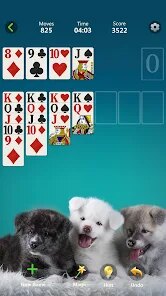
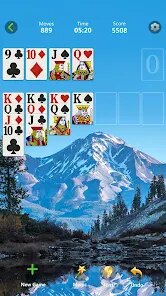
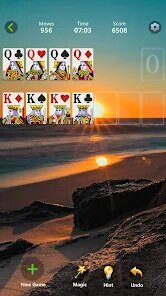
editor reviews
So, you're looking for a solid Solitaire fix on your Android phone, huh? Let me tell you about the one I've been hooked on – "Solitaire - Classic Card Games" by Oakever Games. This is pure, unadulterated card game territory, a digital port of the timeless Klondike Solitaire we all know and love. It's a mobile-first experience, designed specifically for touchscreens, so you'll find it on the Google Play Store and the App Store. You can download and install it completely free, which is a huge plus. As of my last check, it's got well over 10 million installs on Google Play alone, so it's got a solid user base. There are in-game purchases, but they're optional. You're looking at a few bucks here and there to remove ads or get cosmetic card decks and backgrounds, not some predatory pay-to-win scheme. There's also in-app ads, but they're the kind that pop up between games or as a banner, not during play, which I find manageable. You can play it for hours without spending a dime, which is my kind of gaming.
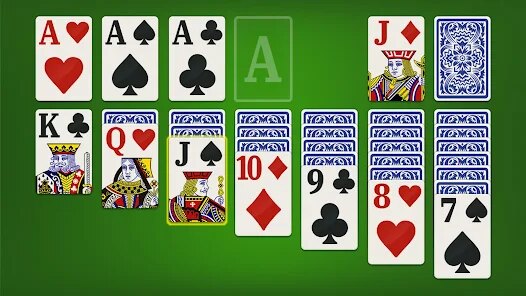
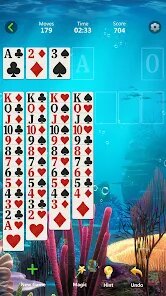
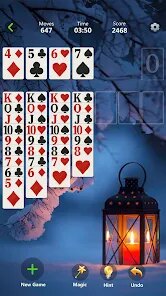
Getting into the game is dead simple. You tap the app icon, and you're thrown into a clean, classic layout. You drag and drop cards to build those four foundation piles from Ace to King, while moving cards around on the tableau to uncover hidden ones. The controls are buttery smooth for a touch interface – dragging a card feels natural, and there's an undo button if you mess up a move. The best part? It's incredibly relaxing. There's no time limit, no pressure, just you and the cards. I spend a lot of my commutes just zoning out and shuffling through a few games. My personal favorite aspect is the "Draw Three" mode – it's more challenging and forces you to think ahead, unlike the simpler "Draw One." It reminds me of playing on my grandma's old PC, but now I have it in my pocket. The game also tracks your win/loss statistics and your best times, which adds a nice meta-game layer for those of us who like to improve. The inclusion of daily challenges keeps things fresh, giving you a specific set of conditions to beat each day.
Compared to other Solitaire apps out there, like "Solitaire by MobilityWare" or "Microsoft Solitaire Collection," Oakever's entry holds its own. MobilityWare's version is arguably the gold standard, but it's gotten a bit bloated with features and its grind-based progression system can be annoying. The Microsoft one is great if you want multiple game variants, but it can feel heavy on Android. This app wins for me because it's laser-focused on a clean, ad-light experience. You don't have to fight through a menu to start a game, and the design is minimalist without being ugly. The animations are snappy, and the card faces are clear and easy to read, even on a smaller screen. If you just want to install a no-fuss Solitaire app that respects your time and doesn't nag you every two seconds, this is the one. It's like the classic card game you know, but made for a modern mobile lifestyle. Just tap, download, and start playing.
features
- Clean Minimalist Design 🃏: Unlike the cluttered interfaces of "Solitaire by MobilityWare," this game keeps it simple. The main menu is just a play button and a settings gear. No distracting animations or pop-ups when you first open the app, just straight into the game you want.
- Smart Haptic Feedback 👍: Many card games on Android feel floaty, but this one uses subtle vibrations when you snap a card into the right pile. It's a small touch that makes the tactile experience of dragging and dropping feel much more satisfying and precise on a glass screen.
- Daily Challenges System 🏆: While "Microsoft Solitaire Collection" has daily puzzles, this game offers a more streamlined version. You get one unique deal each day with a specific win condition, and it encourages you to open the app daily without feeling like a chore. It's a perfect bite-sized session for your morning coffee.
pros
- True Free-to-Play Experience 💰: You can download and install this game and play indefinitely without ever paying a cent. The ads are non-intrusive (a small banner or a short video after a game), and you can earn in-game currency to remove them by just playing. Other apps like "Solitaire by MobilityWare" will force you into a lengthy video ad after every single loss.
- Excellent Touch Controls 🖐️: The drag-and-drop mechanics are the best I've felt on Android. It perfectly registers the exact card you want to move, and the snap zones are generous. This is a huge step up from "Solitaire - Grand Harvest," where I often accidentally picked up the wrong card due to its smaller touch targets.
- Smooth Performance on All Devices ⚡: The app runs buttery smooth even on budget Android phones. It doesn't drain your battery or heat up your device like some graphically "enhanced" card games do. You can play through dozens of games on a single charge without any lag or stuttering.
cons
- Limited Game Modes ♠️: It really only offers classic Klondike Solitaire (Draw 1 and Draw 3). If you're looking for variants like Spider, FreeCell, or Pyramid, you'll need to look elsewhere, like the "Microsoft Solitaire Collection." It's a pure one-trick pony, and that trick is just the classic game.
- No Tutorial for Beginners 📖: For a game with over 10 million installs, there is no hand-holding. If you don't know the basic rules of Solitaire (like only Kings can go into empty tableau spots), you'll be lost. A short "How to Play" section would be a welcome addition for new players who just downloaded the app.
- Repetitive Background Music 🎵: The single, looping background track gets old very fast. I always end up muting the app and playing my own music. While you can turn it off in settings, having a more varied soundtrack or a selection of ambient sounds would drastically improve the solo gaming experience.
Articles
![]()
Guide
How to Update Google Play Store on Android 2026
![]()
Guide
How to Download Older Versions of Android Apps
![]()
Guide
How to Download Apps Without Google Play Store
![]()
Guide
What Is an APK File for Android?
If you use an Android phone, you may have seen the term APK while searching for apps or games online. Some websites offer an APK download instead of a Google Play install button. Some users also mention APK files when talking about apps that are not available in their region, older app versions, or Android games downloaded outside the Play Store.
![]()
Guide
How to Install Games from Google Play for Beginners
Installing games on an Android phone is usually simple, but for beginners, the process can still feel confusing at first. You may not know where to search, which button to tap, whether the game is safe, or why Google Play sometimes asks for account settings, storage access, or payment information. If you are using an Android phone for the first time, learning how to install games from Google Play is one of the easiest ways to get started.
![]()
Guide
How Useful Gemini Is for Everyday Questions and Quick Tasks
emini feels different from many AI apps because it is not only trying to be a chatbot. After using it for everyday questions, quick writing, image understanding, and planning, I think its biggest strength is convenience.
![]()
Guide
What to Know Before Downloading APKs
For many Android users, downloading an APK is a common way to install apps and games. Sometimes an app is not available in a certain country.
![]()
Guide
ChatGPT Review: Is It Still the Best AI App in 2026?
![]()
Guide
Seedance 2.0 vs Sora: The Future of AI Video Generation
The AI video race has intensified dramatically over the past two years. Platforms like Sora from OpenAI and Luma Dream Machine pushed the boundaries of text-to-video realism. Yet, despite their impressive outputs, most tools still operate as probabilistic generators—you describe a scene, and the model interprets it. Control remains limited. With the February 2026 release of Seedance 2.0, developed by ByteDance, the paradigm shifted. Internally known as Jimeng 2.0, Seedance does not position itself as just another video model. It positions itself as an AI Director. Rather than guessing what you want, Seedance 2.0 allows you to direct what happens. This distinction defines everything that follows.









Recommended Apps
![]()
My Supermarket Simulator 3D®
Game District LLC3.9

![]()
Fortnite
Epic Games, Inc4![]()
Poppy Playtime Chapter 3
Mob Entertainment4.2![]()
Diamond Painting ASMR Coloring
CrazyLabs LTD4.5![]()
Real Bus Simulator : Bus Games
Solo Studio Inc3.2![]()
Sprunki All Phases Beat Maker
Gotstar Studio0![]()
Looper!
Kwalee (Ltd)4.2![]()
Gugu Gaga Penguin: Mini Games
Kids Games LLC3![]()
KPop Demon Hunter Wallpaper
Highlights Devloper0![]()
Count Masters: Stickman Games
Freeplay Inc4.6![]()
Scary Teacher 3D
Z & K Games4.3![]()
Papa's Wingeria HD
Flipline Studios4.6![]()
Who's Your Daddy?!
Evil Tortilla Games Incorporated2.7![]()
AFK Arena
LilithGames4.6![]()
Hungry Balls
HYPERCELL4.6












































