

Pet Translator: Dog & Cat Talk

Installs
Revivoskin
Developer
-
Lifestyle
Category
-
Everyone
Content Rating
-
dungngahn002@gmail.com
Developer Email
-
https://sites.google.com/view/lvt-policy-pet-translate/
Privacy Policy
Screenshots
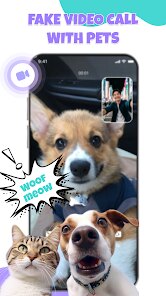
editor reviews
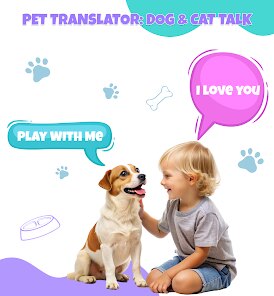
Ever wondered what your furry friend is really trying to tell you? Pet Translator: Dog & Cat Talk, developed by Revivoskin, attempts to bridge that communication gap. It's an entertainment-focused application available on Google Play that uses your device's microphone to capture animal sounds and then offers a translation, complete with text and voice output. The app is free to download and install, though it does include advertisements and offers in-app purchases for those who want to remove them or unlock extra features.
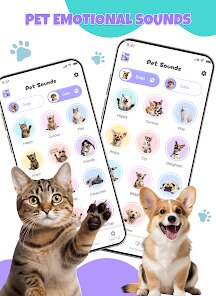
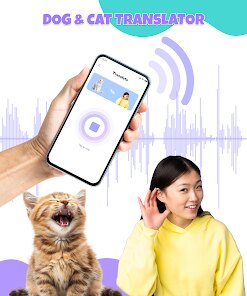
The core mechanic is straightforward. You launch the app, select whether you have a cat or a dog, and hold the phone near your pet while they make noise. The app records the sound, processes it, and presents what your pet might be saying. Different sounds might produce different phrases, which certainly suggests the app has some method behind it, though it's not entirely clear how scientifically accurate the translations actually are. The interface itself is friendly and uncluttered, with simple animations and large buttons that even someone who is not particularly tech-savvy could navigate without any difficulty. While it feels like more of a playful tool than a serious scientific utility, the instant feedback and sometimes amusing results keep things engaging.
When looking at other apps in this niche, most work on the same principle of recording and analyzing frequencies. Revivoskin's version stands out mainly for its clean presentation and, in my experience, slightly more varied translation outputs than some rivals. A few competitors take a more serious, research-based approach, but they often sacrifice the fun factor. This one balances the line between novelty and function well, feeling less gimmicky than some others I've tried and offering a smoother experience overall. For a casual user, that difference is noticeable.
features
- The audio analysis is quite responsive. It picks up even quiet meows or barks, and the resulting phrase is displayed within a couple of seconds. This immediate feedback loop makes the interaction feel lively, and the voice playback, which speaks the translated phrase, adds a nice layer of fun, even if the voice sounds a bit robotic at times.
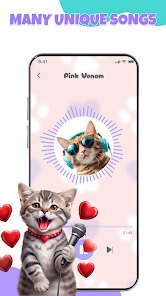
- Frequent updates keep the phrase database expanding. Since I started using it, there have been a couple of updates that added new phrases and expressions. This gives it a slight edge over similar apps that often remain static after their initial release, providing a bit more replay value for curious owners.
- The history tab is a thoughtful addition. It automatically logs all previous translations, so you can look back at what your pet 'said' earlier in the day. It adds a journal-like quality to the app, making it easy to share funny results with friends or just have a record of the session.
- In comparison to apps like 'Pet Talk', this one feels less intrusive with its ads and offers a more polished visual style. The color scheme and layout feel more modern, which makes the overall experience more pleasant than the cluttered interfaces some other free versions use.
pros
- It's a fantastic icebreaker at home. Playing with it with a pet always brings a laugh and makes for a fun party trick when guests are around.
- It can be a gentle way to engage with a shy or anxious animal. The sound of the spoken phrases might catch their attention in a non-threatening way, helping them feel more at ease during playtime.
- The short recording session means even the most impatient pet owners can get results quickly. You do not need to hold the phone for minutes at a time; just catch a few seconds of sound.
cons
- The translations are undeniably random at times. A growl might get translated as a happy phrase, which clearly shows the limitation of the audio interpretation. Setting expectations for accuracy is important.
- Battery consumption is surprisingly noticeable. Keeping the microphone active and the app running seems to drain the phone's battery faster than other sound-based applications I have used, so it is best used in short bursts.
- Without a premium purchase, the banner ads at the bottom can be a little distracting during the recording process. They are not overly intrusive, but they do take up some space on the screen.
Articles
![]()
Guide
How to Update Google Play Store on Android 2026
![]()
Guide
How to Download Older Versions of Android Apps
![]()
Guide
How to Download Apps Without Google Play Store
![]()
Guide
What Is an APK File for Android?
If you use an Android phone, you may have seen the term APK while searching for apps or games online. Some websites offer an APK download instead of a Google Play install button. Some users also mention APK files when talking about apps that are not available in their region, older app versions, or Android games downloaded outside the Play Store.
![]()
Guide
How to Install Games from Google Play for Beginners
Installing games on an Android phone is usually simple, but for beginners, the process can still feel confusing at first. You may not know where to search, which button to tap, whether the game is safe, or why Google Play sometimes asks for account settings, storage access, or payment information. If you are using an Android phone for the first time, learning how to install games from Google Play is one of the easiest ways to get started.
![]()
Guide
How Useful Gemini Is for Everyday Questions and Quick Tasks
emini feels different from many AI apps because it is not only trying to be a chatbot. After using it for everyday questions, quick writing, image understanding, and planning, I think its biggest strength is convenience.
![]()
Guide
What to Know Before Downloading APKs
For many Android users, downloading an APK is a common way to install apps and games. Sometimes an app is not available in a certain country.
![]()
Guide
ChatGPT Review: Is It Still the Best AI App in 2026?
![]()
Guide
Seedance 2.0 vs Sora: The Future of AI Video Generation
The AI video race has intensified dramatically over the past two years. Platforms like Sora from OpenAI and Luma Dream Machine pushed the boundaries of text-to-video realism. Yet, despite their impressive outputs, most tools still operate as probabilistic generators—you describe a scene, and the model interprets it. Control remains limited. With the February 2026 release of Seedance 2.0, developed by ByteDance, the paradigm shifted. Internally known as Jimeng 2.0, Seedance does not position itself as just another video model. It positions itself as an AI Director. Rather than guessing what you want, Seedance 2.0 allows you to direct what happens. This distinction defines everything that follows.









Recommended Apps
![]()
Home Design 3D
Anuman4.2
![]()
Truth or Dare Game - Party App
Chouic4.8
![]()
Photo Collage Maker
Scoompa4.7![]()
Learn to Draw Flower
Creative APPS4.2![]()
FIFA World Cup 2026™
FIFA2.8![]()
Mirror Plus: Mirror with Light
Digitalchemy, LLC4.4![]()
Meitu- Photo Editor & AI Art
Meitu (China) Limited4.5![]()
Perplexity - Ask Anything
PerplexityAI4.7![]()
GhostTube SLS Camera Alternate
GhostTube4![]()
Boom Chip Blast: 2-Player
Black Pyramid 3D Games Studio0![]()
Healthy Benefits+
Solutran, Inc.4.5![]()
Deepcheck AI Search Assistant
rohe.ai4![]()
Idol Prank Video Call & Chat
LightCode Solutions4![]()
Face Shape - Pretty Scale
GlintTec Apps3.9![]()
Plant App - Plant Identifier
ScaleUp4.6












































