
Calendar

10,000,000+
Installs
Calendar Date
Developer
-
Productivity
Category
-
Rated for 3+
Content Rating
-
jcapps.anro@gmail.com
Developer Email
-
https://www.privacypolicycenter.com/view_custom.php?v=ZnJXa2hCQVlTWTRwamFTYUY3V2VxUT09&n=Calendar-Privacy-Policy
Privacy Policy
Screenshots
editor reviews
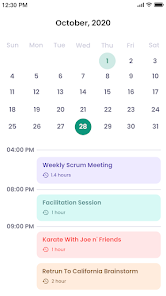
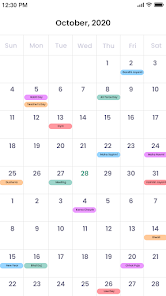
I gave Calendar by Calendar Date a try, and honestly, it's one of those apps you stumble upon when you've had it with the default calendar on your phone. It's a personal scheduling tool, plain and simple, meant for managing events, reminders, and to-dos without any team or project clutter. After downloading it from Google Play's free section—no price tag, no forced sign-up—I launched it and was hit with a clean, almost minimalist screen. There's no registration barrier, which I appreciated, and it offered a quick tour that didn't feel pushy. No ads popped up initially, which made the first impression feel premium, but I later noticed some unobtrusive banners. For someone like me, who just wants to glance at the week and move on, it seemed like a win.
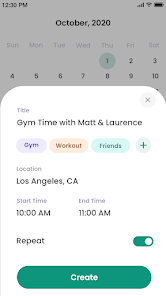
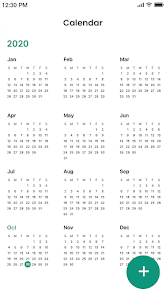
Actually using it day-to-day revealed a mixed bag. The interface is snappy and uses a simple swipe gesture to jump between days, weeks, or months, which I found intuitive. Onboarding was a breeze—just a few taps to set my location for weather integration and pick a default view. The main actions revolve around hitting the plus button to create an event, where you can set start and end times, add a note, or attach a color label. I noticed a smooth moment when it synced with my Google Calendar almost instantly, pulling in work meetings without a hiccup. But there were confusing bits too: the reminder system is buried under a secondary menu, and I missed a couple of alerts because of that. A practical tip is to use the widget, which shows your next three events on the home screen, saving you from opening the app entirely.
After a few weeks, I'd say this app fits someone who wants a straightforward, no-frills calendar that doesn't overwhelm with features like Trello or Asana. It's perfect for casual users, students, or anyone who schedules occasional appointments—think families with kids' activities or freelancers tracking deadlines. But if you rely on heavy collaboration tools like Google Calendar's shareable links or Outlook's detailed meeting options, this might feel too basic. What sets it apart is the offline support; I could add events without internet and sync later, which saved me on a subway ride. I kept it installed because it's light and fast, but I can see power users uninstalling it for something like Fantastical if they need more complex integrations.
features
- 📅 This app excels at event creation, making it faster than Google Calendar—just two taps to set a date and time. You can repeat events infinitely, tag them with custom colors, and the auto-fill for location names is surprisingly accurate. No endless scrolling like in some other apps.
- 📅 The weather display is a standout feature. It pulls local forecasts and shows them inline on your calendar days. I checked rain chances for an outdoor event, and it was more detailed than what you'd get in Apple Calendar. This alone made planning a picnic feel safer.
- 📅 Widget support is top-notch. I used the 4x4 widget on Android, and it showed a full week view with event titles. It updates in real time, unlike some competitors where widgets lag. Great for quick glances without opening the app.
- 📅 Offline mode is solid. I added events on a flight without signal, and they synced to Google Calendar automatically once connected. This beats Google Calendar's own offline handling, which can get glitchy with edits.
pros
- 🚀 The app is lightweight, under 10MB, which is half the size of something like Outlook or Fantastical. It doesn't drain battery or memory, so it runs smoothly on older phones.
- 🚀 The free version has no paywalls for basic features like repeating events or reminders. Compare that to apps like Any.do, which lock these behind a subscription. That's refreshing for budget-conscious users.
- 🚀 Navigation is gesture-based, with simple swipes to change views. This feels more fluid than tapping small arrows in Google Calendar, especially on a bus. It really cuts down on clumsy interactions.
cons
- ⚠️ The app lacks a built-in task manager with subtasks or priorities. If you're used to Todoist's nested lists, you'll find this limiting. I had to switch to a separate app for detailed to-dos.
- ⚠️ Synchronization with third-party calendars like Exchange can be unreliable. I connected a work account, and it occasionally duplicated events compared to the seamless sync in Outlook's calendar.
- ⚠️ The design is bare-bones, almost too simple. There's no dark mode despite many requests, and the color options feel dated. Google Calendar offers a more polished look with live tiles.
- ⚠️ Notifications are basic—you get a one-time alert with no snooze or location triggers. In contrast, Fantastical lets you set multiple reminders per event, which I missed when i had a busy day.
Articles
![]()
Guide
How to Update Google Play Store on Android 2026
![]()
Guide
How to Download Older Versions of Android Apps
![]()
Guide
How to Download Apps Without Google Play Store
![]()
Guide
What Is an APK File for Android?
If you use an Android phone, you may have seen the term APK while searching for apps or games online. Some websites offer an APK download instead of a Google Play install button. Some users also mention APK files when talking about apps that are not available in their region, older app versions, or Android games downloaded outside the Play Store.
![]()
Guide
How to Install Games from Google Play for Beginners
Installing games on an Android phone is usually simple, but for beginners, the process can still feel confusing at first. You may not know where to search, which button to tap, whether the game is safe, or why Google Play sometimes asks for account settings, storage access, or payment information. If you are using an Android phone for the first time, learning how to install games from Google Play is one of the easiest ways to get started.
![]()
Guide
How Useful Gemini Is for Everyday Questions and Quick Tasks
emini feels different from many AI apps because it is not only trying to be a chatbot. After using it for everyday questions, quick writing, image understanding, and planning, I think its biggest strength is convenience.
![]()
Guide
What to Know Before Downloading APKs
For many Android users, downloading an APK is a common way to install apps and games. Sometimes an app is not available in a certain country.
![]()
Guide
ChatGPT Review: Is It Still the Best AI App in 2026?
![]()
Guide
Seedance 2.0 vs Sora: The Future of AI Video Generation
The AI video race has intensified dramatically over the past two years. Platforms like Sora from OpenAI and Luma Dream Machine pushed the boundaries of text-to-video realism. Yet, despite their impressive outputs, most tools still operate as probabilistic generators—you describe a scene, and the model interprets it. Control remains limited. With the February 2026 release of Seedance 2.0, developed by ByteDance, the paradigm shifted. Internally known as Jimeng 2.0, Seedance does not position itself as just another video model. It positions itself as an AI Director. Rather than guessing what you want, Seedance 2.0 allows you to direct what happens. This distinction defines everything that follows.









Recommended Apps
![]()
Home Design 3D
Anuman4.2
![]()
Truth or Dare Game - Party App
Chouic4.8
![]()
Photo Collage Maker
Scoompa4.7![]()
Learn to Draw Flower
Creative APPS4.2![]()
FIFA World Cup 2026™
FIFA2.8![]()
Mirror Plus: Mirror with Light
Digitalchemy, LLC4.4![]()
Meitu- Photo Editor & AI Art
Meitu (China) Limited4.5![]()
Perplexity - Ask Anything
PerplexityAI4.7![]()
GhostTube SLS Camera Alternate
GhostTube4![]()
Boom Chip Blast: 2-Player
Black Pyramid 3D Games Studio0![]()
Healthy Benefits+
Solutran, Inc.4.5![]()
Deepcheck AI Search Assistant
rohe.ai4![]()
Idol Prank Video Call & Chat
LightCode Solutions4![]()
Face Shape - Pretty Scale
GlintTec Apps3.9![]()
Plant App - Plant Identifier
ScaleUp4.6












































