

10B+
Installs
Google LLC
Developer
-
Productivity
Category
-
Rated for 3+
Content Rating
-
apps-help@google.com
Developer Email
-
http://www.google.com/policies/privacy
Privacy Policy
Screenshots

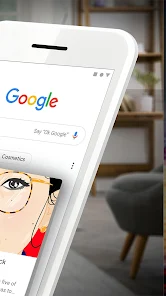
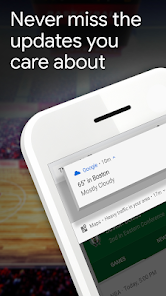
editor reviews
Google, the app developed by Google LLC, is essentially the mobile gateway to the company's core search engine and a suite of integrated services. It's a utility app that's probably already pre-installed on most Android phones, but for anyone who needs a more unified experience than their browser offers, downloading it from the Play Store or App Store makes sense. The app has been installed billions of times and is free to download, though you might run into the occasional ad in the search results. When you first launch it, the interface is almost shockingly clean—just the colorful Google logo, a search bar, and a few news cards at the bottom. It feels less like a typical app and more like a blank canvas waiting for your query, which is a refreshingly minimal first impression for such a powerful tool.
The actual hands-on experience revolves almost entirely around that search bar. You type or voice-search something, and the results load quickly. What stands out is the "Discover" feed on the home screen, which shows a personalized stream of news and articles based on your interests. Swiping through this feels like browsing a smart magazine, though the suggestions can be hit or miss depending on your history. The onboarding is straightforward: you sign into your Google account to sync your search history and preferences, and then you're off. A practical tip is to use the Google Lens button in the search bar for visual searches—pointing your camera at a plant or a landmark gives you instant info. At times, the app can feel a bit cluttered when you dig into deeper features like voice commands or integrated maps, but for daily searches and quick news checks, it's smooth sailing.
After using the app for a while, I'd say it's perfect for anyone deeply embedded in Google's ecosystem—people who use Gmail, Chrome, and Maps regularly. It ties everything together neatly. However, if you're privacy-conscious or prefer a search engine that doesn't track your every move, this app might feel intrusive. Compared to something like Bing, Google's search results are generally faster and more accurate, but the Discover feed can be a double-edged sword: it's convenient but also a subtle way to keep you hooked. You might keep it installed because it's handy for quick searches, but if you're already using a browser for everything, you might uninstall it to reduce clutter. It's a solid tool, but not essential for everyone.
features
- 🌟 Google Lens Integration: Unlike Bing's basic image search, you can point your camera at anything—a restaurant sign, a pair of shoes, or a movie poster—and get instant, context-aware results without typing a word.
- 🌟 Personalized Discover Feed: While DuckDuckGo focuses on privacy with zero tracking, Google's feed curates articles and videos based on your interests, making it feel like a daily newspaper that knows you.
- 🌟 Voice Search Depth: You can ask complex questions like "What's the weather like tomorrow in Tokyo?" and get spoken answers instantly, which feels more natural than typing or using a simpler voice assistant.
pros
- 🔒 Massive Data Backing: Google's search index is larger than Bing's, so you're more likely to find niche or obscure info quickly, like obscure song lyrics or rare recipes.
- 🔒 Seamless Ecosystem Sync: Your search history and preferences carry over to Chrome, Maps, and even YouTube on desktop, which is something DuckDuckGo can't match.
- 🔒 Real-Time Personalization: The app learns what you like over time, so a sports fan sees scores first, while a cook sees recipes—a level of tailoring that Bing struggles with.
cons
- ⚠️ Data Privacy Concerns: Unlike DuckDuckGo, which promises zero tracking, Google collects immense amounts of data for ad targeting, which can feel invasive if you're not careful with settings.
- ⚠️ Bloat from Extra Features: The Discover feed and Lens tool, while useful, add clutter compared to Bing's simpler layout, making it less straightforward for pure search tasks.
- ⚠️ Battery and Storage Use: The app runs background processes for notifications and updates, draining battery faster than a lightweight alternative like Bing, especially on older phones.
Articles
![]()
Guide
How to Update Google Play Store on Android 2026
![]()
Guide
How to Download Older Versions of Android Apps
![]()
Guide
How to Download Apps Without Google Play Store
![]()
Guide
What Is an APK File for Android?
If you use an Android phone, you may have seen the term APK while searching for apps or games online. Some websites offer an APK download instead of a Google Play install button. Some users also mention APK files when talking about apps that are not available in their region, older app versions, or Android games downloaded outside the Play Store.
![]()
Guide
How to Install Games from Google Play for Beginners
Installing games on an Android phone is usually simple, but for beginners, the process can still feel confusing at first. You may not know where to search, which button to tap, whether the game is safe, or why Google Play sometimes asks for account settings, storage access, or payment information. If you are using an Android phone for the first time, learning how to install games from Google Play is one of the easiest ways to get started.
![]()
Guide
How Useful Gemini Is for Everyday Questions and Quick Tasks
emini feels different from many AI apps because it is not only trying to be a chatbot. After using it for everyday questions, quick writing, image understanding, and planning, I think its biggest strength is convenience.
![]()
Guide
What to Know Before Downloading APKs
For many Android users, downloading an APK is a common way to install apps and games. Sometimes an app is not available in a certain country.
![]()
Guide
ChatGPT Review: Is It Still the Best AI App in 2026?
![]()
Guide
Seedance 2.0 vs Sora: The Future of AI Video Generation
The AI video race has intensified dramatically over the past two years. Platforms like Sora from OpenAI and Luma Dream Machine pushed the boundaries of text-to-video realism. Yet, despite their impressive outputs, most tools still operate as probabilistic generators—you describe a scene, and the model interprets it. Control remains limited. With the February 2026 release of Seedance 2.0, developed by ByteDance, the paradigm shifted. Internally known as Jimeng 2.0, Seedance does not position itself as just another video model. It positions itself as an AI Director. Rather than guessing what you want, Seedance 2.0 allows you to direct what happens. This distinction defines everything that follows.









Recommended Apps
![]()
Home Design 3D
Anuman4.2
![]()
Truth or Dare Game - Party App
Chouic4.8
![]()
Photo Collage Maker
Scoompa4.7![]()
Learn to Draw Flower
Creative APPS4.2![]()
FIFA World Cup 2026™
FIFA2.8![]()
Mirror Plus: Mirror with Light
Digitalchemy, LLC4.4![]()
Meitu- Photo Editor & AI Art
Meitu (China) Limited4.5![]()
Perplexity - Ask Anything
PerplexityAI4.7![]()
GhostTube SLS Camera Alternate
GhostTube4![]()
Boom Chip Blast: 2-Player
Black Pyramid 3D Games Studio0![]()
Healthy Benefits+
Solutran, Inc.4.5![]()
Deepcheck AI Search Assistant
rohe.ai4![]()
Idol Prank Video Call & Chat
LightCode Solutions4![]()
Face Shape - Pretty Scale
GlintTec Apps3.9![]()
Plant App - Plant Identifier
ScaleUp4.6











































