
Prank Call - Fake Call & Chat

5M+
Installs
Bravestars Casual
Developer
-
Lifestyle
Category
-
Everyone
Content Rating
-
account@bravestars.com
Developer Email
-
https://publish.bravestars.com/privacy.txt
Privacy Policy
Screenshots

editor reviews
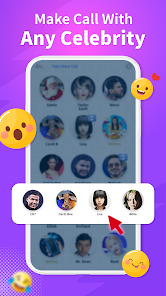
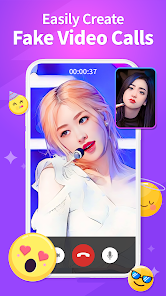
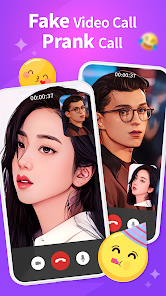
Prank Call - Fake Call & Chat is a simulation app, not a real phone service. You can use it to stage fake incoming calls or fake chat conversations on your phone. People download it for different reasons: maybe to get out of an awkward social situation, to prank a friend, or just to see how realistic the simulation looks. When you open it for the first time, it gives off a very simple vibe. The interface asks you to set up a call right away, picking a contact name, a photo, and even recording a fake voice message that will “play” when the call comes through. It's clearly meant to be fast and functional, not flashy. The app is free on Google Play with optional ads and in-app purchases for more customization, and it has a decent number of downloads, so it's been around a while.
After you start using it, the real experience kicks in when you press the fake call button. The app immediately shows a realistic incoming call screen, complete with the contact photo you picked and a ringing sound. You can either answer it, and the app plays your pre-recorded voice file, or let it go to voicemail. The interface is straightforward: on the main screen, you schedule a call or set a timer, and the app waits in the background. One thing that felt a bit clumsy is that the app needs full access to your contacts and storage to work properly. If you're not careful, you might accidentally give it permission to read your real contacts, which can be confusing. A small tip: turn off your phone's actual ringtone before using the app, otherwise the fake call might get drowned out by your real notification sounds.
After using it for a week, I'd say it's a fun tool for specific moments, but not something most people would keep around permanently. It's great if you enjoy harmless pranks with friends, or if you're in a job where you need a quick exit strategy. On the other hand, if you're looking for a full prank suite with voice changers or real-time chat simulations, apps like Fake Call are far more polished. What makes Prank Call stand out is how simple it is: no onboarding, no tutorial, just a single screen to set up a call. That also makes it feel a bit cheap. It doesn't offer the slick design or extra features you'd see in something like ACR Call Changer. I'd probably uninstall it after a few uses, but for a quick laugh, it does the job.
features
- 📞 The app's standout feature is its fake incoming call system, which lets you set a timer for a call at any moment. You choose the caller's name and photo, record a voice message, and the app shows a realistic lock screen interface when the timer goes off. It's more convincing than similar apps like Fake Caller Prank, where the interface often looks cartoonish or lags.
- 💬 Another core feature is the fake chat simulation, where you can create a fictional conversation with a contact. The chat looks like a real messaging app, with time stamps and read receipts. Compared to Fake Chat Messenger, this app keeps the layout cleaner and less cluttered with ads.
- 🔊 You can also pre-record a fake voice message to play when you answer the “call”. This adds a layer of realism that most other prank apps skip. For example, Prank Dial only uses text-to-speech, which sounds robotic, while Prank Call lets you use your own audio or a friend's voice.
- ⏰ A schedule feature lets you set multiple fake calls in advance, so you can plan pranks for a specific time without opening the app again. That's more flexible than Fake Call Free, which only offers an instant or 5-second delay option.
pros
- ✅ The app is extremely lightweight and doesn't drain your battery much, even if you leave it running in the background. In contrast, Fake Call Pro is heavier and often causes phone lag.
- ✅ It uses your own photos and voice recordings, so the fake call feels personal and real. That's better than Prank Dial, which only gives you generic images and robotic voices.
- ✅ The fake call screen is almost indistinguishable from a real incoming call on most Android phones, which is a bigger selling point than what you get from similar apps like Caller Prank, where the screen often looks out of date.
- ✅ You don't need an internet connection to use most features, so it works well in offline situations like a subway or a remote area.
cons
- ❌ The app requests permission to read your real contacts and access your media, which feels invasive. Fake Call Free handles permissions more gracefully and only asks for the minimum needed.
- ❌ The free version includes a lot of ads, and they pop up right after you finish a prank. In comparison, Fake Call Prank has fewer ads and a cleaner free experience.
- ❌ It lacks a voice changer feature, so you can't alter your voice during the fake call. Apps like Prank Call Voice Changer offer real-time voice effects, which make pranks more fun.
- ❌ The app's design feels a bit outdated and clunky, with low-resolution icons and an old-fashioned interface. ACR Call Changer looks modern and has smoother animations.
Articles
![]()
Guide
How to Update Google Play Store on Android 2026
![]()
Guide
How to Download Older Versions of Android Apps
![]()
Guide
How to Download Apps Without Google Play Store
![]()
Guide
What Is an APK File for Android?
If you use an Android phone, you may have seen the term APK while searching for apps or games online. Some websites offer an APK download instead of a Google Play install button. Some users also mention APK files when talking about apps that are not available in their region, older app versions, or Android games downloaded outside the Play Store.
![]()
Guide
How to Install Games from Google Play for Beginners
Installing games on an Android phone is usually simple, but for beginners, the process can still feel confusing at first. You may not know where to search, which button to tap, whether the game is safe, or why Google Play sometimes asks for account settings, storage access, or payment information. If you are using an Android phone for the first time, learning how to install games from Google Play is one of the easiest ways to get started.
![]()
Guide
How Useful Gemini Is for Everyday Questions and Quick Tasks
emini feels different from many AI apps because it is not only trying to be a chatbot. After using it for everyday questions, quick writing, image understanding, and planning, I think its biggest strength is convenience.
![]()
Guide
What to Know Before Downloading APKs
For many Android users, downloading an APK is a common way to install apps and games. Sometimes an app is not available in a certain country.
![]()
Guide
ChatGPT Review: Is It Still the Best AI App in 2026?
![]()
Guide
Seedance 2.0 vs Sora: The Future of AI Video Generation
The AI video race has intensified dramatically over the past two years. Platforms like Sora from OpenAI and Luma Dream Machine pushed the boundaries of text-to-video realism. Yet, despite their impressive outputs, most tools still operate as probabilistic generators—you describe a scene, and the model interprets it. Control remains limited. With the February 2026 release of Seedance 2.0, developed by ByteDance, the paradigm shifted. Internally known as Jimeng 2.0, Seedance does not position itself as just another video model. It positions itself as an AI Director. Rather than guessing what you want, Seedance 2.0 allows you to direct what happens. This distinction defines everything that follows.









Recommended Apps
![]()
Home Design 3D
Anuman4.2
![]()
Truth or Dare Game - Party App
Chouic4.8
![]()
Photo Collage Maker
Scoompa4.7![]()
Learn to Draw Flower
Creative APPS4.2![]()
FIFA World Cup 2026™
FIFA2.8![]()
Mirror Plus: Mirror with Light
Digitalchemy, LLC4.4![]()
Meitu- Photo Editor & AI Art
Meitu (China) Limited4.5![]()
Perplexity - Ask Anything
PerplexityAI4.7![]()
GhostTube SLS Camera Alternate
GhostTube4![]()
Boom Chip Blast: 2-Player
Black Pyramid 3D Games Studio0![]()
Healthy Benefits+
Solutran, Inc.4.5![]()
Deepcheck AI Search Assistant
rohe.ai4![]()
Idol Prank Video Call & Chat
LightCode Solutions4![]()
Face Shape - Pretty Scale
GlintTec Apps3.9![]()
Plant App - Plant Identifier
ScaleUp4.6












































