
Screen Recorder Video Recorder

10M+
Installs
Video Screen Recorder, Voice Audio Editor, Cut MP3
Developer
-
Video Players & Editors
Category
-
Everyone
Content Rating
-
superscreenrecorder@gmail.com
Developer Email
-
https://v2.static.superlabs.info/recorder/privacy/gp_index.html?lang=en
Privacy Policy
Screenshots
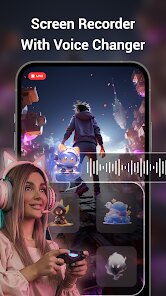
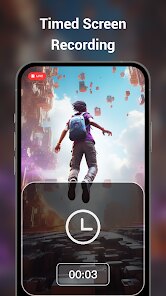
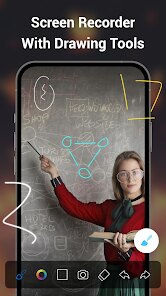
editor reviews
Screen Recorder Video Recorder is a utility app built for capturing on-screen activity on Android devices. It's developed by Video Screen Recorder, Voice Audio Editor, Cut MP3, and you can grab it from Google Play without any upfront cost. The app relies on ads for revenue and includes optional in-app purchases to unlock extra features. Given its straightforward purpose and free entry point, it's attracted a decent number of downloads from users looking for a no-nonsense recording tool.
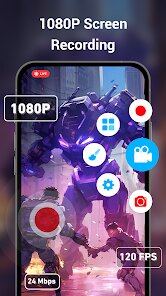
The core workflow is pretty simple to get into. Once you install it, a floating control button appears over other apps, letting you start, pause, or stop recording with a single tap. You can choose between recording in HD or lower resolutions, and there's an option to capture gameplay audio separately or mix it with your microphone input. I found the interface to be quite responsive, with minimal lag when toggling settings. The app also doubles as a basic video editor, allowing you to trim clips after you've finished recording.
Compared to something like AZ Screen Recorder, this one leans a bit more toward simplicity. AZ offers a cleaner visual design and more advanced editing options, while this app keeps things functional but less polished in terms of layout. Where it does stand out is the inclusion of an audio editor and MP3 cutter within the same package—something many screen recorders don't bother with. It feels like the developers tried to bundle several related features together, even if the execution in each area isn't as refined as a dedicated app might be.
features
- The recording quality is adjustable, and once you find the right balance between file size and clarity, it works smoothly. I set mine to 720p for regular use, and the output remained crisp without eating up too much storage. That said, pushing it to 1080p did cause occasional frame drops on my mid-range device.
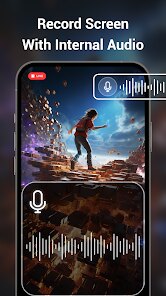
- Audio capture is handled better than I expected for a free app. You can record internal sounds, external mic audio, or both simultaneously. During a quick test recording a game tutorial, the mix came out clear without any noticeable echo or delay.
- The built-in video trimmer works well enough for basic cuts, but it lacks precision tools like frame-by-frame scrubbing. If you're used to the granular control in apps like Videoshop, this might feel a bit limiting. Still, for quick trims before sharing, it gets the job done.
- One feature that actually surprised me was the audio editor integrated into the same app. It's fairly basic—just trimming and volume adjustment—but it saves you from downloading a separate MP3 cutter. It's not as full-featured as Lexis Audio Editor, but the convenience of having it all in one place is nice.
pros
- Battery consumption during long recordings is lower than I anticipated, which is a practical advantage if you're capturing a lengthy game session or tutorial.
- The floating control button lets you multitask without switching screens constantly, making the whole process feel less disruptive.
- Having both video and audio editing in a single app reduces the need to hop between different tools after capturing content.
cons
- The free version displays ads quite frequently, which can interrupt the workflow when you're trying to access settings or preview a recording.
- Export speeds are noticeably slower when processing longer recordings, especially if you've applied any trimming or audio adjustments beforehand.
- Occasionally, the app fails to save a recording if the storage runs low mid-capture, and there's no warning before that happens.
Articles
![]()
Guide
How to Update Google Play Store on Android 2026
![]()
Guide
How to Download Older Versions of Android Apps
![]()
Guide
How to Download Apps Without Google Play Store
![]()
Guide
What Is an APK File for Android?
If you use an Android phone, you may have seen the term APK while searching for apps or games online. Some websites offer an APK download instead of a Google Play install button. Some users also mention APK files when talking about apps that are not available in their region, older app versions, or Android games downloaded outside the Play Store.
![]()
Guide
How to Install Games from Google Play for Beginners
Installing games on an Android phone is usually simple, but for beginners, the process can still feel confusing at first. You may not know where to search, which button to tap, whether the game is safe, or why Google Play sometimes asks for account settings, storage access, or payment information. If you are using an Android phone for the first time, learning how to install games from Google Play is one of the easiest ways to get started.
![]()
Guide
How Useful Gemini Is for Everyday Questions and Quick Tasks
emini feels different from many AI apps because it is not only trying to be a chatbot. After using it for everyday questions, quick writing, image understanding, and planning, I think its biggest strength is convenience.
![]()
Guide
What to Know Before Downloading APKs
For many Android users, downloading an APK is a common way to install apps and games. Sometimes an app is not available in a certain country.
![]()
Guide
ChatGPT Review: Is It Still the Best AI App in 2026?
![]()
Guide
Seedance 2.0 vs Sora: The Future of AI Video Generation
The AI video race has intensified dramatically over the past two years. Platforms like Sora from OpenAI and Luma Dream Machine pushed the boundaries of text-to-video realism. Yet, despite their impressive outputs, most tools still operate as probabilistic generators—you describe a scene, and the model interprets it. Control remains limited. With the February 2026 release of Seedance 2.0, developed by ByteDance, the paradigm shifted. Internally known as Jimeng 2.0, Seedance does not position itself as just another video model. It positions itself as an AI Director. Rather than guessing what you want, Seedance 2.0 allows you to direct what happens. This distinction defines everything that follows.









Recommended Apps
![]()
Home Design 3D
Anuman4.2
![]()
Truth or Dare Game - Party App
Chouic4.8
![]()
Photo Collage Maker
Scoompa4.7![]()
Learn to Draw Flower
Creative APPS4.2![]()
FIFA World Cup 2026™
FIFA2.8![]()
Mirror Plus: Mirror with Light
Digitalchemy, LLC4.4![]()
Meitu- Photo Editor & AI Art
Meitu (China) Limited4.5![]()
Perplexity - Ask Anything
PerplexityAI4.7![]()
GhostTube SLS Camera Alternate
GhostTube4![]()
Boom Chip Blast: 2-Player
Black Pyramid 3D Games Studio0![]()
Healthy Benefits+
Solutran, Inc.4.5![]()
Deepcheck AI Search Assistant
rohe.ai4![]()
Idol Prank Video Call & Chat
LightCode Solutions4![]()
Face Shape - Pretty Scale
GlintTec Apps3.9![]()
Plant App - Plant Identifier
ScaleUp4.6












































