

ArtistA: Cartoon Photo Editor

10M+
Installs
Lyrebird Studio
Developer
-
Generative AI
Category
-
Rated for 3+
Content Rating
-
lyrebirdstudio@gmail.com
Developer Email
-
https://lyrebirdstudio.net/privacy_policy.htm
Privacy Policy
Screenshots
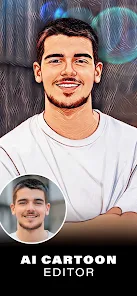
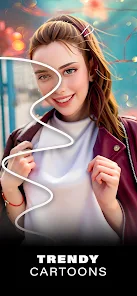

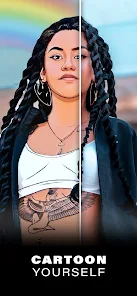
editor reviews
ArtistA is a photo editing app that transforms regular pictures into cartoon-style illustrations, a tool that sits in the creative imaging category alongside apps like Prisma or ToonApp. Normal users usually download it to turn their selfies, pet photos, or travel snapshots into something that looks like a frame from an animated series, giving their social media posts a playful twist. I picked it up after seeing a friend post a stylized portrait on Instagram, and the first impression, right after launching the app, was a clean layout with a big upload button and a few style samples immediately visible, making it feel approachable rather than overwhelming. The app is free to download from both Google Play and App Store, though it does come with in-app purchases for unlocked styles and an ad-free experience, but the basic cartoon conversion is available without spending anything.
After uploading a photo, the actual workflow is fairly straightforward: you pick a cartoon filter from a horizontal scroll of thumbnails, adjust a slider for intensity, and then save or share the result. During my testing, I threw in a picture of my dog, and the app managed to keep his floppy ears distinct while smoothing out the background into soft pastel shapes, though I noticed that faces with strong shadows sometimes got a bit muddy depending on the style chosen. One small practical tip is that the app works best with well-lit, front-facing shots where the subject fills most of the frame; distant group photos often produce weirdly blurred edges. The interface is simple enough that you don't need a tutorial, but there is a brief onboarding popup that explains the main actions, which I found helpful for understanding the difference between the "toon" and "sketch" modes.
After spending a week with ArtistA, I would say it is a fun tool for casual users who want quick, shareable results without learning complex editing software. It stands out by focusing purely on cartoon effects rather than trying to be a full editing suite, which keeps the experience focused but also limits its usefulness for serious edits. People who enjoy curating an animated aesthetic for their feeds will likely keep it installed, but anyone looking for something more versatile might find themselves gravitating toward alternatives like Picsart that offer cartoon filters alongside other tools. The main reason I might uninstall it eventually is the lack of an update history that adds new styles, as the current set feels fine for a few months but could get stale, especially compared to the constant filter refreshes in apps like Snapchat or TikTok.
features
- 🎨 One-tap cartoon conversion: Unlike Snapchat's lenses that require a live face to track, ArtistA works with any uploaded photo, including landscapes and objects, making it more versatile for editing saved images from your gallery.
- 🖌️ Style variety: While ToonApp sticks to a few consistent animation looks, ArtistA offers a broader range from watercolor sketches to thick-lined comic book styles, giving more expressive freedom in a single app.
- ⚡ Fast processing speed: The app applies filters almost instantly without needing an internet connection, whereas some alternatives like Dream by WOMBO often require cloud processing and a short wait time.
- 📱 Simple export controls: You can save images directly at high resolution without compression, which is cleaner than Prisma's default behavior of reducing quality unless you pay for the premium version.
pros
- 👍 Free basic filters: The core cartoon effects are completely free with no time limit, while apps like Cartoon Photo by DevStudio often lock their best filters behind a daily reward or ad view system, making this feel more generous from the start.
- 👍 No social media login required: ArtistA lets you use the app without linking accounts, avoiding the privacy concerns that come with apps like FaceApp that require phone number or Google sign-in to access features.
- 👍 Lightweight file size: At under 50 MB, it takes less storage than Picsart or Adobe Photoshop Express, which can balloon past 200 MB after updates and cached assets.
- 👍 Offline functionality works well: All main filters process on your device without data usage, unlike many editing tools that need an active connection for style downloads, which is great for traveling or low-signal areas.
cons
- 👎 Limited batch editing: Unlike some advanced tools, you cannot apply the same cartoon filter to multiple photos at once, so editing a series of images individually feels tedious compared to Snapseed's copy-and-paste adjustment feature.
- 👎 No layer or mask support: For users who want to cartoon only a specific part of an image, like a person's face while keeping the background realistic, ArtistA lacks that precision, whereas apps like Picsart allow selective edits with masking tools.
- 👎 Occasional style repetition: Some cartoon filters look very similar to each other after applying, which was disappointing compared to Meitu's wider variety of unique anime and painting genres that feel more distinct between each option.
- 👎 Ads on free version: While not overly aggressive, banner ads do appear at the bottom of the screen after each save, which can interrupt the flow compared to apps like Remini that offer ad-free basic usage without payment.
Articles
![]()
Guide
How to Update Google Play Store on Android 2026
![]()
Guide
How to Download Older Versions of Android Apps
![]()
Guide
How to Download Apps Without Google Play Store
![]()
Guide
What Is an APK File for Android?
If you use an Android phone, you may have seen the term APK while searching for apps or games online. Some websites offer an APK download instead of a Google Play install button. Some users also mention APK files when talking about apps that are not available in their region, older app versions, or Android games downloaded outside the Play Store.
![]()
Guide
How to Install Games from Google Play for Beginners
Installing games on an Android phone is usually simple, but for beginners, the process can still feel confusing at first. You may not know where to search, which button to tap, whether the game is safe, or why Google Play sometimes asks for account settings, storage access, or payment information. If you are using an Android phone for the first time, learning how to install games from Google Play is one of the easiest ways to get started.
![]()
Guide
How Useful Gemini Is for Everyday Questions and Quick Tasks
emini feels different from many AI apps because it is not only trying to be a chatbot. After using it for everyday questions, quick writing, image understanding, and planning, I think its biggest strength is convenience.
![]()
Guide
What to Know Before Downloading APKs
For many Android users, downloading an APK is a common way to install apps and games. Sometimes an app is not available in a certain country.
![]()
Guide
ChatGPT Review: Is It Still the Best AI App in 2026?
![]()
Guide
Seedance 2.0 vs Sora: The Future of AI Video Generation
The AI video race has intensified dramatically over the past two years. Platforms like Sora from OpenAI and Luma Dream Machine pushed the boundaries of text-to-video realism. Yet, despite their impressive outputs, most tools still operate as probabilistic generators—you describe a scene, and the model interprets it. Control remains limited. With the February 2026 release of Seedance 2.0, developed by ByteDance, the paradigm shifted. Internally known as Jimeng 2.0, Seedance does not position itself as just another video model. It positions itself as an AI Director. Rather than guessing what you want, Seedance 2.0 allows you to direct what happens. This distinction defines everything that follows.









Recommended Apps
![]()
Home Design 3D
Anuman4.2
![]()
Truth or Dare Game - Party App
Chouic4.8
![]()
Photo Collage Maker
Scoompa4.7![]()
Learn to Draw Flower
Creative APPS4.2![]()
FIFA World Cup 2026™
FIFA2.8![]()
Mirror Plus: Mirror with Light
Digitalchemy, LLC4.4![]()
Meitu- Photo Editor & AI Art
Meitu (China) Limited4.5![]()
Perplexity - Ask Anything
PerplexityAI4.7![]()
GhostTube SLS Camera Alternate
GhostTube4![]()
Boom Chip Blast: 2-Player
Black Pyramid 3D Games Studio0![]()
Healthy Benefits+
Solutran, Inc.4.5![]()
Deepcheck AI Search Assistant
rohe.ai4![]()
Idol Prank Video Call & Chat
LightCode Solutions4![]()
Face Shape - Pretty Scale
GlintTec Apps3.9![]()
Plant App - Plant Identifier
ScaleUp4.6












































