
Impulse - Brain Training Games

10M+
Installs
GMRD Apps Limited
Developer
-
Health & Fitness
Category
-
Everyone
Content Rating
-
support@brainimpulse.me
Developer Email
-
https://brainimpulse.me/app/privacy_policy.html
Privacy Policy
Screenshots
editor reviews
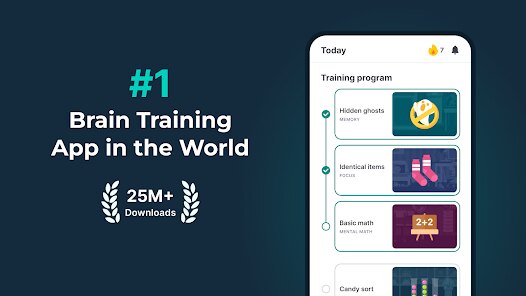
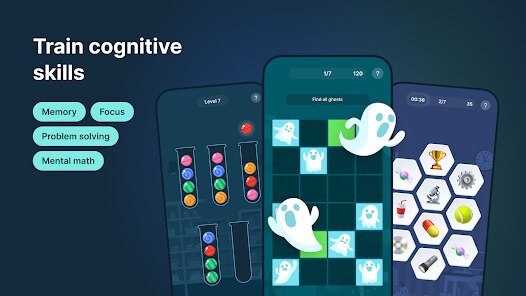
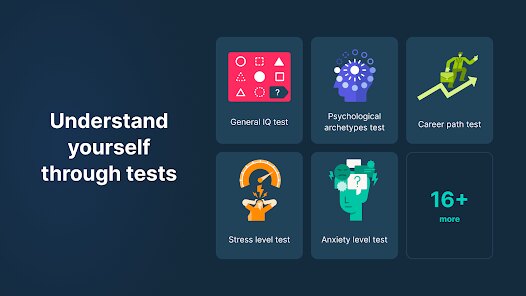
On Google Play, Impulse presents itself as a brain training suite designed to sharpen cognitive skills through a collection of quick, game-like challenges. The app is free to download and install, though it does include advertisements and offers optional in-app purchases for those looking to remove them or unlock additional content. Rather than focusing on a single mental ability, it covers several areas like memory, processing speed, and logical reasoning, which gives it a fairly broad appeal for casual users interested in mental fitness.
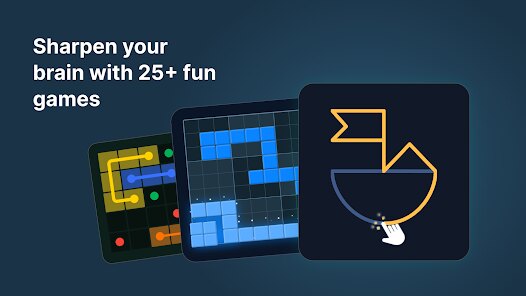
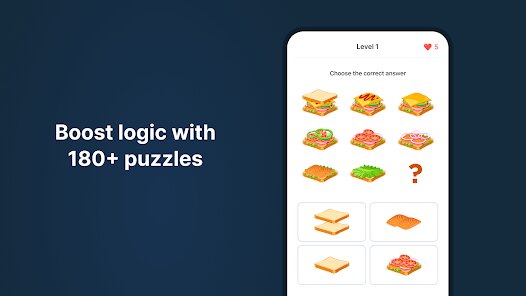
The core experience revolves around a series of mini-games, each targeting a different cognitive function. A typical session might involve a pattern recognition task followed by a quick math challenge or a memory sequence test. I found the interface clean and the transitions between games smooth, which kept the experience from feeling disjointed. The difficulty gradually increases as you progress, which provides a reasonable sense of challenge without becoming frustrating too quickly. Each game takes only a minute or two, making it easy to fit into a short break.
Compared to other brain training apps like Elevate, which puts more emphasis on language and reading comprehension, Impulse leans more heavily on visual-spatial tasks and reaction time. It feels less like a structured learning curriculum and more like a quick mental workout. While it lacks the depth of some competitors, the variety across its games keeps things from feeling stale, at least in the short term. For someone looking for a casual way to pass a few minutes while keeping their mind engaged, it serves its purpose without demanding a major time commitment.
features
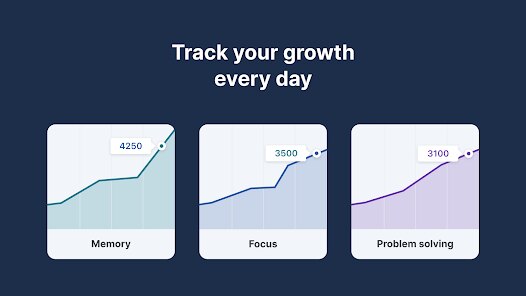
- The built-in progress tracking is one of the more useful features. Scores and performance metrics are displayed clearly over time, and seeing gradual improvement in reaction speed or accuracy does provide a small but genuine motivational boost. In contrast, Peak offers similar tracking but presents it with more detailed breakdowns, which some may prefer.
- Visual design in Impulse is kept simple and functional, with a mostly neutral color palette. This helps avoid sensory overload, which I appreciated during quick sessions. However, it does feel a bit plain compared to the more polished animations found in CogniFit, though that app also feels heavier in comparison.
- The variety of game types helps prevent boredom. One round you're identifying rotated shapes, the next you're solving basic arithmetic. This rotation keeps the brain shifting tasks, which feels more engaging than focusing on a single skill set repeatedly.
pros
- It is easy to use during short breaks because each game takes minimal time to complete.
- No mandatory account creation is required, so you can start playing immediately after installation.
- The free version offers enough content to evaluate whether the paid upgrade is worthwhile.
cons
- Advertisements appear between games, which can interrupt the flow of a session.
- The game variety is decent for a free app, but after extended use, some of the challenges start to feel repetitive.
- Certain games rely heavily on touch precision, which does not always work well on smaller screens or with less responsive displays.
Articles
![]()
Guide
How to Update Google Play Store on Android 2026
![]()
Guide
How to Download Older Versions of Android Apps
![]()
Guide
How to Download Apps Without Google Play Store
![]()
Guide
What Is an APK File for Android?
If you use an Android phone, you may have seen the term APK while searching for apps or games online. Some websites offer an APK download instead of a Google Play install button. Some users also mention APK files when talking about apps that are not available in their region, older app versions, or Android games downloaded outside the Play Store.
![]()
Guide
How to Install Games from Google Play for Beginners
Installing games on an Android phone is usually simple, but for beginners, the process can still feel confusing at first. You may not know where to search, which button to tap, whether the game is safe, or why Google Play sometimes asks for account settings, storage access, or payment information. If you are using an Android phone for the first time, learning how to install games from Google Play is one of the easiest ways to get started.
![]()
Guide
How Useful Gemini Is for Everyday Questions and Quick Tasks
emini feels different from many AI apps because it is not only trying to be a chatbot. After using it for everyday questions, quick writing, image understanding, and planning, I think its biggest strength is convenience.
![]()
Guide
What to Know Before Downloading APKs
For many Android users, downloading an APK is a common way to install apps and games. Sometimes an app is not available in a certain country.
![]()
Guide
ChatGPT Review: Is It Still the Best AI App in 2026?
![]()
Guide
Seedance 2.0 vs Sora: The Future of AI Video Generation
The AI video race has intensified dramatically over the past two years. Platforms like Sora from OpenAI and Luma Dream Machine pushed the boundaries of text-to-video realism. Yet, despite their impressive outputs, most tools still operate as probabilistic generators—you describe a scene, and the model interprets it. Control remains limited. With the February 2026 release of Seedance 2.0, developed by ByteDance, the paradigm shifted. Internally known as Jimeng 2.0, Seedance does not position itself as just another video model. It positions itself as an AI Director. Rather than guessing what you want, Seedance 2.0 allows you to direct what happens. This distinction defines everything that follows.









Recommended Apps
![]()
Home Design 3D
Anuman4.2
![]()
Truth or Dare Game - Party App
Chouic4.8
![]()
Photo Collage Maker
Scoompa4.7![]()
Learn to Draw Flower
Creative APPS4.2![]()
FIFA World Cup 2026™
FIFA2.8![]()
Mirror Plus: Mirror with Light
Digitalchemy, LLC4.4![]()
Meitu- Photo Editor & AI Art
Meitu (China) Limited4.5![]()
Perplexity - Ask Anything
PerplexityAI4.7![]()
GhostTube SLS Camera Alternate
GhostTube4![]()
Boom Chip Blast: 2-Player
Black Pyramid 3D Games Studio0![]()
Healthy Benefits+
Solutran, Inc.4.5![]()
Deepcheck AI Search Assistant
rohe.ai4![]()
Idol Prank Video Call & Chat
LightCode Solutions4![]()
Face Shape - Pretty Scale
GlintTec Apps3.9![]()
Plant App - Plant Identifier
ScaleUp4.6











































