

Elf Cam : Santa's elf tracker

100K+
Installs
Scibble LLC
Developer
-
Entertainment
Category
-
Everyone
Content Rating
-
hello@elfcam.app
Developer Email
-
https://www.elfcam.app/privacy-policy
Privacy Policy
Screenshots

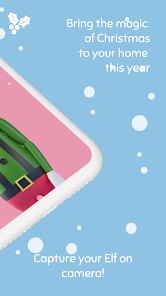
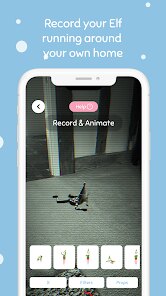
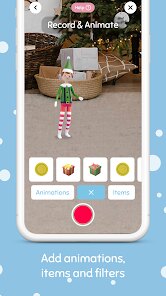
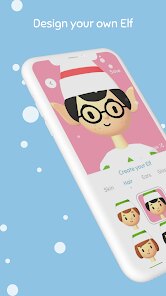

editor reviews
So Elf Cam is basically a pretend video call app where kids can talk to one of Santa's elves. It's made by Scibble LLC and falls into that whole holiday-themed kids entertainment category on Google Play and the App Store. You download it for free, and once you launch it, the idea is that your kid gets to video chat with this animated elf character who acts like they're calling from the North Pole. First impression when you open it is honestly pretty cute - the elf pops up on screen and starts moving around, and the whole thing feels like a real video call interface. But right away you notice there's a limited free version and then prompts to buy the full thing, which is a bit of a buzzkill if you're just trying it out.
The actual experience once you get past the initial screen is mixed. You tap the elf to start the "call" and they'll talk to your kid, ask questions, and respond to some basic touch inputs. The animation is smooth enough for what it is, but the dialogue options are pretty limited - after a few calls, my kid was hearing the same lines over and over. Onboarding is dead simple, you basically just hit the call button and go, so even young kids can figure it out. One practical tip I found is that you need to sit close with your kid to tap the response options for them since the hot spots are small on a phone screen. The whole thing feels a bit more like a interactive video than a real conversation, but for a 20-minute distraction during holiday prep, it does the trick.
After using this for a couple weeks, I think it works best for really young kids who still buy into the whole Santa magic, probably ages 2 to 6. Older kids will quickly get bored with the repetitive content and small number of elf characters. The biggest letdown is how aggressively it pushes the in-app purchase - the free version feels like a short demo, and the paid version unlocks a few more elves and call scenarios. Compared to something like Santa Tracker by Google which is totally free and has games and activities, Elf Cam feels a bit thin for what it asks. I ended up uninstalling it after the novelty wore off, but I can see parents keeping it around for the month of December if their kid really gets a kick out of talking to the elf.
features
- 🧑🎄 Interactive video call simulation that lets kids tap the screen to respond to the elf's questions and prompts, making them feel like they're actually talking to a North Pole buddy rather than just watching a video. Compared to apps like Elf on the Shelf's official stuff which is more about hiding a doll, this one gives direct interaction.
- 🧑🎄 Multiple elf characters to call - there's a head elf, a toy maker, and a couple others - each with their own personality and dialogue. It adds some variety if your kid wants to call a different elf each day, though the differences are mostly surface level.
- 🧑🎄 The call interface looks and feels like a real video chat app, with a green connection bar, your kid's face in a small window, and the elf taking up the main screen. It's this clever design trick that makes the whole thing way more convincing for little ones than a standard cartoon.
- 🧑🎄 The app saves previous call history and photos from the calls, so kids can look back at their conversations and even take selfies with the elf. It's a small touch but my daughter actually liked scrolling through her call log more than the actual calls sometimes.
pros
- ✔️ The visual design is seriously polished - the elves animate smoothly, the backgrounds look like a real toy workshop, and the whole thing has this warm Christmas movie vibe that most similar apps like Santa's Phone Call just don't nail.
- ✔️ No internet connection needed after the initial download, which is huge for parents who don't want their kid hogging the wifi or dealing with buffering during a call. Compare that to Reindeer Games or similar apps that need constant connection.
- ✔️ The elf actually responds to what your kid taps on screen - if they tap a present, the elf talks about presents. It's not super deep AI stuff, but it's way more interactive than just pressing "call" and hearing a prerecorded message like some other apps do.
cons
- ✖️ The free version is extremely limited - you get basically one call with one elf and then you're locked out unless you pay. Even the paid version feels overpriced for what you get when Santa Tracker offers way more content for free.
- ✖️ Dialogue repetition is a real problem - even with the paid version, you'll hear the same jokes and questions within a few calls. My niece figured out exactly what the elf would say next by day three and lost interest fast.
- ✖️ No actual video recording or saving of calls - you get screenshots but not the full conversation. Apps like Call Santa let you save video clips of the whole call, which is what parents actually want for memories and to show grandma.
- ✖️ Limited to only four elves and no updates throughout the season, so once you've called everyone once or twice, there's nothing new to discover. Compare to apps that add new content weekly during December - this one feels finished after one sitting.
Articles
![]()
Guide
How to Update Google Play Store on Android 2026
![]()
Guide
How to Download Older Versions of Android Apps
![]()
Guide
How to Download Apps Without Google Play Store
![]()
Guide
What Is an APK File for Android?
If you use an Android phone, you may have seen the term APK while searching for apps or games online. Some websites offer an APK download instead of a Google Play install button. Some users also mention APK files when talking about apps that are not available in their region, older app versions, or Android games downloaded outside the Play Store.
![]()
Guide
How to Install Games from Google Play for Beginners
Installing games on an Android phone is usually simple, but for beginners, the process can still feel confusing at first. You may not know where to search, which button to tap, whether the game is safe, or why Google Play sometimes asks for account settings, storage access, or payment information. If you are using an Android phone for the first time, learning how to install games from Google Play is one of the easiest ways to get started.
![]()
Guide
How Useful Gemini Is for Everyday Questions and Quick Tasks
emini feels different from many AI apps because it is not only trying to be a chatbot. After using it for everyday questions, quick writing, image understanding, and planning, I think its biggest strength is convenience.
![]()
Guide
What to Know Before Downloading APKs
For many Android users, downloading an APK is a common way to install apps and games. Sometimes an app is not available in a certain country.
![]()
Guide
ChatGPT Review: Is It Still the Best AI App in 2026?
![]()
Guide
Seedance 2.0 vs Sora: The Future of AI Video Generation
The AI video race has intensified dramatically over the past two years. Platforms like Sora from OpenAI and Luma Dream Machine pushed the boundaries of text-to-video realism. Yet, despite their impressive outputs, most tools still operate as probabilistic generators—you describe a scene, and the model interprets it. Control remains limited. With the February 2026 release of Seedance 2.0, developed by ByteDance, the paradigm shifted. Internally known as Jimeng 2.0, Seedance does not position itself as just another video model. It positions itself as an AI Director. Rather than guessing what you want, Seedance 2.0 allows you to direct what happens. This distinction defines everything that follows.









Recommended Apps
![]()
Home Design 3D
Anuman4.2
![]()
Truth or Dare Game - Party App
Chouic4.8
![]()
Photo Collage Maker
Scoompa4.7![]()
Learn to Draw Flower
Creative APPS4.2![]()
FIFA World Cup 2026™
FIFA2.8![]()
Mirror Plus: Mirror with Light
Digitalchemy, LLC4.4![]()
Meitu- Photo Editor & AI Art
Meitu (China) Limited4.5![]()
Perplexity - Ask Anything
PerplexityAI4.7![]()
GhostTube SLS Camera Alternate
GhostTube4![]()
Boom Chip Blast: 2-Player
Black Pyramid 3D Games Studio0![]()
Healthy Benefits+
Solutran, Inc.4.5![]()
Deepcheck AI Search Assistant
rohe.ai4![]()
Idol Prank Video Call & Chat
LightCode Solutions4![]()
Face Shape - Pretty Scale
GlintTec Apps3.9![]()
Plant App - Plant Identifier
ScaleUp4.6












































