
Piano: Learn & Play Piano

10M+
Installs
Enable Startup
Developer
-
Education
Category
-
Everyone
Content Rating
-
springartmedow@gmail.com
Developer Email
-
https://enablestartup.netlify.app/policy
Privacy Policy
Screenshots
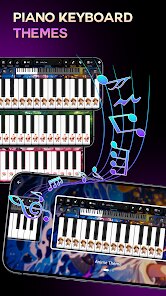
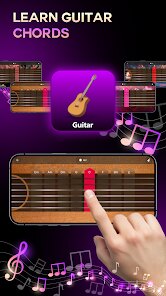
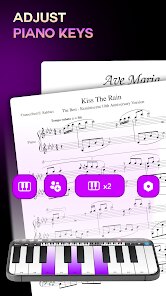
editor reviews
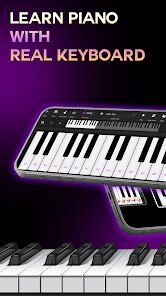
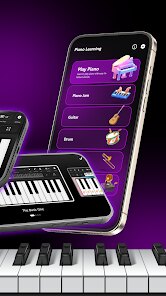
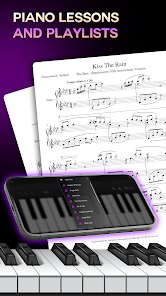
Piano: Learn & Play Piano by Enable Startup is one of those app-store finds that claims to turn anyone into a pianist from their phone. It's a music education tool with a game-like interface, aimed at people who want to learn piano without buying a real keyboard first. The app has around 100,000 installs on Google Play, is free to download, and offers in-app purchases for extra lesson packs. After launching it for the first time, I was met with a bright, colorful layout that felt more like a mobile game than a serious learning platform. There's no forced registration at the start, which is nice, but you do get a few ads unless you go for a paid version. My first impression was okay, but I kept wondering how much actual piano skill you could build from tapping a flat screen.
Using the app day to day is pretty straightforward. When you open it, you pick a difficulty level or a song from a limited library. The interface shows a scrolling piano roll with colored tiles dropping down, and you tap the corresponding keys on a virtual keyboard at the bottom. It works like Guitar Hero for piano, but with a bit more emphasis on hand positioning. The onboarding is quick and doesn't explain much beyond "tap the falling tiles." For a complete beginner, this can feel confusing because there's no real note-reading tutorial, just pattern memorization. A small tip: turn on the sound feedback in settings, it helps with timing. The app feels smooth on mid-range phones, though screen size matters a lot, and on smaller screens the keys get cramped. You can complete two or three songs before an ad pops up, which interrupts the flow.
After using Piano: Learn & Play Piano for a week, I think it works best for absolute beginners who just want to test if they even like playing piano. It's not for someone who already knows basic chords or wants to read sheet music. Compared to apps like Simply Piano or Yousician, this one feels less structured and more toy-like. The difference is that this app focuses on tapping along with a song rather than building real hand coordination. I can see a casual user keeping it installed for five-minute sessions on a commute, but serious learners will uninstall it once they hit the paywall or outgrow the limited song list. It's a decent starting point, just not something you'll stick with long-term.
features
- 🎵 Song-based learning instead of boring drills, so you can play along with popular tracks right away, which feels more rewarding than running through scales. Unlike Yousician, which also uses songs, this app keeps the selection simpler and more beginner-friendly.
- 🎵 Color-coded falling tiles that visually guide your fingers, very similar to a rhythm game. This makes it easy to follow along without knowing how to read sheet music, but Simply Piano does a better job of teaching you why the notes work together.
- 🎵 Free basic content with no registration requirement, letting you start instantly. You can try a handful of songs before in-app purchases kick in, unlike many competitors that lock you into a subscription trial immediately.
pros
- 👍 Instant playability: No sign-up required, no credit card needed, just download and start tapping. This is much faster than apps like Perfect Piano, which clutter the start screen with accounts and premium upsells.
- 👍 Very lightweight: The app runs smoothly on older devices and takes up less than 50 MB, while something like Flowkey with its high-def video lessons can eat over 200 MB easily.
- 👍 Good for short bursts: Each song section lasts under a minute, perfect for grabbing your phone during a coffee break. Simply Piano demands longer focused sessions by comparison.
cons
- 👎 No real piano theory: You learn finger tapping patterns, not how to read sheet music or understand chords. Simply Piano integrates theory into its lessons, so you come away with actual knowledge.
- 👎 Limited song library: After a few days, you have seen almost everything unless you pay. Yousician offers a much wider catalog, including classical and pop, without forcing purchases as quickly.
- 👎 Flat screen feedback: Unlike a weighted key app or a real keyboard, there is no way to feel correct finger pressure or hand posture. Apps like Pianote have video instructors to correct posture, which is completely absent here.
Articles
![]()
Guide
How to Update Google Play Store on Android 2026
![]()
Guide
How to Download Older Versions of Android Apps
![]()
Guide
How to Download Apps Without Google Play Store
![]()
Guide
What Is an APK File for Android?
If you use an Android phone, you may have seen the term APK while searching for apps or games online. Some websites offer an APK download instead of a Google Play install button. Some users also mention APK files when talking about apps that are not available in their region, older app versions, or Android games downloaded outside the Play Store.
![]()
Guide
How to Install Games from Google Play for Beginners
Installing games on an Android phone is usually simple, but for beginners, the process can still feel confusing at first. You may not know where to search, which button to tap, whether the game is safe, or why Google Play sometimes asks for account settings, storage access, or payment information. If you are using an Android phone for the first time, learning how to install games from Google Play is one of the easiest ways to get started.
![]()
Guide
How Useful Gemini Is for Everyday Questions and Quick Tasks
emini feels different from many AI apps because it is not only trying to be a chatbot. After using it for everyday questions, quick writing, image understanding, and planning, I think its biggest strength is convenience.
![]()
Guide
What to Know Before Downloading APKs
For many Android users, downloading an APK is a common way to install apps and games. Sometimes an app is not available in a certain country.
![]()
Guide
ChatGPT Review: Is It Still the Best AI App in 2026?
![]()
Guide
Seedance 2.0 vs Sora: The Future of AI Video Generation
The AI video race has intensified dramatically over the past two years. Platforms like Sora from OpenAI and Luma Dream Machine pushed the boundaries of text-to-video realism. Yet, despite their impressive outputs, most tools still operate as probabilistic generators—you describe a scene, and the model interprets it. Control remains limited. With the February 2026 release of Seedance 2.0, developed by ByteDance, the paradigm shifted. Internally known as Jimeng 2.0, Seedance does not position itself as just another video model. It positions itself as an AI Director. Rather than guessing what you want, Seedance 2.0 allows you to direct what happens. This distinction defines everything that follows.









Recommended Apps
![]()
Home Design 3D
Anuman4.2
![]()
Truth or Dare Game - Party App
Chouic4.8
![]()
Photo Collage Maker
Scoompa4.7![]()
Learn to Draw Flower
Creative APPS4.2![]()
FIFA World Cup 2026™
FIFA2.8![]()
Mirror Plus: Mirror with Light
Digitalchemy, LLC4.4![]()
Meitu- Photo Editor & AI Art
Meitu (China) Limited4.5![]()
Perplexity - Ask Anything
PerplexityAI4.7![]()
GhostTube SLS Camera Alternate
GhostTube4![]()
Boom Chip Blast: 2-Player
Black Pyramid 3D Games Studio0![]()
Healthy Benefits+
Solutran, Inc.4.5![]()
Deepcheck AI Search Assistant
rohe.ai4![]()
Idol Prank Video Call & Chat
LightCode Solutions4![]()
Face Shape - Pretty Scale
GlintTec Apps3.9![]()
Plant App - Plant Identifier
ScaleUp4.6











































