
Rezona: Make Memeplays

5M+
Installs
Stratava Group
Developer
-
Entertainment
Category
-
Teen
Content Rating
-
support@rezona.ai
Developer Email
-
https://rezona.ai/privacy
Privacy Policy
Screenshots


editor reviews
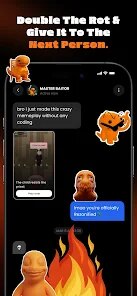
Rezona: Make Meme is an app that lets you create and edit memes directly on your phone. It's a straightforward meme generator, not a full photo editor or a social platform. You open it up, pick a template or upload your own image, slap some text on it, and you're good to go. I found it on Google Play with around a million downloads, and it's free to download, though there are ads. No forced registration when you first launch it, which is nice. My first impression was that it was pretty simple. The layout isn't super flashy, but it loads quick and gets right to the point. You don't have to sit through a tutorial or anything. That felt refreshing compared to some apps that try to do way too much at once.
Getting into the actual usage, the interface is clean but not exactly modern. After launching, you're shown a grid of trending meme templates sorted by popularity. Tapping one opens a basic editor where you can add top and bottom text. The font options are limited, and you can't adjust letter spacing or line height manually, which sometimes messes up the layout. There's also a simple crop tool and a few stickers, but nothing too fancy. I spent most of my time just typing in captions and hitting save. The saving process is smooth, and you can share directly to Instagram, WhatsApp, or your gallery. One thing that gets annoying is the frequency of ads. They pop up every few actions, like after you save or switch a template. It's not a dealbreaker, but you definitely notice it.
After using it for a while, I think Rezona works best for people who want a no-fuss tool to make quick memes. It's not for someone who wants fine control over every pixel or multiple text layers. Compared to something like Imgur's meme generator or Kapwing, this one is more basic but also way less cluttered. You might keep it installed if you share memes often and want something that loads instantly. But if you're used to apps with more editing power, like PicsArt or even Canva, you'll probably uninstall this after a few uses because it just runs out of options too fast. It does one thing, and it does it okay, but nothing more.
features
- ✅ Template variety: Rezona offers a solid library of classic meme formats, from Drake to Distracted Boyfriend. You can also save custom templates. Compared to Meme Generator Free, which has a similar collection but with fewer updates, Rezona feels more current with what's trending.
- ✅ No login needed: You can use the entire app without creating an account. That's a big plus over apps like Kapwing or Canva, which often push you to sign up or limit features until you do. For a casual user, that's a huge time-saver.
- ✅ Quick export: Saving and sharing a finished meme takes just a couple of taps. It supports high-resolution exports, which some free meme apps like GATM Meme Generator don't offer without a subscription. That alone makes it worth downloading for quick posts.
- ✅ Dark mode: The app has a built-in dark mode that works well. It's not something you see often in meme tools. Apps like Meme Creator often ignore this, so it's a small but appreciated touch for late-night editing.
pros
- 👍 Ad frequency is reasonable: While there are ads, they are typical for a free app. Compared to Meme Generator Free, which sometimes interrupts with full-screen video ads, Rezona sticks to simple banner and pop-up placements. You can still work without constant frustration.
- 👍 Lightweight and fast: The app takes up very little storage and doesn't lag even on older phones. That puts it ahead of heavier tools like PicsArt, which can be sluggish. If you just need a meme, you're in and out in seconds.
- 👍 User-friendly for beginners: The learning curve is nearly flat. Someone who's never edited an image can pick it up instantly. Kapwing's web version has more power, but it also has more menus and buttons that can confuse a new user. Rezona keeps things simple.
cons
- 👎 Limited text customization: You can't change font weight, outline thickness, or drop shadow settings. Meme Creator lets you tweak these, and it makes a big difference in readability. Rezona feels rigid here.
- 👎 No multi-layer text or stickers: You're stuck with one text box on top and one on the bottom. Apps like Imgur's meme tool or Kapwing let you add multiple callouts, speech bubbles, and overlays. This limits creative memes.
- 👎 Ads after every action: It's not the worst, but it does interrupt flow. Apps like GATM Meme Generator show fewer ads overall, making the experience smoother. It's one area where Rezona could definitely improve without changing its core simplicity.
- 👎 No undo button: Editing is linear. If you mess up a text placement, you have to start over. That's a minor but frustrating omission, especially since most photo editors have some kind of undo history.
Articles
![]()
Guide
How to Update Google Play Store on Android 2026
![]()
Guide
How to Download Older Versions of Android Apps
![]()
Guide
How to Download Apps Without Google Play Store
![]()
Guide
What Is an APK File for Android?
If you use an Android phone, you may have seen the term APK while searching for apps or games online. Some websites offer an APK download instead of a Google Play install button. Some users also mention APK files when talking about apps that are not available in their region, older app versions, or Android games downloaded outside the Play Store.
![]()
Guide
How to Install Games from Google Play for Beginners
Installing games on an Android phone is usually simple, but for beginners, the process can still feel confusing at first. You may not know where to search, which button to tap, whether the game is safe, or why Google Play sometimes asks for account settings, storage access, or payment information. If you are using an Android phone for the first time, learning how to install games from Google Play is one of the easiest ways to get started.
![]()
Guide
How Useful Gemini Is for Everyday Questions and Quick Tasks
emini feels different from many AI apps because it is not only trying to be a chatbot. After using it for everyday questions, quick writing, image understanding, and planning, I think its biggest strength is convenience.
![]()
Guide
What to Know Before Downloading APKs
For many Android users, downloading an APK is a common way to install apps and games. Sometimes an app is not available in a certain country.
![]()
Guide
ChatGPT Review: Is It Still the Best AI App in 2026?
![]()
Guide
Seedance 2.0 vs Sora: The Future of AI Video Generation
The AI video race has intensified dramatically over the past two years. Platforms like Sora from OpenAI and Luma Dream Machine pushed the boundaries of text-to-video realism. Yet, despite their impressive outputs, most tools still operate as probabilistic generators—you describe a scene, and the model interprets it. Control remains limited. With the February 2026 release of Seedance 2.0, developed by ByteDance, the paradigm shifted. Internally known as Jimeng 2.0, Seedance does not position itself as just another video model. It positions itself as an AI Director. Rather than guessing what you want, Seedance 2.0 allows you to direct what happens. This distinction defines everything that follows.









Recommended Apps
![]()
Home Design 3D
Anuman4.2
![]()
Truth or Dare Game - Party App
Chouic4.8
![]()
Photo Collage Maker
Scoompa4.7![]()
Learn to Draw Flower
Creative APPS4.2![]()
FIFA World Cup 2026™
FIFA2.8![]()
Mirror Plus: Mirror with Light
Digitalchemy, LLC4.4![]()
Meitu- Photo Editor & AI Art
Meitu (China) Limited4.5![]()
Perplexity - Ask Anything
PerplexityAI4.7![]()
GhostTube SLS Camera Alternate
GhostTube4![]()
Boom Chip Blast: 2-Player
Black Pyramid 3D Games Studio0![]()
Healthy Benefits+
Solutran, Inc.4.5![]()
Deepcheck AI Search Assistant
rohe.ai4![]()
Idol Prank Video Call & Chat
LightCode Solutions4![]()
Face Shape - Pretty Scale
GlintTec Apps3.9![]()
Plant App - Plant Identifier
ScaleUp4.6











































