

Dola: Smart AI Assistant

100M+
Installs
SPRING (SG) PTE. LTD.
Developer
-
Generative AI
Category
-
Rated for 12+
Content Rating
-
feedback@mail.dola.com
Developer Email
-
Privacy Policy
Screenshots
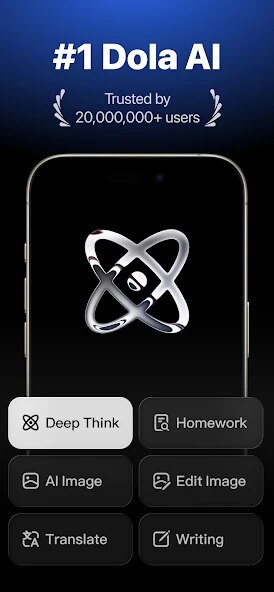
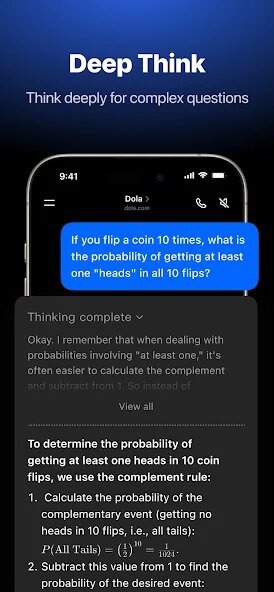

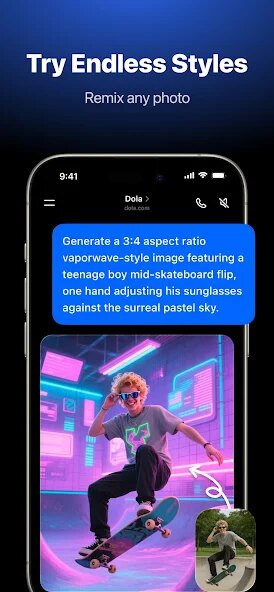
editor reviews
Smartphone users looking for a capable AI companion might want to check out Dola: Smart AI Assistant, developed by SPRING (SG) PTE. LTD. Available on Google Play, this application serves as a multi-functional virtual helper designed to handle various daily tasks. The app is free to download and install, though it does include advertisements and offers in-app purchases for those wanting access to additional features or premium functionality. It aims to streamline activities like scheduling, information retrieval, and quick calculations through conversational interaction.
Getting started with this assistant involves downloading it from the Play Store and setting up a straightforward profile. Users interact primarily through text-based queries, typing requests ranging from setting reminders to asking for news summaries. The response time feels reasonably quick, and the interface is clean enough that figuring out where to type and how to view responses doesn't take long. I found myself using it for simple questions during my commute, and the accuracy was generally acceptable for basic tasks, though more complex queries sometimes required rephrasing.
When placed alongside similar tools like Google Assistant or Microsoft's Copilot, Dola distinguishes itself through a focused chat-first approach rather than deep system integration. It does not require granting extensive device permissions, which feels less intrusive, but that also means it cannot directly control phone settings or apps the same way some competitors can. The design feels more like a standalone conversation partner rather than a deeply embedded system utility, which works well for users who prefer a simpler interaction model without extra complexity.
features
- Task management integration allows users to create lists and reminders with natural language input, making it simple to say something like "remind me to call the dentist tomorrow at 10 AM." The system processes these commands reliably, though occasional misunderstandings with time zones have happened in my experience.
- Information lookup provides answers to general knowledge questions by pulling from web sources. The responses are concise and usually relevant, but I have noticed it struggles more with niche topics compared to how an app like Perplexity handles specialized queries.
- Daily utility features include unit conversions, weather updates, and basic calculations. These work without unexpected delays and are presented in a clear format. The calculator function, while not as advanced as a dedicated math app, covers everyday needs comfortably.
- Conversation history is saved locally and can be reviewed later, which helps when needing to recall past requests. The search within history works adequately, although deleting individual entries requires navigating a few extra menus.
pros
- Saves time on routine scheduling tasks by processing natural language requests quickly, reducing the need to manually open separate calendar or reminder apps.
- Helps with quick fact-checking during casual conversations or while reading online, providing answers without requiring multiple browser searches.
- Works offline for some basic functions like calculations and pre-set reminders, which is useful when cellular connectivity is limited or unavailable.
cons
- Occasionally misinterprets complex or vague requests, requiring the user to rephrase the query two or three times before getting a satisfactory response.
- Ads appear relatively frequently during free usage, which can interrupt the flow of interaction, especially during longer sessions.
- In-app purchase options are not always clearly explained in terms of what each tier unlocks, making the upgrade decision somewhat confusing at first glance.
Articles
![]()
Guide
How to Update Google Play Store on Android 2026
![]()
Guide
How to Download Older Versions of Android Apps
![]()
Guide
How to Download Apps Without Google Play Store
![]()
Guide
What Is an APK File for Android?
If you use an Android phone, you may have seen the term APK while searching for apps or games online. Some websites offer an APK download instead of a Google Play install button. Some users also mention APK files when talking about apps that are not available in their region, older app versions, or Android games downloaded outside the Play Store.
![]()
Guide
How to Install Games from Google Play for Beginners
Installing games on an Android phone is usually simple, but for beginners, the process can still feel confusing at first. You may not know where to search, which button to tap, whether the game is safe, or why Google Play sometimes asks for account settings, storage access, or payment information. If you are using an Android phone for the first time, learning how to install games from Google Play is one of the easiest ways to get started.
![]()
Guide
How Useful Gemini Is for Everyday Questions and Quick Tasks
emini feels different from many AI apps because it is not only trying to be a chatbot. After using it for everyday questions, quick writing, image understanding, and planning, I think its biggest strength is convenience.
![]()
Guide
What to Know Before Downloading APKs
For many Android users, downloading an APK is a common way to install apps and games. Sometimes an app is not available in a certain country.
![]()
Guide
ChatGPT Review: Is It Still the Best AI App in 2026?
![]()
Guide
Seedance 2.0 vs Sora: The Future of AI Video Generation
The AI video race has intensified dramatically over the past two years. Platforms like Sora from OpenAI and Luma Dream Machine pushed the boundaries of text-to-video realism. Yet, despite their impressive outputs, most tools still operate as probabilistic generators—you describe a scene, and the model interprets it. Control remains limited. With the February 2026 release of Seedance 2.0, developed by ByteDance, the paradigm shifted. Internally known as Jimeng 2.0, Seedance does not position itself as just another video model. It positions itself as an AI Director. Rather than guessing what you want, Seedance 2.0 allows you to direct what happens. This distinction defines everything that follows.









Recommended Apps
![]()
Home Design 3D
Anuman4.2
![]()
Truth or Dare Game - Party App
Chouic4.8
![]()
Photo Collage Maker
Scoompa4.7![]()
Learn to Draw Flower
Creative APPS4.2![]()
FIFA World Cup 2026™
FIFA2.8![]()
Mirror Plus: Mirror with Light
Digitalchemy, LLC4.4![]()
Meitu- Photo Editor & AI Art
Meitu (China) Limited4.5![]()
Perplexity - Ask Anything
PerplexityAI4.7![]()
GhostTube SLS Camera Alternate
GhostTube4![]()
Boom Chip Blast: 2-Player
Black Pyramid 3D Games Studio0![]()
Healthy Benefits+
Solutran, Inc.4.5![]()
Deepcheck AI Search Assistant
rohe.ai4![]()
Idol Prank Video Call & Chat
LightCode Solutions4![]()
Face Shape - Pretty Scale
GlintTec Apps3.9![]()
Plant App - Plant Identifier
ScaleUp4.6












































