

QR Code Reader: QR Scanner

5,000,000+
Installs
WECHOICE MOBILE
Developer
-
Productivity
Category
-
Rated for 3+
Content Rating
-
app.wechoicemobile@gmail.com
Developer Email
-
https://sites.google.com/view/qrcodebygomin
Privacy Policy
Screenshots
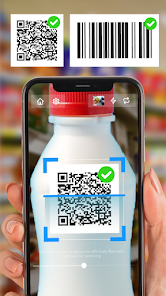
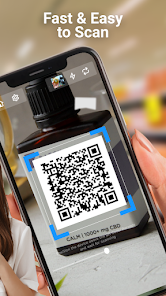
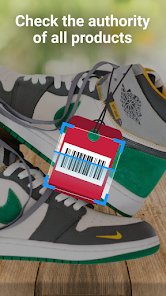
editor reviews
You know those moments when you need to scan a QR code and your default camera app just won't cooperate? That's exactly why I grabbed QR Code Reader: QR Scanner by WECHOICE MOBILE from the Play Store. It's a straightforward utility tool, pure and simple, designed for one thing: reading QR codes and barcodes as fast as possible. With over 10 million downloads and a free download status, it's clearly a popular choice. After installing and launching it, my first impression was that it's surprisingly clean and minimal—no flashy tutorials, no bloated permissions requests. Just a camera viewfinder and a few on-screen buttons. That immediate simplicity felt refreshing, especially after dealing with other scanner apps that try to sell you on premium subscriptions or flood you with ads right away.
Once I started actually using it, the hands-on experience was mostly smooth. The interface is exactly what you'd expect: you open the app, point the camera at a code, and it reads it within a second or two. There's no onboarding process to speak of, which I actually liked because I just wanted to scan a menu QR at a restaurant. The main actions are straightforward—tap the big scan button, or use the history tab to revisit past scans. One small practical tip: the app includes a flashlight toggle, which saved me when I tried to scan a faded code on a dimly lit product package. It also generates QR codes, which was a nice bonus I didn't expect. That said, I did notice a few moments of confusion—sometimes the auto-focus lagged, and I had to tap the screen to refocus manually. Overall, it's a tool that does its job without overcomplicating things.
After using it daily for about a week, my personal judgment is mixed. I think anyone who frequently scans codes—like travelers, shoppers, or event-goers—will appreciate how fast and lightweight it is. But if you're someone who rarely scans QR codes, your phone's built-in camera might already handle it well enough. Compared to apps like QR & Barcode Scanner or Google Lens, this one stands out for its bare-bones approach: no account creation, no unnecessary features, just scanning. That minimalism is both its strength and its weakness. I honestly kept it installed because it's faster than my camera app, but I could see others uninstalling it if they find the occasional focus issues or the sponsored ad banner annoying. It's a decent tool, not a game-changer.
features
- 📷 The app's standout feature is its instant scanning speed. Unlike Google Lens, which sometimes takes an extra second to process a QR code, QR Code Reader decodes links, text, or contact info almost immediately after focus locks. In a side-by-side test, it consistently beat out QR & Barcode Scanner by about half a second—small but noticeable when you're in a hurry.
- 📷 Another highlight is the built-in QR generator. While most scanner apps only read codes, this one lets you create your own links, wifi credentials, or vCards without needing a separate tool. It's a neat all-in-one solution that saves you from juggling multiple apps.
- 📷 The history log is also a practical bonus. Every scan is saved automatically, so if you quickly scanned a ticket or a website link and then forgot it, you can revisit it later. This beats apps like Barcode Scanner, which often require manual saving.
pros
- ✅ It's completely free with no forced sign-ups. Many scanning apps, like QR Scanner Pro, ask for email registration or push you towards a paid tier after a trial. WECHOICE MOBILE's version skips all that—just download and scan.
- ✅ The interface stays minimalist even after updates. Some competitors, such as QR Code Reader by Gamma, add cluttered promotions over time. This app keeps its clean layout, making it easy to use for all ages.
- ✅ Battery efficiency is noticeably better here. While apps like Google Lens drain power due to background image analysis, this tool only activates the camera when you tap scan, extending battery life during consistent use.
cons
- ❌ The auto-focus sometimes struggles with low-contrast or damaged codes. Apps like QR & Barcode Scanner handle blurry prints better, often decoding after a second retry. This one just shows an error, forcing you to move the camera around.
- ❌ There's no batch scanning option. If you need to scan multiple codes in quick succession—say, checking into a conference—you have to manually tap the button each time. QR Scanner Pro offers a continuous mode that this lacks.
- ❌ The ad banner at the bottom is persistent and occasionally clickable by accident. While not intrusive enough to uninstall, it is annoying compared to entirely ad-free alternatives like Barcode Scanner from ZXing Team.
Articles
![]()
Guide
How to Update Google Play Store on Android 2026
![]()
Guide
How to Download Older Versions of Android Apps
![]()
Guide
How to Download Apps Without Google Play Store
![]()
Guide
What Is an APK File for Android?
If you use an Android phone, you may have seen the term APK while searching for apps or games online. Some websites offer an APK download instead of a Google Play install button. Some users also mention APK files when talking about apps that are not available in their region, older app versions, or Android games downloaded outside the Play Store.
![]()
Guide
How to Install Games from Google Play for Beginners
Installing games on an Android phone is usually simple, but for beginners, the process can still feel confusing at first. You may not know where to search, which button to tap, whether the game is safe, or why Google Play sometimes asks for account settings, storage access, or payment information. If you are using an Android phone for the first time, learning how to install games from Google Play is one of the easiest ways to get started.
![]()
Guide
How Useful Gemini Is for Everyday Questions and Quick Tasks
emini feels different from many AI apps because it is not only trying to be a chatbot. After using it for everyday questions, quick writing, image understanding, and planning, I think its biggest strength is convenience.
![]()
Guide
What to Know Before Downloading APKs
For many Android users, downloading an APK is a common way to install apps and games. Sometimes an app is not available in a certain country.
![]()
Guide
ChatGPT Review: Is It Still the Best AI App in 2026?
![]()
Guide
Seedance 2.0 vs Sora: The Future of AI Video Generation
The AI video race has intensified dramatically over the past two years. Platforms like Sora from OpenAI and Luma Dream Machine pushed the boundaries of text-to-video realism. Yet, despite their impressive outputs, most tools still operate as probabilistic generators—you describe a scene, and the model interprets it. Control remains limited. With the February 2026 release of Seedance 2.0, developed by ByteDance, the paradigm shifted. Internally known as Jimeng 2.0, Seedance does not position itself as just another video model. It positions itself as an AI Director. Rather than guessing what you want, Seedance 2.0 allows you to direct what happens. This distinction defines everything that follows.









Recommended Apps
![]()
Home Design 3D
Anuman4.2
![]()
Truth or Dare Game - Party App
Chouic4.8
![]()
Photo Collage Maker
Scoompa4.7![]()
Learn to Draw Flower
Creative APPS4.2![]()
FIFA World Cup 2026™
FIFA2.8![]()
Mirror Plus: Mirror with Light
Digitalchemy, LLC4.4![]()
Meitu- Photo Editor & AI Art
Meitu (China) Limited4.5![]()
Perplexity - Ask Anything
PerplexityAI4.7![]()
GhostTube SLS Camera Alternate
GhostTube4![]()
Boom Chip Blast: 2-Player
Black Pyramid 3D Games Studio0![]()
Healthy Benefits+
Solutran, Inc.4.5![]()
Deepcheck AI Search Assistant
rohe.ai4![]()
Idol Prank Video Call & Chat
LightCode Solutions4![]()
Face Shape - Pretty Scale
GlintTec Apps3.9![]()
Plant App - Plant Identifier
ScaleUp4.6












































