
Photo Collage - Pic Grid Maker

10M+
Installs
Magic Photo Collage & Photo Editor - CollageArt
Developer
-
Video Players & Editors
Category
-
Rated for 3+
Content Rating
-
photoapps.feedback@gmail.com
Developer Email
-
https://photocollage.github.io/privacy_policy.html
Privacy Policy
Screenshots

editor reviews
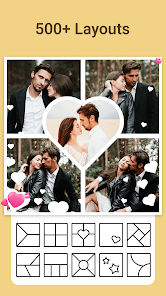
I first came across Photo Collage - Pic Grid Maker when I needed to throw together a quick set of photos for a friend's birthday post. It's a photo collage app, one of those tools that lets you combine multiple images into a single grid or layout. You download it from Google Play or the App Store, and it's free to install—last I checked, it had crossed over 10 million downloads, which is a decent sign of popularity. After launching it, the first thing that hit me was the sheer number of layout options staring back at me. It felt a bit overwhelming at first, but also promising if you're someone who likes having choices. There's no forced registration when you open it, which is a huge plus in my book. You just start using it right away.
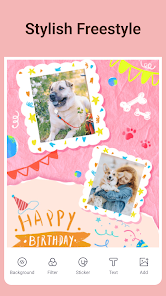
The actual experience of using the app is straightforward once you get past the initial visual assault. When you tap to create a new collage, you pick photos from your gallery, and then the app shows you a grid of possible templates. You can adjust borders, change background colors, or even add stickers and text. I found myself dragging photos between slots to rearrange them, which felt natural enough. The interface is clean for the most part, though sometimes the ads pop up at awkward moments, like right when you're about to save your work. A practical tip: if you want to avoid distractions, turn off your internet connection while using it. That way, you can focus on cropping and adjusting without interruption. The app does have in-app purchases for extra features like advanced stickers or removing watermarks, but the free version covers the basics well enough for casual users.
After spending some time with it, I think this app works best for people who need quick, no-fuss collages without wanting to learn a complex editor. It's more about speed than artistry. Someone who just wants to post a grid of vacation photos to Instagram will find it handy, but if you're looking for precise manual control or advanced editing tools, you'll likely feel limited. Compared to something like Adobe Spark or Canva, this app feels less flexible but also less bloated. It does one thing—collages—and does it decently. The reason I might keep it installed is for those last-minute moments when I need a collage in under a minute. But I can also see someone uninstalling it after a week because the free version's watermark gets annoying or because they don't make collages often enough to justify the space.
features
- 🎨 Layout variety is where this app shines. You get hundreds of grid templates, from classic squares to freeform arrangements. In comparison, a similar app like PicCollage offers fewer built-in layouts and pushes you toward their sticker shop instead. Here, the focus stays on the grid itself, which is nice if you just want to arrange photos without getting sidetracked by extras.
- 🖼️ Border and background customization feels more polished than in comparable apps. You can adjust border thickness, change colors with a color picker, or even use a pattern as background. Grid Art, another popular choice, limits you to solid colors only, so this app gives you more room to play around.
- 📱 The interface loads quickly and handles high-resolution images without lagging. I've used FotoJet on slower phones, and it tends to stutter when you have more than four photos. This app stays smooth even with nine images in a grid, which makes the editing process less frustrating.
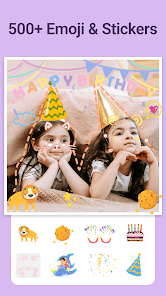
- ✨ Stickers and text overlays are basic but get the job done. You're not getting the elaborate sticker packs of PicPlayPost, but the ones here are free and don't require a subscription. For simple captions or decorative elements, it works fine without pushing you to pay.
pros
- 👍 No account required to start using the app. Many collage makers, like Canva, force you to sign up before you can try anything. Here, you just download and go, which saves time and respects your privacy.
- 👍 The free version is genuinely usable. You can create and save collages without hitting a paywall after every step. In contrast, apps like PhotoGrid hide basic features behind a pro subscription.
- 👍 Template previews are large and clear. When you scroll through layouts, you see actual thumbnails rather than tiny icons. This makes picking a style easier compared to Layout from Instagram, where the previews are small and hard to judge.
cons
- 👎 Ads are intrusive and sometimes pop up in the middle of editing. It's worse than in PicCollage, where ads mostly stay on the edges. Here, a full-screen ad can appear right when you're adjusting a border, which disrupts the flow.
- 👎 The free version adds a watermark to every export. If you want it removed, you have to pay. Other free apps like Canva let you remove watermarks with a simple workaround, but this one is stricter about that.
- 👎 Advanced editing tools are missing entirely. You can't adjust individual photo brightness, contrast, or filters within the collage editor. Apps like PicsArt allow per-image editing before layout, so this feels limited in comparison.
- 👎 The sticker and font selection feels dated compared to newer apps. The designs look like they haven't been updated in a while, whereas Mojo or Unfold offer trendy, modern options that match current social media styles.
Articles
![]()
Guide
How to Update Google Play Store on Android 2026
![]()
Guide
How to Download Older Versions of Android Apps
![]()
Guide
How to Download Apps Without Google Play Store
![]()
Guide
What Is an APK File for Android?
If you use an Android phone, you may have seen the term APK while searching for apps or games online. Some websites offer an APK download instead of a Google Play install button. Some users also mention APK files when talking about apps that are not available in their region, older app versions, or Android games downloaded outside the Play Store.
![]()
Guide
How to Install Games from Google Play for Beginners
Installing games on an Android phone is usually simple, but for beginners, the process can still feel confusing at first. You may not know where to search, which button to tap, whether the game is safe, or why Google Play sometimes asks for account settings, storage access, or payment information. If you are using an Android phone for the first time, learning how to install games from Google Play is one of the easiest ways to get started.
![]()
Guide
How Useful Gemini Is for Everyday Questions and Quick Tasks
emini feels different from many AI apps because it is not only trying to be a chatbot. After using it for everyday questions, quick writing, image understanding, and planning, I think its biggest strength is convenience.
![]()
Guide
What to Know Before Downloading APKs
For many Android users, downloading an APK is a common way to install apps and games. Sometimes an app is not available in a certain country.
![]()
Guide
ChatGPT Review: Is It Still the Best AI App in 2026?
![]()
Guide
Seedance 2.0 vs Sora: The Future of AI Video Generation
The AI video race has intensified dramatically over the past two years. Platforms like Sora from OpenAI and Luma Dream Machine pushed the boundaries of text-to-video realism. Yet, despite their impressive outputs, most tools still operate as probabilistic generators—you describe a scene, and the model interprets it. Control remains limited. With the February 2026 release of Seedance 2.0, developed by ByteDance, the paradigm shifted. Internally known as Jimeng 2.0, Seedance does not position itself as just another video model. It positions itself as an AI Director. Rather than guessing what you want, Seedance 2.0 allows you to direct what happens. This distinction defines everything that follows.









Recommended Apps
![]()
Home Design 3D
Anuman4.2
![]()
Truth or Dare Game - Party App
Chouic4.8
![]()
Photo Collage Maker
Scoompa4.7![]()
Learn to Draw Flower
Creative APPS4.2![]()
FIFA World Cup 2026™
FIFA2.8![]()
Mirror Plus: Mirror with Light
Digitalchemy, LLC4.4![]()
Meitu- Photo Editor & AI Art
Meitu (China) Limited4.5![]()
Perplexity - Ask Anything
PerplexityAI4.7![]()
GhostTube SLS Camera Alternate
GhostTube4![]()
Boom Chip Blast: 2-Player
Black Pyramid 3D Games Studio0![]()
Healthy Benefits+
Solutran, Inc.4.5![]()
Deepcheck AI Search Assistant
rohe.ai4![]()
Idol Prank Video Call & Chat
LightCode Solutions4![]()
Face Shape - Pretty Scale
GlintTec Apps3.9![]()
Plant App - Plant Identifier
ScaleUp4.6











































