
Imagine : AI Art Generator

10M+
Installs
Vyro AI
Developer
-
Generative AI
Category
-
Rated for 12+
Content Rating
-
support@imagine.art
Developer Email
-
https://www.vyro.ai/privacy
Privacy Policy
Screenshots
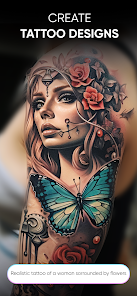
editor reviews
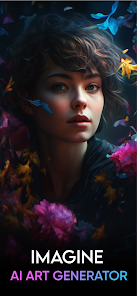
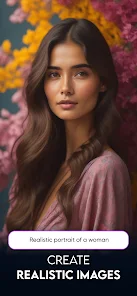
AI Art Generator by Vyro AI is one of those image creation tools that tries to make AI-assisted art feel less like a tech demo and more like a toy you can actually pick up. It lives in that crowded space between apps like Midjourney and casual meme-makers. You mostly use it to turn text prompts into pictures, edit existing photos with AI filters, or generate variations of something you already made. If you're someone who sees people posting AI art online and thinks “I want to try that,” this is probably the app you stumble onto first on Google Play. Installing it feels effortless since it's free, and the initial download count is decent enough to suggest people actually keep it around. After launching, the first thing that hits you is how much the app tries to look like a polished social media feed rather than a cold tool. There are featured creations, trending prompts, and that little dopamine hit of seeing what others are making. No forced registration upfront either — you can just start playing, which is rare for these apps. You do encounter ads here and there, and some of the cooler filters are locked behind a paywall, but it's not aggressive about it.
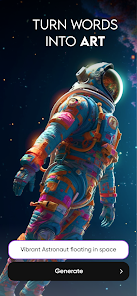
Once you dig into the actual use, the experience is pretty straightforward. The main screen gives you a text bar where you type what you want to see, and it spits out an image in maybe ten seconds. That speed is honestly nice because some competitor apps make you wait forever. There's an onboarding pop-up that shows you how to write prompts, which I appreciated because getting good results from AI art generators isn't always obvious. After generating a few pieces, you can tap into the edit mode to tweak colors, apply styles, or remove backgrounds — though not all of those are free. The interface is smooth, but it can get a bit cluttered with suggested prompts and community posts constantly popping up. One small tip: if you want cleaner results, keep your prompts short and specific. Long sentences confuse the model and you end up with weird mash-ups. Navigating back and forth between your gallery and generation screen is fine, though I did notice a tiny lag when the app has been running for a while, especially if you generate many images in a row without clearing the history.
After spending a few days with it, I think this app hits a sweet spot for casual users. If you just want to make a cool wallpaper for your phone, generate a profile picture, or mess around with text-to-image for fun, it's solid. But if you're serious about high-resolution outputs or commercial-grade art, you'll probably get frustrated by the free tier limits and the watermark on generated images. What sets it apart from, say, Clipdrop or Dream by Wombo is that Vyro's version feels more like a complete package — input, editing, sharing, and even a bit of community browsing all in one place. Still, it's missing layers and fine-tuning controls that more advanced users would want. I ended up keeping it installed because sometimes you just want to type “cat in a spaceship” and have a picture in ten seconds without opening a browser. But I can see someone uninstalling it once they realize they hit the free daily cap or run out of interesting filters to try. It's not revolutionary, but it doesn't pretend to be.
features
- 🖌 Prompt-to-image generation with multiple style presets — unlike Dream by Wombo which often sticks to one dominant style, this one offers anime, realistic, oil painting, and more right from the dropdown. You just type and pick a vibe.
- 🖌 Background removal and AI inpainting built into the editor — most free apps make you download separate tools for this. Here you can remove a background or replace an object in the same session without jumping apps.
- 🖌 Community feed with trending prompts — this is the standout feature. You can see what other users are typing to get cool results and instantly remix their prompts. Midjourney has this in Discord but it's clunky; Vyro puts it right in the app.
- 🖌 No account needed to start generating — while competitors like Lenna and Picsart AI often force a sign-up before you even see the generation button, Vyro lets you tap and create immediately. That single frictionless step makes a big difference in first impressions.
pros
- 👍 Speed is a clear winner. From typing a prompt to seeing the result, it's usually under 10 seconds. Clipdrop can take 20-30 seconds for similar output, and that extra wait really adds up when you're experimenting.
- 👍 The app doesn't force you into a subscription right away. Many of the editing features and style options are available for free. Midjourney doesn't even have a free tier anymore, so this feels generous by comparison.
- 👍 Local gallery management is well-done. Downloaded images automatically populate in an organized folder, and you can delete or share directly. Some like the StarryAI app just throw everything into your phone's camera roll without separation, which gets messy fast.
cons
- 👎 The free daily limit is low. After a handful of generations you hit a cap, and you either watch an ad or wait until the next day. Wonder AI, on the other hand, gives more free credits per session.
- 👎 Watermarks on free outputs are a bit aggressive. They're placed right in the middle of the image, making them hard to crop out without ruining the composition. Dream by Wombo at least puts watermarks in the corner.
- 👎 The inpainting tool is limited in accuracy. Sometimes the AI doesn't understand what you want to replace and just creates a smudge effect. Apps like Picsart AI do a better job with object-aware editing in this price bracket.
Articles
![]()
Guide
How to Update Google Play Store on Android 2026
![]()
Guide
How to Download Older Versions of Android Apps
![]()
Guide
How to Download Apps Without Google Play Store
![]()
Guide
What Is an APK File for Android?
If you use an Android phone, you may have seen the term APK while searching for apps or games online. Some websites offer an APK download instead of a Google Play install button. Some users also mention APK files when talking about apps that are not available in their region, older app versions, or Android games downloaded outside the Play Store.
![]()
Guide
How to Install Games from Google Play for Beginners
Installing games on an Android phone is usually simple, but for beginners, the process can still feel confusing at first. You may not know where to search, which button to tap, whether the game is safe, or why Google Play sometimes asks for account settings, storage access, or payment information. If you are using an Android phone for the first time, learning how to install games from Google Play is one of the easiest ways to get started.
![]()
Guide
How Useful Gemini Is for Everyday Questions and Quick Tasks
emini feels different from many AI apps because it is not only trying to be a chatbot. After using it for everyday questions, quick writing, image understanding, and planning, I think its biggest strength is convenience.
![]()
Guide
What to Know Before Downloading APKs
For many Android users, downloading an APK is a common way to install apps and games. Sometimes an app is not available in a certain country.
![]()
Guide
ChatGPT Review: Is It Still the Best AI App in 2026?
![]()
Guide
Seedance 2.0 vs Sora: The Future of AI Video Generation
The AI video race has intensified dramatically over the past two years. Platforms like Sora from OpenAI and Luma Dream Machine pushed the boundaries of text-to-video realism. Yet, despite their impressive outputs, most tools still operate as probabilistic generators—you describe a scene, and the model interprets it. Control remains limited. With the February 2026 release of Seedance 2.0, developed by ByteDance, the paradigm shifted. Internally known as Jimeng 2.0, Seedance does not position itself as just another video model. It positions itself as an AI Director. Rather than guessing what you want, Seedance 2.0 allows you to direct what happens. This distinction defines everything that follows.









Recommended Apps
![]()
Home Design 3D
Anuman4.2
![]()
Truth or Dare Game - Party App
Chouic4.8
![]()
Photo Collage Maker
Scoompa4.7![]()
Learn to Draw Flower
Creative APPS4.2![]()
FIFA World Cup 2026™
FIFA2.8![]()
Mirror Plus: Mirror with Light
Digitalchemy, LLC4.4![]()
Meitu- Photo Editor & AI Art
Meitu (China) Limited4.5![]()
Perplexity - Ask Anything
PerplexityAI4.7![]()
GhostTube SLS Camera Alternate
GhostTube4![]()
Boom Chip Blast: 2-Player
Black Pyramid 3D Games Studio0![]()
Healthy Benefits+
Solutran, Inc.4.5![]()
Deepcheck AI Search Assistant
rohe.ai4![]()
Idol Prank Video Call & Chat
LightCode Solutions4![]()
Face Shape - Pretty Scale
GlintTec Apps3.9![]()
Plant App - Plant Identifier
ScaleUp4.6












































