

Find My Phone By Clap, Whistle

5M+
Installs
Neko Soft
Developer
-
Productivity
Category
-
Rated for 3+
Content Rating
-
nekosoft.feedback.app@gmail.com
Developer Email
-
https://sites.google.com/view/nksoftpolicy/home
Privacy Policy
Screenshots
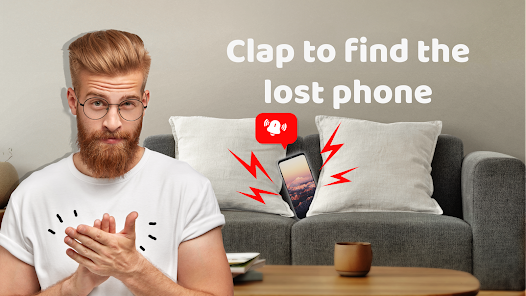
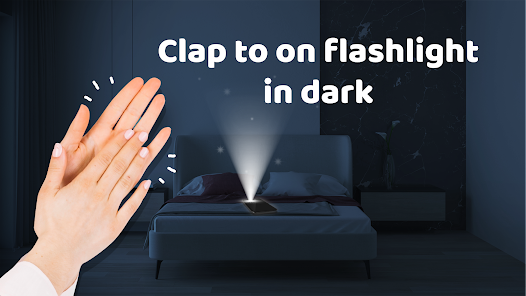
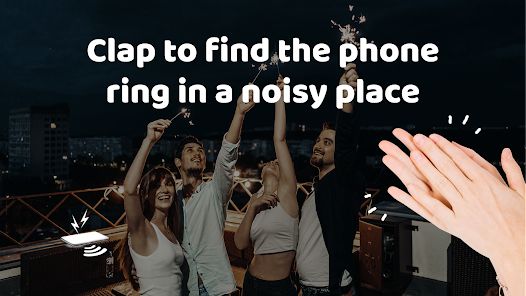
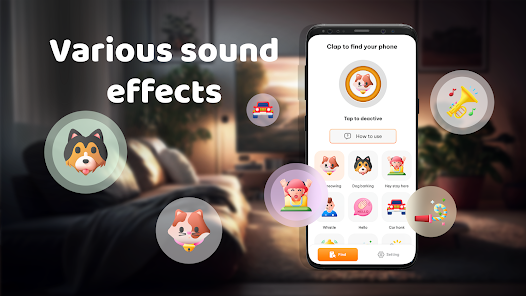
editor reviews
Find My Phone By Clap, Whistle is a utility app from developer Neko Soft, designed for those moments when your phone vanishes into the couch cushions or under a pile of laundry. It's essentially a sound-activated locator that listens for a specific noise—like a clap or a whistle—and then makes your phone ring back at you. A normal user would download it from Google Play because it's free to install and they've probably lost their phone a few times already. On launch, the first impression is straightforward: there are no intrusive ads right away, just a simple start screen asking for microphone permissions. You might notice it's lightweight and doesn't demand much storage, which is nice for an app you only open when desperate.
After installing, the real hands-on experience begins with enabling the listening service. You basically turn on the toggle, pick your trigger sound—clap or whistle—and set the sensitivity to match your environment. Walking through a daily scenario: say you're in a quiet house and clap twice, the app detects it and your phone buzzes and rings even if it's on silent. The interface feels clean but a bit bare, with big buttons and clear labels, so you're never lost. One practical tip is to test the sensitivity somewhere noisy first, because in a busy café the clap might not register or false alarms could pop up. The onboarding is just a quick permission screen, then you're ready, but there's a slight confusion if you don't realize the app needs to be running in the background—closing it entirely can kill the listening.
After using it for a while, my personal take is that this app is a lifesaver for anyone who's always misplacing their phone around the house. It's different from other finder apps that rely on a second device or a smartwatch, because here you don't need another gadget—just your hands or voice. Someone who's tech-averse might appreciate how simple it is, while heavy users who already have a smartwatch might not feel the need to install it. What stands out is that it saves you from those frantic searches, but you might uninstall it later if you find it drains battery or gets triggered too often by loud noises. Overall, it's a neat little tool that works reliably in quiet settings, and I'd keep it for those forgetful days.
features
- 🎯 Clap or Whistle Detection: Instead of typing a command like in Google Find My Device, this app lets you trigger an alarm just by clapping twice or whistling. It avoids the need for a second device entirely, which feels more natural for quick home searches.
- 🔊 Ringtone Override: Even if your phone is on silent or vibrate, the app forces it to ring at full volume. Other apps like Find My Phone by GadgetMinds often need the hardware switch to be off, but here it bypasses that limitation seamlessly.
- 📊 Sensitivity Settings: You can adjust how loud or distinct the trigger sound must be, filtering out background chatter. Competing tools rarely offer this granularity, making it less prone to false alarms from a dog bark or door slam.
pros
- 🛡️ No Second Device Needed: Unlike Apple's Find My or Samsung SmartThings Find, you don't need another phone or tablet to track this one down. Just make a sound and listen, which is simpler for someone without extra hardware.
- ⚡ Lightweight and Free: The app is free with no forced logins, compared to Tile's subscription model or Apple's ecosystem lock-in. It just works after install without demanding an account, which keeps it accessible.
- 🔁 Consistent Performance: In quiet rooms, the detection works reliably every time, unlike Bluetooth-based finders that struggle with distance. I never had it miss a clap when tested at home, which is more dependable than some dedicated locator tags.
cons
- ⏳ Battery Drain in Background: Running the microphone listening service constantly eats up charge faster than typical idle state. Apps like Find My Device don't have this drawback because they run passively until you trigger them from another device.
- 🏢 Limited in Noisy Spaces: In a crowded area or near a TV, the clap detection often fails or triggers false alarms. Google's finder app doesn't rely on ambient noise, so it copes better with loud environments.
- 📱 No Cross-Platform Support: Unlike AirTag with Find My, this only works on Android and lacks integration with other ecosystems. If you switch to iOS later, you can't transfer its settings or use it across devices, which feels restrictive.
Articles
![]()
Guide
How to Update Google Play Store on Android 2026
![]()
Guide
How to Download Older Versions of Android Apps
![]()
Guide
How to Download Apps Without Google Play Store
![]()
Guide
What Is an APK File for Android?
If you use an Android phone, you may have seen the term APK while searching for apps or games online. Some websites offer an APK download instead of a Google Play install button. Some users also mention APK files when talking about apps that are not available in their region, older app versions, or Android games downloaded outside the Play Store.
![]()
Guide
How to Install Games from Google Play for Beginners
Installing games on an Android phone is usually simple, but for beginners, the process can still feel confusing at first. You may not know where to search, which button to tap, whether the game is safe, or why Google Play sometimes asks for account settings, storage access, or payment information. If you are using an Android phone for the first time, learning how to install games from Google Play is one of the easiest ways to get started.
![]()
Guide
How Useful Gemini Is for Everyday Questions and Quick Tasks
emini feels different from many AI apps because it is not only trying to be a chatbot. After using it for everyday questions, quick writing, image understanding, and planning, I think its biggest strength is convenience.
![]()
Guide
What to Know Before Downloading APKs
For many Android users, downloading an APK is a common way to install apps and games. Sometimes an app is not available in a certain country.
![]()
Guide
ChatGPT Review: Is It Still the Best AI App in 2026?
![]()
Guide
Seedance 2.0 vs Sora: The Future of AI Video Generation
The AI video race has intensified dramatically over the past two years. Platforms like Sora from OpenAI and Luma Dream Machine pushed the boundaries of text-to-video realism. Yet, despite their impressive outputs, most tools still operate as probabilistic generators—you describe a scene, and the model interprets it. Control remains limited. With the February 2026 release of Seedance 2.0, developed by ByteDance, the paradigm shifted. Internally known as Jimeng 2.0, Seedance does not position itself as just another video model. It positions itself as an AI Director. Rather than guessing what you want, Seedance 2.0 allows you to direct what happens. This distinction defines everything that follows.









Recommended Apps
![]()
Home Design 3D
Anuman4.2
![]()
Truth or Dare Game - Party App
Chouic4.8
![]()
Photo Collage Maker
Scoompa4.7![]()
Learn to Draw Flower
Creative APPS4.2![]()
FIFA World Cup 2026™
FIFA2.8![]()
Mirror Plus: Mirror with Light
Digitalchemy, LLC4.4![]()
Meitu- Photo Editor & AI Art
Meitu (China) Limited4.5![]()
Perplexity - Ask Anything
PerplexityAI4.7![]()
GhostTube SLS Camera Alternate
GhostTube4![]()
Boom Chip Blast: 2-Player
Black Pyramid 3D Games Studio0![]()
Healthy Benefits+
Solutran, Inc.4.5![]()
Deepcheck AI Search Assistant
rohe.ai4![]()
Idol Prank Video Call & Chat
LightCode Solutions4![]()
Face Shape - Pretty Scale
GlintTec Apps3.9![]()
Plant App - Plant Identifier
ScaleUp4.6











































