
My Horoscope

10M+
Installs
ID Mobile SA
Developer
-
Lifestyle
Category
-
Rated for 3+
Content Rating
-
info@idmobile.ch
Developer Email
-
http://idmobile.ch/legal
Privacy Policy
Screenshots
editor reviews
My Horoscope is a straightforward astrology app available on both Google Play and the App Store. It's designed for anyone curious about what the stars might have in store, offering daily, weekly, and monthly horoscopes, as well as compatibility checks between zodiac signs. I downloaded it because I wanted a quick, no-nonsense way to check my horoscope without all the fluff that some apps throw at you. After launching it, my first impression was mixed – the interface is clean enough, but the design feels a bit dated, almost from a few years ago. It's free to download and use, though there are in-app purchases for more detailed readings, and I noticed some ads pop up here and there, which is pretty standard for a free app.
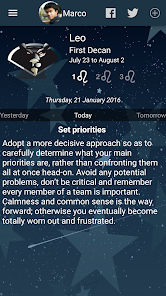
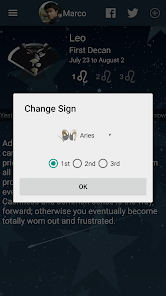
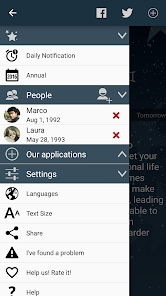
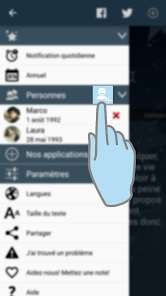
Getting into the actual experience, using My Horoscope is pretty simple. You start by entering your birth date to set up your sign, and then you're on the main screen where you can scroll through your daily horoscope. I found the navigation fairly intuitive; tapping on different dates changes the forecast, and there are tabs for love, career, and health. The real-time aspect is okay, but I did notice the horoscopes update at a set time each day, which is fine for most people. One minor annoyance is that the font size feels a bit small for reading long paragraphs, and you have to manually refresh to get the latest content. Overall, it works well for a quick peek, but there's not much depth beyond the basic readings.
After using it for a while, I think My Horoscope is best for casual users who just want a daily glance at their sign without committing to a complex app. It's not for anyone looking for deep astrological insights or personalized predictions based on their full birth chart. Compared to apps like Co-Star or The Pattern, this one feels very basic – it lacks the social features or detailed analysis that those offer. What stands out is its simplicity and the fact that it doesn't bombard you with notifications. I could see myself keeping it installed for lazy mornings when I just want a quick read, but I might uninstall it if I ever crave more substantive content. It does the job, but it's nothing special.
features
- 🐟 Zodiac Compatibility: My Horoscope excels at showing quick compatibility scores between different signs, which is great for checking relationships. However, apps like Co-Star offer far more detailed compatibility reports based on actual planetary positions, not just sun signs.
- 🐟 Daily Updates: The app delivers fresh horoscopes on a daily basis without needing constant internet access after loading. This is more reliable than some other apps that require a constant connection, though the updates feel generic compared to the personalized ones in The Pattern.
- 🐟 Clean Layout: Navigating between today, tomorrow, and weekly forecasts is straightforward and doesn't confuse you with too many menus. The simplicity here beats the overwhelming charts in Time Passages, but it sacrifices depth for ease of use.
pros
- 👍 Very easy to use – no learning curve, just pick your sign and read. This is much less intimidating than apps like AstroMatrix, which throw advanced terms at you right away.
- 👍 It covers the basics well – love, career, health – so you get a balanced view without having to customize anything. Other apps like Sanctuary require you to pick your focus area first.
- 👍 The app loads quickly and doesn't drain your battery from background updates, unlike some horoscope apps that keep waking up your phone for notifications.
cons
- 👎 The design feels outdated and lacks visual appeal compared to the sleek, modern look of Co-Star. It doesn't feel like a premium experience.
- 👎 The horoscopes are too generic and seem copy-pasted from other sources. Apps like The Pattern give you scarily accurate, personalized insights based on your birth chart instead of just your sun sign.
- 👎 In-app ads are frequent and interrupt the reading experience, whereas a paid app like Time Passages is completely ad-free and offers more content for the price.
Articles
![]()
Guide
How to Update Google Play Store on Android 2026
![]()
Guide
How to Download Older Versions of Android Apps
![]()
Guide
How to Download Apps Without Google Play Store
![]()
Guide
What Is an APK File for Android?
If you use an Android phone, you may have seen the term APK while searching for apps or games online. Some websites offer an APK download instead of a Google Play install button. Some users also mention APK files when talking about apps that are not available in their region, older app versions, or Android games downloaded outside the Play Store.
![]()
Guide
How to Install Games from Google Play for Beginners
Installing games on an Android phone is usually simple, but for beginners, the process can still feel confusing at first. You may not know where to search, which button to tap, whether the game is safe, or why Google Play sometimes asks for account settings, storage access, or payment information. If you are using an Android phone for the first time, learning how to install games from Google Play is one of the easiest ways to get started.
![]()
Guide
How Useful Gemini Is for Everyday Questions and Quick Tasks
emini feels different from many AI apps because it is not only trying to be a chatbot. After using it for everyday questions, quick writing, image understanding, and planning, I think its biggest strength is convenience.
![]()
Guide
What to Know Before Downloading APKs
For many Android users, downloading an APK is a common way to install apps and games. Sometimes an app is not available in a certain country.
![]()
Guide
ChatGPT Review: Is It Still the Best AI App in 2026?
![]()
Guide
Seedance 2.0 vs Sora: The Future of AI Video Generation
The AI video race has intensified dramatically over the past two years. Platforms like Sora from OpenAI and Luma Dream Machine pushed the boundaries of text-to-video realism. Yet, despite their impressive outputs, most tools still operate as probabilistic generators—you describe a scene, and the model interprets it. Control remains limited. With the February 2026 release of Seedance 2.0, developed by ByteDance, the paradigm shifted. Internally known as Jimeng 2.0, Seedance does not position itself as just another video model. It positions itself as an AI Director. Rather than guessing what you want, Seedance 2.0 allows you to direct what happens. This distinction defines everything that follows.









Recommended Apps
![]()
Home Design 3D
Anuman4.2
![]()
Truth or Dare Game - Party App
Chouic4.8
![]()
Photo Collage Maker
Scoompa4.7![]()
Learn to Draw Flower
Creative APPS4.2![]()
FIFA World Cup 2026™
FIFA2.8![]()
Mirror Plus: Mirror with Light
Digitalchemy, LLC4.4![]()
Meitu- Photo Editor & AI Art
Meitu (China) Limited4.5![]()
Perplexity - Ask Anything
PerplexityAI4.7![]()
GhostTube SLS Camera Alternate
GhostTube4![]()
Boom Chip Blast: 2-Player
Black Pyramid 3D Games Studio0![]()
Healthy Benefits+
Solutran, Inc.4.5![]()
Deepcheck AI Search Assistant
rohe.ai4![]()
Idol Prank Video Call & Chat
LightCode Solutions4![]()
Face Shape - Pretty Scale
GlintTec Apps3.9![]()
Plant App - Plant Identifier
ScaleUp4.6











































