

Lightleap by Lightricks

10M+
Installs
Lightricks Ltd.
Developer
-
Video Players & Editors
Category
-
Rated for 3+
Content Rating
-
lightleap.android.support@lightricks.com
Developer Email
-
https://static.lightricks.com/legal/privacy-policy.html
Privacy Policy
Screenshots
editor reviews
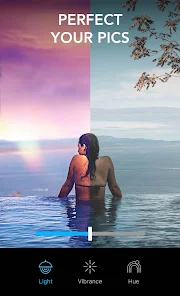
Lightleap is a photo editing app from Lightricks, the same team behind popular tools like Facetune and VSCO. It's designed for people who want to give their pictures a quick, polished look without diving into complex software. You can adjust lighting, swap skies, apply filters, and add subtle effects. A friend recommended it when I complained my vacation shots looked flat. After downloading it from the Google Play store (it's free to install, though certain filters and sky packs require a subscription), the first thing that struck me was the clean layout. The app immediately asks for camera roll access, which feels standard, but the welcome screen pushes a premium trial pretty heavily. For a first impression, it looks sleek but a bit eager to upsell.
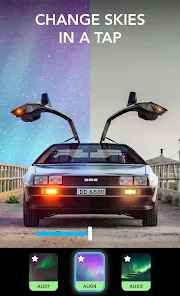
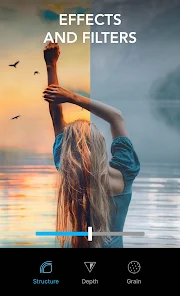
Actually using Lightleap feels surprisingly smooth. You pick a photo, and the toolbar slides up with options like "Sky," "Weather," "Enhance," and "Effects." The Enhance button is my go-to — it auto-adjusts exposure and color in a way that rarely looks overdone. Swapping a dull gray sky for a sunset gradient takes about two taps, and the edge detection is impressively clean around trees or buildings. The interface doesn't clutter you with sliders or curves; it's all preset-based, which keeps things fast. I did find myself tapping back and forth between filters to compare, and the app remembers your last-used adjustments, which is a nice touch. There is no onboarding tutorial, but you probably won't need one. Each action feels intuitive, like flipping through Instagram stories.
After a few weeks, I think Lightleap excels for casual users who want one-tap improvements rather than granular control. It's not for photographers who need layers or masking — apps like Snapseed or Lightroom give you far more precision. Most of the best features are locked behind a subscription, which is frustrating because the free version only offers a handful of basic filters. That said, the sky replacement feature is genuinely impressive and works better than I've seen in similar tools. I ended up keeping it installed specifically for that, but I doubt I'll pay for the premium tier. If you take lots of outdoor selfies or travel photos and want something faster than manual editing, it's worth a try. Otherwise, you might feel nickel-and-dimed.
features
- 🌤 Beautiful sky replacement: Lightleap swaps skies with realistic blending, outperforming what you get in free editors like Snapseed. The edge detection around complex subjects like hair or tree branches rarely glitches.
- 🎨 One-tap enhancement: The Enhance tool balances exposure and tone without making the photo look artificial. In contrast, Adobe Lightroom's auto mode can sometimes crush shadows or blow out highlights.
- ⚡ Intuitive interface: There is almost no learning curve. Everything is organized into visual categories, unlike VSCO where filters are hidden behind a numbered grid. You can finish editing in under 30 seconds.
pros
- 🎯 Stellar sky replacement — The app handles complex outlines and lighting adjustments automatically, something even Lightroom struggles with unless you mask manually.
- ⚙ Efficiency over complexity — Perfect when you just need a quick fix. Snapseed offers more tools, but Lightleap gets you a usable result in fewer taps.
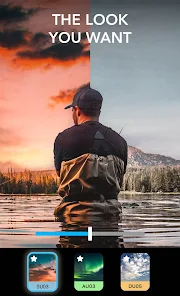
- 📸 Clean aesthetic filters — The color grading feels modern and subtle, avoiding the heavy-handed look of older filter packs in apps like Afterlight.
cons
- 💸 Heavy subscription push — Most of the good filters and sky packs are behind a paywall, and the free version feels like a long trial. Snapseed gives away everything for free.
- 🧩 Limited creative control — You cannot adjust individual mask edges or blend multiple effects. For serious editing, Lightroom or Photoshop Express offer far more freedom.
- 🔇 No batch editing — If you take 20 photos from the same trip, you will have to edit each one separately. Most competitors, including VSCO, offer copy-paste functionality for edits.
Articles
![]()
Guide
How to Update Google Play Store on Android 2026
![]()
Guide
How to Download Older Versions of Android Apps
![]()
Guide
How to Download Apps Without Google Play Store
![]()
Guide
What Is an APK File for Android?
If you use an Android phone, you may have seen the term APK while searching for apps or games online. Some websites offer an APK download instead of a Google Play install button. Some users also mention APK files when talking about apps that are not available in their region, older app versions, or Android games downloaded outside the Play Store.
![]()
Guide
How to Install Games from Google Play for Beginners
Installing games on an Android phone is usually simple, but for beginners, the process can still feel confusing at first. You may not know where to search, which button to tap, whether the game is safe, or why Google Play sometimes asks for account settings, storage access, or payment information. If you are using an Android phone for the first time, learning how to install games from Google Play is one of the easiest ways to get started.
![]()
Guide
How Useful Gemini Is for Everyday Questions and Quick Tasks
emini feels different from many AI apps because it is not only trying to be a chatbot. After using it for everyday questions, quick writing, image understanding, and planning, I think its biggest strength is convenience.
![]()
Guide
What to Know Before Downloading APKs
For many Android users, downloading an APK is a common way to install apps and games. Sometimes an app is not available in a certain country.
![]()
Guide
ChatGPT Review: Is It Still the Best AI App in 2026?
![]()
Guide
Seedance 2.0 vs Sora: The Future of AI Video Generation
The AI video race has intensified dramatically over the past two years. Platforms like Sora from OpenAI and Luma Dream Machine pushed the boundaries of text-to-video realism. Yet, despite their impressive outputs, most tools still operate as probabilistic generators—you describe a scene, and the model interprets it. Control remains limited. With the February 2026 release of Seedance 2.0, developed by ByteDance, the paradigm shifted. Internally known as Jimeng 2.0, Seedance does not position itself as just another video model. It positions itself as an AI Director. Rather than guessing what you want, Seedance 2.0 allows you to direct what happens. This distinction defines everything that follows.









Recommended Apps
![]()
Home Design 3D
Anuman4.2
![]()
Truth or Dare Game - Party App
Chouic4.8
![]()
Photo Collage Maker
Scoompa4.7![]()
Learn to Draw Flower
Creative APPS4.2![]()
FIFA World Cup 2026™
FIFA2.8![]()
Mirror Plus: Mirror with Light
Digitalchemy, LLC4.4![]()
Meitu- Photo Editor & AI Art
Meitu (China) Limited4.5![]()
Perplexity - Ask Anything
PerplexityAI4.7![]()
GhostTube SLS Camera Alternate
GhostTube4![]()
Boom Chip Blast: 2-Player
Black Pyramid 3D Games Studio0![]()
Healthy Benefits+
Solutran, Inc.4.5![]()
Deepcheck AI Search Assistant
rohe.ai4![]()
Idol Prank Video Call & Chat
LightCode Solutions4![]()
Face Shape - Pretty Scale
GlintTec Apps3.9![]()
Plant App - Plant Identifier
ScaleUp4.6











































