
Live Wallpaper- 4k Backgrounds

10M+
Installs
DEHA
Developer
-
Productivity
Category
-
Rated for 12+
Content Rating
-
4kwallpapers@appholdings.org
Developer Email
-
http://4kwallpaper.online/privacy_policy.html
Privacy Policy
Screenshots
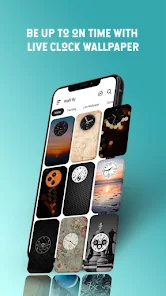
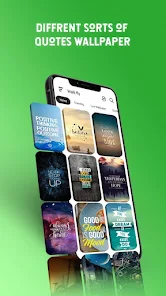
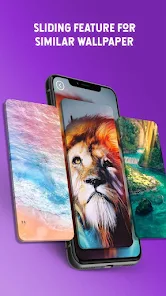
editor reviews
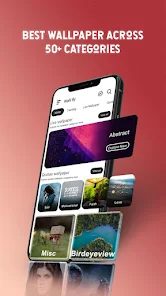
Live Wallpaper- 4k Backgrounds is exactly what it sounds like, a wallpaper app you grab from the Google Play Store to get your phone screen moving. It's one of those free apps that lets you download and set animated backgrounds, and it has a pretty large library of 4k clips covering things like nature scenes, abstract loops, and cityscapes at night. When I first downloaded it, I was just bored of my static lock screen and wanted something that felt a bit more alive without paying for those premium apps. The first impression after launching is a bit cluttered, to be honest. You're thrown straight into a grid of thumbnails with a lot of text labels, and it takes a second to realize you need to tap on a preview to see if it actually looks good. It has a decent install count, and yes, it's free to download, but you'll quickly notice ads after a few previews, and there's a premium version that removes those and unlocks the full 4k downloads.
Using the app day-to-day is pretty straightforward once you get past the initial overwhelm. The main screen is a category bar at the top, like "Nature," "Abstract," or "Anime," so you can narrow things down. I usually tap into a category, scroll through the wallpapers, and hit the download button on one I like. The app then asks if you want to set it as a wallpaper or lock screen, which is nice. The actual previews load smoothly on my phone, but some of the videos feel a bit compressed before you actually download them. One practical tip is to avoid the "Popular" section because those are usually the lowest quality loops everyone else already has. Setting it up takes about ten seconds, and the live background plays without stuttering on my mid-range device. The interface itself feels a little dated, with buttons that look like they're from 2016, but nothing ever crashes or lags too badly.
After using it for a few weeks, I think this app is great for someone who just wants some free eye candy on their phone without overthinking it. If you're the type who changes wallpapers every week, it's perfect because you don't have to hunt around online. But if you're picky about video quality or hate ads, you might get annoyed. The wallpapers look crisp on a 1080p screen, but some of the older clips have visible pixelation when you zoom in. Compared to apps like Walli or Muzei, this one trades curation for pure quantity. There's a ton of content, but nothing feels handpicked or artistic. I kept it installed mostly because my toddler loves watching the fish tank loops, but I could see uninstalling it if the ads become too aggressive. For a free tool that does one thing well, it's hard to complain too much.
features
- 📱 The app's main feature is its huge library of over a thousand live wallpapers in 4k resolution. Unlike Zedge, which mixes wallpapers with ringtones and icons, this app keeps it focused purely on animated backgrounds. You get everything from fluid motion designs to realistic ocean waves.
- 📱 Another strong point is the built-in "Fit to Screen" option. Many wallpaper apps just stretch the image and ruin the look, but here you can crop or adjust the video to match your phone's aspect ratio. This is something even Wallpaper Engine on mobile doesn't always handle well.
- 📱 The app also offers a "Randomize" feature where it automatically changes your live wallpaper every few hours. This is nice if you get bored quickly. Most competitors like Kustom or Live Wallpapers HD require manual updates or extra plugins to achieve the same thing.
pros
- 🟢 One big strength is that the app is completely free for basic use. You don't need to pay just to try a wallpaper, unlike apps like Wally or Walli where the best content is locked behind a coin system.
- 🟢 The wallpapers are optimized for battery life. I notice minimal drain compared to using a custom loop from Wallpaper Engine or a GIF from GIPHY. The app uses hardware acceleration, so it's not chewing through your juice.
- 🟢 It supports both home screen and lock screen separately. You can have a peaceful forest on your home screen and something more vibrant for the lock screen. This kind of flexibility is rare in free apps like Muzei or Classic Wallpapers.
cons
- 🔴 The ads are pretty intrusive. Every few previews you'll get a full-screen video ad, and sometimes they pop up right when you're about to download a wallpaper. Apps like Zedge are way less aggressive with ad placement.
- 🔴 Search and discovery are poor. There's no proper search bar or tag system. You just scroll through category blocks. Competitors like Walli let you find wallpapers by artist name or style, which this app completely lacks.
- 🔴 The 4k claim is misleading for many wallpapers. A lot of the clips look more like 720p or 1080p when you actually zoom in on them. Apps like Backdrops or Abstruct are more honest about their resolution specs.
Articles
![]()
Guide
How to Update Google Play Store on Android 2026
![]()
Guide
How to Download Older Versions of Android Apps
![]()
Guide
How to Download Apps Without Google Play Store
![]()
Guide
What Is an APK File for Android?
If you use an Android phone, you may have seen the term APK while searching for apps or games online. Some websites offer an APK download instead of a Google Play install button. Some users also mention APK files when talking about apps that are not available in their region, older app versions, or Android games downloaded outside the Play Store.
![]()
Guide
How to Install Games from Google Play for Beginners
Installing games on an Android phone is usually simple, but for beginners, the process can still feel confusing at first. You may not know where to search, which button to tap, whether the game is safe, or why Google Play sometimes asks for account settings, storage access, or payment information. If you are using an Android phone for the first time, learning how to install games from Google Play is one of the easiest ways to get started.
![]()
Guide
How Useful Gemini Is for Everyday Questions and Quick Tasks
emini feels different from many AI apps because it is not only trying to be a chatbot. After using it for everyday questions, quick writing, image understanding, and planning, I think its biggest strength is convenience.
![]()
Guide
What to Know Before Downloading APKs
For many Android users, downloading an APK is a common way to install apps and games. Sometimes an app is not available in a certain country.
![]()
Guide
ChatGPT Review: Is It Still the Best AI App in 2026?
![]()
Guide
Seedance 2.0 vs Sora: The Future of AI Video Generation
The AI video race has intensified dramatically over the past two years. Platforms like Sora from OpenAI and Luma Dream Machine pushed the boundaries of text-to-video realism. Yet, despite their impressive outputs, most tools still operate as probabilistic generators—you describe a scene, and the model interprets it. Control remains limited. With the February 2026 release of Seedance 2.0, developed by ByteDance, the paradigm shifted. Internally known as Jimeng 2.0, Seedance does not position itself as just another video model. It positions itself as an AI Director. Rather than guessing what you want, Seedance 2.0 allows you to direct what happens. This distinction defines everything that follows.









Recommended Apps
![]()
Home Design 3D
Anuman4.2
![]()
Truth or Dare Game - Party App
Chouic4.8
![]()
Photo Collage Maker
Scoompa4.7![]()
Learn to Draw Flower
Creative APPS4.2![]()
FIFA World Cup 2026™
FIFA2.8![]()
Mirror Plus: Mirror with Light
Digitalchemy, LLC4.4![]()
Meitu- Photo Editor & AI Art
Meitu (China) Limited4.5![]()
Perplexity - Ask Anything
PerplexityAI4.7![]()
GhostTube SLS Camera Alternate
GhostTube4![]()
Boom Chip Blast: 2-Player
Black Pyramid 3D Games Studio0![]()
Healthy Benefits+
Solutran, Inc.4.5![]()
Deepcheck AI Search Assistant
rohe.ai4![]()
Idol Prank Video Call & Chat
LightCode Solutions4![]()
Face Shape - Pretty Scale
GlintTec Apps3.9![]()
Plant App - Plant Identifier
ScaleUp4.6












































