

SoundHound - Music Discovery

100,000,000+
Installs
SoundHound Inc.
Developer
-
Entertainment
Category
-
Rated for 12+
Content Rating
-
SoundHound-Support@SoundHound.com
Developer Email
-
http://soundhound.com/soundhound-privacy
Privacy Policy
Screenshots
editor reviews
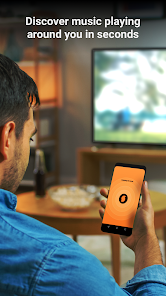
SoundHound lands somewhere between a music identifier and a full-on music assistant. I grabbed it from the Play Store after a friend played a snippet of some indie track and I didn't want to admit I had no clue what it was. The install took barely any time, and launching it gave me that clean, almost minimal interface where a big orange button sits front and center. You tap that, the app listens, and within seconds it spits out the song title, artist, and links to stream or buy it. The first impression was solid — no clutter, no begging for an account, just straight to the point. It's free to download and use for basic searches, though you'll run into ads unless you pay for the premium tier which removes them and unlocks unlimited recognition.
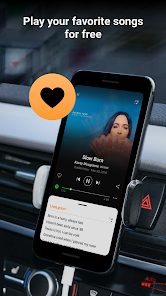
Once I started using it daily, the experience felt smoother than I expected. The onboarding is basically nonexistent — you open it, tap the button, and that's it. I found myself using it mostly in the car when a random 80s synth tune came on the radio. The app correctly picked up stuff through background noise and even partial lyrics, which was a small win. For longer sessions, I explored the live lyrics feature that scrolls in real time as the song plays, and it felt oddly satisfying, like karaoke without the commitment. One practical tip: if you're in a loud cafe, hold the phone closer to the speaker. The interface keeps things simple — a search history tab, a favorites list, and a settings page. Nothing ever got confusing, but I will say the ads pop up at annoying moments, right when you're about to hit the search button.
After a few weeks, SoundHound earned a spot on my home screen, but I wouldn't call it essential. People who constantly discover new music at parties, bars, or on the radio will love it. Someone who just streams from playlists all day might not need it. Compared to Shazam, SoundHound feels more hands-on — you can hum or sing a tune and it still gets it right, which Shazam can't do consistently. That alone makes it stand out. But Shazam integrates deeper with Apple Music and Spotify, so if you live inside those ecosystems, SoundHound feels a little isolated. I kept it installed because the hum-to-search function saved me when I had a melody stuck in my head but couldn't remember the title. That kind of specific utility makes it hard to uninstall, even if I don't use it every week.
features
- 🎤 It can identify songs by listening to a short clip, but it also works if you hum, whistle, or sing a melody yourself. Shazam only listens to the actual recording, so SoundHound wins when you're trying to recall a song you can't pull up by audio source.
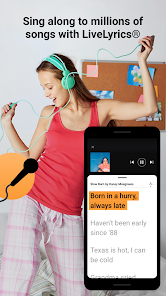
- 📝 Live lyrics scroll in real time as the song plays, which turns the app into a karaoke prompter on the fly. Neither Shazam nor Musixmatch offers instant sync playback like this within the same identification flow.
- 🔍 The search experience goes beyond just title and artist — you can look up songs by partial lyrics typed in, which is handy when you remember only three words from the chorus. Shazam's web search is clunkier for that.
pros
- 🧠 The hum-to-search engine is genuinely impressive. I've thrown off-key vocal takes at it and still got correct results, which no other identifier on the market handles nearly as well.
- 🌐 The app works offline for basic identification, so you don't always need data for a quick lookup — Shazam requires internet access to match against its database.
- ⚡ The recognition speed is consistently fast. Even with background chatter or car noise, it rarely takes more than four seconds to return a match.
cons
- 📢 The free version bombards you with ads after every other search, which gets tiresome fast. Shazam's free tier feels less intrusive by comparison.
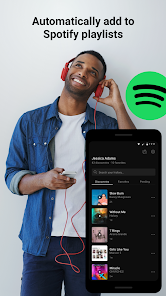
- 🔗 Integration with streaming platforms is weaker. You can't automatically send identified songs to a Spotify playlist without extra steps, whereas Shazam connects smoothly with Apple Music and Spotify.
- 📱 The app sometimes consumes more battery than expected during long listening sessions, likely due to the real-time audio processing engine running in the background.
Articles
![]()
Guide
How to Update Google Play Store on Android 2026
![]()
Guide
How to Download Older Versions of Android Apps
![]()
Guide
How to Download Apps Without Google Play Store
![]()
Guide
What Is an APK File for Android?
If you use an Android phone, you may have seen the term APK while searching for apps or games online. Some websites offer an APK download instead of a Google Play install button. Some users also mention APK files when talking about apps that are not available in their region, older app versions, or Android games downloaded outside the Play Store.
![]()
Guide
How to Install Games from Google Play for Beginners
Installing games on an Android phone is usually simple, but for beginners, the process can still feel confusing at first. You may not know where to search, which button to tap, whether the game is safe, or why Google Play sometimes asks for account settings, storage access, or payment information. If you are using an Android phone for the first time, learning how to install games from Google Play is one of the easiest ways to get started.
![]()
Guide
How Useful Gemini Is for Everyday Questions and Quick Tasks
emini feels different from many AI apps because it is not only trying to be a chatbot. After using it for everyday questions, quick writing, image understanding, and planning, I think its biggest strength is convenience.
![]()
Guide
What to Know Before Downloading APKs
For many Android users, downloading an APK is a common way to install apps and games. Sometimes an app is not available in a certain country.
![]()
Guide
ChatGPT Review: Is It Still the Best AI App in 2026?
![]()
Guide
Seedance 2.0 vs Sora: The Future of AI Video Generation
The AI video race has intensified dramatically over the past two years. Platforms like Sora from OpenAI and Luma Dream Machine pushed the boundaries of text-to-video realism. Yet, despite their impressive outputs, most tools still operate as probabilistic generators—you describe a scene, and the model interprets it. Control remains limited. With the February 2026 release of Seedance 2.0, developed by ByteDance, the paradigm shifted. Internally known as Jimeng 2.0, Seedance does not position itself as just another video model. It positions itself as an AI Director. Rather than guessing what you want, Seedance 2.0 allows you to direct what happens. This distinction defines everything that follows.









Recommended Apps
![]()
Home Design 3D
Anuman4.2
![]()
Truth or Dare Game - Party App
Chouic4.8
![]()
Photo Collage Maker
Scoompa4.7![]()
Learn to Draw Flower
Creative APPS4.2![]()
FIFA World Cup 2026™
FIFA2.8![]()
Mirror Plus: Mirror with Light
Digitalchemy, LLC4.4![]()
Meitu- Photo Editor & AI Art
Meitu (China) Limited4.5![]()
Perplexity - Ask Anything
PerplexityAI4.7![]()
GhostTube SLS Camera Alternate
GhostTube4![]()
Boom Chip Blast: 2-Player
Black Pyramid 3D Games Studio0![]()
Healthy Benefits+
Solutran, Inc.4.5![]()
Deepcheck AI Search Assistant
rohe.ai4![]()
Idol Prank Video Call & Chat
LightCode Solutions4![]()
Face Shape - Pretty Scale
GlintTec Apps3.9![]()
Plant App - Plant Identifier
ScaleUp4.6












































