

Gallery - photo gallery, album

10M+
Installs
4th floor apps
Developer
-
Video Players & Editors
Category
-
Rated for 3+
Content Rating
-
4thfloorapps.help@gmail.com
Developer Email
-
https://4thfloorapps.com/gallery-privacy-policy.html
Privacy Policy
Screenshots
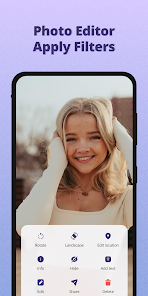
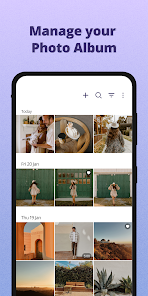
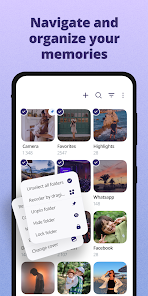
editor reviews
Gallery - Photo Gallery, Album is a photo management app developed by 4th Floor Apps, available on both Google Play and the App Store. It's a handy tool for anyone who feels buried under thousands of screenshots, downloads, and camera shots. You download it because your phone's default gallery feels slow, cluttered, or just doesn't cut it for organizing stuff. After installing it from the store for free, the launch gives you a clean, no-nonsense first impression. There's no aggressive registration nag or forced account creation. You just open it, and it starts scanning your device's media. The initial scan might take a bit on a full phone, but once it's done, you're looking at a straightforward grid of your photos. You can spot options for albums, folders, and a recycle bin right away. In-app purchases and ads exist, but they aren't shoved in your face from the get-go, which is a nice change.
Once you start actually using the app, the hands-on experience is pretty smooth. The interface is minimal, with clear icons at the bottom for Photos, Albums, Folders, and a Search tab. Onboarding is basically non-existent, which actually works here. You just tap on a folder to see its contents. Common usage steps involve swiping through images, pinching to zoom, and long-pressing to select multiple items for deletion or moving. A genuinely helpful moment comes when you realize how fast the search function works. You can type something like "receipt" or "dog," and it pulls up relevant files pretty reliably. There are some small practical tips you pick up, like how the app respects your existing folder structure instead of forcing some weird, proprietary album system. A slightly confusing moment might be finding the "hide" feature, which is tucked away in a side menu. But overall, moving through your library feels rapid and responsive, even when dealing with huge folders.
After using this app for a while, my personal judgment is that it nails the basics without overcomplicating things. People who just want a fast, no-fuss viewer and basic organizer will love it. Casual users who take a ton of screenshots and need a reliable recycle bin will get good use out of it. Professionals or anyone needing heavy-duty editing or cloud sync might find it too barebones. Compared to something like Google Photos, this app feels localized to your device. It doesn't try to push backup or sharing features. That's a strength if you value privacy and speed over endless features. I'd keep it installed on my phone just for the speedy search and the recycle bin. But if you need deep editing tools or cross-device syncing, you might uninstall it after a week. It's a straightforward, reliable companion for your phone's media, but nothing more than that.
features
- 🔍 Fast and reliable search: Unlike Google Photos, which can lag when indexing locally, this app instantly scours your device for images based on file names or content. Typing "receipt" brings up every relevant shot within seconds.
- 🗑️ Useful recycle bin: Most phone galleries, like Samsung's default, don't have a proper recycle bin. This app gives you a safety net. Deleted files sit there for 30 days, so accidental wipes aren't permanent.
- 📁 Respects your folder structure: Some apps, like Simple Gallery, force you into their own album logic. This one keeps your original file system intact, making organization feel more natural and less intrusive.
- 🔒 Privacy-first approach: No cloud backup or account sync. Everything stays on your device. That's a big deal if you don't trust handing your photos over to big tech services.
pros
- ⚡ Blazing fast performance: On older phones, default galleries can stutter. This app loads thumbnails and scrolls smoothly. Google Photos feels sluggish in comparison, especially on large local libraries.
- 🎯 Clean interface with no bloat: You don't get bombarded with "memories" or "stories" like in Apple's Photos app. It's just your files, plain and simple. That clarity is refreshing.
- 🛡️ Strong privacy focus: No data leaves your device. Competitors like Amazon Photos constantly push backup. This app never asks for internet access, which feels safe and straightforward.
cons
- 🚫 Lacks basic editing tools: You can't crop, adjust brightness, or apply filters directly. Google Photos has these built-in. For quick edits, you'll still need another app or the default gallery.
- 📉 No cloud sync or backup: If you lose your phone, your photos are gone. Opponents like OneDrive Gallery offer automatic backup. This app is purely local, which can be a risk for valued photos.
- 📦 Limited sorting and filter options: You can sort by date or name, but that's it. F-Stop Gallery offers more sorting by file size, resolution, or tags. This app's basic options might frustrate power users.
Articles
![]()
Guide
How to Update Google Play Store on Android 2026
![]()
Guide
How to Download Older Versions of Android Apps
![]()
Guide
How to Download Apps Without Google Play Store
![]()
Guide
What Is an APK File for Android?
If you use an Android phone, you may have seen the term APK while searching for apps or games online. Some websites offer an APK download instead of a Google Play install button. Some users also mention APK files when talking about apps that are not available in their region, older app versions, or Android games downloaded outside the Play Store.
![]()
Guide
How to Install Games from Google Play for Beginners
Installing games on an Android phone is usually simple, but for beginners, the process can still feel confusing at first. You may not know where to search, which button to tap, whether the game is safe, or why Google Play sometimes asks for account settings, storage access, or payment information. If you are using an Android phone for the first time, learning how to install games from Google Play is one of the easiest ways to get started.
![]()
Guide
How Useful Gemini Is for Everyday Questions and Quick Tasks
emini feels different from many AI apps because it is not only trying to be a chatbot. After using it for everyday questions, quick writing, image understanding, and planning, I think its biggest strength is convenience.
![]()
Guide
What to Know Before Downloading APKs
For many Android users, downloading an APK is a common way to install apps and games. Sometimes an app is not available in a certain country.
![]()
Guide
ChatGPT Review: Is It Still the Best AI App in 2026?
![]()
Guide
Seedance 2.0 vs Sora: The Future of AI Video Generation
The AI video race has intensified dramatically over the past two years. Platforms like Sora from OpenAI and Luma Dream Machine pushed the boundaries of text-to-video realism. Yet, despite their impressive outputs, most tools still operate as probabilistic generators—you describe a scene, and the model interprets it. Control remains limited. With the February 2026 release of Seedance 2.0, developed by ByteDance, the paradigm shifted. Internally known as Jimeng 2.0, Seedance does not position itself as just another video model. It positions itself as an AI Director. Rather than guessing what you want, Seedance 2.0 allows you to direct what happens. This distinction defines everything that follows.









Recommended Apps
![]()
Home Design 3D
Anuman4.2
![]()
Truth or Dare Game - Party App
Chouic4.8
![]()
Photo Collage Maker
Scoompa4.7![]()
Learn to Draw Flower
Creative APPS4.2![]()
FIFA World Cup 2026™
FIFA2.8![]()
Mirror Plus: Mirror with Light
Digitalchemy, LLC4.4![]()
Meitu- Photo Editor & AI Art
Meitu (China) Limited4.5![]()
Perplexity - Ask Anything
PerplexityAI4.7![]()
GhostTube SLS Camera Alternate
GhostTube4![]()
Boom Chip Blast: 2-Player
Black Pyramid 3D Games Studio0![]()
Healthy Benefits+
Solutran, Inc.4.5![]()
Deepcheck AI Search Assistant
rohe.ai4![]()
Idol Prank Video Call & Chat
LightCode Solutions4![]()
Face Shape - Pretty Scale
GlintTec Apps3.9![]()
Plant App - Plant Identifier
ScaleUp4.6












































