

PixVerse: AI Video Generator

50M+
Installs
PixVerse
Developer
-
Generative AI
Category
-
Teen
Content Rating
-
support@pixverse.ai
Developer Email
-
https://docs.pixverse.ai/Privacy-Policy-97a21aaf01f646ad968e8f6a0e1a2400
Privacy Policy
Screenshots
editor reviews
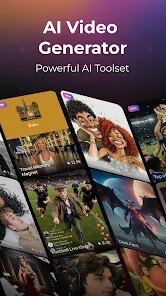
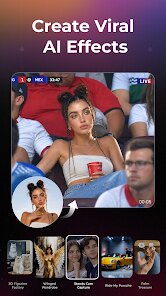
PixVerse: AI Video Generator is a mobile application that focuses on transforming text prompts and static images into short video clips through artificial intelligence. The app is available for download on Google Play, where it has amassed a substantial user base reflecting growing interest in AI-assisted content creation. Access to the core functionality is free, although the app incorporates advertisements and offers optional in-app purchases for users who want extended generation capabilities or faster processing times.
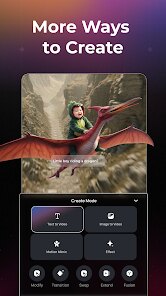
Getting started with PixVerse is quite straightforward. After installing the app, you land on a clean interface where you choose between generating a video from a written description or from an existing photo. I began with a simple text prompt for a cat walking through a neon-lit city street, and within a minute the app produced a four-second clip that matched the mood of my request surprisingly well. The image-to-video option works similarly; you upload a picture, and the AI animates it with subtle motion. The whole process feels intuitive, though the waiting time varies depending on how busy the servers are at that moment.
When I look at alternatives like Runway or Pika Labs, PixVerse holds its own in terms of accessibility. Those platforms often require a desktop browser and a steeper learning curve, whereas this mobile version prioritizes simplicity. The video quality might not reach the same level of fine detail as some high-end tools, but for quick experimentation and social media content, it delivers plenty of value. I found the trade-off between advanced control and ease of use to be reasonable for most casual creators.
features
- The text-to-video engine interprets prompts with a fair degree of accuracy. Simple actions and common scenes render well, though abstract concepts sometimes get literal interpretations. I tried describing a rainy window with city lights reflecting on the glass, and the result captured the essence even if the physics were a bit loose in places.
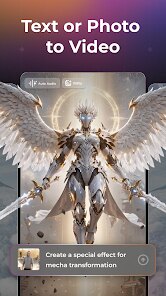
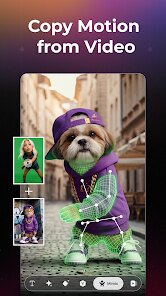
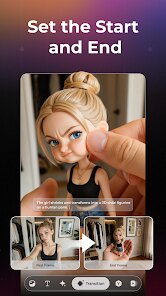
- Image animation opens up creative possibilities. Uploading a portrait photo and watching the subject blink or turn their head feels impressive at first. The effect works best with clear, well-lit images; busy backgrounds tend to produce jittery movement. This feature alone makes the app worth a look for anyone curious about deepfake-style creativity in a safe, playful environment.
- The aspect ratio options make it convenient to prepare clips for different platforms. You can choose between standard vertical formats for TikTok or Reels and landscape orientation for YouTube. This kind of flexibility removes extra editing steps, which I definitely appreciate when I want to post something quickly without opening another tool.
- Compared to similar mobile tools like CapCut's AI features, PixVerse keeps its focus on generation rather than editing. CapCut offers broader video editing tools but its AI video generation feels more limited. PixVerse goes deeper in this single direction, which works well if generating fresh clips is your main goal.
pros
- It offers a quick way to generate custom backgrounds for storytelling or presentations without needing stock footage or recording equipment.
- The learning curve is gentle, so even someone new to AI tools can produce their first clip within a few minutes of installing the app.
- Being mobile-based, it lets you experiment with ideas anytime and anywhere, which is handy when inspiration strikes between meetings or during a commute.
cons
- The free version often queues requests, and during peak hours, the wait can stretch past a few minutes, which interrupts creative flow.
- Advertisements appear between generations, and they can feel intrusive when you are trying to iterate through several prompt variations in a row.
- Output resolution is capped on the free tier, and the clips do look softer when viewed on a large monitor, so final quality matters depending on your end use.
- Handling of complex human figures occasionally results in distorted limbs or facial artifacts, which means not every clip is usable without a retry.
Articles
![]()
Guide
How to Update Google Play Store on Android 2026
![]()
Guide
How to Download Older Versions of Android Apps
![]()
Guide
How to Download Apps Without Google Play Store
![]()
Guide
What Is an APK File for Android?
If you use an Android phone, you may have seen the term APK while searching for apps or games online. Some websites offer an APK download instead of a Google Play install button. Some users also mention APK files when talking about apps that are not available in their region, older app versions, or Android games downloaded outside the Play Store.
![]()
Guide
How to Install Games from Google Play for Beginners
Installing games on an Android phone is usually simple, but for beginners, the process can still feel confusing at first. You may not know where to search, which button to tap, whether the game is safe, or why Google Play sometimes asks for account settings, storage access, or payment information. If you are using an Android phone for the first time, learning how to install games from Google Play is one of the easiest ways to get started.
![]()
Guide
How Useful Gemini Is for Everyday Questions and Quick Tasks
emini feels different from many AI apps because it is not only trying to be a chatbot. After using it for everyday questions, quick writing, image understanding, and planning, I think its biggest strength is convenience.
![]()
Guide
What to Know Before Downloading APKs
For many Android users, downloading an APK is a common way to install apps and games. Sometimes an app is not available in a certain country.
![]()
Guide
ChatGPT Review: Is It Still the Best AI App in 2026?
![]()
Guide
Seedance 2.0 vs Sora: The Future of AI Video Generation
The AI video race has intensified dramatically over the past two years. Platforms like Sora from OpenAI and Luma Dream Machine pushed the boundaries of text-to-video realism. Yet, despite their impressive outputs, most tools still operate as probabilistic generators—you describe a scene, and the model interprets it. Control remains limited. With the February 2026 release of Seedance 2.0, developed by ByteDance, the paradigm shifted. Internally known as Jimeng 2.0, Seedance does not position itself as just another video model. It positions itself as an AI Director. Rather than guessing what you want, Seedance 2.0 allows you to direct what happens. This distinction defines everything that follows.









Recommended Apps
![]()
Home Design 3D
Anuman4.2
![]()
Truth or Dare Game - Party App
Chouic4.8
![]()
Photo Collage Maker
Scoompa4.7![]()
Learn to Draw Flower
Creative APPS4.2![]()
FIFA World Cup 2026™
FIFA2.8![]()
Mirror Plus: Mirror with Light
Digitalchemy, LLC4.4![]()
Meitu- Photo Editor & AI Art
Meitu (China) Limited4.5![]()
Perplexity - Ask Anything
PerplexityAI4.7![]()
GhostTube SLS Camera Alternate
GhostTube4![]()
Boom Chip Blast: 2-Player
Black Pyramid 3D Games Studio0![]()
Healthy Benefits+
Solutran, Inc.4.5![]()
Deepcheck AI Search Assistant
rohe.ai4![]()
Idol Prank Video Call & Chat
LightCode Solutions4![]()
Face Shape - Pretty Scale
GlintTec Apps3.9![]()
Plant App - Plant Identifier
ScaleUp4.6











































