
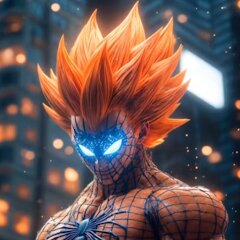
AI Fusion - AI Merge Character

500K+
Installs
Braly JSC
Developer
-
Generative AI
Category
-
Everyone
Content Rating
-
feedback.outlaw@bralyvn.com
Developer Email
-
https://bralyvn.com/privacy-policy.php
Privacy Policy
Screenshots
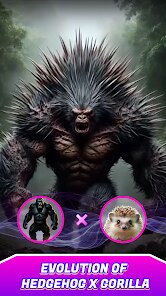
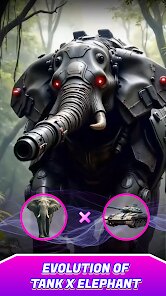
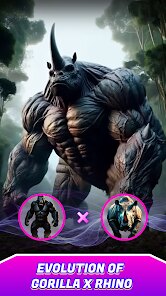
editor reviews
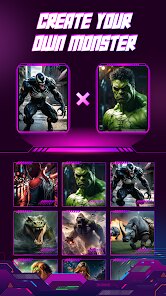
AI Fusion - AI Merge Character landed on my phone after I saw it mentioned in a group chat about AI art tools. It's a mobile app that lets you blend two different character images into a single, merged result, something between a photo editor and a generative AI playground. I downloaded it from Google Play, and despite its decent install count, it's free to download though it does include in-app purchases and occasional ads. When I first opened it, the layout felt a bit cluttered but not overwhelming. You get a straightforward prompt: pick a base character, pick a second character, then the AI does its thing.
The hands-on part is where it gets interesting. After launching the app, you're greeted by a simple two-frame interface where you tap to upload each image. I used it to merge two anime-style portraits I had saved, and the process was surprisingly quick. You adjust a "fusion strength" slider that controls how much influence each image has, which is a nice touch for fine-tuning. The AI takes about ten seconds to generate four different variations, and you can swipe through them. One thing that caught me off guard was how the app occasionally misreads a hair strand as a background element, so you might need to crop your images tightly beforehand. There is no complicated onboarding tutorial, which is refreshing, but it also means you learn by trial and error.
After a week, I'd call this a neat tool but not a daily driver. If you're into making weird character hybrids for fun or concept art, you might enjoy it. But if you're after polished, professional results, you'd probably get more out of something like RunwayML or even a basic Photoshop workflow. What sets AI Fusion apart is how simple it is; there's no learning curve, just upload and wait. I kept it installed because it's handy for quick experiments, but I can see someone uninstalling it if the generated images start looking too samey after a while. It fills a small niche without pretending to be more than that.
features
- 🔄 AI Fusion uses a really straightforward two-image blend system. You just pick two characters and adjust the fusion slider. Compare this to Midjourney, where you need to craft specific prompts and manually blend images using complex parameters. In AI Fusion, even a beginner can see results in under a minute without learning any syntax.
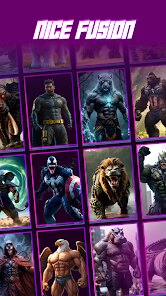
- 🔄 The app generates four variations at once from the same pair of images. Most similar apps, including Dream by Wombo or FaceApp, only give you one result or force you to regenerate. Having those four options makes it easier to pick a favorite without repeating the whole process.
- 🔄 It's completely offline after the initial generation. Once the AI processes the merge, you can save and share the image without needing an internet connection again. Apps like Picsart or Remini often require constant connectivity for editing and exporting. That's a genuine plus if you're on a train or somewhere with spotty signal.
pros
- ✨ The biggest strength is how fast it works. Loading two images and getting results takes around ten seconds. In contrast, an app like Stable Diffusion on mobile can take up to a minute for a single generation. Speed matters when you are just experimenting.
- ✨ The learning curve is basically nonexistent. There are no sliders for prompts, no negative weights, no seed numbers. You upload and wait. Other AI art apps like Leonardo AI or DALL-E on mobile feel like you're piloting a spaceship UI. AI Fusion is more like a vending machine.
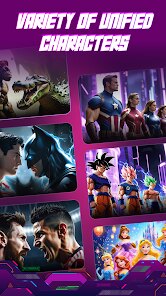
- ✨ It handles a wide range of art styles fairly well. Cartoon characters, realistic portraits, and even simple logos all get processed without breaking. Apps like Gradient or ToonMe are more restricted to specific filters, so AI Fusion feels more flexible for casual use.
cons
- 😬 The image quality is hit or miss. Sometimes the fusion looks seamless, but other times you get weird artifacts like a third eye or a floating mustache. Tools like Midjourney or Photoshop generative fill give you much cleaner outputs because they use higher-resolution models.
- 😬 You cannot edit the results afterward. Once the AI gives you the four variations, you cannot tweak them further within the app. If you want to adjust colors or remove an odd shape, you have to export and use another editor like Snapseed or Canva.
- 😬 There is no community gallery or sharing hub. Many similar apps, like Zyro AI or StarryAI, let you browse what others have created for inspiration. AI Fusion feels isolated, you are just generating alone in the dark without seeing what's possible.
Articles
![]()
Guide
How to Update Google Play Store on Android 2026
![]()
Guide
How to Download Older Versions of Android Apps
![]()
Guide
How to Download Apps Without Google Play Store
![]()
Guide
What Is an APK File for Android?
If you use an Android phone, you may have seen the term APK while searching for apps or games online. Some websites offer an APK download instead of a Google Play install button. Some users also mention APK files when talking about apps that are not available in their region, older app versions, or Android games downloaded outside the Play Store.
![]()
Guide
How to Install Games from Google Play for Beginners
Installing games on an Android phone is usually simple, but for beginners, the process can still feel confusing at first. You may not know where to search, which button to tap, whether the game is safe, or why Google Play sometimes asks for account settings, storage access, or payment information. If you are using an Android phone for the first time, learning how to install games from Google Play is one of the easiest ways to get started.
![]()
Guide
How Useful Gemini Is for Everyday Questions and Quick Tasks
emini feels different from many AI apps because it is not only trying to be a chatbot. After using it for everyday questions, quick writing, image understanding, and planning, I think its biggest strength is convenience.
![]()
Guide
What to Know Before Downloading APKs
For many Android users, downloading an APK is a common way to install apps and games. Sometimes an app is not available in a certain country.
![]()
Guide
ChatGPT Review: Is It Still the Best AI App in 2026?
![]()
Guide
Seedance 2.0 vs Sora: The Future of AI Video Generation
The AI video race has intensified dramatically over the past two years. Platforms like Sora from OpenAI and Luma Dream Machine pushed the boundaries of text-to-video realism. Yet, despite their impressive outputs, most tools still operate as probabilistic generators—you describe a scene, and the model interprets it. Control remains limited. With the February 2026 release of Seedance 2.0, developed by ByteDance, the paradigm shifted. Internally known as Jimeng 2.0, Seedance does not position itself as just another video model. It positions itself as an AI Director. Rather than guessing what you want, Seedance 2.0 allows you to direct what happens. This distinction defines everything that follows.









Recommended Apps
![]()
Home Design 3D
Anuman4.2
![]()
Truth or Dare Game - Party App
Chouic4.8
![]()
Photo Collage Maker
Scoompa4.7![]()
Learn to Draw Flower
Creative APPS4.2![]()
FIFA World Cup 2026™
FIFA2.8![]()
Mirror Plus: Mirror with Light
Digitalchemy, LLC4.4![]()
Meitu- Photo Editor & AI Art
Meitu (China) Limited4.5![]()
Perplexity - Ask Anything
PerplexityAI4.7![]()
GhostTube SLS Camera Alternate
GhostTube4![]()
Boom Chip Blast: 2-Player
Black Pyramid 3D Games Studio0![]()
Healthy Benefits+
Solutran, Inc.4.5![]()
Deepcheck AI Search Assistant
rohe.ai4![]()
Idol Prank Video Call & Chat
LightCode Solutions4![]()
Face Shape - Pretty Scale
GlintTec Apps3.9![]()
Plant App - Plant Identifier
ScaleUp4.6












































