
Fingerprint Scan

10K+
Installs
T-Bridge Technologies
Developer
-
Entertainment
Category
-
Everyone
Content Rating
-
+255752514638
Developer Email
-
https://fingerscan.co.tz/privacy-policy
Privacy Policy
Screenshots
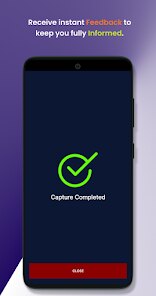
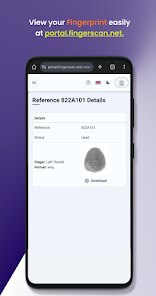
editor reviews
Fingerprint Scan by T-Bridge Technologies is essentially a utility app, a niche tool that turns your phone's camera flash into a makeshift fingerprint scanner. You download it from the Google Play Store, install it, and the idea is to press your finger against the camera lens and flash to get a scan. It's not a real security feature, more of a fun, gimmicky piece of software. The first impression after launching it is a bit surprising because it asks for camera and flash permissions without much explanation, and the interface feels quite dated and barebones. There are no in-app purchases or ads that I noticed, and registration isn't required, which is nice, but the install count seems low. You can tell right away this isn't a polished, daily-driver kind of app.
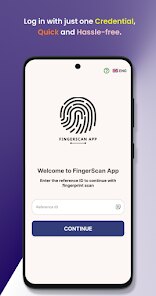
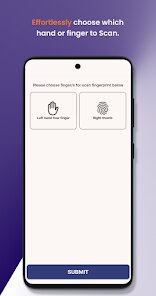
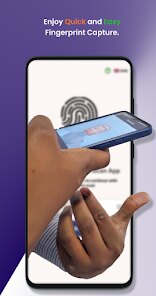
Actually using Fingerprint Scan is where things get a bit confusing. The interface is just a single screen with a circle where your finger goes. You have to hold your finger over the camera lens and flash, and it tries to pick up the ridges. In practice, it's tricky and doesn't work well. To get a scan, you have to press your finger against the lens at just the right angle with just the right pressure. It took me maybe ten tries to get a halfway decent image, and even then it was blurry. The app doesn't save scans or let you do anything useful with them. The whole process feels like a proof of concept rather than a finished product. A practical tip: don't expect it to match fingerprints, it just shows you a picture of your ridge pattern.
After spending some time with Fingerprint Scan, I'd say it's a very specific app for a very specific audience. People who are into tinkering with phone hardware or want a party trick to show friends might enjoy it for a minute. But for anyone looking for a reliable utility, this misses the mark. Compared to something like a magnifier app or a barcode scanner, which do their jobs cleanly, this feels half-baked. The standout feature is the concept itself, turning a camera into a scanner, but the execution is poor. I'd uninstall it after one or two uses because the novelty wears off fast and there's nothing more to do. It's one of those apps you download out of curiosity and then realize there's a reason similar ones aren't popular.
features
- 🔍 Live Scan Preview: Unlike standard fingerprint apps that just record a swipe, Fingerprint Scan attempts to show you the ridge pattern in real-time on your screen. It's more of a visual tool than a security one. In contrast, apps like ID Scanner just capture basic info without showing the fine details of a print.
- 📸 Camera Flash Integration: This app uses the phone's camera flash as a lighting source, which is a creative workaround. Other similar tools, like Simple Scanner, rely on standard flash or surface illumination, whereas this expects contact with the lens directly.
- 🖐️ No Template Storage: Unlike biometric apps like Fingerprint Quick Action that store patterns for unlocking, this one doesn't save or match anything. It's purely for viewing the image immediately after scanning, so privacy is higher since no data sticks around.
- 🔄 Minimal Interface: The UI is just one button and a frame, unlike bloated apps like Scanner Pro that have toolbars. This can be a plus if you just want to scan and move on, but the lack of settings also feels limiting.
pros
- ✅ Novelty factor: It's a unique, free tool that stands out from boring utilities. While apps like CamScanner focus on documents, this offers a completely different use for the camera sensor, which can be fun to experiment with.
- ✅ No permissions creep: Unlike many scanner apps that ask for contacts or location, this just uses the camera and flash. That beats apps like Adobe Scan which demand a dozen permissions.
- ✅ Very lightweight: The app is small and doesn't run background processes. In contrast, apps like Scanner Go eat up storage with cached files. This one stays minimal.
cons
- ❌ Poor reliability: The scan rarely works on the first try, whereas apps like Touch ID on iPhones are instant. This is more toy than tool compared to any real fingerprint reader.
- ❌ No practical use: It can't verify identity or unlock anything, unlike biometric apps like Fingerprint Webfast. You just get a blurry image, which limits why you'd keep it.
- ❌ Outdated UI: The design feels from 2014, while competitors like Notebloc Scanner have modern interfaces. The lack of updates suggests abandoned development.
Articles
![]()
Guide
How to Update Google Play Store on Android 2026
![]()
Guide
How to Download Older Versions of Android Apps
![]()
Guide
How to Download Apps Without Google Play Store
![]()
Guide
What Is an APK File for Android?
If you use an Android phone, you may have seen the term APK while searching for apps or games online. Some websites offer an APK download instead of a Google Play install button. Some users also mention APK files when talking about apps that are not available in their region, older app versions, or Android games downloaded outside the Play Store.
![]()
Guide
How to Install Games from Google Play for Beginners
Installing games on an Android phone is usually simple, but for beginners, the process can still feel confusing at first. You may not know where to search, which button to tap, whether the game is safe, or why Google Play sometimes asks for account settings, storage access, or payment information. If you are using an Android phone for the first time, learning how to install games from Google Play is one of the easiest ways to get started.
![]()
Guide
How Useful Gemini Is for Everyday Questions and Quick Tasks
emini feels different from many AI apps because it is not only trying to be a chatbot. After using it for everyday questions, quick writing, image understanding, and planning, I think its biggest strength is convenience.
![]()
Guide
What to Know Before Downloading APKs
For many Android users, downloading an APK is a common way to install apps and games. Sometimes an app is not available in a certain country.
![]()
Guide
ChatGPT Review: Is It Still the Best AI App in 2026?
![]()
Guide
Seedance 2.0 vs Sora: The Future of AI Video Generation
The AI video race has intensified dramatically over the past two years. Platforms like Sora from OpenAI and Luma Dream Machine pushed the boundaries of text-to-video realism. Yet, despite their impressive outputs, most tools still operate as probabilistic generators—you describe a scene, and the model interprets it. Control remains limited. With the February 2026 release of Seedance 2.0, developed by ByteDance, the paradigm shifted. Internally known as Jimeng 2.0, Seedance does not position itself as just another video model. It positions itself as an AI Director. Rather than guessing what you want, Seedance 2.0 allows you to direct what happens. This distinction defines everything that follows.









Recommended Apps
![]()
Home Design 3D
Anuman4.2
![]()
Truth or Dare Game - Party App
Chouic4.8
![]()
Photo Collage Maker
Scoompa4.7![]()
Learn to Draw Flower
Creative APPS4.2![]()
FIFA World Cup 2026™
FIFA2.8![]()
Mirror Plus: Mirror with Light
Digitalchemy, LLC4.4![]()
Meitu- Photo Editor & AI Art
Meitu (China) Limited4.5![]()
Perplexity - Ask Anything
PerplexityAI4.7![]()
GhostTube SLS Camera Alternate
GhostTube4![]()
Boom Chip Blast: 2-Player
Black Pyramid 3D Games Studio0![]()
Healthy Benefits+
Solutran, Inc.4.5![]()
Deepcheck AI Search Assistant
rohe.ai4![]()
Idol Prank Video Call & Chat
LightCode Solutions4![]()
Face Shape - Pretty Scale
GlintTec Apps3.9![]()
Plant App - Plant Identifier
ScaleUp4.6











































