

Animal Call&Chat: Music Prank

5M+
Installs
JUMBO GAMES Studio
Developer
-
Entertainment
Category
-
Teen
Content Rating
-
playstore.hi3@gmail.com
Developer Email
-
https://higameglobal.com/privacy/
Privacy Policy
Screenshots
editor reviews
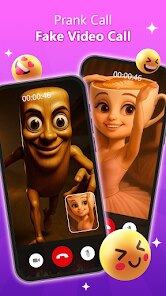
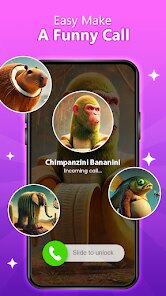
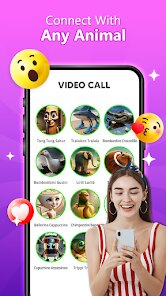
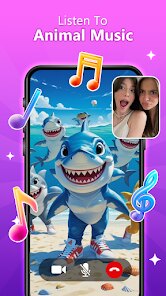
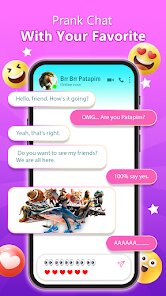
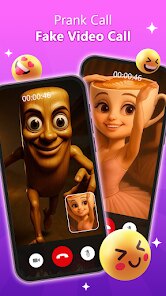
Animal Call&Chat: Music Prank is a lighthearted soundboard prank app from JUMBO GAMES Studio. Instead of a typical communication tool, it lets you tap animal icons to trigger realistic animal sounds and includes a basic voice-changing function for prank calls. You can find it for free on Google Play and the App Store, though it does have optional ads and in-app purchases to unlock extra sound packs or remove interruptions. When I first launched the app, the main screen showed a grid of cartoon animals like cats, dogs, and cows, and tapping one instantly played a short, clear sound. The setup was minimal: no account required, just open and start making noise. What stood out immediately was the playful, silly tone, and the voice changer worked well enough for quick jokes, though the sound options felt limited without paying.
Using the app is straightforward and takes about ten seconds to learn. After launching, you pick an animal sound or tap the call button to dial a contact and prank them with the noise. For example, I selected a rooster crow, called my friend, and he heard the crow after a short silence. The voice changer offers chipmunk or deep modes, but it lagged a bit during real calls. Navigating between the soundboard and the call tab was smooth, though the small buttons for the phone keypad felt cramped on my screen. The sounds themselves are decent quality, but after a few tries, the novelty started to fade. A practical tip: test the sound volume before calling, as some tones were much louder than others. It works best in short bursts, and the app does drain battery slightly faster during voice-changing use.
After a week of occasional use, I saw this app as a casual prank tool rather than a daily driver. It's most fun for a quick laugh with close friends, especially if you enjoy silly voice clips or joke calls. However, it falls short for anyone wanting a serious caller ID change tool, and grown-ups may find the humor wears thin quickly. Compared to other prank apps like Prank Caller by MocPock or Fake Call Prank, Animal Call&Chat feels simpler and more focused on animal sounds rather than creating fake caller profiles. What sets it apart is the genuine, clear animal audio and the voice changing, but the limited free content may lead some users to uninstall after a week. I kept it installed for random laughs, but a friend of mine deleted it after two days because the ads felt intrusive. Overall, it's a decent, focused prank app if you accept its boundaries.
features
- 🐾 Realistic Animal Sounds: The app includes over 30 animal calls with surprisingly clear audio, each triggered by a simple tap. I compared it with Prank Caller by MocPock, which focuses on fake text conversations rather than sound effects. Animal Call&Chat's sounds feel more authentic, making pranks more convincing, whereas Prank Caller requires manual text editing. This app stands out for instant, high-quality playback without prior setup.
- 🎤 Live Voice Changing: Unlike Fake Call Prank by Purple Tree, which only simulates incoming calls, this app offers real-time voice modulation during calls. You can choose chipmunk, deep, or echo effects while talking to a contact. This feature works with standard phone calls, not just pre-recorded clips, adding interactive humor. However, it requires a stable connection, and the quality can degrade if you use it too long.
- 📞 Simple Call Integration: You can directly dial contacts from the app's keypad, much like a regular phone. This is simpler than using a separate fake call app like Caller ID Prank, where you only simulate on-screen interactions. The direct dial feature eliminates extra steps, making pranks faster and more seamless, especially when you want to surprise someone with a sudden animal sound.
pros
- 🆓 Completely Free to Start: The base version has no upfront cost, unlike Prank Caller which requires a subscription for basic features. You can access most animal sounds and one voice changer without paying, though ads appear occasionally. This low barrier made it easy to test without commitment.
- 🎯 Focused on Simplicity: Unlike Fake Call Prank, which has dozens of settings for backgrounds and fake profiles, Animal Call&Chat keeps everything on one screen. You select an animal, dial, and go. This clarity reduces confusion, especially for prank newbies who just want a quick laugh.
- 🦊 Authentic Animal Library: The sound quality surpasses many free prank apps. A free alternative like Animal Sounds Free lacks the voice changer and call integration. Here, you combine sound and prank calls in one app, so no switching tools mid-joke.
cons
- 💸 Limited Free Content: While it's free to start, the free version cuts off after a few uses. To unlock most sound packs or remove ads in the call interface, you must purchase an upgrade. Prank Caller by MocPock gives more persistent free options without such restriction.
- 📉 Quick Novelty Wear-Off: After three or four prank calls, the sounds become repetitive. There's no evolving content, daily challenges, or new animals added regularly. I uninstalled after a week, as similar apps like Fake Call Prank offer themed updates or community pranks.
- 📱 Clumsy Call Interface: The in-app keypad is small and poorly spaced on my 6-inch phone, likely due to an early-stage design. During dialing, I accidentally tapped the wrong number several times. Caller ID Prank has a more polished, full-screen keypad that feels more natural.
- 🔊 Volume Inconsistency: Some animal sounds are much louder than others, like the elephant trumped compared to a quiet chicken peep. This forces manual volume adjustment between calls, which disrupts the prank flow and feels unpolished.
Articles
![]()
Guide
How to Update Google Play Store on Android 2026
![]()
Guide
How to Download Older Versions of Android Apps
![]()
Guide
How to Download Apps Without Google Play Store
![]()
Guide
What Is an APK File for Android?
If you use an Android phone, you may have seen the term APK while searching for apps or games online. Some websites offer an APK download instead of a Google Play install button. Some users also mention APK files when talking about apps that are not available in their region, older app versions, or Android games downloaded outside the Play Store.
![]()
Guide
How to Install Games from Google Play for Beginners
Installing games on an Android phone is usually simple, but for beginners, the process can still feel confusing at first. You may not know where to search, which button to tap, whether the game is safe, or why Google Play sometimes asks for account settings, storage access, or payment information. If you are using an Android phone for the first time, learning how to install games from Google Play is one of the easiest ways to get started.
![]()
Guide
How Useful Gemini Is for Everyday Questions and Quick Tasks
emini feels different from many AI apps because it is not only trying to be a chatbot. After using it for everyday questions, quick writing, image understanding, and planning, I think its biggest strength is convenience.
![]()
Guide
What to Know Before Downloading APKs
For many Android users, downloading an APK is a common way to install apps and games. Sometimes an app is not available in a certain country.
![]()
Guide
ChatGPT Review: Is It Still the Best AI App in 2026?
![]()
Guide
Seedance 2.0 vs Sora: The Future of AI Video Generation
The AI video race has intensified dramatically over the past two years. Platforms like Sora from OpenAI and Luma Dream Machine pushed the boundaries of text-to-video realism. Yet, despite their impressive outputs, most tools still operate as probabilistic generators—you describe a scene, and the model interprets it. Control remains limited. With the February 2026 release of Seedance 2.0, developed by ByteDance, the paradigm shifted. Internally known as Jimeng 2.0, Seedance does not position itself as just another video model. It positions itself as an AI Director. Rather than guessing what you want, Seedance 2.0 allows you to direct what happens. This distinction defines everything that follows.









Recommended Apps
![]()
Home Design 3D
Anuman4.2
![]()
Truth or Dare Game - Party App
Chouic4.8
![]()
Photo Collage Maker
Scoompa4.7![]()
Learn to Draw Flower
Creative APPS4.2![]()
FIFA World Cup 2026™
FIFA2.8![]()
Mirror Plus: Mirror with Light
Digitalchemy, LLC4.4![]()
Meitu- Photo Editor & AI Art
Meitu (China) Limited4.5![]()
Perplexity - Ask Anything
PerplexityAI4.7![]()
GhostTube SLS Camera Alternate
GhostTube4![]()
Boom Chip Blast: 2-Player
Black Pyramid 3D Games Studio0![]()
Healthy Benefits+
Solutran, Inc.4.5![]()
Deepcheck AI Search Assistant
rohe.ai4![]()
Idol Prank Video Call & Chat
LightCode Solutions4![]()
Face Shape - Pretty Scale
GlintTec Apps3.9![]()
Plant App - Plant Identifier
ScaleUp4.6











































